If you want the best free VPN for Fire TV, the hard part is separating genuinely usable options from the dozens of apps that sound good on paper and fall apart once streaming starts. Some free plans offer unlimited data but weak access to Netflix and other streaming services. Others do better with geo-blocked content, but their data caps run out long before a full weekend of viewing.
We focused on what actually matters on an Amazon streaming device: native app support, steady speeds, usable server locations, privacy standards, and whether a free Firestick plan is realistic for casual viewing. We also explain where free VPN services hit a wall, and when a paid plan with a money back guarantee makes more sense.
Proton VPN leads for most people because its free plan offers unlimited data and a native Fire TV app, while Windscribe stands out if streaming access matters more than raw allowance. PrivadoVPN rounds out the top tier by keeping setup simple and day-to-day use relatively painless.
Our Picks for Free Fire TV VPNs
Proton VPN
Why it made the list
- Unlimited data and strong Fire TV app support.
- Unlimited data on the free plan
- Native Fire TV app available
Windscribe
Why it made the list
- Better access to geo-restricted apps than most free plans.
- Better than most free plans for streaming access
- Useful spread of free server locations
PrivadoVPN
Why it made the list
- Simple setup with good HD viewing potential.
- Native Fire TV Store app available
- Simple interface for first-time setup
Free VPNs for Fire TV sound straightforward until you actually try to use one on a living-room device. On a phone or laptop, a weak free plan can still be tolerable for light browsing. On a Firestick, the flaws show up faster: small data limits, overloaded servers, awkward navigation with a remote, and streaming apps that refuse to load once they detect a shared IP address.
That is why this shortlist is narrow. We did not treat every free VPN with an app listing as a serious option. For a VPN for Firestick to earn a place here, it had to be reasonably easy to install, offer enough data or enough access to be useful, and avoid the usual privacy red flags that make many free services a bad bet on Amazon Fire TV hardware.
Some readers want the best free option with unlimited data. Others care more about reaching Netflix while traveling, or testing a Firestick VPN before paying for a long-term plan. Those are different jobs, and no single free service handles all of them equally well. Proton VPN is the most rounded choice, Windscribe is the better pick for selective streaming use, and PrivadoVPN strikes a smart middle ground for people who want a free Firestick app that does not need much hand-holding.
When we compare VPN offers, the differences show up quickly on a streaming device. A service may look attractive in a browser tab, but the real test is whether you can use the app without friction, whether the connection speeds stay usable, and whether the provider has servers in countries you actually need. That is the point of a good review: helping you chose the best option for your setup instead of guessing from marketing.


How We Ranked the Free VPNs
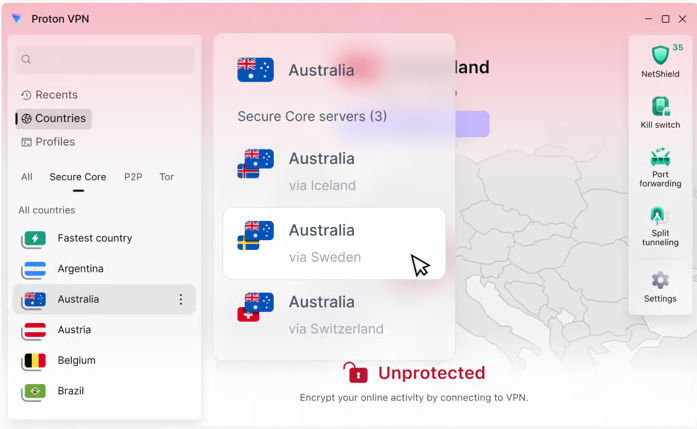
We ranked each free VPN by the factors that matter most on Fire TV rather than by desktop-friendly extras. The shortlist gave the most weight to data allowance, native Fire TV or Firestick app support, privacy standards, usable speeds, and practical streaming access. A free plan with good marketing but poor device support did not make the cut.
We also looked at how each service behaves in real living-room use. That means simple navigation with a remote, readable menus, login friction, and whether connection changes felt quick or clumsy on Amazon Fire TV hardware. A service can have decent security on paper and still be a bad Firestick VPN if the app is awkward or unstable.
Privacy and security were part of the filter, too. We preferred providers with clearer logs policy language, useful protections like a kill switch, and fewer signs that the free plan depends on intrusive data collection. That does not make every listed option perfect. It means they offered better value than the wider field of free services.
Finally, we narrowed the list by asking a basic question: would a normal user actually keep this app installed on a TV device? If the answer was no—because the cap was too harsh, the speeds too uneven, or the servers too crowded—the service dropped in the ranking. That is why this guide favors a few realistic options over a longer, weaker list.
VPN Comparison Table
A comparison table is useful here because the differences between free plans are easy to miss until you line them up. Two services may both call themselves a free VPN for Fire TV, but one may offer unlimited data with weak streaming access while another gives better regional flexibility at the cost of a tight cap.
The table below is best read as a decision shortcut, not a promise sheet. Free services change server locations, app support, and sign-up requirements more often than paid plans. If you need more consistent performance and broader streaming support, our guide to the best paid VPNs for Fire TV covers the top premium picks. Still, the broad pattern is clear: Proton VPN is the strongest all-around free Firestick option, Windscribe is more compelling for selective unblocking, and some older names like Hotspot Shield no longer stand out the way they once did for free Firestick use.
Data Caps, Speeds, and Device Support
| VPN | Free data plan | Fire TV support | Speed outlook | Best fit |
|---|---|---|---|---|
| Proton VPN | Unlimited data | Native Fire TV app | Usually steady for HD | Everyday use |
| Windscribe | 10 GB monthly | Native app | Good, but variable on free servers | Targeted streaming |
| PrivadoVPN | 10 GB/month | Native Fire TV Store app | Good for casual HD viewing | Easy daily use |
| Hide.me | Unlimited data | App support available | Mixed, often slower than top picks | Privacy-first use |
| Speedify | 2 GB/month | Sideload only (via Downloader) | Can feel fast on unstable lines | Connection stability |
| TunnelBear | 2 GB/month | Limited practical value on TV | Fine for testing only | Beginners |
This quick view shows why “best free” depends on how you use the device. If you watch often, unlimited data matters more than headline features. If you only need short-term access, a capped plan with better speeds or better app behavior may be enough.
Streaming Access and Server Coverage
| VPN | Streaming access | Free server locations | Notes |
|---|---|---|---|
| Proton VPN | Limited on free tier | 10 countries | Better for privacy than unblocking |
| Windscribe | Better than most free options | Broad for a free plan | Strong pick for geo-restricted apps |
| PrivadoVPN | Decent for light use | 13 locations | Good balance of ease and access |
| Hide.me | Inconsistent | 8 locations | Better for private browsing than Netflix |
| Speedify | Not a main strength | Limited | More niche than general streaming |
| TunnelBear | Very limited | Auto-assigned only | Best for brief testing |
Server coverage matters because overloaded free servers can make a Fire TV stream feel slow even when the underlying internet line is fine. It also affects whether a service can unblock region-specific content at all. If Netflix or other streaming services are your focus, Windscribe and PrivadoVPN generally make more sense than privacy-first options with narrower free access.
Hotspot Shield deserves a quick note because it is still searched often in this category. It remains a recognizable name, but compared with the best VPNs above, it is not one of the strongest current picks for free Firestick use if your priorities are consistent streaming and flexible server locations.
Privacy Features and Account Limits
| VPN | Privacy stance | Key features | Account friction |
|---|---|---|---|
| Proton VPN | Strong privacy reputation | Kill switch, leak protections | Straightforward |
| Windscribe | Good controls for free users | Firewall-style protections | Usually simple |
| PrivadoVPN | Reasonable privacy baseline | Basic protections | Easy sign-up |
| Hide.me | Privacy-focused | Kill switch, no-ads feel | Moderate |
| Speedify | Functional but niche | Stability tools | Simple |
| TunnelBear | Beginner-friendly privacy tools | Basic security features | Very easy |
For quick decisions, this part of the table helps separate convenience from trust. Some free VPN services are easy to install but vague on privacy. Others ask more from the user at sign-up yet offer better security and clearer policies. On Fire TV, where the device is usually tied to an Amazon account and lots of app activity, that balance matters more than many people expect.
How to Install a VPN on Firestick
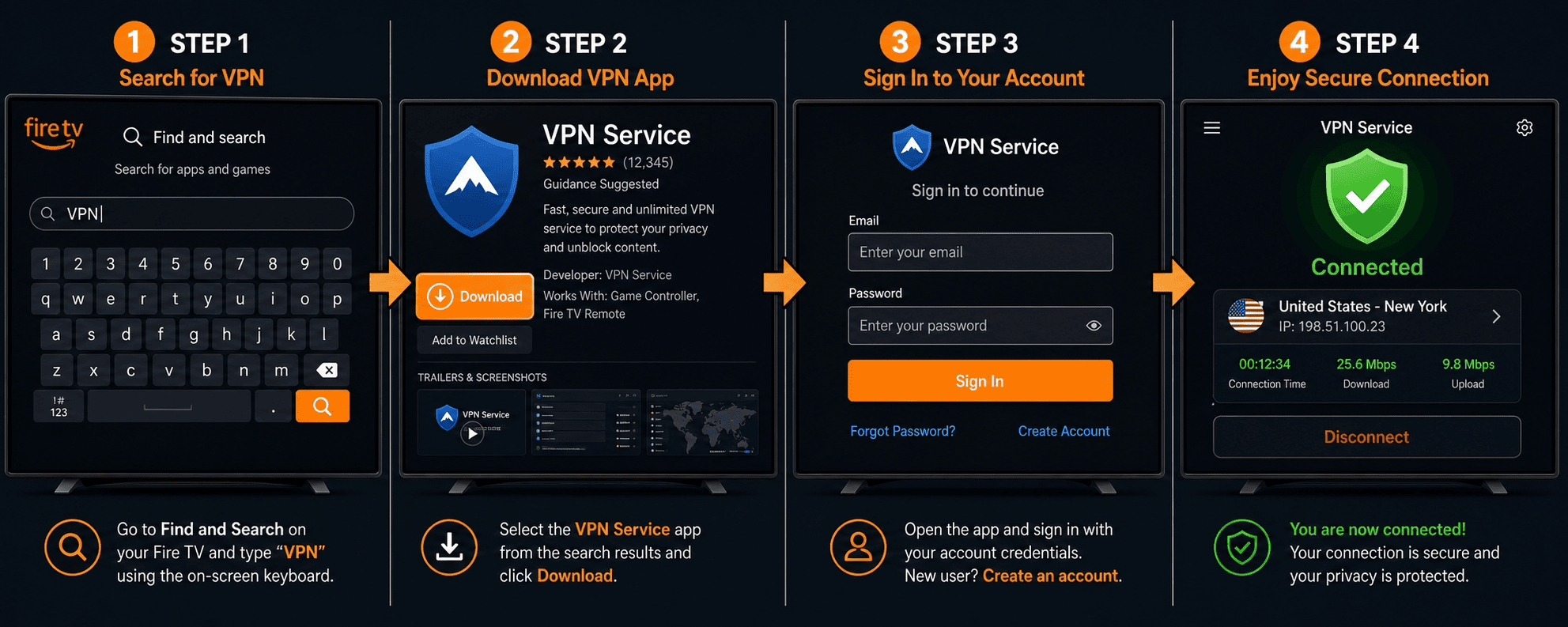
Installing a VPN on Firestick is usually simple if the provider has a native app in the store. It gets slightly more technical when you need to sideload an APK, but even then, the process is manageable if you keep the steps clean and use a trusted source.
The big mistake most people make is rushing the setup, then blaming the VPN app when the real issue is an old Fire OS version, a bad login, or a streaming app still caching the old location. Take five extra minutes at the start. It saves much longer troubleshooting later. For a more detailed walkthrough of installing a VPN on Fire TV, check out this guide.
Step 1: Prepare Your Fire TV Device
Before you install anything, make sure your Fire TV or Amazon Fire TV Stick is connected to stable Wi-Fi and fully signed into the Amazon account you plan to use. That sounds basic, but it prevents the most common download and login errors before they start.
Next, check for system updates. On the device, older software can cause odd app behavior, especially with newer VPN app builds. Go into settings, confirm the device is current, and restart it if it has not been rebooted in a while. A clean start helps.
If you think you may need to sideload later, enable the relevant app installation options in advance. Depending on the model and Fire OS version, that may involve developer-style settings for apps from outside the standard store. Do not turn on extra permissions unless you actually need them, but know where they are before you begin. Preparation makes the rest of how to install a VPN for Firestick much easier.
Step 2: Install from the Fire TV Store
For most readers, the Fire TV Store is the easiest path. Open search on the home screen, type the provider name, and look for the official Firestick app or Fire TV listing. If you see Proton VPN, Windscribe, PrivadoVPN, or another provider with a native app, choose that version rather than improvising with a mobile APK.
Download the app, open it, and sign in with the account tied to your free plan. Some services require email verification before the device can connect, so it is smart to finish that step on a phone or laptop first. Once signed in, pick a server from the available locations and connect.
After the connection is live, confirm that the app shows you as protected and that your IP address has changed. Then open the streaming app you want to use. If playback fails immediately, close and relaunch the streaming service before changing VPN servers. On Fire TV, cached location data is a common culprit, not necessarily a bad VPN.
Step 3: Sideload an APK if Needed
Sideloading only becomes necessary when the provider does not offer a native Fire TV app or when the app in the store is missing features. In that case, you install an Android APK manually. It sounds more intimidating than it is, but source quality matters. A bad file is not worth the risk.
Use only the provider’s official site or another clearly authorized source. Do not grab random APKs from mirror sites just because they rank well in search. A VPN app handles sensitive traffic, account details, and your device connection path, so security should come first. If the source is unclear, stop there.
The usual sideload flow is simple: install a downloader tool, enter the official APK address, download the file, and follow the on-screen prompts. Once installed, sign in and test the app just as you would with a store version. If the interface feels awkward, that is not unusual. Some Android apps are usable on Firestick, but they are not always designed with a remote-first layout.
Step 4: Connect, Test, and Troubleshoot
Once the VPN is installed, connect to a server in the location you need and give it a moment to stabilize. Then verify the basics: the app says connected, the IP address reflects the new region, and the Fire TV device still has internet access. Those three checks catch most setup problems immediately.
Next, test the streaming app. Open Netflix, Prime Video, or another service and try the content you actually want to watch rather than just browsing menus. A VPN can connect successfully but still fail to unblock a title if the chosen server is overcrowded or already flagged by the platform.
If something goes wrong, start with the easy fixes. Disconnect and reconnect. Switch servers. Force close the streaming app. Restart the Firestick. If login issues persist, sign out of the VPN and back in. If buffering continues, try a nearer location instead of the farthest region available. Troubleshooting on the device is often less dramatic than it looks; most problems come down to server choice, app cache, or an overloaded free plan.
Do You Need a VPN for Firestick?
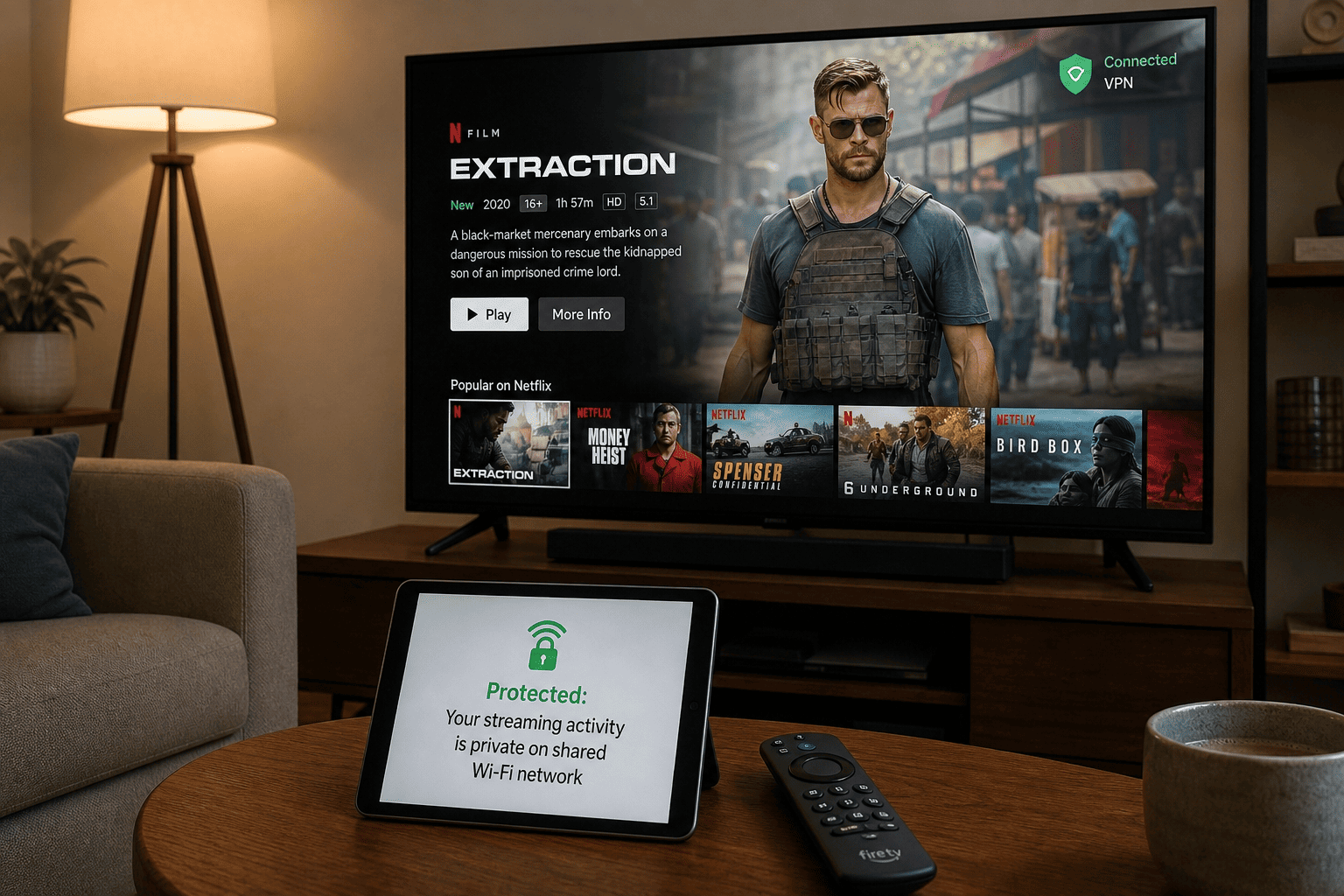
Skip a VPN if you only watch local apps on a home network where you trust all users. A VPN is most useful when you have a specific reason for it: privacy on shared networks, less exposure to ISP monitoring, or access to content tied to a different location while traveling.
On the other hand, a VPN adds another layer between your device and the app you are trying to use. That can help, but it can also slow things down, especially with free plans. The question is not “Should everyone use one?” It is “Does it solve a real problem in your setup?”
When a VPN Makes the Biggest Difference
A VPN makes the clearest difference when you travel and want access to streaming services linked to the region where your subscription normally works. It can also help if you use Fire TV on shared or public networks and want more privacy around what the device is doing online.
There is also the ISP angle. A VPN does not make you invisible, but it can reduce how much your provider sees about your activity and can mask your home IP address from the services you access. For some users, that privacy benefit is reason enough.
A Firestick VPN is also useful when you want to test whether location is the reason an app or title is unavailable. Pick a server, reconnect, and see whether access changes. Just remember that streaming platforms’ terms may discourage geo-restriction workarounds, and some countries place restrictions on VPN use. For lawful subscribers traveling abroad, though, a VPN often earns its place.
If you are watching on an Amazon Fire TV device, the best VPN for Firestick is usually the one that keeps connection speeds steady enough for the apps you already use. That may be a free plan for casual access, or a premium VPN with better access to servers in countries you need for travel.
When You Can Skip It
If you mainly use local apps at home on a trusted network, a VPN may add very little value. Casual viewers who open one or two streaming services and never change regions often do fine without one, especially if their internet connection is only just fast enough for HD video as it is.
Free plans can be even less appealing for bandwidth-sensitive users. If you already deal with modest speeds, adding a free VPN with crowded servers can make the experience worse instead of better. In that case, skipping it is perfectly reasonable.
You can also skip it if your main goal is simply smoother playback. A VPN is not a universal fix for buffering, app crashes, or weak Wi-Fi coverage around the TV. Sometimes the better answer is a router adjustment, an Ethernet adapter, or a better streaming plan from the service itself.
Security, Privacy, and Access Trade-Offs
The trade-off is simple: a VPN can improve privacy and sometimes help unblock content, but it may also reduce speeds and add friction. On Fire TV, that friction shows up in login prompts, server switching, and occasional app conflicts. Free plans amplify those limits.
Security features still matter. A kill switch, which cuts internet traffic if the VPN drops, is helpful on devices that stay connected for long sessions. Clear logs policy language matters too, because some free services collect more usage data than privacy-minded users expect. Look for strict no logs language and, where possible, a strict no logs policy that is easy to verify.
So do you need one? Only if the benefits match your use case. If you care about privacy, travel often, or want access to region-specific streaming services, the answer is often yes. If you just want to watch local content at home with minimal fuss, a VPN for Firestick may be optional rather than essential.
Free VPN vs Paid VPN for Firestick
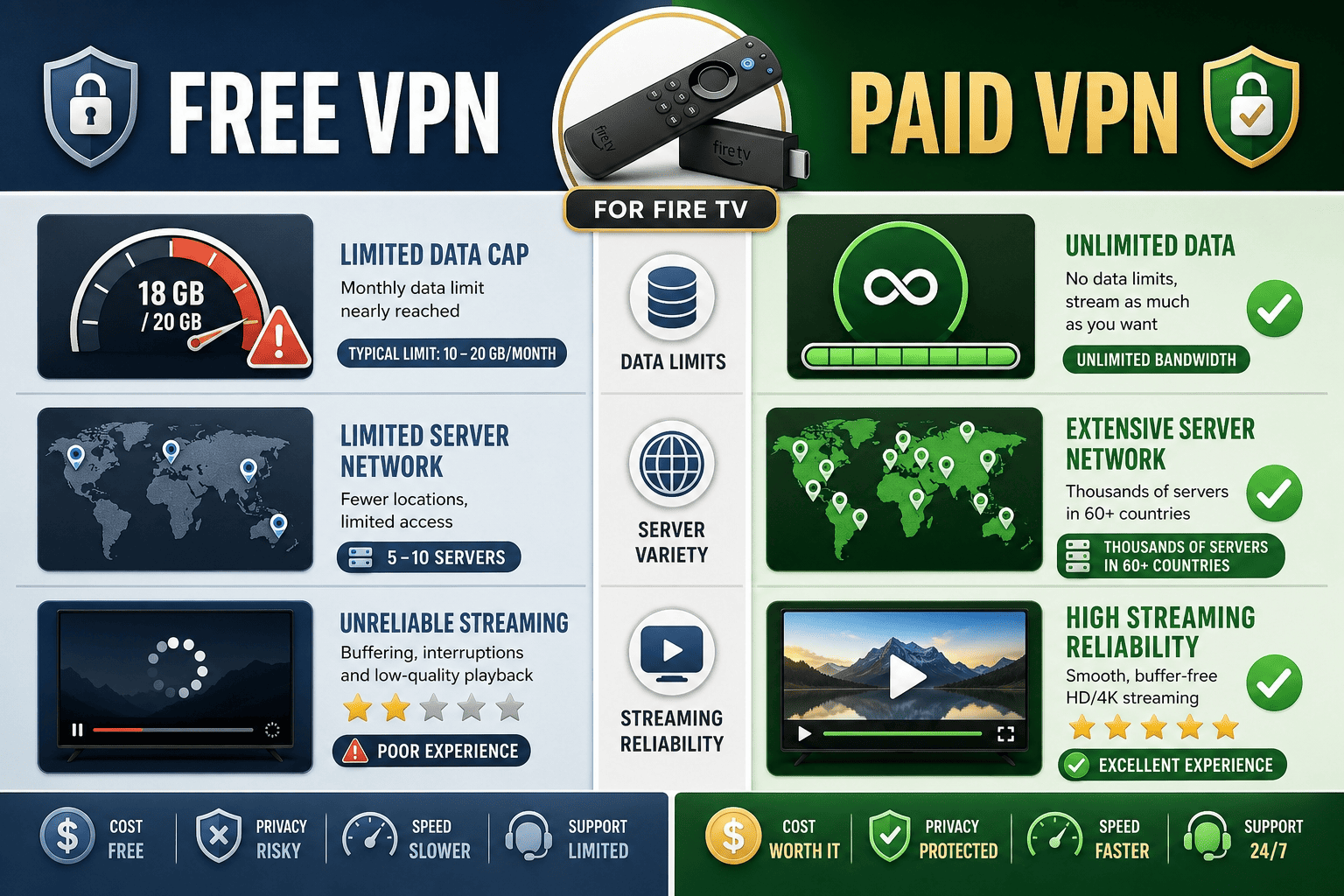
The difference between a free VPN and a paid one is not just price. It is what kind of experience you can realistically expect on Fire TV. Free plans can be useful, sometimes surprisingly so, but they nearly always involve narrower servers, lower support, and stricter data rules.
Paid services, by contrast, are built for regular use. If your Firestick is a daily streaming device, that gap becomes obvious quickly. A free plan can be a good test. A long-term solution is another matter.
What Free Plans Usually Give You
Most free plans give you a restricted slice of the full service: fewer servers, tighter device options, slower support, and a cap on data unless the provider offers unlimited data. That does not make them bad. It just defines the job they can do.
For Fire TV users, a best free plan is often enough to test streaming access, protect a session on shared Wi-Fi, or handle occasional viewing while traveling. Proton VPN and Hide.me stand out because unlimited use changes the math. Others are more like controlled trials than real everyday tools.
The key is expectation. Free VPN services are usually best for light use, short-term testing, or users who want to understand the app before spending money. They can work well within those limits. If you want to use free VPN for amazon devices only now and then, the trade-off can be acceptable.
What Paid Plans Add
Paid VPN services usually add more consistent speeds, many more servers, stronger access to streaming services, and broader app support across devices. That is especially relevant for Fire TV, where overloaded free nodes can turn a simple movie night into a buffering exercise.
They also tend to come with better customer support and more predictable performance. If you watch Netflix often, need stable 4K, or want more server locations for travel, paid plans are simply easier to live with. Many also include a money back guarantee, which lowers the risk if you are not sure the upgrade is worth it.
That money back guarantee matters more than it sounds. It lets you test a paid service on your own Firestick, with your own apps and internet connection, without committing blindly. In practice, that is often smarter than stretching a weak free option too far. Good VPN offers often include a 30 day money back guarantee, and that kind of day money back guarantee can make testing a premium VPN feel much less risky.
Which Option Fits Different Users
For occasional streamers, travel use, or users mainly focused on privacy, a best free plan may be enough. Proton VPN is the clearest example: it offers real value without charging, even if access is not as broad as paid services.
Streaming several nights a week, needing reliable access, or wanting fast speeds across multiple regions all point toward a paid plan. That is doubly true for households sharing one Amazon device ecosystem across lots of apps and users.
A simple way to decide: start free if your use is light and your expectations are modest. Move to paid if you hit data limits, can’t unblock the content you want, or find free servers too slow. Fire TV is a comfort device. If the VPN keeps getting in the way, the free plan has already answered the question.
Limitations and Risks of Free VPNs
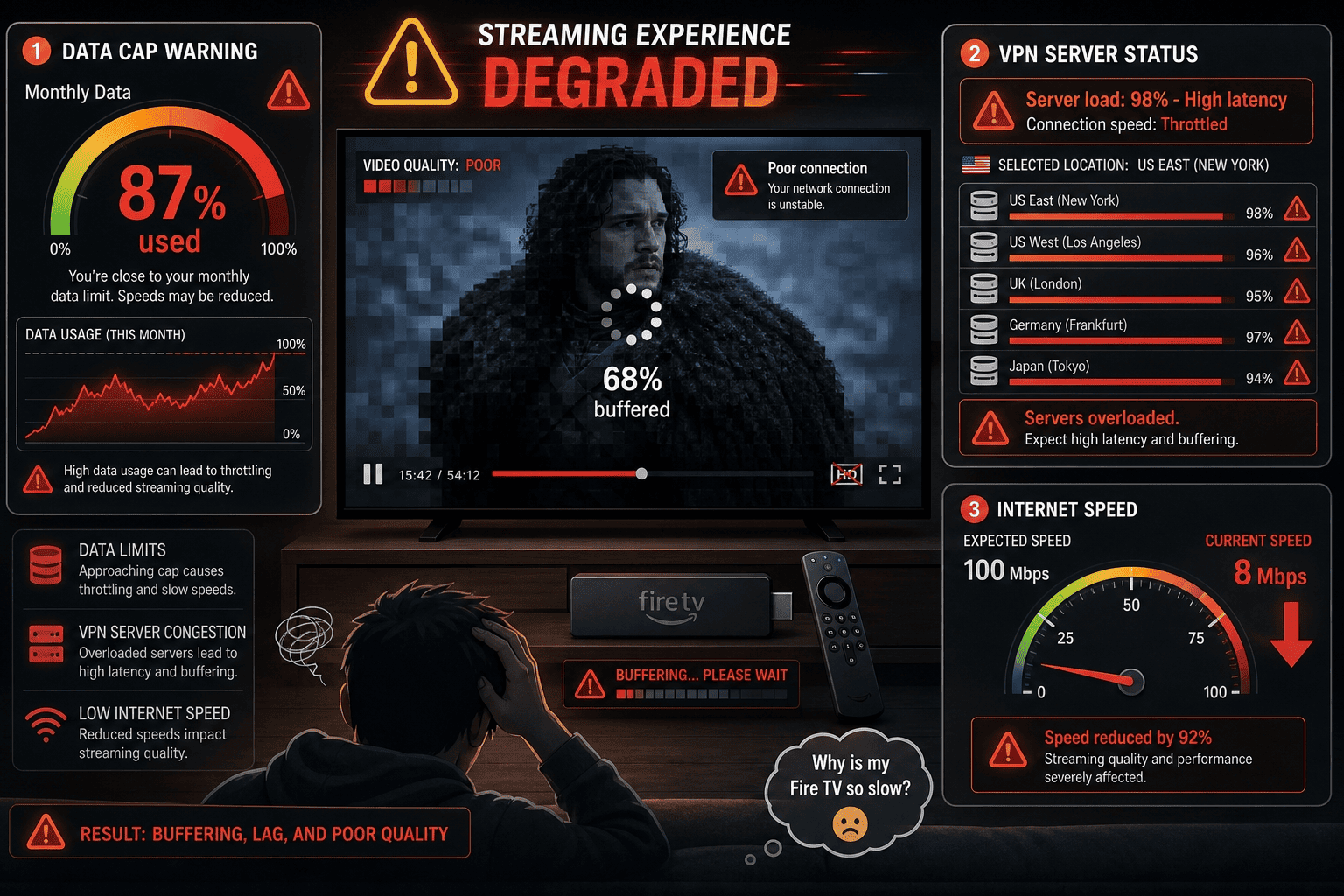
Free VPNs can be genuinely useful on Firestick, but they come with trade-offs that are much easier to notice on a TV than on a phone. A mobile user may tolerate a few ads, slower speeds, or a short session limit. A living-room viewer notices buffering, logouts, and stalled playback almost immediately.
That is why “free” needs context. Some free plans are credible entry points from established providers. Others are little more than constrained demos or, worse, privacy risks dressed up as convenience. The differences are not subtle once you start streaming.
Data Caps and Streaming Bottlenecks
Data caps are the biggest practical limit. A free plan might offer a daily or monthly allowance that sounds generous until you remember how much video uses. A short browsing session is one thing; hours of HD streaming on Fire TV is another. Even moderate viewing can chew through a capped plan quickly.
This is why unlimited data stands out so much in this category. Without it, many free VPN options are reduced to short tests, travel emergencies, or occasional episodes rather than normal TV use. A Firestick invites long sessions by design. The plan often does not.
Caps also create a second problem: user behavior changes around them. People lower quality, avoid longer movies, or keep disconnecting to save data. That defeats much of the convenience of a streaming device. If your free VPN makes you think about megabytes every night, it is probably the wrong long-term fit.
A few plans give just a few gb of free data, while others offer more generous gb of free data or a specific amount of gb of data to test the service. That can be enough for a trial, but not for regular streaming on a fire stick, especially if you are watching in HD or comparing multiple apps like Netflix or BBC iPlayer.
Privacy and Logging Concerns
Privacy is where free services become harder to evaluate. A clear logs policy tells you what a provider collects, how long it keeps it, and whether account or usage data is tied to your activity. If that language is vague, that is not a minor drafting issue. It is a warning sign.
Some free VPN business models rely on ads, analytics, or aggressive data collection to cover costs. That does not mean every free service is unsafe, but it does mean users should read the policy more carefully than they might with a paid provider that has a simpler subscription model. On a Fire TV device tied to an Amazon account, that caution is sensible.
Security matters too. Features like a kill switch, leak protection, and decent app maintenance are not luxuries. They are the baseline for a service that routes your traffic. If a provider is unclear about its logs policy or underdelivers on security, free access stops looking like much of a bargain. Look for strict no logs policy language, and pay attention to whether the provider actually backs it up in practice.
Speed, Server Load, and Reliability Issues
Free servers are often the most crowded part of any VPN network. That means lower speeds, more congestion at peak times, and a less reliable stream. A VPN can look fast in a quiet test and still stumble badly on a Friday night when everyone is trying to watch at once.
On Firestick, that shows up as buffering, slower app loads, or streams that drop to lower quality. It can also mean disconnects that interrupt playback entirely. If the service lacks a kill switch, your device may fall back to the regular connection without much warning, which undermines both privacy and access goals.
Reliability is often the hidden gap between free and paid plans. Even the best free options can be inconsistent simply because too many users share too few servers. For casual use, that may be acceptable. For regular streaming, it becomes exhausting. In other words, connection speeds and overall speed and performance matter more on a TV than many people expect.
Blocked Streaming and Compatibility Problems
Streaming platforms are good at spotting shared VPN traffic, and many free services do not have the server rotation or depth to stay ahead for long. That means a free VPN may connect fine, change your IP address, and still fail to unblock the app or title you wanted.
Compatibility issues matter too. Some apps are clearly built for phones first and TVs second. Others install on Fire TV but feel clumsy, unstable, or missing key features. Before installing any VPN for Firestick, check that the app is actually available and usable on the device. A free plan is only helpful if the software fits the screen.
If you mainly care about watching platforms like Netflix, or trying to access Netflix BBC iPlayer in another region, the risk is even higher. A service may work one day and fail the next. For that reason, it is often safer to look for a premium VPN or a free VPN for amazon use that has a native Firestick app and a better track record with geo restricted content.
How We Test and Choose the Best Free VPNs
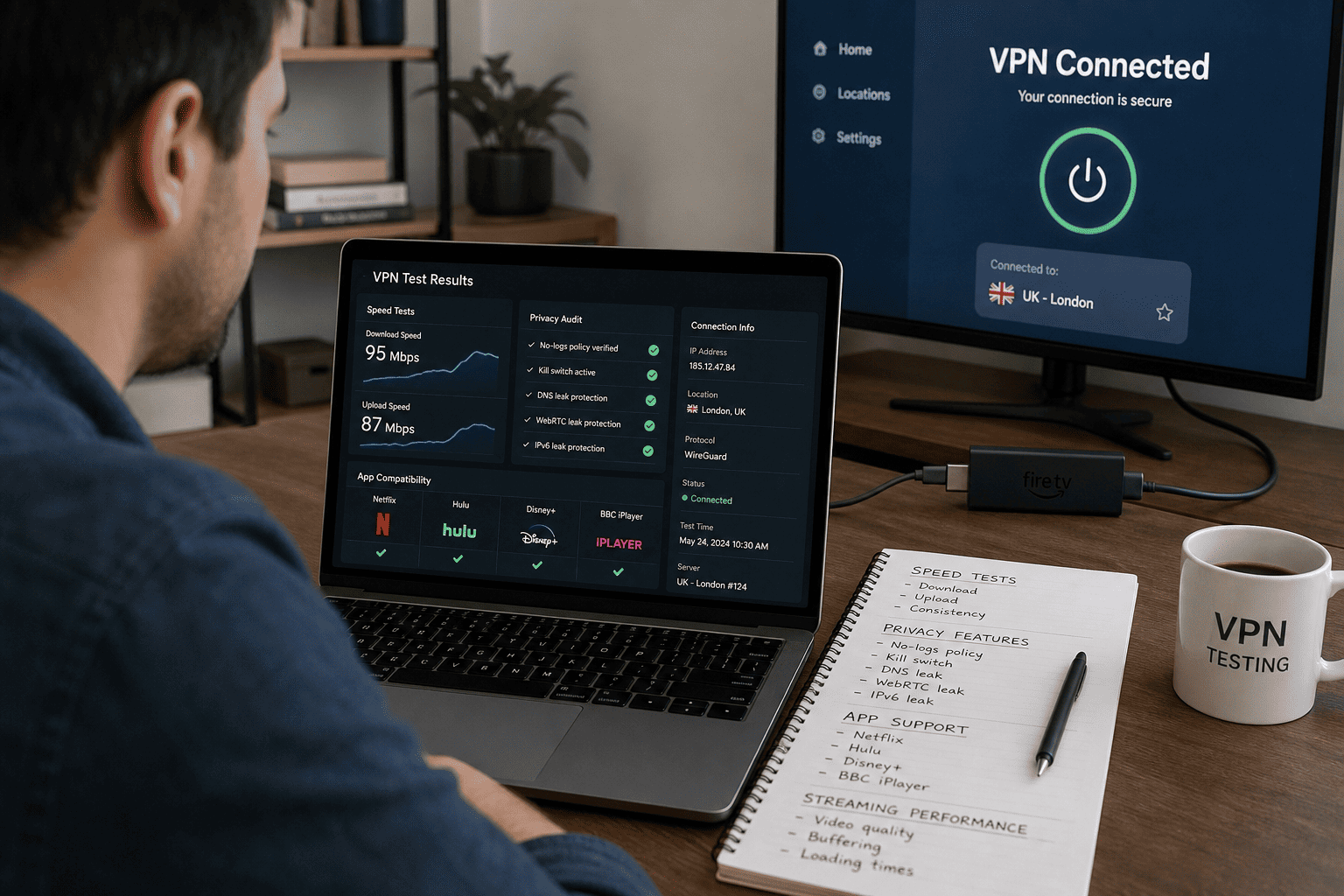
We test free VPNs for Firestick with the same mindset we use for paid services, but the bar is more practical. The goal is not to reward the app with the longest feature list. It is to find which free option still feels usable on a TV once the real limits kick in.
That means we do not overvalue one flashy feature at the expense of the whole experience. A provider may stream well for ten minutes and then run into a cap. Another may protect privacy well but offer such weak speeds that the result is hard to recommend. Methodology matters because free plans are all compromise.
Testing Setup and Devices
We test on Fire TV hardware rather than treating Android results as a substitute. That includes checking the installation flow, login experience, server selection, and remote navigation on an actual Firestick-style setup. We also compare app behavior across related devices when needed.
For consistency, we use the same home network baseline, repeat connection attempts, and retest the same streaming scenarios instead of relying on one lucky run. If a service can connect once but fails repeatedly after that, it does not score well in practice.
We also test whether the app keeps the stream stable, whether the IP shift sticks, and whether the device remains easy to use after the connection is active. A good methodology should reflect how people really watch TV.
Ranking Criteria We Used
The main ranking factors were speed, privacy, data allowance, and usability. Speed matters because even decent HD streaming can expose weak free servers fast. Privacy matters because a free VPN should not ask users to trade away too much data in exchange for access.
Firestick support is also a major criterion. A service with no native app or a poor TV interface starts at a disadvantage, even if its desktop software is stronger. We weighed streaming performance carefully, but not as the only factor. Some users want to stream; others mainly want privacy on Fire TV.
We also considered clear security features, including kill switch availability and visible policy language. If the basics were not there, the service did not rank highly. Services with a strict no logs policy and simple onboarding also scored better, because they are easier to trust for day to day use.
How We Balance Free Features and Real Value
Real value comes from matching the service to actual use, not from celebrating that something is free. Unlimited data can outweigh broader access if it makes a plan genuinely usable every day. Better streaming can outweigh smaller allowances if the goal is occasional travel viewing.
That is why Proton VPN, Windscribe, and PrivadoVPN rise to the top in different ways. They each solve a real problem for Firestick users instead of just checking a marketing box. Some services offer appealing features but lose ground because the overall plan is too limited to matter.
That gap between claimed features and real usability keeps the shortlist smaller, but more useful. When a service works smoothly, has a native Firestick app, and does not force you to jump through hoops just to connect to VPN, the value becomes obvious fast.
Free VPNs to Avoid for Firestick
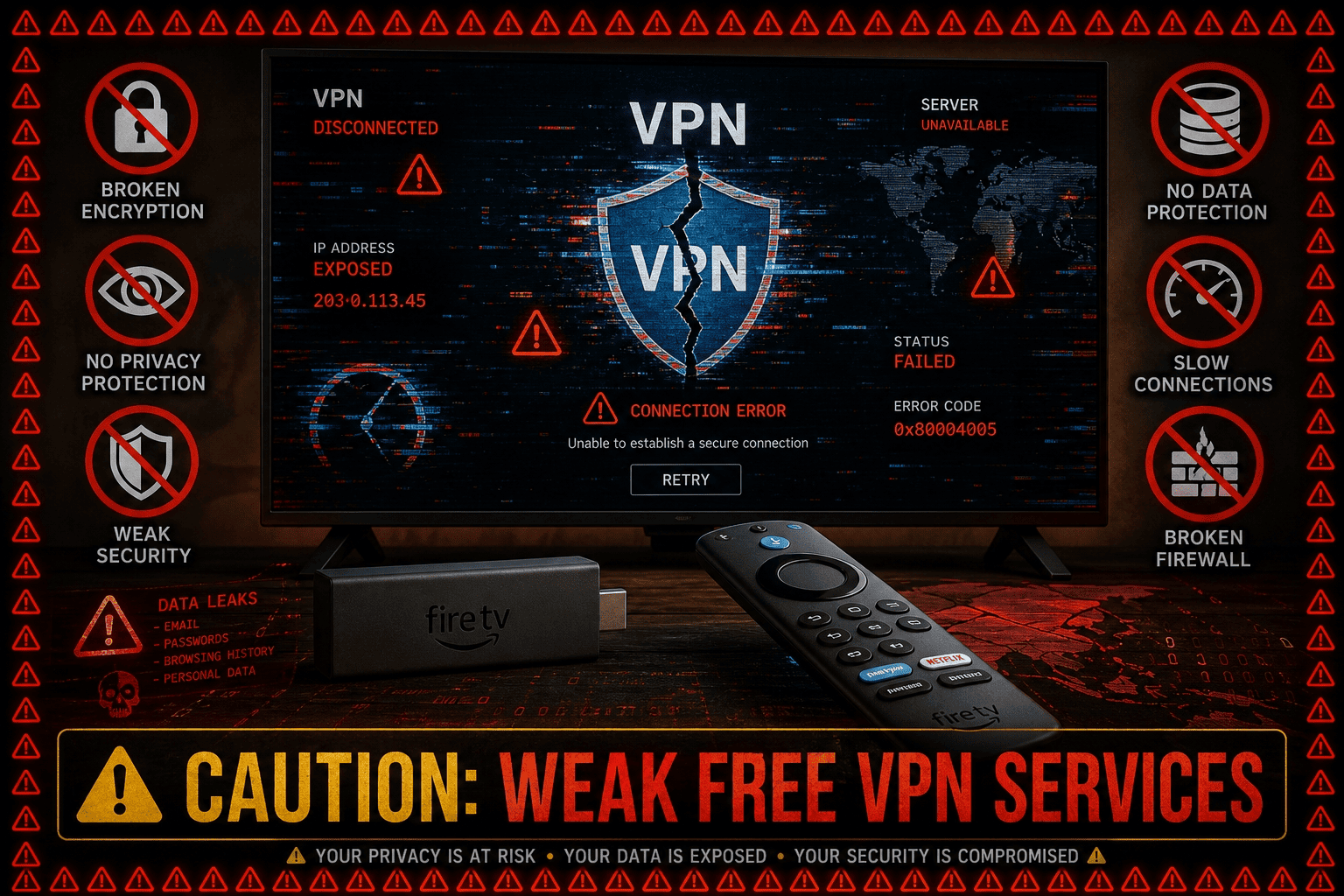
The easiest mistake in this category is assuming any free VPN with a recognizable name is worth your time. On Firestick, weak services reveal themselves fast. The problem is not only poor streaming results. It is also shaky privacy, tiny data caps, and clumsy apps that feel barely adapted for TV.
Avoiding bad options saves more time than chasing long lists of average ones. A short, credible shortlist is enough.
Signs a Free VPN Is a Bad Fit
A bad fit usually shows itself through three things: harsh data caps, vague privacy language, and poor app support. If a provider does not clearly explain its logs policy, that is a problem. If the app feels broken on Fire TV, that is another. If the cap runs out before one movie ends, the value is close to zero.
Also watch for missing security basics. If there is no mention of leak protection, no visible kill switch, or no meaningful support documentation, the service is hard to trust on a streaming device.
Services With Too Many Trade-Offs
Some services are not unsafe so much as impractical. They may install fine, but the free servers are too crowded, the speeds too low, or the data caps too restrictive for real streaming services use. Others focus so heavily on mobile that the Firestick VPN experience feels like an afterthought.
That is why recognizable names do not always make the cut. A service can be famous and still offer too many trade-offs to rank among the best free options for TV viewing.
When to Choose a Different Option
Switch quickly if you hit the same wall more than once. If the app cannot hold a stream, the privacy terms feel weak, or the plan burns through data too fast, move on. A better free VPN or a paid plan with a money back guarantee is usually a smarter use of time.
The threshold is simple: if the service is making Fire TV harder to use instead of easier, it is the wrong choice. The same is true if the app for Firestick is missing basic features or if a provider keeps pushing you to upgrade to paid plan before you have even tested the basics.
FAQs about Free VPNs for Firestick
Which free VPN is best for Fire TV?
Can a free VPN unblock streaming apps?
Is a free VPN safe to use on Firestick?
How much data do free VPNs usually give?
Do I need a paid VPN for better Fire TV streaming?
Can I use free VPN apps on Amazon devices?
What about Netflix, BBC, and Prime Video?
Can I use a free VPN on Amazon Firestick safely?