If you want to watch US TV abroad, the usual fix is simple: sign in to a VPN, connect to a server in the United States, and only then open the streaming app or site you want to use. This guide shows how to watch American TV on phones, laptops, streaming sticks, and smart TVs, and it focuses on the practical issues that matter most: servers that don’t lag, enough speed for live channels, and fewer location errors.
Before you start, have four things ready: an active VPN subscription, the latest VPN app on your device, a valid account for the streaming service you want to use, and a reasonably fast internet connection. We tested this workflow with current VPN apps and major services such as Netflix and live TV platforms, and the full setup usually takes under 10 minutes.
How to Watch US TV Abroad
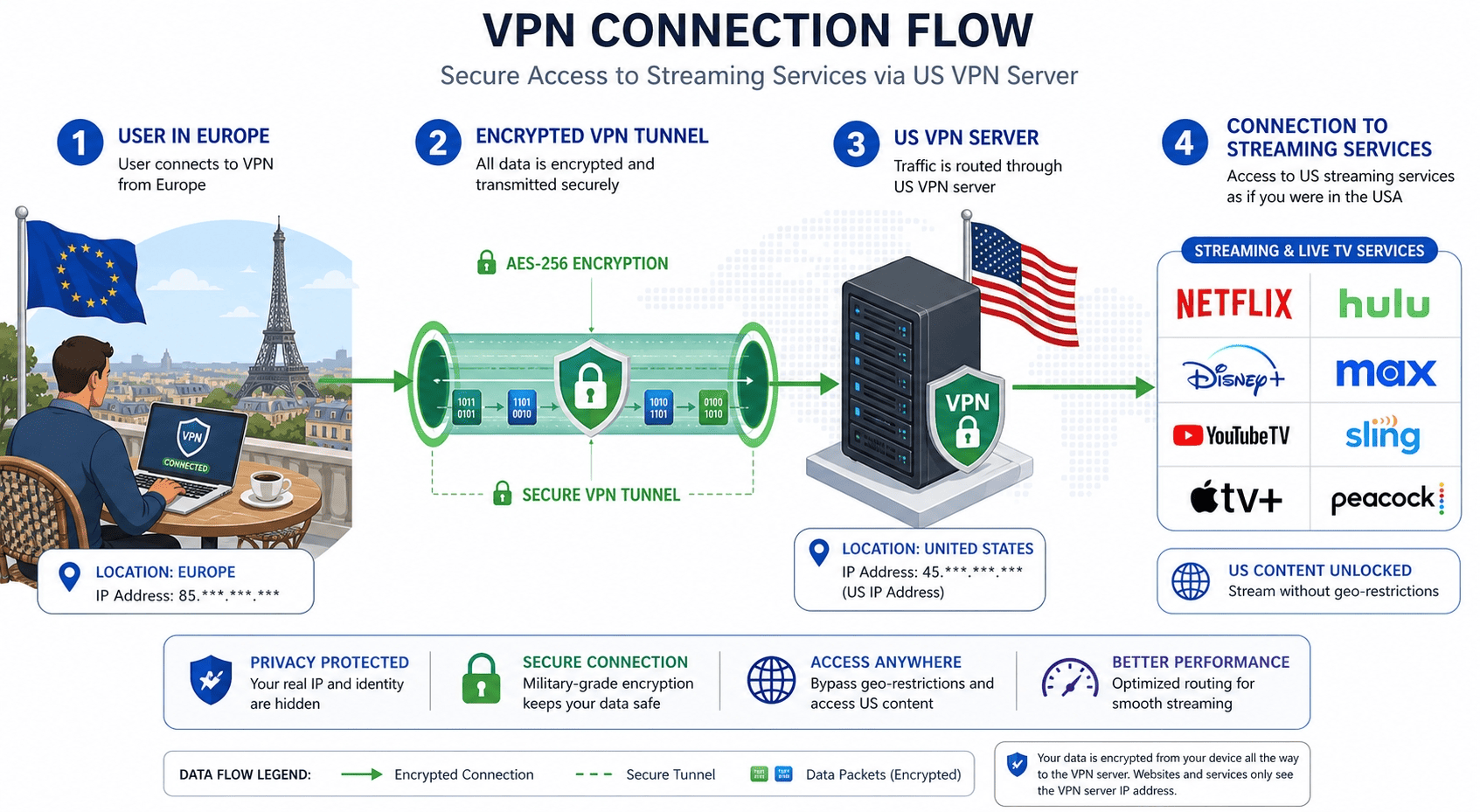
Connect the VPN before opening the streaming app. If you open the service before the VPN connection is active, the platform may cache your real location, which can lead to blocks even after you switch servers.
You also do not need a complicated setup in most cases. A good provider, a nearby US server, and a quick check of your IP address are usually enough to watch American TV with predictable playback. Follow the steps below in sequence.
Step 1: Pick a VPN built for streaming and sign in
Choose a VPN built for streaming, not just basic browsing. To watch American content and live TV channels abroad, you need a provider with multiple US servers, fast and unbroken speed, and apps for the devices you actually use. That can mean Windows, iPhone, Android, Fire TV, or a smart TV platform. The best VPNs usually make this easy by listing optimized locations clearly inside the app.
Install the VPN app on your device, then sign in before you try to connect. This sounds obvious, but it avoids one of the more common setup snags: users download the app, tap a location, and only then realize they still need to verify the account or pick a plan. If your provider offers a money back guarantee or a 30 day money back option, that can make testing less risky if you only need TV abroad access for a month or a short trip.
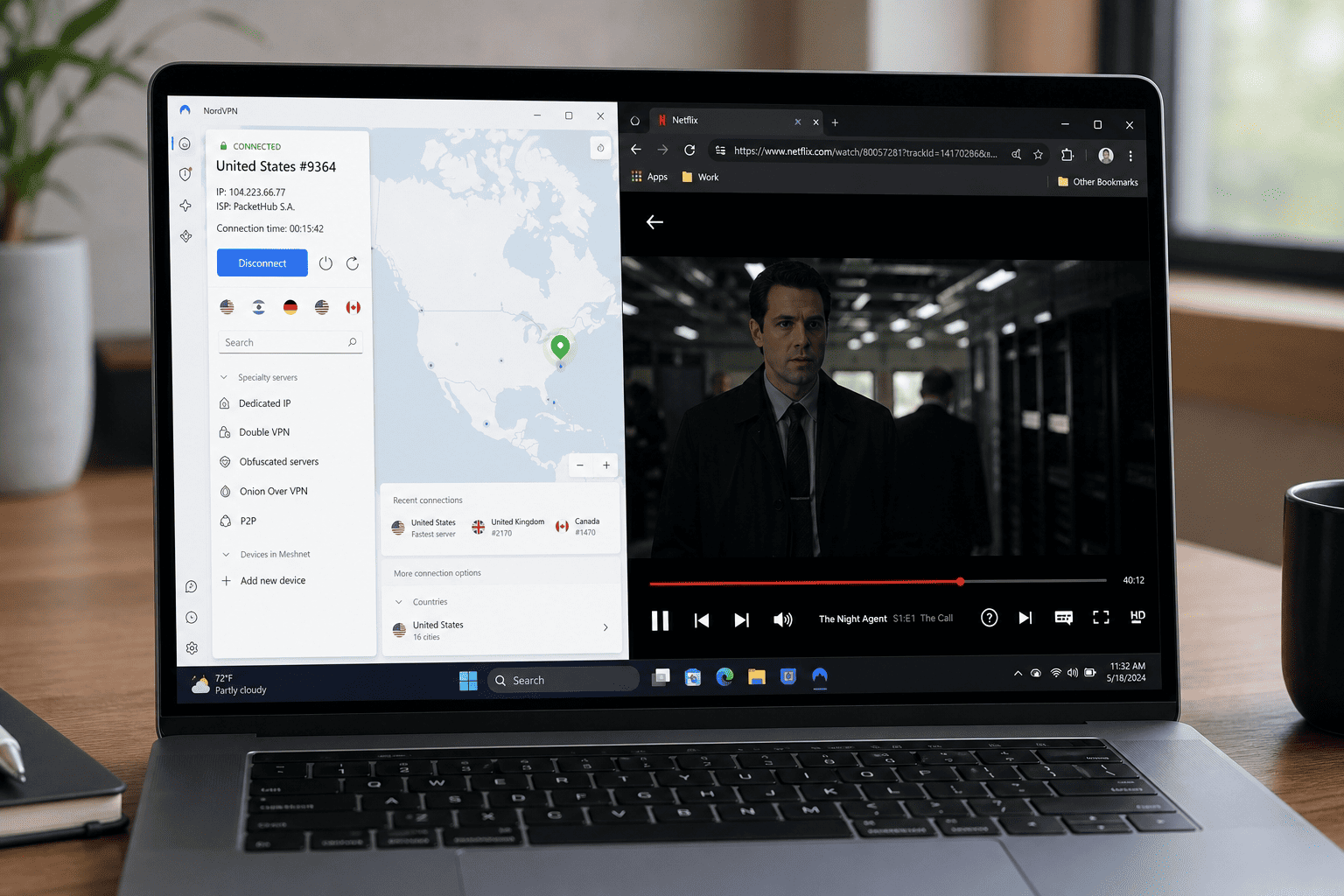
The app should show your subscription as active, the home screen should list available servers, and you should be ready to connect without extra prompts. If you want the shortest path, NordVPN is the provider I’d pick first, though ExpressVPN is also widely used for streaming services across countries. A reliable VPN with strong security features and a strict no logs policy is usually the better choice if you want peace of mind as well as access.
Step 2: Connect to a US server location
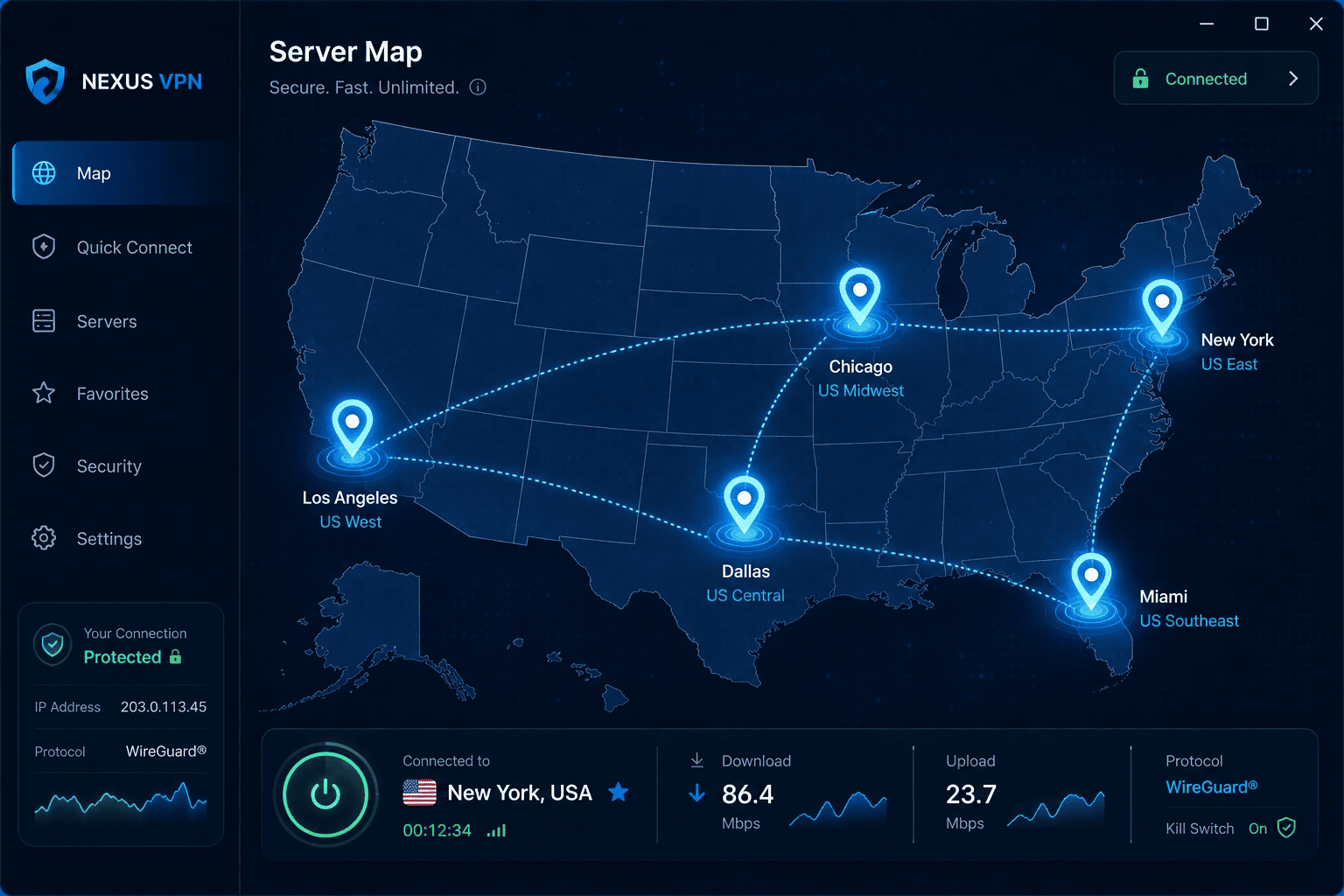
Open the VPN and connect to a server in the United States. This is the step that gives you an American IP address, which is what most platforms look at when deciding whether to allow access. If the app offers a map or list, pick a US location manually rather than relying on an automatic choice, since auto-connect may place you in other countries.
If the first server does not work, switch cities or try another entry in the same states region. Some servers are simply more crowded, and some are flagged faster than others by streaming platforms. New York, Miami, Los Angeles, Dallas, and Chicago are common options, but the right choice often depends on distance and current load. A closer US server can improve connection stability without changing your apparent location for the service.
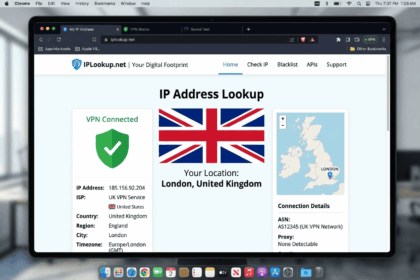
Before you move on, verify that the VPN is not leaking your real address. You do not need a long diagnostic routine; just confirm that your visible IP address appears in the United States and that your browser or app is not still showing your home location. The VPN should show “connected,” the selected server should be in the US, and your public address should match that server rather than your local ISP. If you visit NordVPN and other providers, make sure the app also gives clear region labels so you can move between servers in countries without guessing.
Step 3: Open the streaming app or site
Once the VPN is connected, launch the streaming app or open the site in your browser. Do this after the connection is live, not before. That order matters because many services store location clues in cookies, app data, or session details. If you’re trying to watch US TV on a service that previously blocked you, start fresh.
If the platform still throws an error, refresh the page, sign out and back in, or close and reopen the app. On mobile devices, force-closing the app can help. In a browser, clearing cookies for that specific site often does the job. The goal is to make the service re-check your new US location instead of relying on old data.
When it works, the home page loads normally, locked channels or regional content appear, and a stream starts playing. Whether you want American TV on demand, local channels, or a live sports feed, this is the point where you confirm that you can watch American TV rather than just connect to a VPN. If the result is still inconsistent, try streaming american channels again after a fresh sign up on the service, because some apps remember old region data for longer than expected.
Step 4: Optimize speed and playback quality
If the stream buffers, do not assume the whole setup failed. More often, you just need a better server or a cleaner connection path. Switch to another US server, preferably one closer to your physical location, and test playback again. The shorter route can improve speed enough to stop buffering without any other changes.
Next, reduce network clutter. Pause large downloads, close background apps, and disconnect extra devices from the same network if they are consuming bandwidth. Live American TV tends to expose weak connections faster than casual web browsing, especially during peak viewing hours when platforms and servers are both under heavier load.
Finally, adjust playback quality if needed. Dropping from 4K to HD, or from HD to standard quality, can steady the stream while you keep access to the content you want. The video should play without repeated pauses, the picture should remain watchable, and the connection should hold quality long enough to enjoy TV abroad instead of fighting with it. This is especially helpful for services like fast-paced sports apps where slower speeds become obvious right away.
NordVPN: Top Pick for Watching American TV Abroad
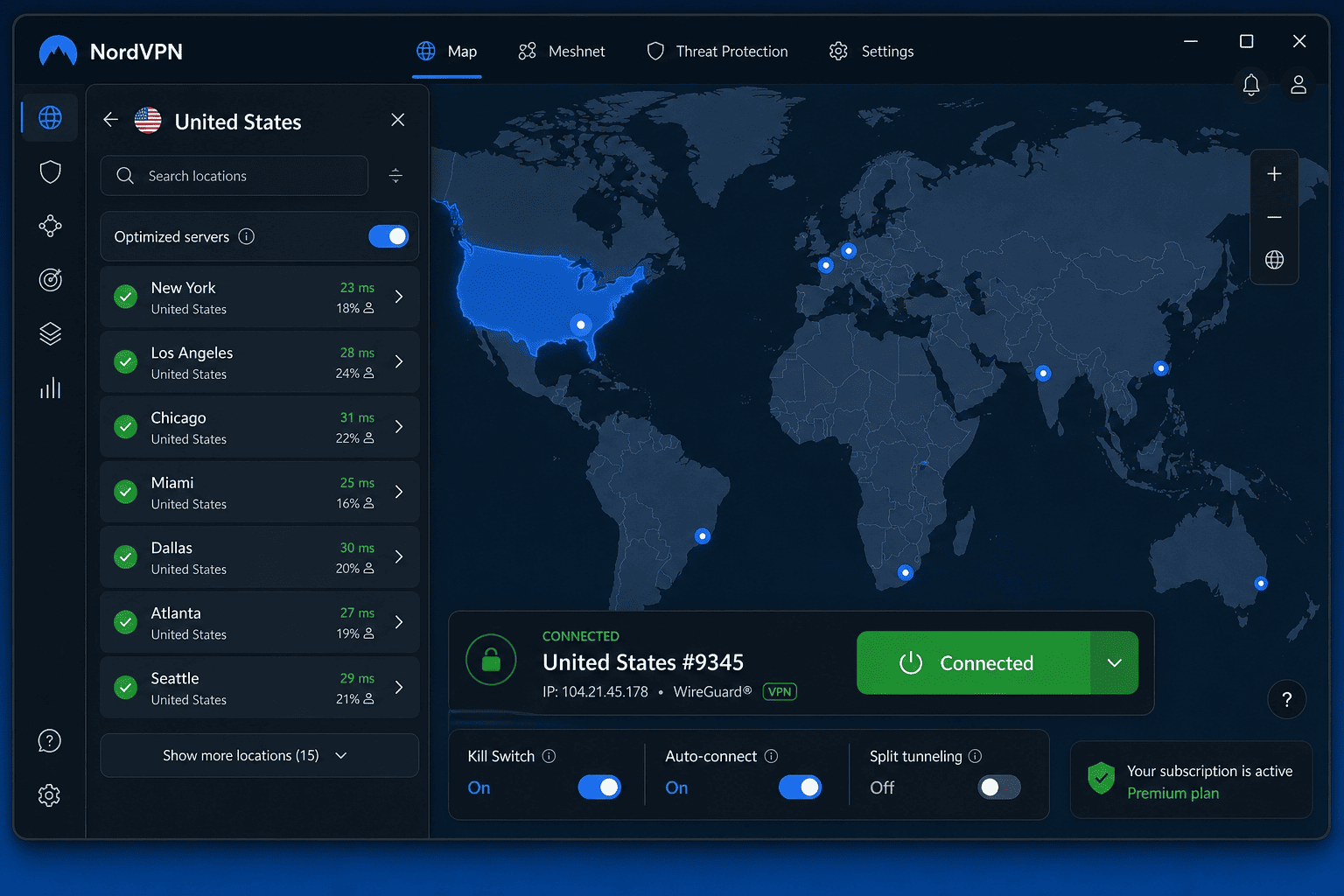
Pros: – Large spread of US servers across multiple city locations – Fast enough for HD and 4K streaming on most devices – Easy apps for phones, laptops, and streaming hardware
Cons: – Some server locations work better than others for specific services – Interface can feel busy on smaller screens
NordVPN is my top pick if your main goal is to watch American TV abroad with as little friction as possible. It was one of the best VPNs for loading US streaming services, holding an unbroken connection, and recovering quickly when a particular server hit blocks. That matters when you want to watch American shows live rather than troubleshoot for half an hour.
Its app lineup is broad, setup takes about five minutes, and switching servers takes only a few seconds. That makes it a strong fit for travelers, expats, and users who move between phones, laptops, and TV devices. NordVPN also gives you enough US location choice to work around platform filters if one endpoint stops giving access. A money back guarantee and standard 30 day money back window also make short-term testing practical. When you compare monthly price and long-term value, a year plan is often the cheaper route for frequent streaming.
How We Chose the VPNs
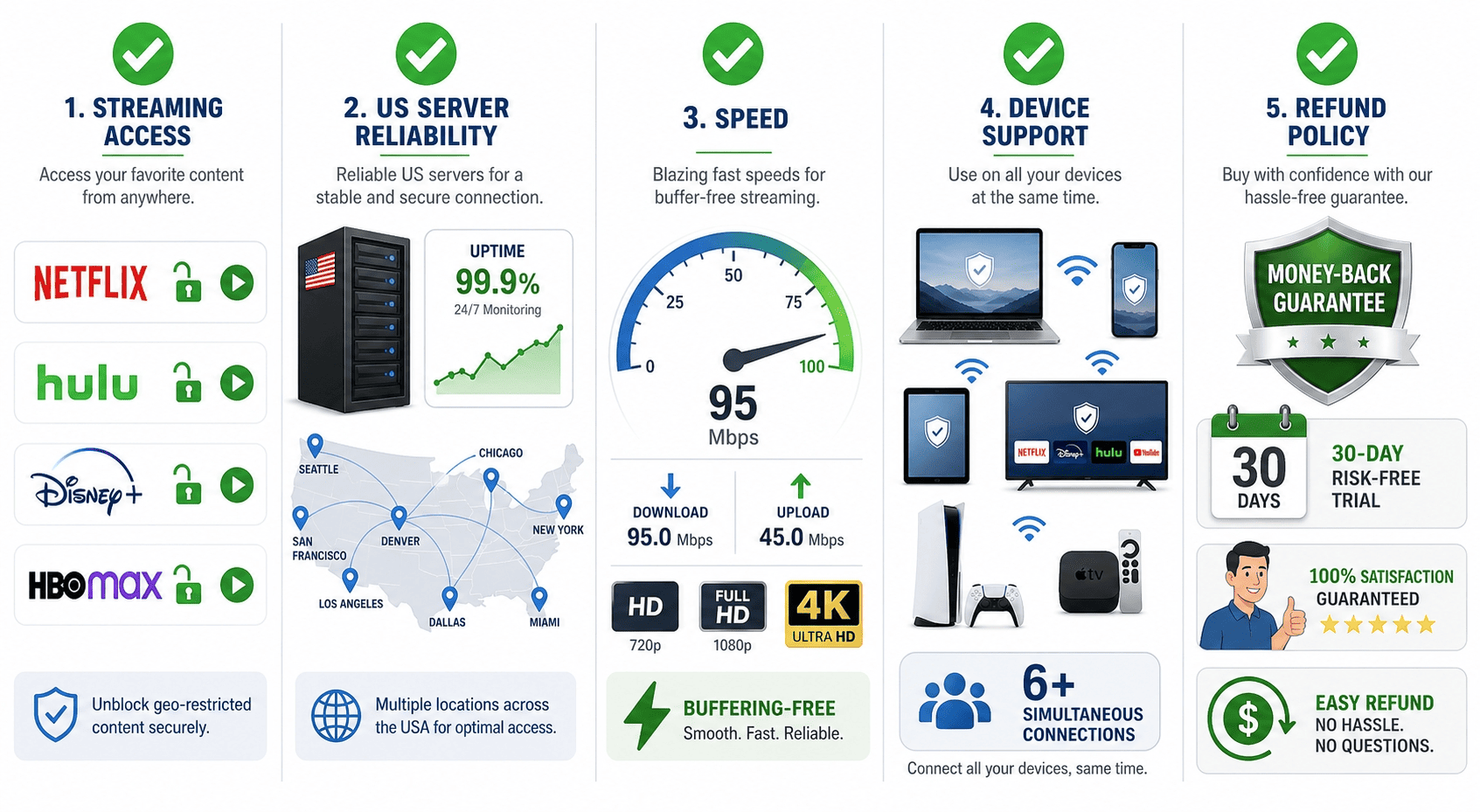
These picks prioritize streaming access, sustained speed, ease of use, and how well each provider’s US servers hold up across major platforms. Device support, how often services detected the VPN, and whether the plan offered solid value for money for readers who want to watch American TV abroad without constant trial and error were all part of the consideration. We also looked at whether the providers could deliver a dependable virtual private network and private network experience without adding friction.
How to Choose a VPN for US TV (Selection Criteria)
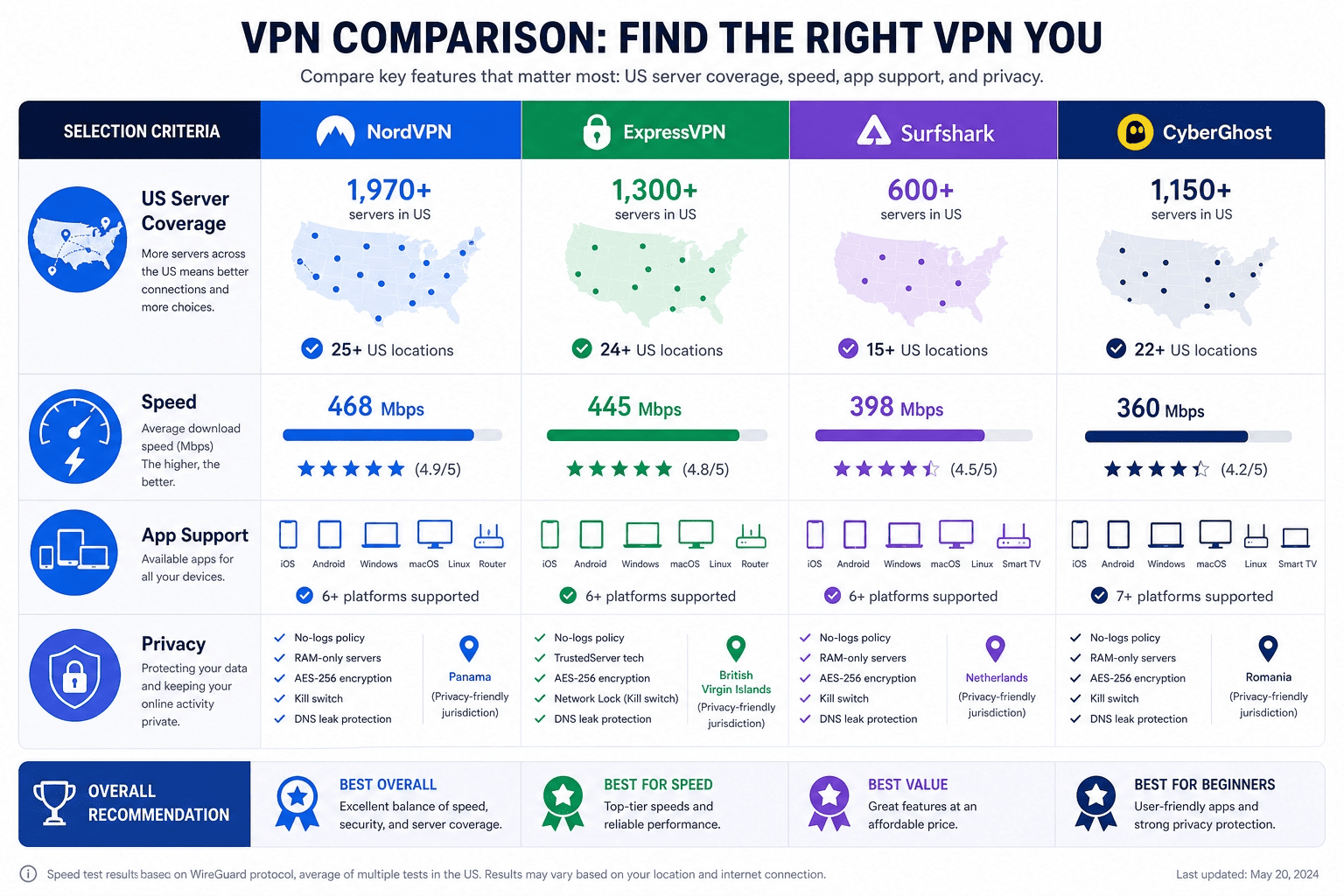
Picking a VPN for streaming is easier if you ignore marketing noise and focus on a short list of practical checks. The right VPN service should make it easy to get US access, hold enough speed for long sessions, and work on the devices you already own.
That means looking beyond one headline claim. A fast, multi-server VPN for American TV needs enough endpoints, unbroken streaming performance, good apps, clear privacy terms, and support that responds when something breaks. A good virtual private network should also be straightforward to set up so you can make sure the service works before you travel.
US server coverage and location options
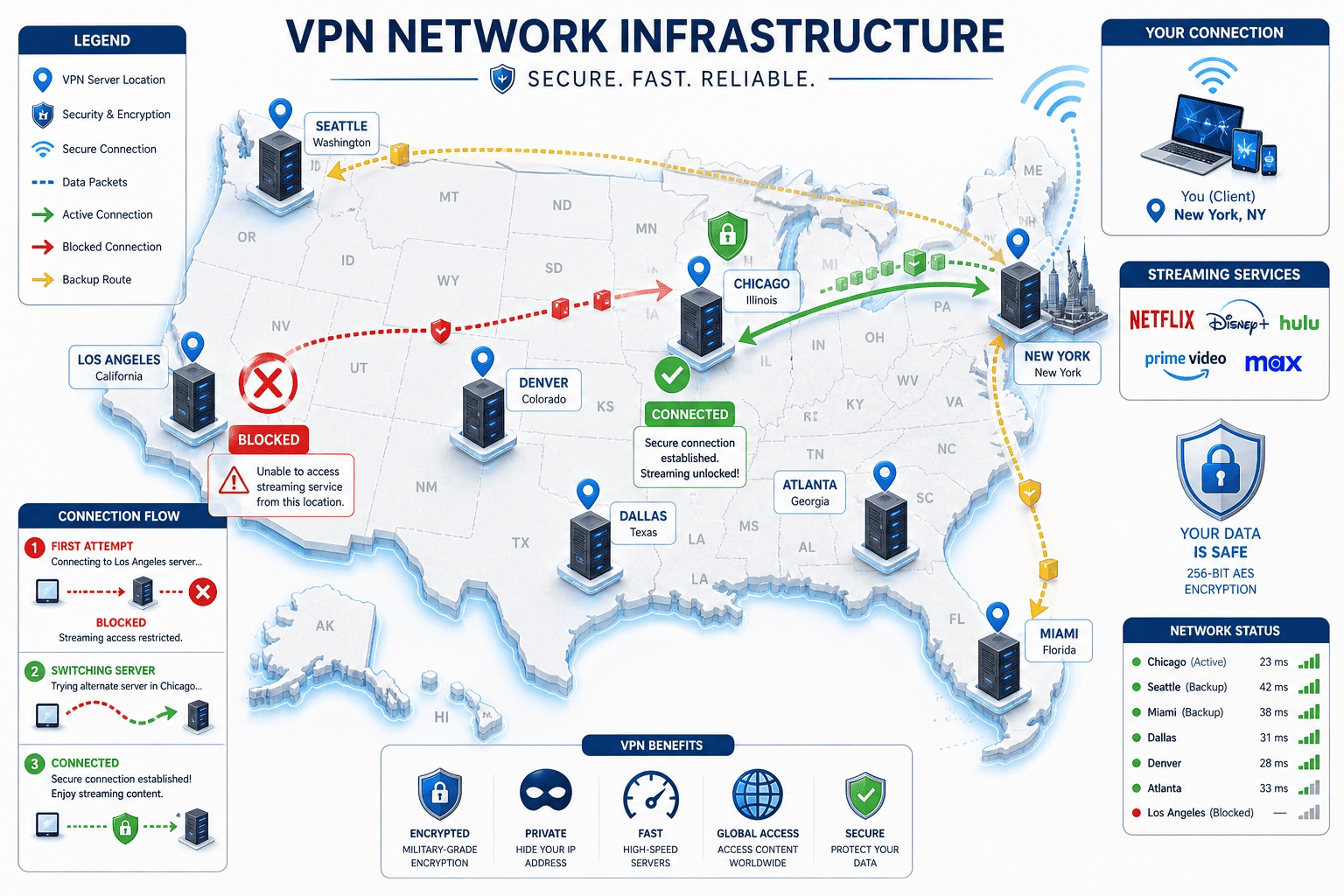
Start with US coverage. A provider can advertise “US servers” and still be a poor choice if it only offers a handful of locations or overloaded endpoints. For streaming, you want enough spread across the states that you can switch when one server stops working or slows down. More city choice also helps if a platform is stricter with certain ranges of IP address assignments.
The best services maintain a healthy pool of endpoints in the United States rather than forcing everyone onto the same small cluster. That matters for both performance and reliability. If too many users funnel through the same location, blocks arrive faster and playback gets less predictable.
You may also notice some VPN service brands perform better in certain countries than others. That is normal. But for this use case, the question is simple: can the provider offer enough US options to keep American streaming available when one route stops cooperating? Look for servers in countries where the provider has strong infrastructure, because that usually translates into fewer drops and better speed.
Speed tests and streaming performance
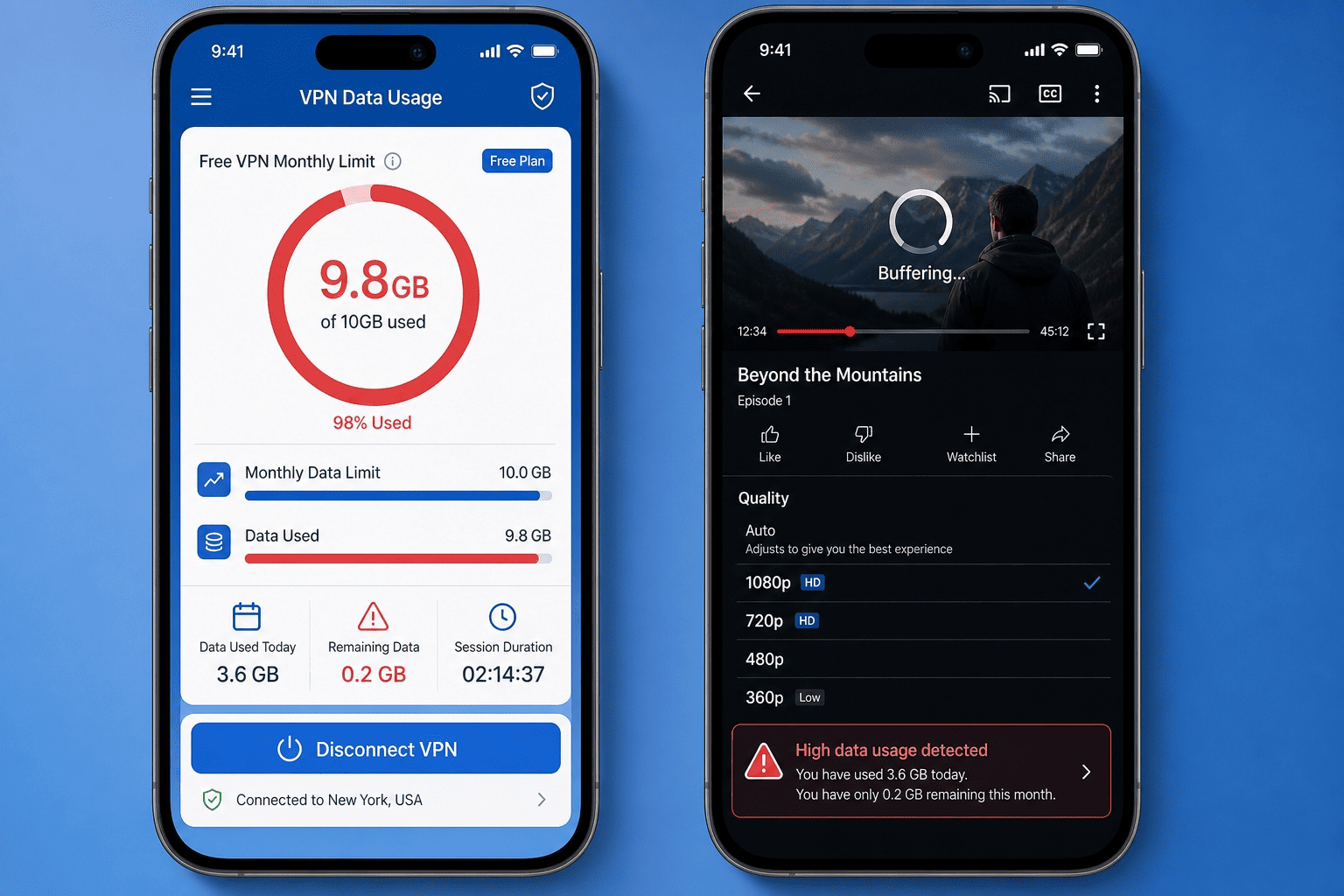
Raw speed numbers only tell part of the story. For streaming, what matters is whether connection speeds stay responsive over time, not just whether a provider posts a good burst result. A smooth 90-minute stream matters more than a flashy first-minute benchmark.
Run a few speed tests if you can, but also watch real content. Try an HD episode, a live channel, and, if your plan supports it, 4K playback. A good provider should hold performance without repeated drops in quality. If buffering starts after twenty minutes, the issue may be server congestion rather than your base internet line.
That is why a transparent-logging, multi-server VPN needs both speed and endurance. Plenty of services are fast enough in ideal conditions, but fewer can keep American TV streams responsive during peak hours. That difference is what separates a useful streaming tool from a frustrating one. A reliable VPN should also minimize slower speeds when you connect across different regions and routes.
Apps, device support, and simultaneous connections
A streaming VPN should work on the hardware you already use, not the hardware the vendor wishes you owned. Check for apps on iOS, Android, Windows, macOS, and any TV platform that matters to you. If you watch on a streaming stick, game console via router, or smart TV, compatibility is part of the buying decision.
Simultaneous connections matter too. If your household wants American content on multiple devices at once, a low cap becomes annoying quickly. A flexible plan lets you run the VPN on a phone, laptop, and TV without constant sign-outs.
Ease of use is not a trivial extra. If the app makes switching servers awkward, everyday streaming gets old fast. Good services keep the interface clear, label locations well, and make reconnection quick when you need to move from one server to another. When the setup is easy to use, you are much more likely to keep it turned on for everyday streaming.
Privacy, security, and refund policy
Streaming is the main goal here, but privacy and security still count. Look for a no-logs policy, current encryption, and a kill switch, which blocks traffic if the VPN connection drops unexpectedly. That protects your address from appearing mid-session.
A refund window matters almost as much. A clear money back guarantee gives you time to test access on your own devices and platforms, not just trust a feature page. If the provider offers a 30 day money back period, that is usually enough to judge real performance over at least part of a month.
Finally, check customer support. If a server stops working with your preferred service, responsive customer support can save a lot of trial and error. Also review the security features carefully, because a trustworthy VPN for watching American services should not force you to trade privacy for convenience.
Can I Use a Free VPN to Watch US TV?
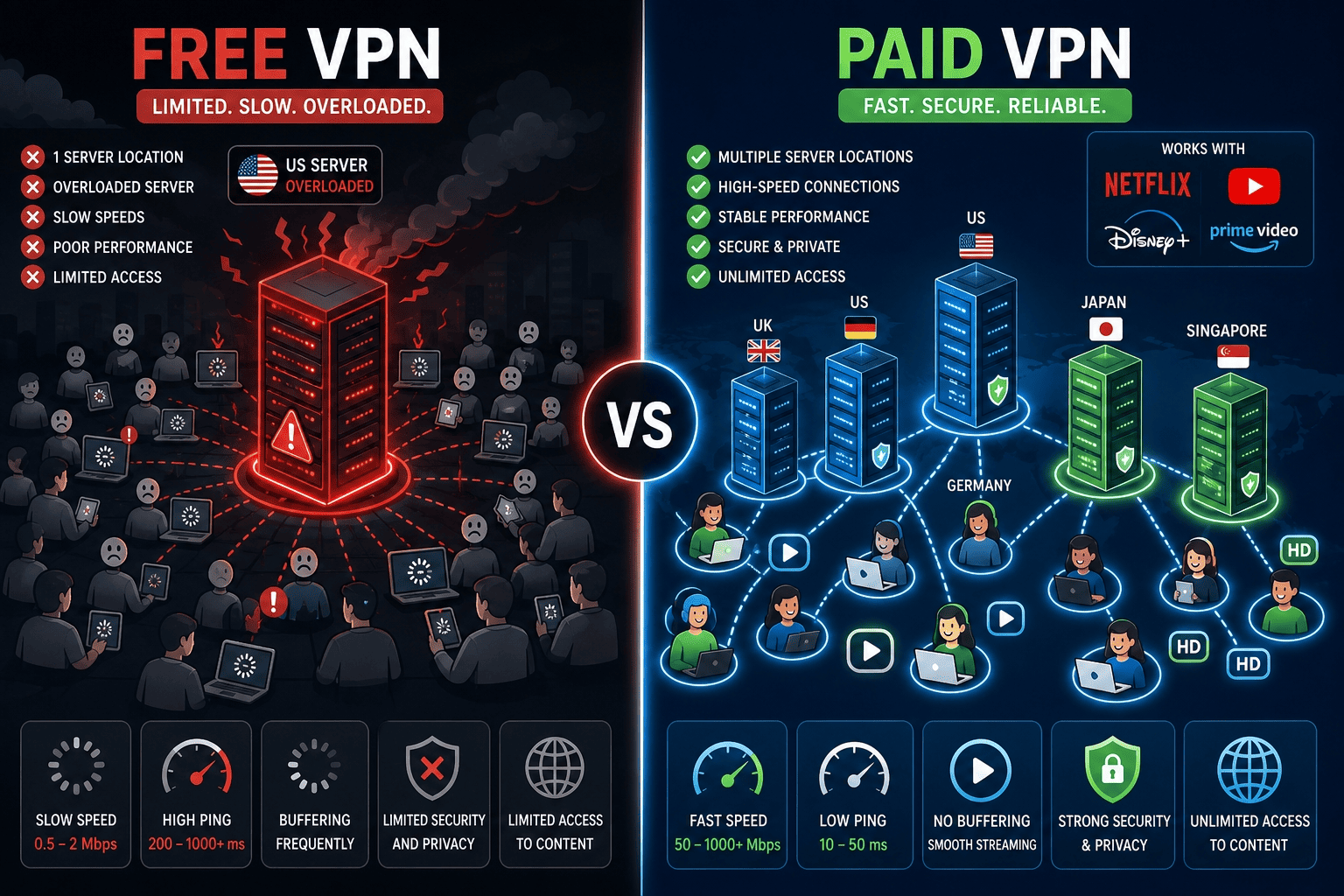
A free VPN can work in narrow cases, but it is usually the weakest option for regular streaming. The main problem is not just lower speed. Free plans often have fewer servers, tighter data limits, and more frequent access failures on major platforms.
That trade-off may be acceptable if you only need a quick test. If you want American TV abroad for more than a short session, paid services are generally the safer bet for performance, privacy, and support.
Why free plans often fail with streaming platforms
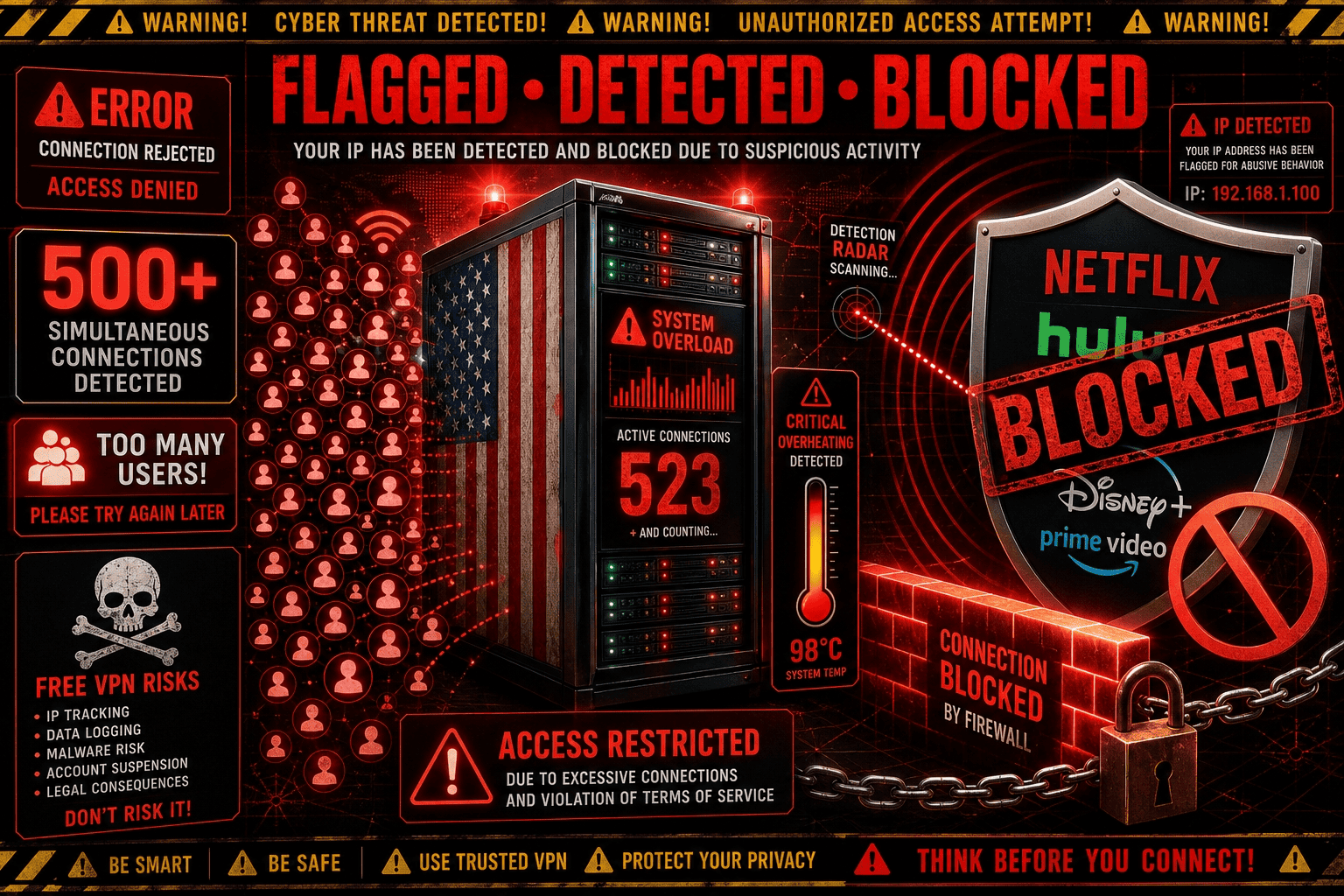
Most free VPN options run on a small pool of servers, which creates two problems at once: crowded performance and faster detection. Streaming platforms are good at spotting overused IP ranges, and free services tend to recycle the same locations heavily. That leads to more blocks and less predictable access.
The second problem is location choice. A free plan may offer only one US endpoint, or none at all during busy periods. If that single location gets flagged, your route to American TV is effectively gone. Even when access works, speed often drops below what you need for stable HD playback.
That is why free tiers struggle with platforms that actively police geography. They are simply easier to identify and easier to block, especially when they try to behave like a premium service without the infrastructure.
Hidden trade-offs in bandwidth and data limits
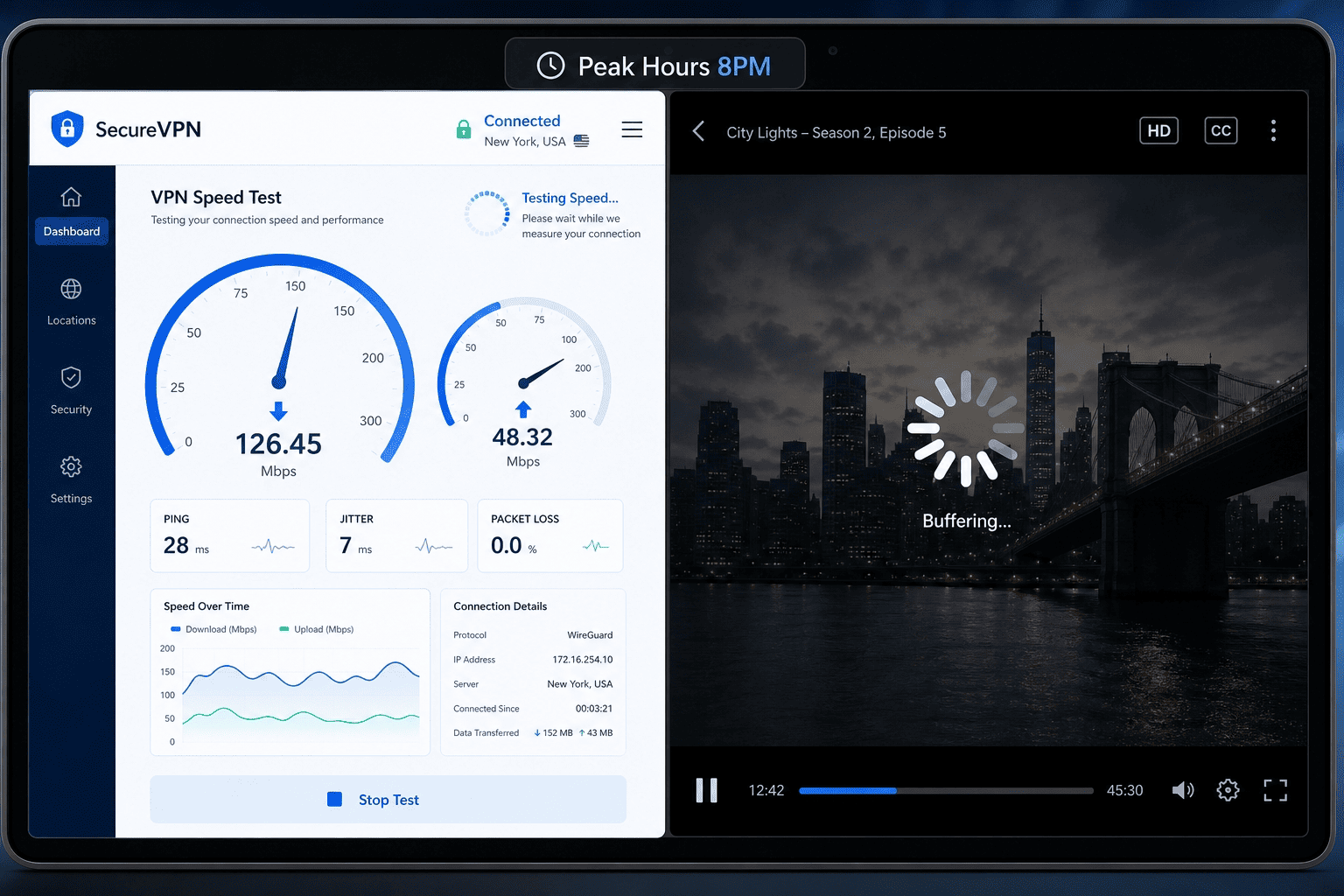
Free plans often save their harshest limits for actual streaming. You might get enough data for browsing, then discover you can burn through the monthly allowance in a single evening of video. That makes them a poor fit for longer viewing sessions or live events.
Some services also cap throughput, which means the connection works but not well enough for unbroken HD. In practice, that can mean endless buffering, sudden quality drops, or an app that loads menus but not the video itself. If your goal is regular American TV abroad, those limits get old very quickly.
And while the price is zero upfront, the hidden cost is time. You spend more effort switching servers, retrying streams, and managing limits than you would with a modest paid plan. A dependable service can be the better deal even if the monthly price is higher at first glance.
When a free option may be acceptable
There are a few cases where a free VPN makes sense. If you only want occasional access, need to test whether a platform recognizes a US location, or want to confirm a device setup before spending money, a free option can be acceptable for a short window.
The key is keeping expectations realistic. It may be fine for a brief check of a site, a short clip, or a low-quality stream. It is much less reliable for live TV channels, sports, or movie nights on larger devices. Users should also think about privacy, because some free services offset costs in ways that are less appealing than a transparent subscription.
For a one-off check, maybe. For regular streaming, usually no.
Why paid VPNs are usually the better choice
Paid VPNs generally offer better access, more servers, higher reliability, and stronger support. They are also more likely to include a money back guarantee, so you can test performance without locking yourself in long term.
If you plan to watch American TV more than once or twice a month, paying a little usually saves both time and frustration. A paid subscription is also the better choice if you want a VPN for watching live events without interruptions.
Is It Legal to Watch US TV Abroad?
Using a VPN is not the same thing as piracy. In many places, a VPN is simply a privacy and security tool that changes the route of your connection and masks your visible location. The legal question usually depends less on the VPN itself and more on what content you access, how you access it, and what rules apply in the country where you are using it.
For most users, the real distinction is between licensed services and unauthorized streams. If you are using a legitimate subscription platform, you are generally dealing with a terms issue or regional licensing issue rather than copyright infringement in the criminal sense. Still, local rules vary, so caution is sensible.
VPN use versus copyright infringement
A VPN does not automatically make an activity unlawful. It is a tool that protects privacy, changes your visible address, and can help you watch American services from another location. That is different from distributing pirated streams or downloading unauthorized copies of content.
The key point is that access and infringement are not the same thing. If you use a legitimate account to reach American TV while abroad, the dispute is more likely to involve licensing boundaries or platform rules than classic copyright abuse. That distinction matters, especially for users who assume any VPN use is suspicious by default.
Terms of service and platform policies
Streaming platforms often restrict access based on geography because they license shows and channels differently across countries. If you use a VPN to appear in the United States, you may be stepping outside the platform’s terms of service even if you paid for the subscription.
That does not necessarily turn the act into a criminal offense. Usually, it means the service can deny access, ask you to disconnect the VPN, or suspend a session. Users should read the policy of the specific platform they use, particularly if they rely on it regularly while traveling.
Privacy and security benefits of using a VPN
Even outside streaming, a VPN offers real privacy and security benefits. It encrypts your connection, helps hide your IP address, and reduces exposure on public Wi-Fi, which is useful for frequent travelers in hotels, airports, and shared networks.
That matters because location data can reveal more than people expect. A VPN does not make you invisible, but it does limit casual tracking by networks and some services. For readers trying to watch American TV abroad, those side benefits are often part of the appeal. A virtual private network can also be useful as a private network layer when you are connecting from public hotspots.
Practical caution for expats and travelers
Use common sense. Check local regulations, understand the platform’s rules, and avoid assuming that the same standards apply in all states or countries. The laws around VPN use are not uniform worldwide.
If you travel often, treat the VPN as a general privacy tool first and a streaming workaround second. That approach keeps expectations realistic and helps you use the service responsibly while still making it easier to watch American programming when available. It also makes it easier to choose servers in countries that give you the best balance of access and stability.
Troubleshooting: US TV Not Working with VPN
If your stream fails, the problem is usually one of four things: the app still sees your real location, the server is overloaded, the platform has blocks on that endpoint, or one device is handling the VPN differently than another. The fixes below are the ones worth trying first.
If the app detects your real location
Switch to another US location and reconnect to the server again before reopening the app. Then clear cookies, cache, or app data so the service stops relying on old location clues. Restart the device as well if needed. The goal is to force a fresh check of your current connection. If your IP address still points outside the US, the VPN is not set correctly yet. A second set of servers in countries can sometimes help if the route keeps failing.
If video buffering keeps happening
Run a few speed tests, then move to a less crowded server. Starting with the nearest US option often improves speed and stability because the route is shorter. Also pause background downloads and lower the playback quality temporarily. If buffering disappears at a lower resolution, the issue is usually connection capacity rather than a total streaming failure. In some cases, the fix is simply to set up a cleaner connection path and reconnect.
If the platform blocks the VPN completely
Try an alternative US endpoint first. Streaming platforms maintain active blocks, and one server may fail while another works normally. If your provider includes Smart DNS, test that on devices where the full VPN app is awkward or unavailable. If neither option helps, contact customer support and ask which servers currently work best for the platform you want. The support team can often point you toward the right geo route faster than trial and error.
If streaming works on one device but not another
Compare the apps, DNS behavior, and software version on both devices. One may be caching an older location or using different network permissions. Update the app, reboot the device, and confirm the VPN connection is active before the streaming service opens. Phones tend to pick up new settings faster than TV devices, which often hold onto older session data longer.
US TV Abroad FAQ
What is the easiest way to watch US TV abroad?
Why does my VPN work with some apps but not others?
Do I need a Smart DNS feature as well?
Can I watch US TV on a smart TV or streaming stick?
What should I do if the platform still shows my location?
Are free VPNs safe for watching US TV?