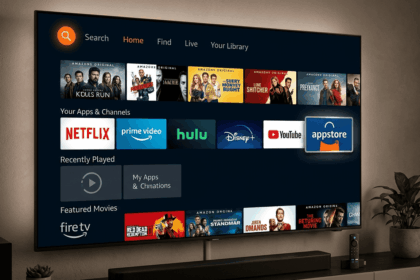
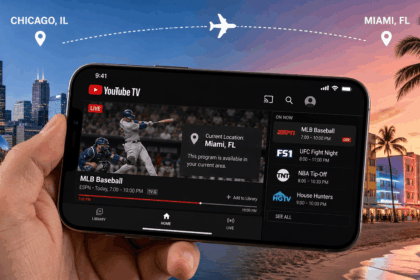
If you want to watch Netflix from Australia as if you were in the US, the process is simple: sign up for a VPN, install one of its apps, connect to a US server, then open Netflix and check whether the American library loads. This guide walks through that workflow, explains why the catalog changes by location, and shows how to fix the most common issues if a VPN server stops working.
Before you start, make sure you have a Netflix account, a VPN subscription or free trial, a compatible device, and the latest version of the provider’s app. We also recommend a quick test on the devices you actually use most, since app behavior can differ between phones, laptops, TVs, and browsers.
How to Watch Netflix with a VPN
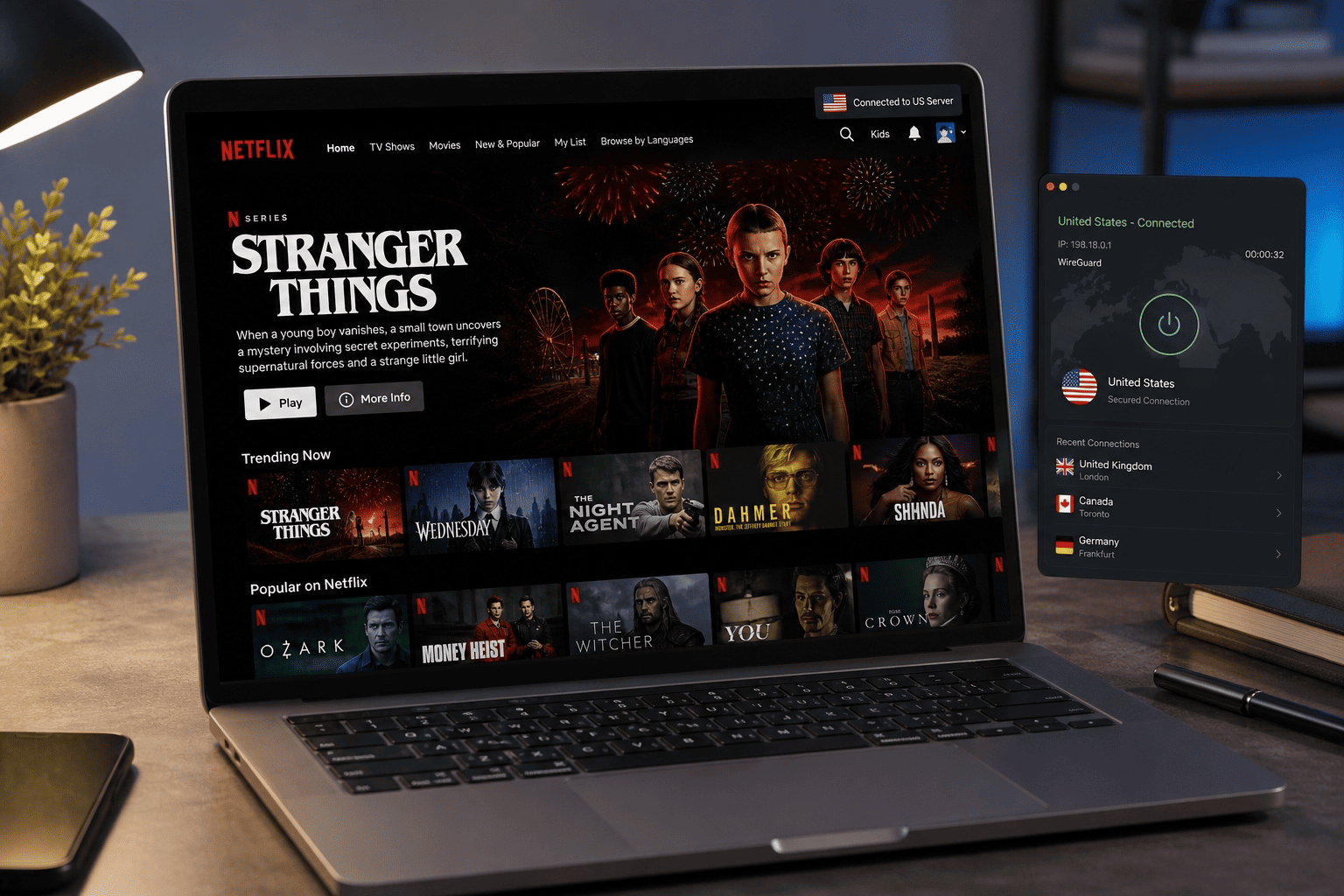
Watching Netflix through a VPN is about changing the location signals the service sees when you connect. The app or site checks your IP address, matches it to a country, and then decides which catalog and library you can access. From australia, that means you normally see the local version rather than the US one.
The basic workflow is straightforward: choose a provider, connect to one of its US servers, refresh Netflix, and test a title that is available in the American catalog. Reliability depends on server quality, app support, and how well the service stays ahead of blocking.
Why American Netflix is locked in Australia
Netflix does not show the same content in every country because it operates under licensing agreements that vary by market. A movie or series available in the US may be licensed to a different platform in australia, or it may not have distribution rights there at all. That is why the netflix catalog changes by location, even when you are paying for the same subscription tier.
The service determines your region mainly from your IP address, which tells Netflix where your connection appears to come from. If that address resolves to australia, you get the Australian library and local content options. If it resolves to the United States, Netflix may grant access to the US catalog instead.
This is where VPN servers matter. A VPN server in the US routes your traffic through an American exit point, so Netflix sees a US location rather than your local one. That does not guarantee access every time, but it explains the core mechanism behind region switching.
How a VPN changes your Netflix location
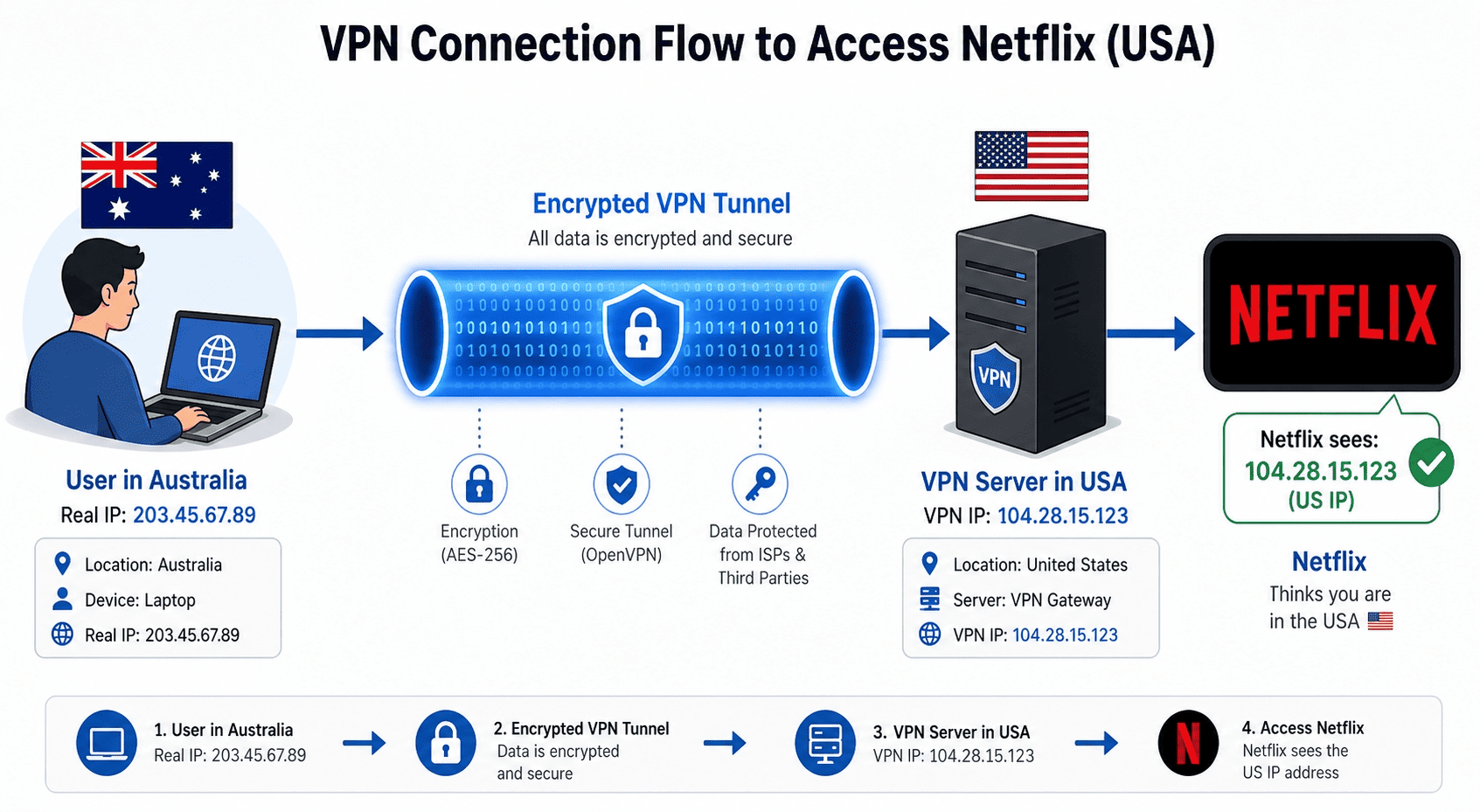
A VPN works by encrypting your connection and routing it through a server in another country. For Netflix, the most important change is visible at the network level: your real IP address is hidden, and the streaming platform sees the address of the VPN server instead. Connect to US servers, and your traffic appears to come from the United States.
That matters because streaming platforms use location signals to decide which library to show. The IP address is the big one, but apps, browser data, and stale DNS information can also create issues if they still point to australia. If those signals conflict, Netflix may keep showing the local catalog or deny access until you reconnect and refresh.
Server choice matters more than many users expect. Some servers are optimized for streaming, some are congested, and some may already be flagged by Netflix. Providers with a large network and regularly refreshed servers usually give you better odds of stable access than those with only a handful of US options.
What to expect before you start streaming
Set expectations carefully before you watch netflix through a VPN. Even strong services can have the occasional miss, especially if Netflix blocks a specific VPN server or if the app keeps old location data. You may need to try two or three servers before the right library loads.
Speeds also matter. Because your connection is traveling farther from australia to the US, some drop is normal. The goal is not perfect baseline performance; it is stable playback with fast speeds that hold up for HD or 4K content without constant buffering.
Device support is another variable. Most major provider apps work well on Windows, macOS, iPhone, iPad, and Android, but smart TVs, media boxes, and game consoles can require different setup options. Always check whether the VPN can use native apps, router setup, or Smart DNS on your preferred devices.
Best practices for a smooth connection
Use a reputable provider’s official apps rather than browser tools or random mobile downloads. Updated clients usually handle privacy, security, and DNS routing more reliably, which lowers the risk of leaks and access issues.
If possible, test several US servers and keep note of the one that works best for Netflix. The nearest workable location is often the safest bet for speeds from australia, though load and routing can matter just as much as distance. A quick test before a movie night can save you ten minutes of guesswork later.
Also clear browser cache, cookies, or app data if Netflix keeps showing the wrong catalog. Old location records can stick around longer than expected. Connect first, confirm the VPN connection is live, then open netflix fresh for the best shot at smooth streaming.
Best VPNs for Netflix
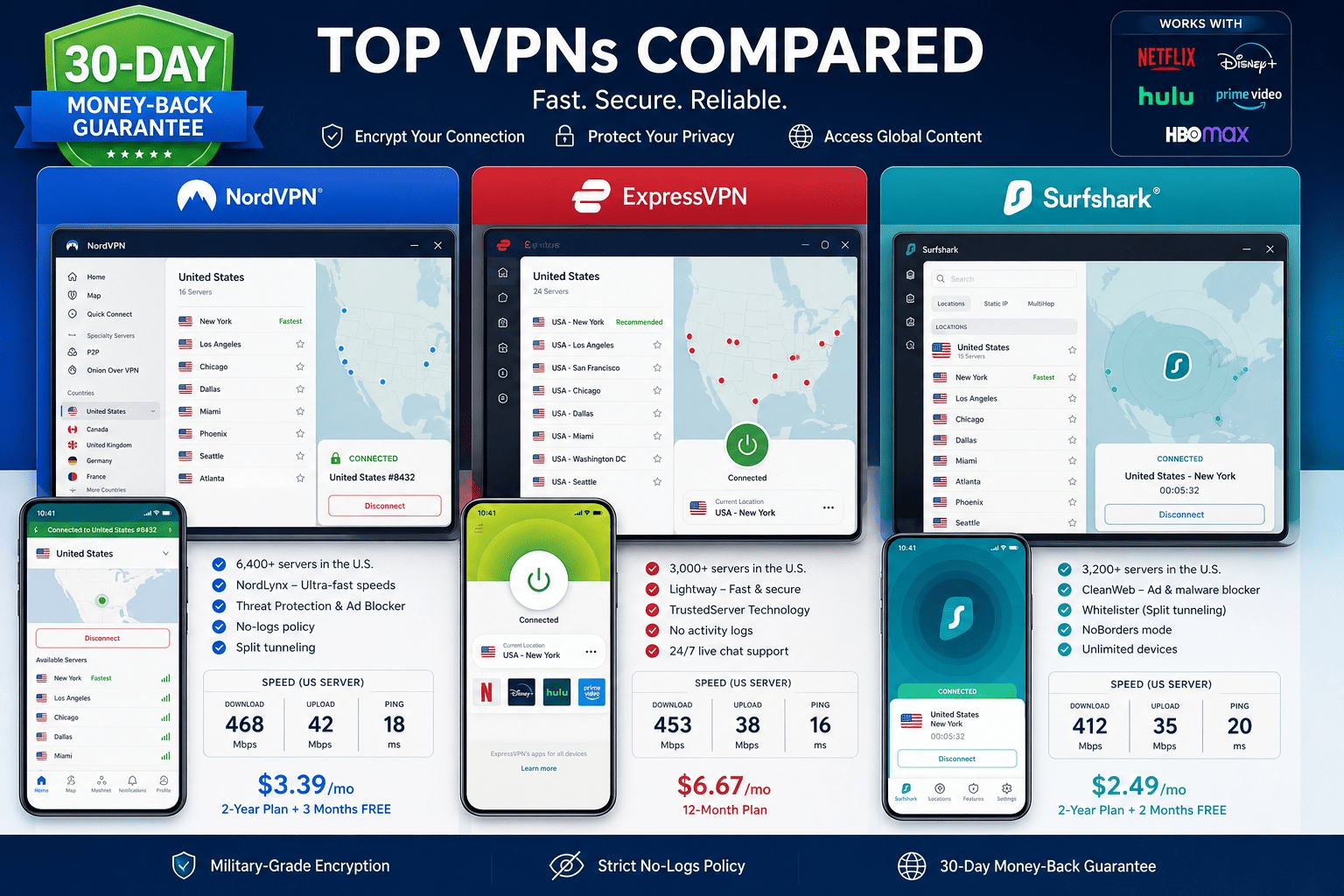
Many providers claim streaming support but cannot reliably unblock netflix — servers get blocked, speeds drop on long-distance routes, or apps lack the polish needed to switch devices without friction. The best vpns for this job combine a wide spread of US servers, steady fast speeds over long-distance connections, and enough app polish that switching devices does not turn into a chore.
The target is consistent access to the American library with minimal buffering and minimal fuss. Marketing claims do not tell you much here. A usable service needs to work across apps, browsers, and common devices, and it should give you room to test with a free trial or money back guarantee before you commit real money.
Step 1: Pick a VPN with proven Netflix support
Choose a provider with a track record of helping users watch netflix across multiple regions, not just broad promises about unblocking content. The best vpns usually maintain larger pools of US servers, rotate blocked addresses more often, and offer apps on the devices people actually use for streaming.
Look for signs of real streaming support: clear Netflix guidance, support teams that can point you to a working VPN server, and reports of stable access across more than one US location. Providers that can only unblock netflix through a single city endpoint are far less reliable than those with distributed, frequently refreshed server pools.
Prioritize providers that test against several streaming platforms, since consistent performance across multiple sites usually reflects better overall network maintenance. That does not guarantee permanent access, but it improves the odds.
Step 2: Compare trials, guarantees, and price
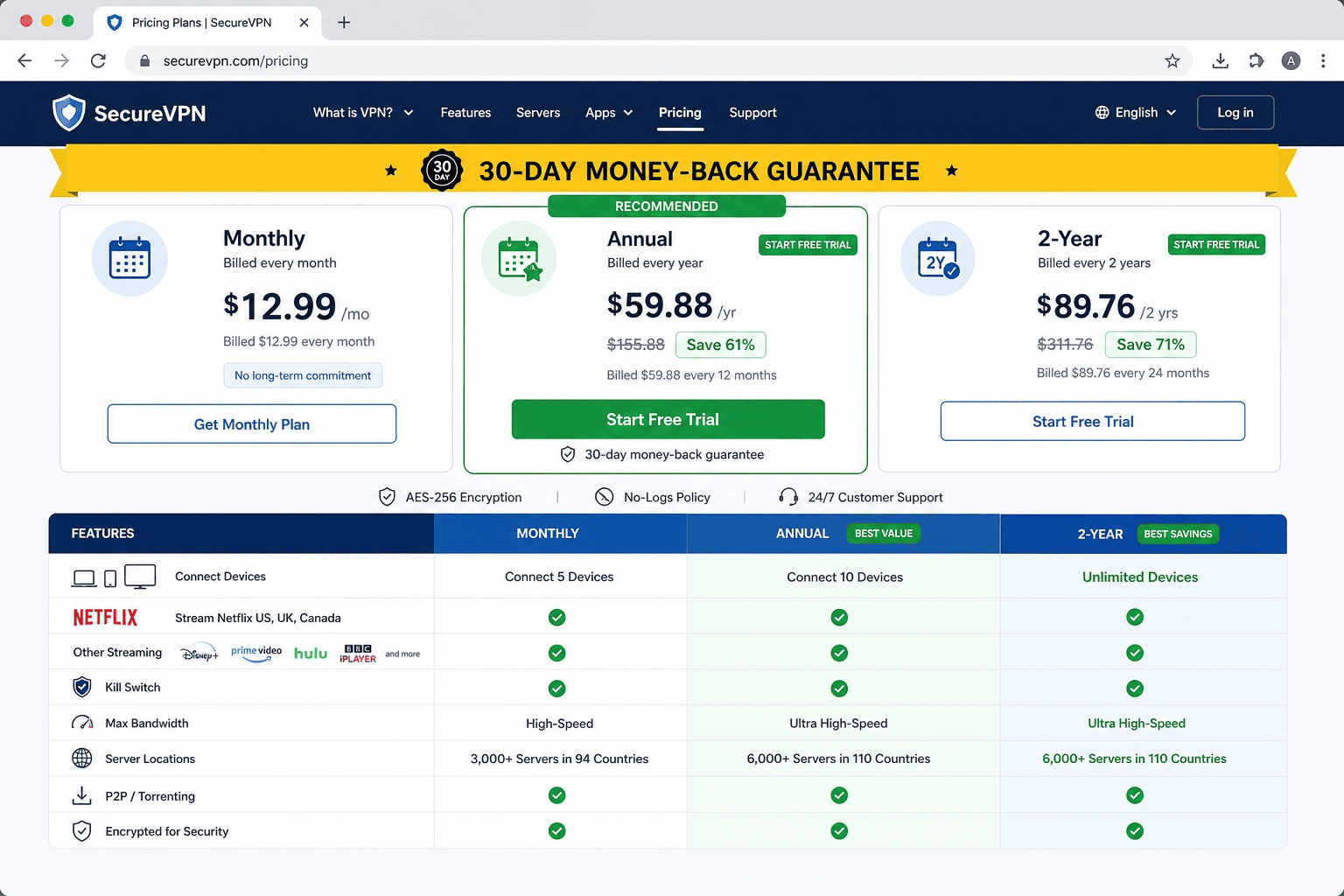
Before buying, compare the practical safety nets. A free trial is ideal if it includes full app access and enough time to test US servers on your own devices. If there is no true trial, a money back guarantee is the next best option.
Some providers offer a 30 day money back guarantee — ExpressVPN and NordVPN are two well-known examples — which gives you time to watch netflix at home, on mobile data, and on the streaming devices you care about. That matters more than a tiny headline discount.
Also check device limits, renewal price, and plan length. The cheapest monthly rate is not always the best value if the provider restricts simultaneous connections or weaker options force you into constant troubleshooting.
Step 3: Use a VPN to watch American Netflix in Australia
Once you have chosen a provider, open the app and connect to one of its US servers before you launch Netflix. This order matters. If netflix opens first, it may cache your australia location and keep the local catalog even after the VPN connection is active.
After connecting, restart the app or refresh the browser tab, then search for a title that is known to be in the American library. If the title appears and starts playing, you have working access. If not, disconnect, switch servers, and test again.
The best services make this routine painless. They combine fast speeds with enough reliable endpoints that you can unblock netflix without cycling through a dozen locations. If a provider cannot do that during your free trial or money back guarantee window, move on.
VPN Setup Steps
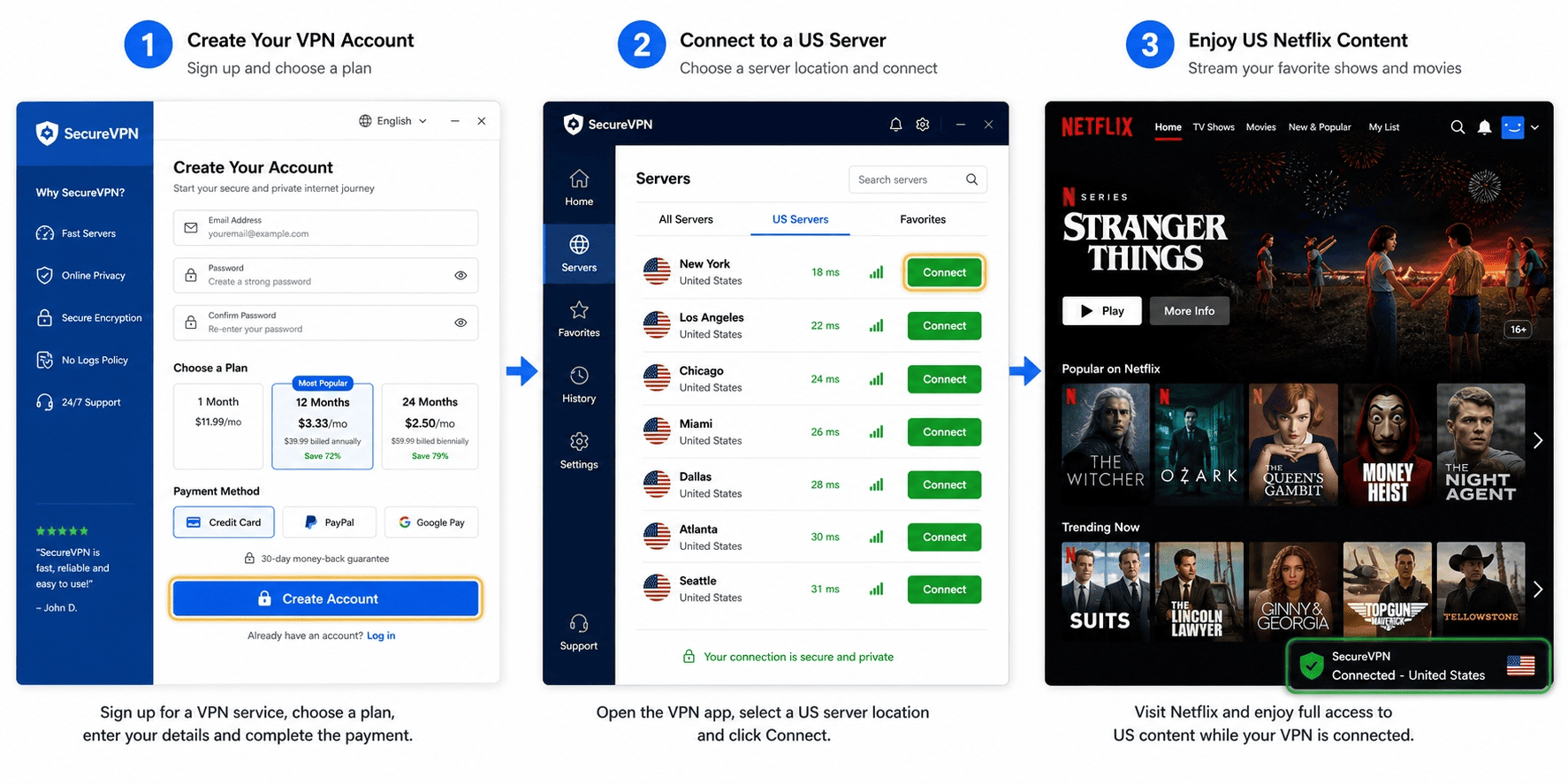
Use these steps to set up the VPN quickly and confirm that Netflix is showing the US library. You will need a subscription, your Netflix login, and one of the provider’s VPN apps on the device you plan to use.
Step 1: Create your account and install the app
Choose a plan, complete sign up, and download the official app for your device from the provider site or app store. Avoid third-party downloads. The right apps are easier to update and usually include the privacy and security settings you need by default.
Install the app, log in, and check for updates before you connect. If the provider offers multiple VPN apps for different platforms, install the native version for your device instead of relying on a browser extension alone. Browser tools can use a different routing method and may not be enough for Netflix.
Success looks simple here: the app opens normally, your account is recognized, and the main screen shows a connect button or server list. Once that is in place, you can use the service without extra setup on most laptops and phones.
Step 2: Connect to a US server
Open the server list, select a United States location, and connect. If the provider labels certain servers for streaming, start there. Otherwise pick a major US city and wait until the app confirms that the VPN connection is active.
Make sure the status clearly shows connected to VPN before you open Netflix. You should see a new IP address and, in many apps, a visible timer or shield icon that confirms the tunnel is live. If the first VPN server does not work later, return here and try another US option rather than changing a dozen settings at once.
Keep the connection stable while you stream. Do not hop between Wi-Fi and mobile data mid-session, and do not let the device sleep during the first test. Small interruptions can break the route and create avoidable issues.
Step 3: Open Netflix and verify the library
With the VPN already connected, open Netflix in the app or browser and refresh the homepage. Then search for a title associated with the US catalog. If it appears when it normally does not in australia, that is your first sign the switch worked.
For a cleaner test, you can also check your IP address in a browser before opening Netflix and confirm that it matches the US location you selected. Then return to netflix and start playback. A successful result is straightforward: the title page loads, the video starts, and the library reflects the new region.
If the local catalog still appears, close Netflix completely, reconnect to another server, and test again.
Step 4: Save a working setup for next time
Once you find a server that works, save it as a favorite in the app if that option exists. Reusing the same setup on the same devices often reduces repeat issues.
Keep your settings simple. Leave advanced features alone unless support tells you otherwise, and make sure the app stays updated. A saved, stable connection is easier to repeat than rebuilding the process every time.
Troubleshooting Common Issues
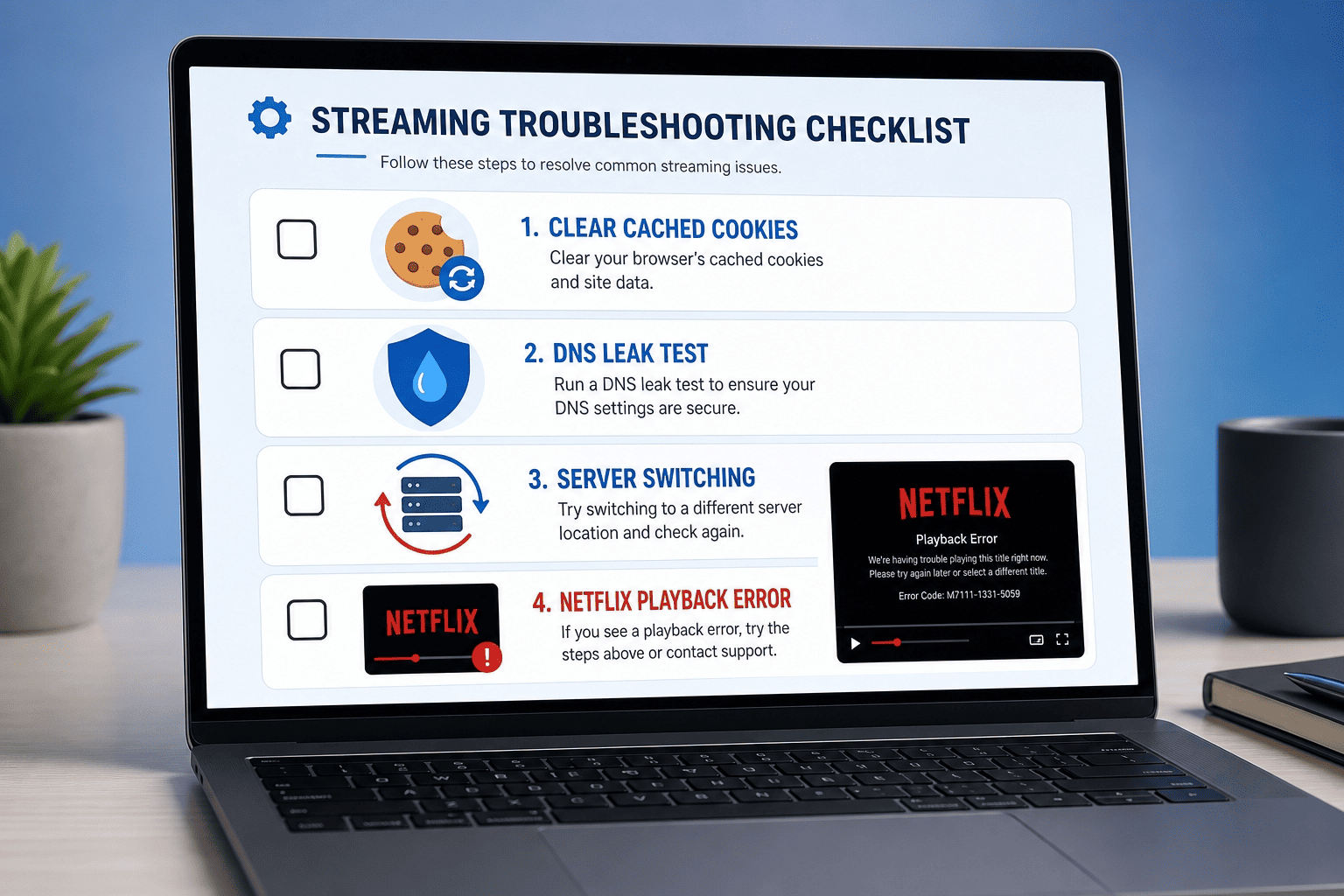
Even good services hit the occasional wall with Netflix. Most problems come down to cached location data, a blocked VPN server, leaks, or simple speed drops between australia and the US. The fixes are usually specific, and they work best when you change one variable at a time.
If Netflix still shows the Australian catalog
When Netflix keeps loading the australia library, the usual diagnosis is that old browser or app data is still tied to your previous location, or that the current VPN server is not presenting a usable US signal. Sign out of Netflix, close the app or browser, and clear cookies or app cache. Then reconnect to a different US location.
Before reopening netflix, confirm your new IP address in a browser. If the address still resolves to australia, the VPN connection is not set correctly. If it resolves to the US but Netflix still shows local content, restart the session again and try a different server.
Cached data and stale DNS records cause more access issues than most users expect. Working through this checklist one step at a time is the fastest way to isolate the problem.
If playback fails or buffers heavily
Heavy buffering usually points to slow speeds, server congestion, or a shaky local network rather than a Netflix-specific block. Switch to another US VPN server, preferably one with lower load or a closer route from australia. If your provider shows latency or load numbers, use them.
Next, pause downloads, cloud backups, and other background traffic on your devices. Long-distance streaming already asks more of the connection, so local congestion can push it over the edge. Then run a quick speed test and compare results across two or three servers.
If one location gives clearly better speeds, stick with it. Stable playback matters more than the city name on the map.
If your IP address or DNS leaks
When your real IP address appears outside the VPN tunnel, Netflix may detect the mismatch and block access or return the wrong catalog. Enable the provider’s leak protection, kill switch, or secure DNS features if they are available in the apps.
Then disable browser extensions that can interfere with location or proxy handling. Some add-ons expose separate routing paths, which creates mixed signals for streaming platforms. After that, reconnect and test your IP address again before opening Netflix.
A clean result means the visible address matches the VPN server and your DNS requests no longer point back to your local provider in australia. If leaks continue, contact support and ask for the correct settings for your device.
If Netflix blocks the server again
Sometimes a server works one day and fails the next. That is normal in an ongoing contest between streaming services and VPN providers. The diagnosis is simple: the current endpoint has likely been flagged.
Move to another US location and test again. If the provider has live chat or email support, ask which servers can access Netflix right now. Better services rotate addresses often enough that blocked endpoints do not stay blocked for long.
If this keeps happening across many servers, the provider may simply not be strong enough for streaming. At that point, switching services is usually faster than fighting the same issues every week.
VPN Speed and Streaming Quality
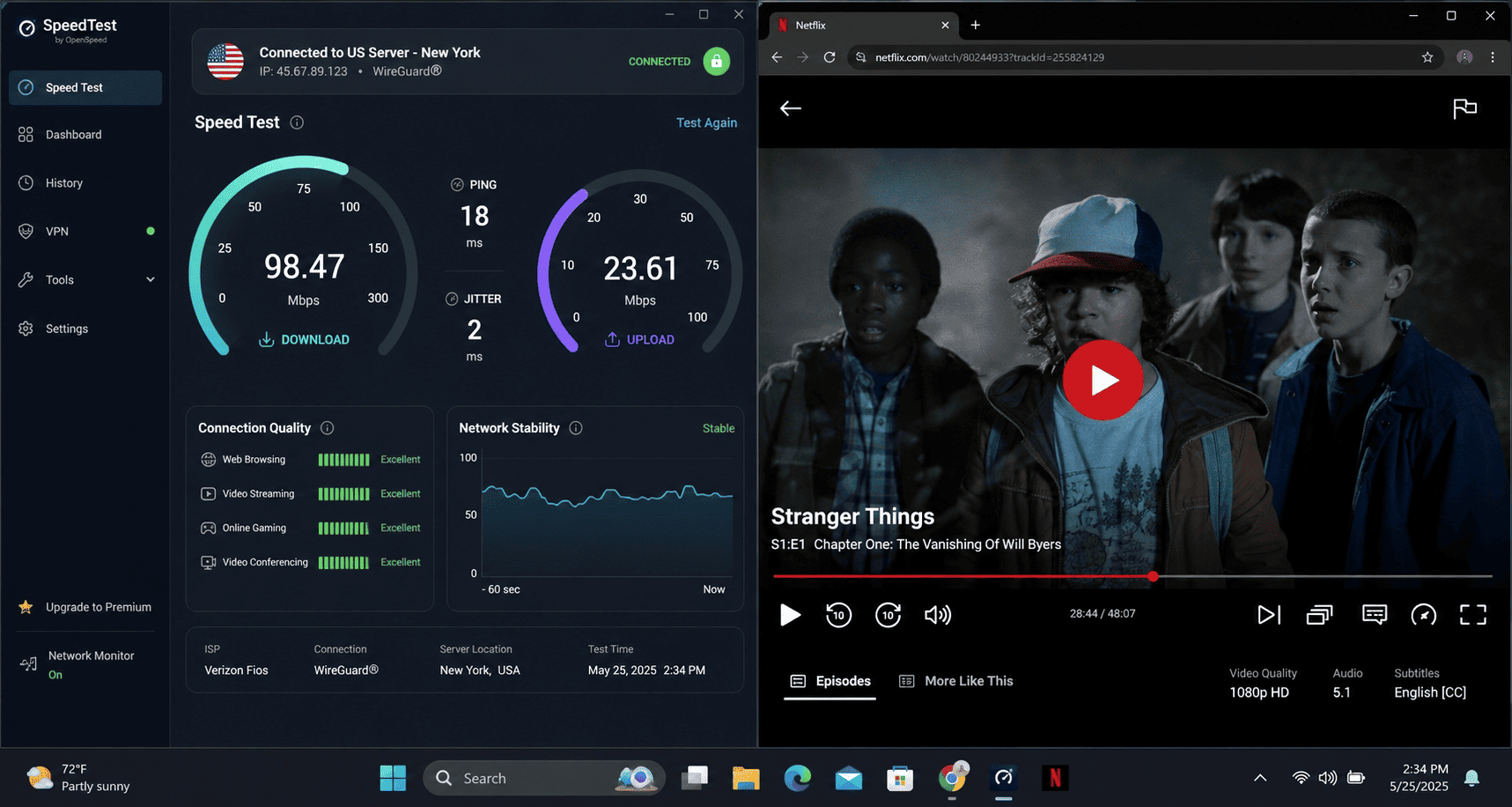
Speed shapes the whole Netflix experience. A VPN does not need record-breaking benchmark results to be useful, but it does need a stable connection, enough headroom for HD or 4K, and routing that does not collapse during peak evening traffic.
What affects speed on long-distance streaming
Distance is the first factor. When you connect from australia to US servers, your data has farther to travel, which adds latency and usually trims speeds. That is normal and not always a sign of a weak provider.
Encryption also adds overhead. Modern protocols such as WireGuard, a streamlined VPN protocol designed for speed, tend to perform better than older options on the same network. Then there is congestion: if too many users pile onto one location at prime time, throughput can drop fast.
Streaming performance is less about a single headline number and more about consistency. Steady throughput throughout a two-hour movie matters far more than a peak benchmark that disappears under load.
How to keep HD and 4K playback stable
Pick the nearest workable US location rather than the most distant one by default. Then test alternate servers in that city or region until you find one with fast speeds and less load.
If your provider offers protocol choices, try the faster modern option first. Also avoid overloaded servers, especially on Friday nights when streaming platforms see heavier traffic. A slightly less busy location often gives a better connection than the obvious first pick.
Which devices handle streaming best
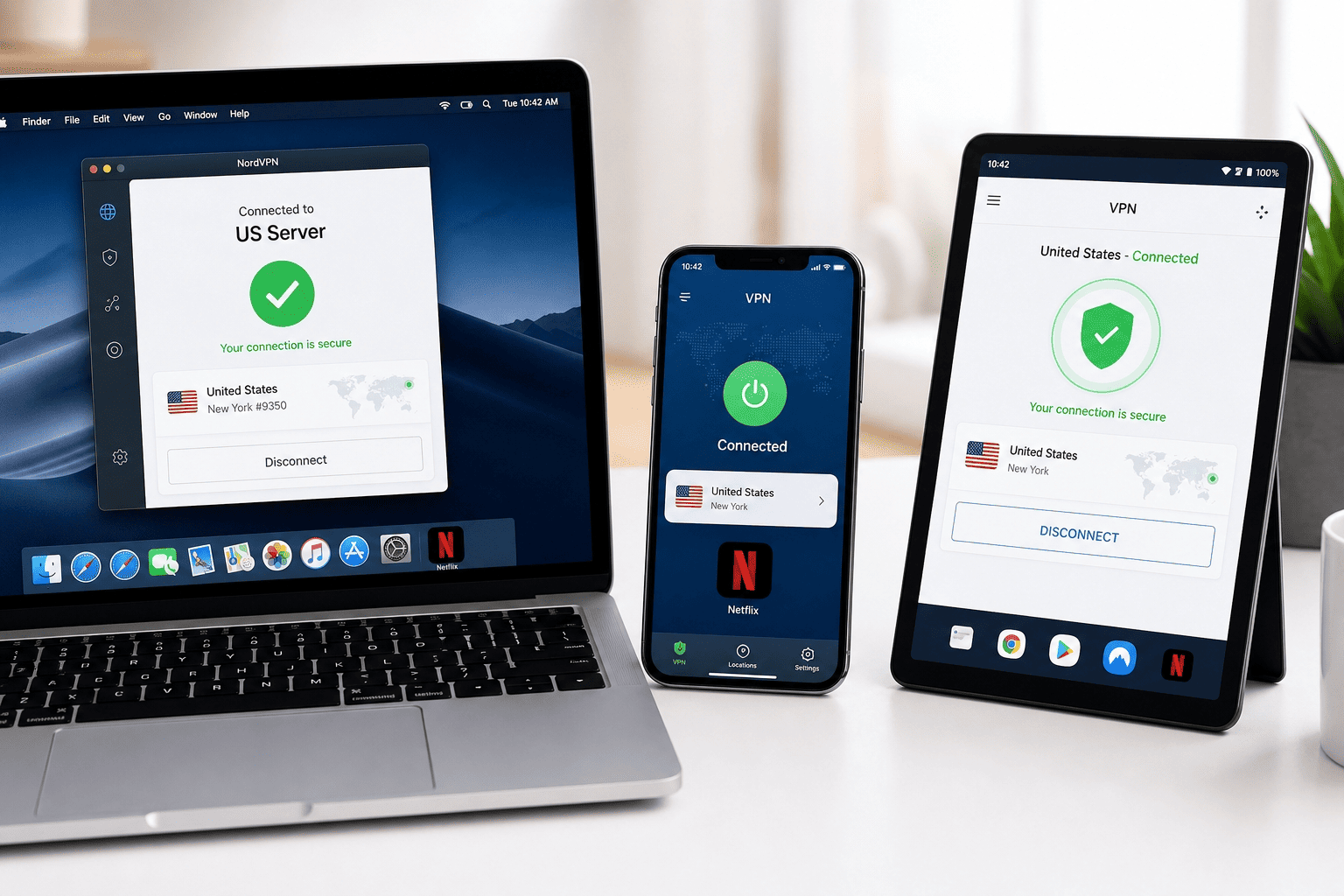
Laptops, phones, and tablets usually offer the easiest setup because the provider’s native apps are mature and simple to manage. These devices also make it easy to test server changes quickly.
Smart TVs and routers can work well too, but setup varies more across platforms. Some services support TV apps directly, while others work better through router configuration or Smart DNS. The best route depends on your devices and how often you switch countries.
Simple speed tests before movie night
Run a quick speed test after connecting to each US server you want to try. Then open the streaming service and play a short video sample.
Compare two or three locations, note which one holds quality best, and save it. A two-minute test up front often prevents twenty minutes of buffering later.
Legality and Terms of Use
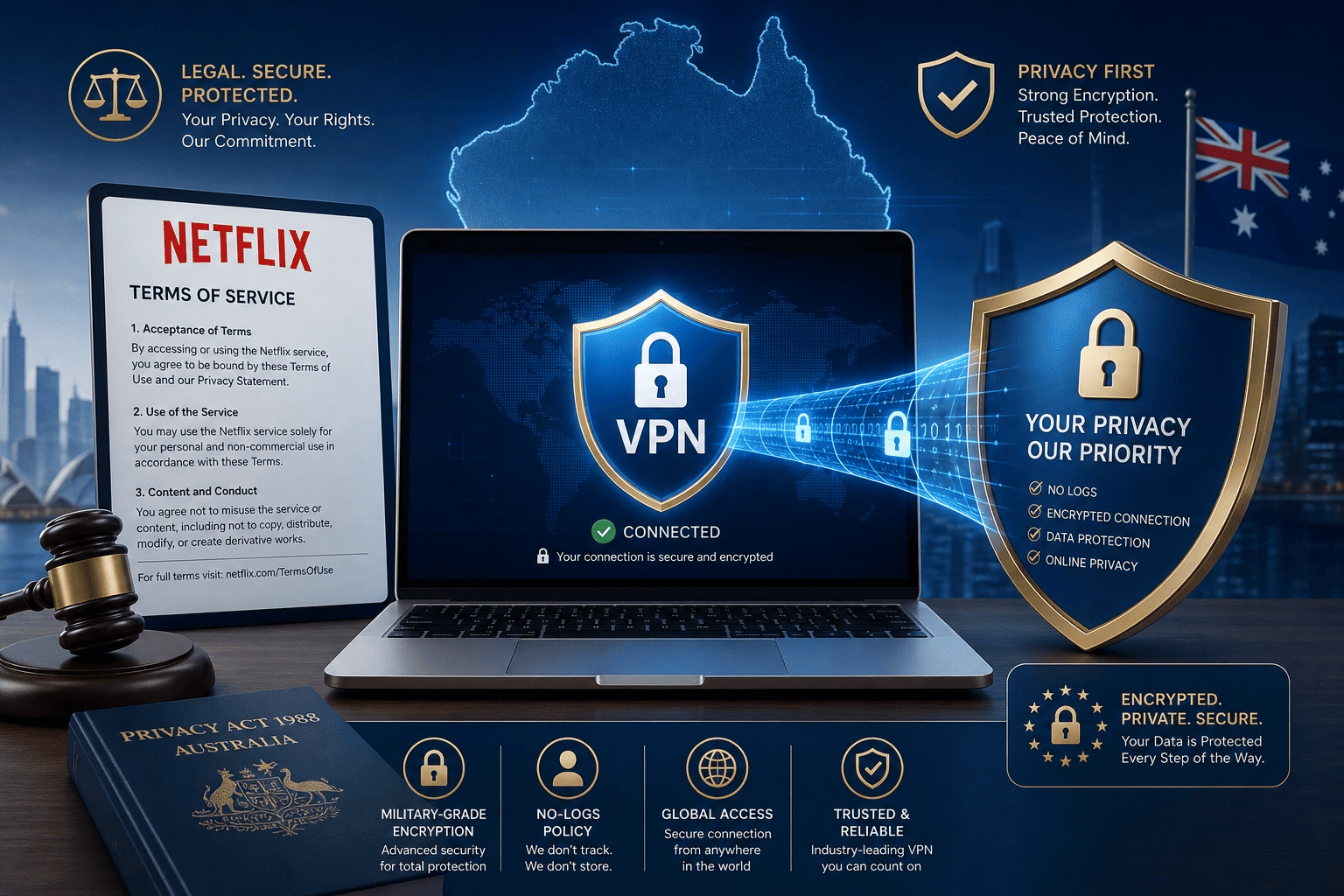
Using a VPN for Netflix raises two separate questions: legality and service rules. They are not the same. One concerns the law in australia; the other concerns Netflix terms and internal policy.
Is using a VPN legal in Australia?
In general, using a VPN in australia is legal. Many people use these services for privacy, security on public Wi-Fi, remote work, or safer browsing. A VPN by itself is simply a tool that changes how your connection is routed and helps protect personal data.
That said, legal use of a VPN does not automatically mean every platform approves every use case. The law and a company’s policy are different things, and readers should treat them that way.
What Netflix terms say about region switching
Netflix terms are tied to licensing agreements and regional distribution rules. In plain English, the service may limit access to some content based on your location, and it can change how it handles region switching over time.
That does not mean every attempt triggers an account penalty, but it does mean access can stop working without warning if the platform updates detection methods or server rules. The terms give Netflix room to enforce its catalog boundaries, and those terms can change.
How to reduce privacy and account risk
Pick a reputable provider with a clear logging policy, modern security features, and transparent handling of data. Avoid sketchy free VPN tools that promise too much while collecting personal data or injecting ads into apps.
Keep your software updated, use official downloads, and do not share random account credentials or modified clients. A good provider lowers risk, but basic habits matter too. Use known services, keep settings clean, and avoid anything that looks dubious.
Free vs Paid VPN
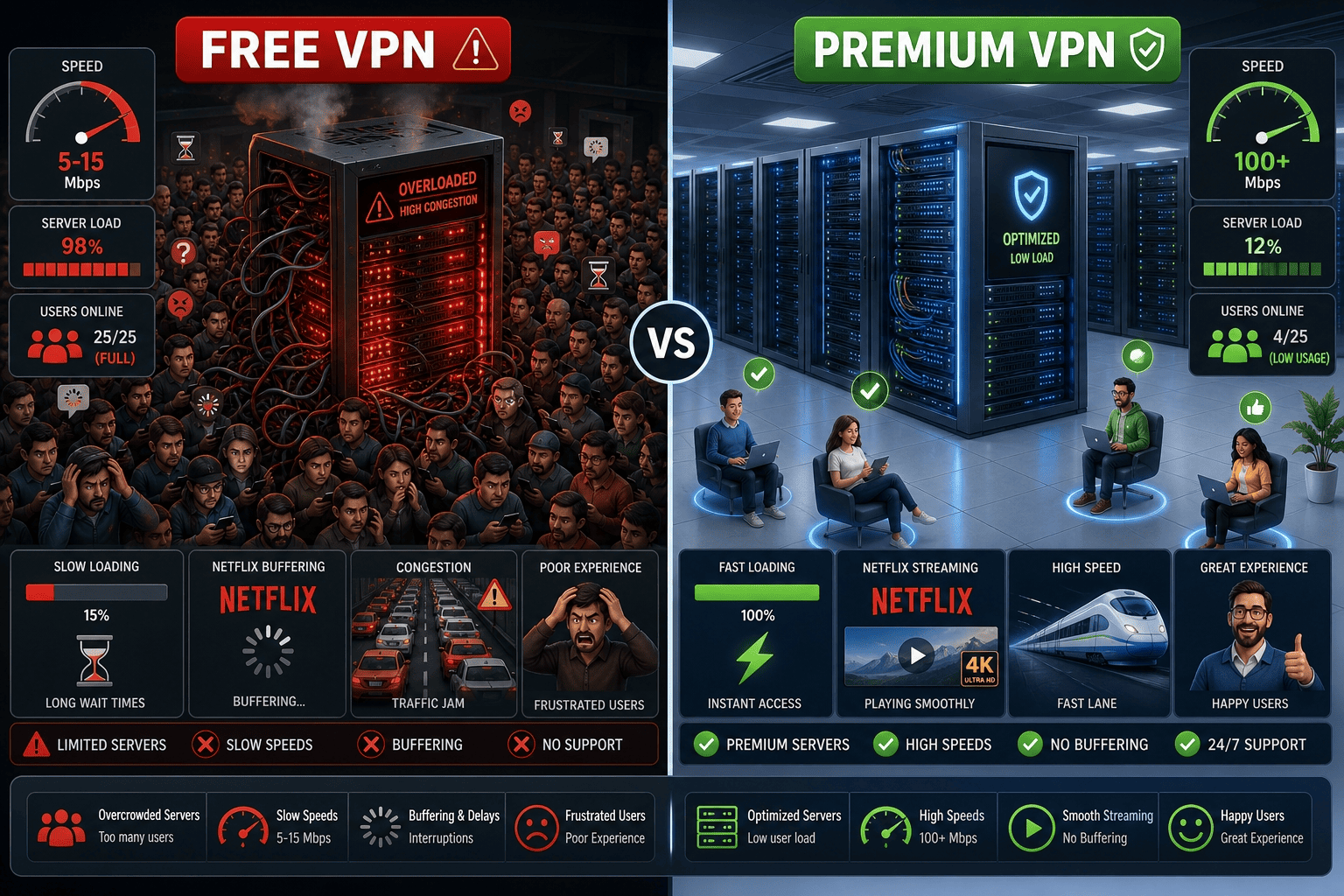
Choosing between a free VPN and a paid option usually comes down to reliability, not just money. For Netflix, the gap is wider than many readers expect.
Why free VPNs usually fail with Netflix
Most free VPN services have small server pools, crowded servers, and stricter data caps. That makes it harder to unblock netflix consistently, and speeds often dIP before a full movie is over. Privacy can be weaker too, which is a poor trade for streaming access.
When a paid VPN is worth the cost
Paid providers give you more US options, better support, and more stable fast speeds on common devices. The best VPN services also include a free trial or money back guarantee, which makes the cost easier to test before you commit real money long term.
How to test before committing long term
Use the trial period, refund window, or 30 day money back guarantee to test Netflix on your own devices. Check the US library, try several servers, and confirm the apps stay stable. If one provider works reliably, keep it. If not, use the back guarantee and move on.