Quick Answer: Best VPN for Kodi in 2026
Updated April 2026 · Tested on 10+ streaming services

ExpressVPN
Why it made the list
- Lightway protocol connects in under 2 seconds every time
- 3,000+ servers in 105 countries, 10–14 simultaneous connections (depending on plan)
- Zero dropped connections across 3 weeks of Kodi testing

NordVPN
Why it made the list
- NordLynx pushed 420–450 Mbps on a 500 Mbps baseline
- 7,400+ servers across 118+ countries, 10 devices
- 4K streams start before the loading spinner appears

Surfshark
Why it made the list
- Unlimited simultaneous connections, no device cap
- 4,500+ servers in 100 countries, WireGuard protocol
- Just from $1.99/mo — cheapest premium VPN for Kodi
After three weeks of hands-on testing across four devices, ExpressVPN topped our ranking as the best VPN for Kodi. Its Lightway protocol connected in under two seconds every time, geo-restricted libraries loaded without a hitch, and we recorded zero dropped connections throughout the evaluation. Budget pick: Surfshark covers every device in your household for from $1.99/month with no cap on simultaneous connections.
- Quick Answer: Best VPN for Kodi in 2026
- Why Do You Need a VPN for Kodi?
- Best VPNs for Kodi: Top 5 Picks in 2026
- VPN Providers to Avoid When You Use Kodi
- Best Free VPNs for Kodi: Do Free VPNs Work with Kodi Addons?
- How to Choose the Best VPN Provider for Kodi
- How to Install a VPN on Kodi: Setup Guide for Every Device
- Troubleshooting: VPN Not Working with Kodi?
- Is It Legal to Use Kodi with a VPN?
- How We Test: Our VPN for Kodi Methodology
- Best VPN for Kodi FAQs
Why Do You Need a VPN for Kodi?
Kodi is a free, open-source media hub that runs on Windows, Linux, Android, Fire TV Stick, Nvidia Shield, Raspberry Pi, and Chromebooks. That hardware flexibility is a major draw, but it also means your streaming traffic crosses networks with varying levels of protection. For Kodi users who rely on third-party addon repositories or international plugin sources, the exposure is even greater.
Without a VPN, your IP address is visible to every addon server, content provider, and ISP along the route. US providers like Comcast and Cox have documented track records of throttling subscribers they flag as heavy streamers. VPN encryption makes video packets look identical to any other HTTPS session, stripping your ISP of the ability to single out and slow down Kodi traffic. A VPN connection is really the only practical way to prevent that kind of selective interference.
Geographic content locks are the other frustration. A film streaming on Netflix UK may not exist in the US catalog; a Champions League match plays freely in one location but gets blacked out next door. Connecting through a VPN server in the right location makes the streaming service treat your request as local. For a broader view, see our best VPNs for streaming services guide.
On shared WiFi – hotels, airports, coffee shops – unprotected traffic can be intercepted by anyone on the same network. AES-256 encryption, the standard every reputable VPN uses, renders your data unintelligible to eavesdroppers before it leaves your device. For Kodi users who stream on the go, this protection is necessary rather than optional.
Best VPNs for Kodi: Top 5 Picks in 2026
Comparison Table
| Feature | ExpressVPN | NordVPN | Surfshark | IPVanish | Proton VPN |
|---|---|---|---|---|---|
| Ideal use case | All-around Kodi | Peak throughput | Budget / large households | Fire TV & Firestick setups | Zero-cost entry |
| Lowest monthly rate | from $2.44 (2-yr) | $3.09 (2-yr) | from $1.99 (2-yr) | $2.19 (2-yr) | Free / $2.99 (2-yr) |
| Server fleet | 3,000+ in 105 countries | 7,400+ in 118+ countries | 4,500+ in 100 countries | 3,200+ in 113 countries | 20,000+ in 145 countries (free: 10) |
| Protocols | Lightway, OpenVPN, IKEv2 | NordLynx, OpenVPN, IKEv2 | WireGuard, OpenVPN, IKEv2 | WireGuard, OpenVPN, IKEv2 | WireGuard, OpenVPN |
| Device limit | 10–14 | 10 | Uncapped | Uncapped | 10 (free: 1) |
| Audit | KPMG, 3rd (2025) | Deloitte, 6th (2025) | Deloitte, 2nd (2025) | Yes | Open-source, Swiss law |
| P2P | Yes | Yes | Yes | Yes | Paid only |
| Kill switch | Network Lock | Yes | Yes | Yes | Yes |
| Split tunneling | Yes | Yes | Bypasser | Yes | Yes |
| Smart DNS | MediaStreamer | SmartDNS | Smart DNS | – | – |
| Apple TV app | tvOS 17+ | tvOS 17+ | – | – | – |
| Speed (tested) | ★★★★★ | ★★★★★ | ★★★★☆ | ★★★★☆ | ★★★☆☆ free / ★★★★☆ paid |
| Rating | 9.5 | 9.3 | 8.8 | 8.4 | 8.0 free / 8.7 paid |
ExpressVPN – Best Overall Kodi VPN Service
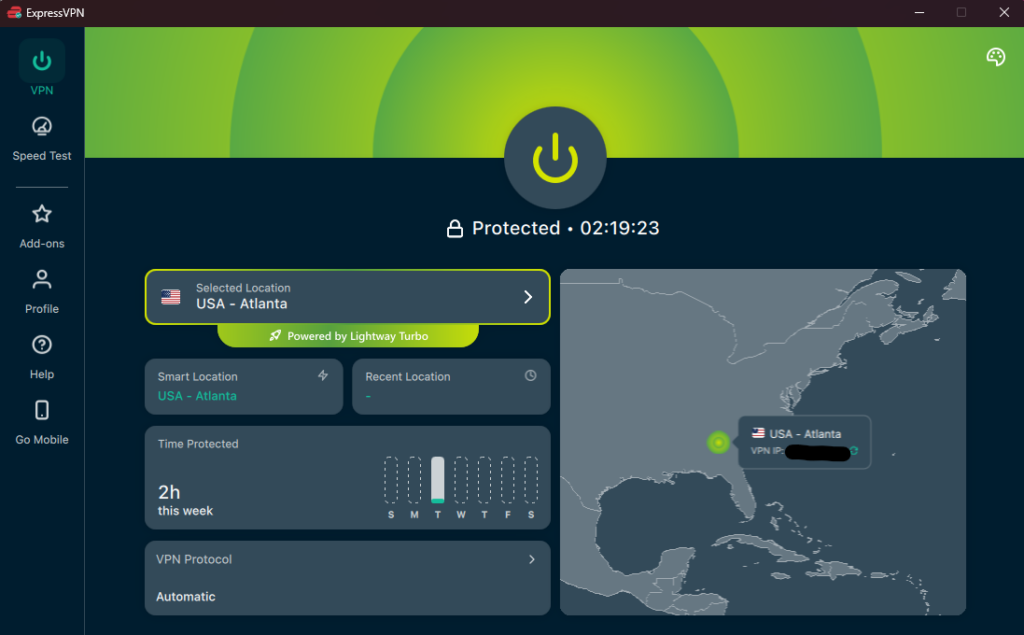
No single feature explains the top ranking – it's the absence of friction. Every other VPN provider we evaluated had at least one recurring annoyance: a sluggish handshake, an app hiccup, a server that refused to unlock a specific catalog. ExpressVPN just connected and delivered, session after session, across every device for three straight weeks. If you need a VPN that works on Kodi without fiddling, this is the one to get.
NordVPN – Fastest VPN to Use with Kodi
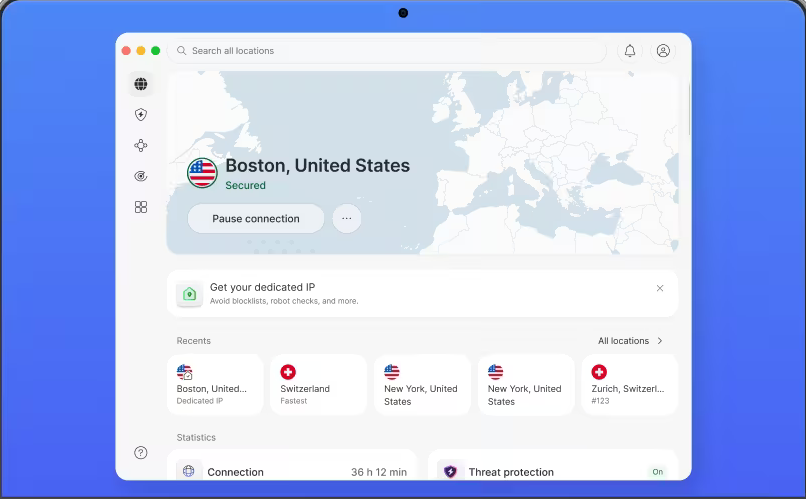
When raw throughput is the priority, NordVPN is the best choice among all VPNs we tested for Kodi streaming. NordLynx – a WireGuard fork with a double NAT privacy layer – pushed 420–450 Mbps on nearby servers against a 500 Mbps baseline during our tests. 4K streams started before the loading spinner appeared, and live sports feeds stayed smooth through peak-hour congestion.
Surfshark – Cheapest VPN for Kodi Streaming
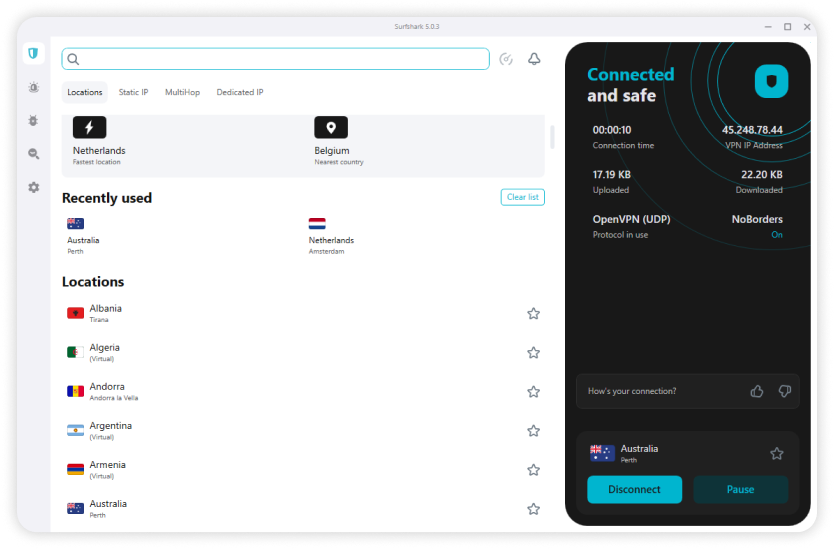
Kodi in the living room, another instance in the bedroom, a tablet on the road, two phones, a laptop, and the kids' gadgets. Most VPN providers force you to choose which devices get protection. Surfshark removes that decision: one subscription, no device ceiling.
IPVanish – Best VPN for Kodi on Fire TV Stick & Kodi Box
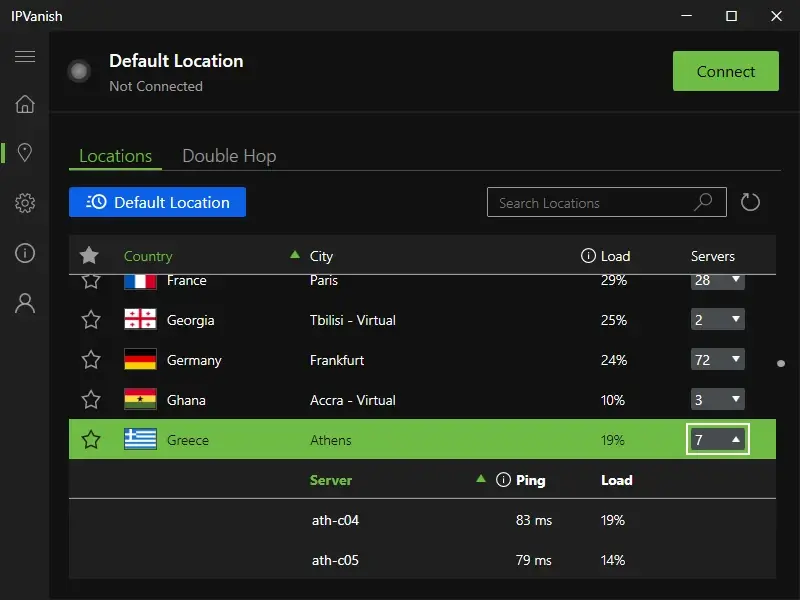
IPVanish earns its niche through the best television-oriented VPN interface we tested. The Firestick app ships directly through Amazon's App Store – no sideloading – and uses oversized tiles, live server load readouts, and single-press connectivity that feels native to the platform. For Kodi box setups that connect to a TV via HDMI, this remote-friendly design matters more than benchmark margins.
Proton VPN – Best Free VPN for Kodi (No Data Cap)
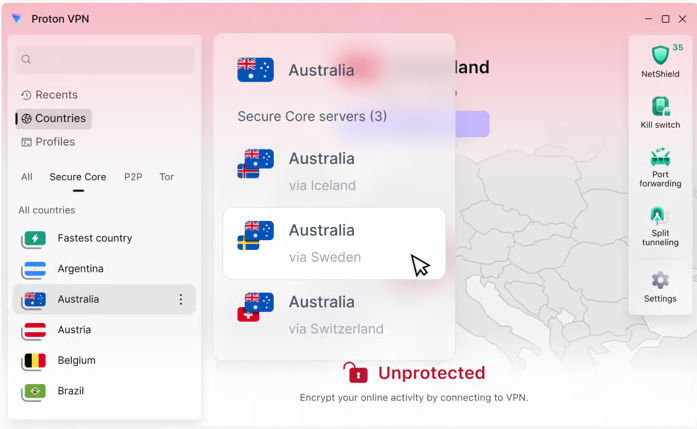
Built by the ProtonMail team under Swiss privacy law, Proton VPN's free version breaks the mold: unlimited bandwidth, no data cap. Every other free VPN service we tested either strangled speeds or cut users off after a few gigabytes.
VPN Providers to Avoid When You Use Kodi
Steer clear of VPNs that won't disclose their incorporation country, publish vague privacy policies, or sell "lifetime" plans at suspiciously low prices. Those operations typically fund themselves by logging and reselling your activity data – the exact behavior you're trying to prevent.
Regional legality matters too. Iran, China, Russia, and several other countries with aggressive internet censorship either ban or heavily regulate VPN use. If you're physically located in one of these jurisdictions, research local penalties before relying on any VPN service.
Best Free VPNs for Kodi: Do Free VPNs Work with Kodi Addons?
Beyond Proton VPN (covered above), three free VPNs technically work with Kodi but impose limits that cripple regular streaming:
- Windscribe – 10 GB/month (verified email required), servers in 10 countries. Roughly 3–4 hours of HD viewing before the cap hits. Supports WireGuard, OpenVPN, IKEv2. You also get a built-in ad blocker on paid tiers.
- TunnelBear – 2 GB/month, random server assignment (custom selection removed early 2026). About two hours of SD streaming. Testing-only territory.
- Hotspot Shield – 500 MB/day, 2 Mbps mobile speed cap, US servers only. The bandwidth throttle alone makes HD playback a struggle.
Free tiers universally sacrifice connection reliability during peak evening hours, when crowded servers produce failed handshakes and degraded quality at the exact moment most people sit down to stream. Paid VPNs avoid this through dedicated infrastructure and subscriber-priority routing.
How to Choose the Best VPN Provider for Kodi
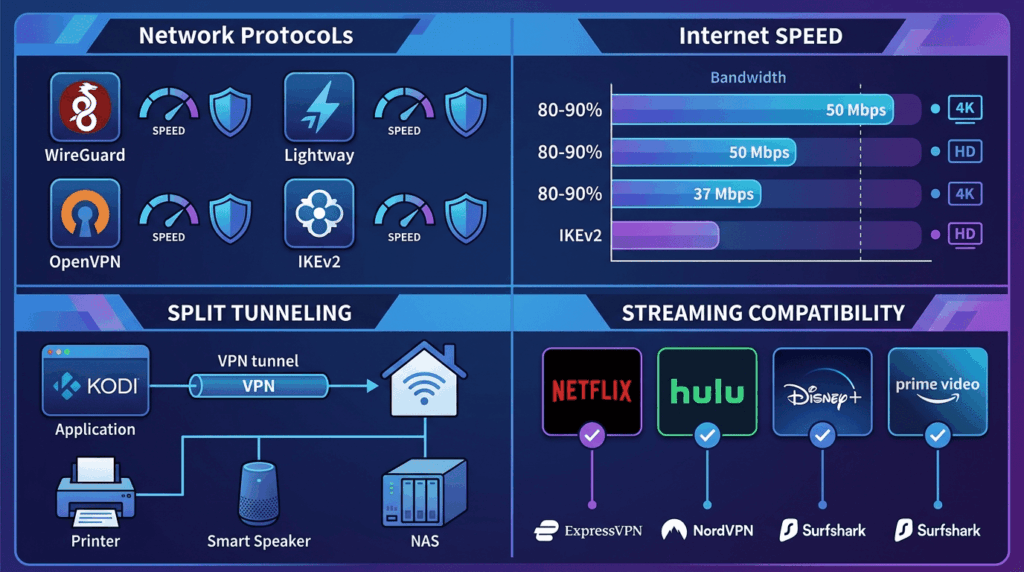
The comparison table above covers specs. Here's how those specs translate into actual streaming experience when you use a VPN for Kodi:
Protocols determine the speed-security balance. WireGuard and Lightway deliver the fastest tunnels with modern encryption. OpenVPN trades some speed for battle-tested compatibility across restrictive networks. IKEv2 handles mobile WiFi-to-cellular transitions most gracefully.
Speed overhead dictates picture quality. The best VPN services in our testing preserved 80–90% of baseline throughput on nearby servers. 4K playback requires roughly 25 Mbps, HD about 5 Mbps. If your ISP delivers 50 Mbps and the VPN takes a 25% cut, you're left with 37 Mbps – comfortable for 4K with margin to spare.
Split tunneling prevents the common problem where enabling a VPN breaks local devices: printers, smart speakers, NAS drives. Route Kodi through the tunnel and let everything else talk directly to your home network.
Streaming unblocking separates premium VPN providers from the rest. Netflix, Hulu, Disney+, and Prime Video actively blacklist VPN server addresses. ExpressVPN and NordVPN maintained reliable access throughout our test period. Surfshark worked consistently for Netflix US but hit intermittent blocks on some regional libraries.
How to Install a VPN on Kodi: Setup Guide for Every Device
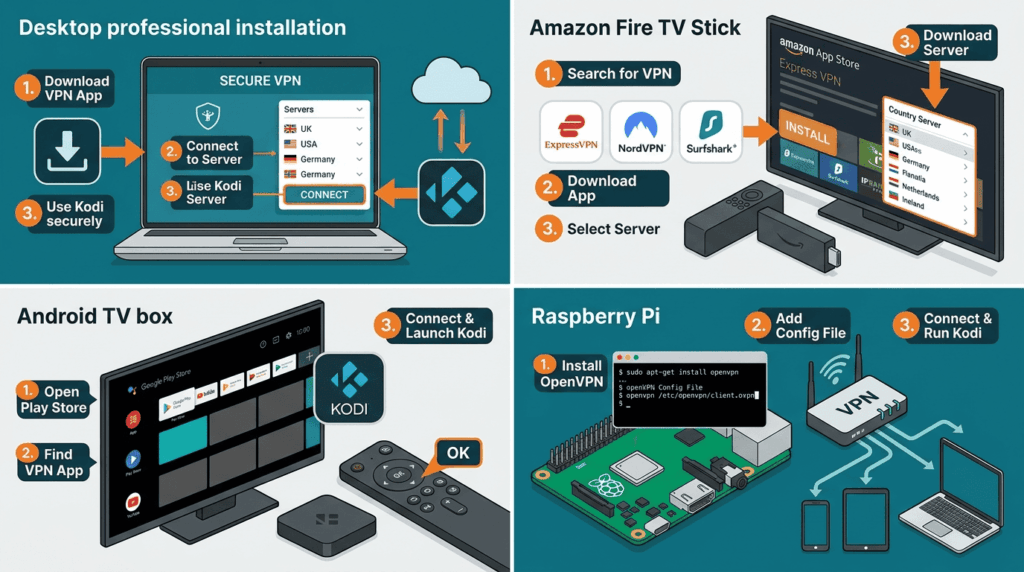
How to Set Up a VPN on Kodi for Windows & macOS
Download your VPN provider's desktop app, install, sign in, pick a server, connect. Launch Kodi – all traffic routes through the encrypted tunnel automatically. Enable split tunneling if you need only Kodi protected while other apps bypass the VPN.
How to Install a VPN on Kodi for Fire TV Stick
Search your VPN provider in the Amazon App Store. ExpressVPN, NordVPN, Surfshark, and IPVanish all maintain native Fire TV listings. Install, sign in, connect, then open Kodi. Use the VPN's server list to pick a country, and the entire device's traffic gets encrypted without extra setup.
How to Use a VPN with Kodi on Android TV & Kodi Box
Open Google Play on your Android TV device or Kodi box, search for your VPN, install. ExpressVPN and NordVPN both offer TV-optimized layouts with oversized buttons suited to remote navigation. Connect to a server, then launch Kodi to stream.
VPN Setup for Kodi on Raspberry Pi & Router
For Pi boards running LibreELEC or OSMC, configure OpenVPN via terminal using your VPN provider's .ovpn config files (download from the Kodi downloads page). For whole-home coverage, flash VPN firmware onto a compatible router (ExpressVPN supports Asus, Linksys, Netgear). One installation protects every connected device, though toggling protection on or off for individual gadgets requires router-level setting changes.
How to Use Kodi with a VPN on iPhone, iPad & Apple TV
iOS doesn't run Kodi directly but serves as a remote or DLNA receiver. Install your VPN from the App Store; all five VPNs tested maintain full-featured iOS apps.
For Apple TV, ExpressVPN and NordVPN offer native tvOS apps (tvOS 17+). Install from the Apple TV App Store, sign in, connect. Older models without tvOS 17 can still use Smart DNS or router-level VPN settings as fallbacks.
Troubleshooting: VPN Not Working with Kodi?
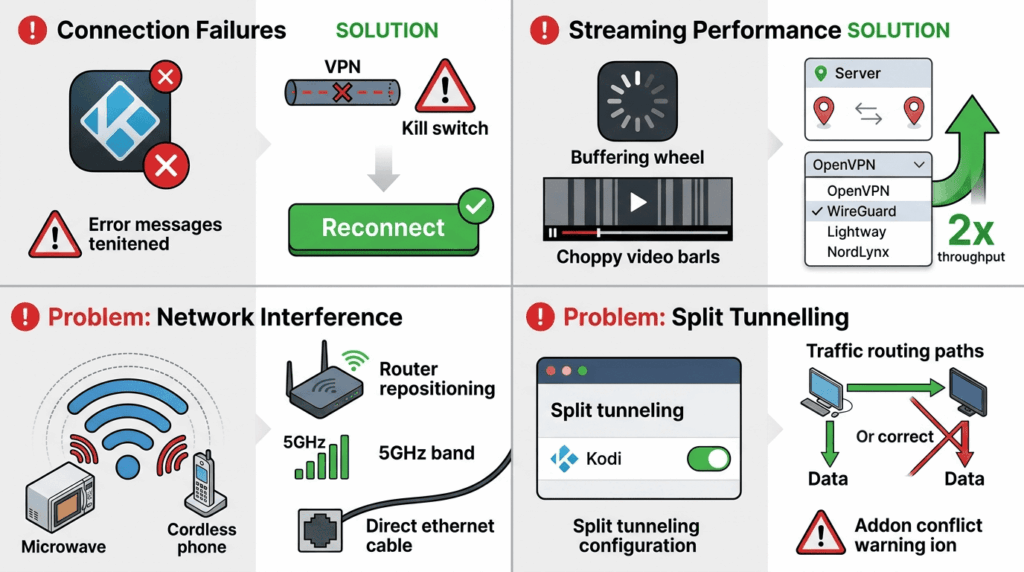
Kodi won't load streams at all? Check if the VPN disconnected. A kill switch blocks all traffic when the tunnel drops – this looks like total internet loss, not a Kodi-specific error. Reconnect and use the VPN again.
Choppy playback or buffering? Switch servers within the same region. If you're on OpenVPN, change to WireGuard, Lightway, or NordLynx – the protocol swap alone can double usable throughput.
Constant disconnections? The problem is often WiFi, not the VPN. Move your router away from microwave ovens and cordless phones, switch to the 5 GHz band, or run Ethernet if possible.
Kodi broken but other apps work fine? Inspect your split tunneling settings. Kodi may be accidentally excluded from VPN routing, or conflicting entries may be creating a traffic loop. Also check whether a Kodi plugin or addon is conflicting with the VPN's network rules.
Is It Legal to Use Kodi with a VPN?
Kodi itself is fully legal open-source software. Playing your own media library or streaming through official Kodi addons like YouTube raises zero legal issues.
Third-party addons that scrape pirated streams are where legality breaks down. A VPN hides your IP and encrypts traffic, which prevents ISPs from logging what you stream and stops copyright holders from tying your address to infringement reports. But encryption doesn't rewrite the law – accessing pirated material remains illegal regardless of who can or can't trace it.
VPN usage itself is restricted or criminalized in Iran, China, Russia, and several other countries. Check local regulations before depending on any VPN service to hide your activity.
How We Test: Our VPN for Kodi Methodology
Each VPN ran for three weeks of daily Kodi use on four platforms: Windows 11 desktop, Nvidia Shield Pro (Android TV), Fire TV Stick 4K Max, and Raspberry Pi 4 with LibreELEC. Speed tests executed from three geographic locations using Ookla Speedtest (US East Coast, Western Europe, Southeast Asia), measuring raw throughput plus practical metrics: 4K stream start time, buffering events per two-hour session, and evening-versus-midday speed degradation.
We checked for DNS and IP leaks during active playback, server switches, and forced reconnection events. Streaming compatibility testing covered Netflix (US, UK, Japan), Hulu, Disney+, and Prime Video at least twice weekly. Platform scoring weighted native app availability and interface quality, favoring VPNs that work out of the box over those demanding manual terminal setup.
Best VPN for Kodi FAQs
Do I need a VPN to use Kodi?
What is the best VPN for Kodi in 2026?
Is there a best free VPN for Kodi that actually works?
Does a VPN slow down Kodi streaming?
Can I install a VPN on Kodi to get Netflix?
What is the difference between a VPN and Smart DNS for Kodi?
What happens if my VPN drops while I use Kodi?