Free VPNs for Netflix can help in a pinch, but they offer five times fewer servers than paid plans, impose tighter data limits, and require more trial-and-error before a stream finally loads. This guide focuses on the best free options we tested for streaming, who each plan suits, and where the limits start to bite. We looked at how often each service could unblock Netflix, how stable the connection stayed during playback, how quickly data disappeared over a month of use, and whether the provider’s privacy policy gave us enough confidence to recommend it. We also compare free trial routes and paid VPNs, because in practice, that can be the smarter short-term option. If you want to watch Netflix with a free VPN, you need to know what can get in the way before you sign up.
If you only want the short version, Proton VPN stood out as the most balanced free plan for testing, Windscribe remained the most flexible for occasional streaming, and PrivadoVPN was the most stream-friendly when it worked. None is the best VPN for every use case. But each is a plausible starting point.
Tested Free VPNs for Netflix
Proton VPN
Why it made the list
- No ads, polished apps, steady performance.
- No ads in the free plan, which keeps the app uncluttered
- Strong privacy reputation compared with many free VPN rivals
Windscribe
Why it made the list
- Better for short sessions and selective streaming.
- Flexible free plan with usable monthly data for short sessions
- Good speeds on nearby servers in our test runs
PrivadoVPN
Why it made the list
- Stronger Netflix focus than most free plans.
- Beginner-friendly apps with one of the most accessible interfaces to learn
- Fast setup on desktop and mobile apps
Most readers searching for the best free VPN for Netflix are trying to solve one of three problems: they want a quick way to watch Netflix while traveling, they want to test whether a VPN for Netflix is worth using before spending money, or they need a backup option for occasional streaming on mobile or laptop. Those are all reasonable use cases. They just do not all point to the same provider.
We tested each free VPN on real Netflix sessions, not just by checking whether the app opened. A server that connects but throws a proxy warning or buffers every few minutes does not count as usable in our book. We looked at how often these services could work with Netflix, how straightforward they were to set up on common apps, whether the free plan imposed a harsh data cap, and how comfortable we felt with the provider’s privacy and security posture. Paid VPNs still have the edge, sometimes by a mile, but a few best free VPNs remain useful if you stay within their limits.
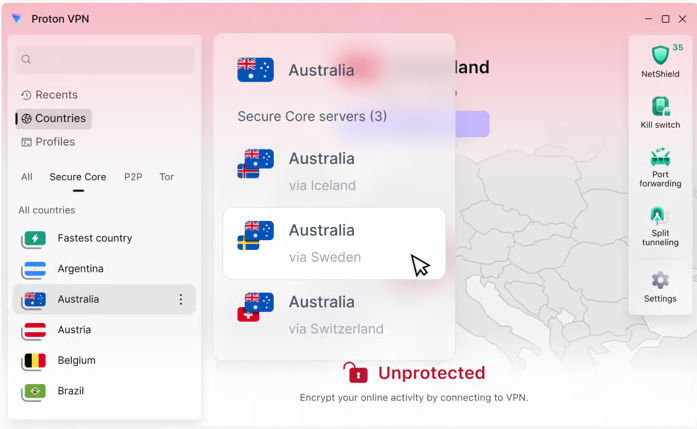


How We Ranked the Providers
Our ranking focused first on whether a free VPN could actually watch Netflix with minimal friction. Plenty of free VPN services connect successfully and still fail the real task. We counted a win only when the app loaded playable content without a proxy error and maintained a stable enough connection for regular viewing.
From there, we weighed data limits, speeds, server choice, app quality, privacy, and overall value. Data mattered a lot because even the best free VPNs become frustrating once a low monthly cap turns one movie into a week’s allowance. Speeds mattered because crowded free servers often look fine on a speed test, then struggle once Netflix ramps up video quality. We also considered how many countries and locations were available, since broader reach improves your odds of finding a server that may work with Netflix libraries like the US, UK, or Japan.
Privacy and security were the final filter. A free plan is not a bargain if the provider’s logs policy is vague, the apps feel neglected, or the business model leans too heavily on sharing user data with third parties. Thanks to that filter, some services that were merely “usable” for streaming still ranked lower than safer, more transparent options. This is also why paid plans and a reputable free trial can sometimes be the smarter recommendation, even in a guide focused on free access.
Comparison Table of Free VPNs for Netflix
| VPN | Free Data | Locations | Netflix Access | Score |
|---|---|---|---|---|
| Proton VPN | Unlimited | 10 countries | ✓ Reliable | 9.4 |
| Windscribe | 10 GB/mo | 69 countries | ✓ 5 Netflix libs | 8.9 |
| TunnelBear | 2 GB/mo | 47 countries | Limited | 8.7 |
| Hide.me | 10 GB/mo | 5 locations | Inconsistent | 8.4 |
| PrivadoVPN | 10 GB/mo | 49 countries | ✓ Stream-focused | 8.2 |
| Hotspot Shield | 500 MB/day | 1 location | ~50% success | 8.0 |
A comparison table should help you cut through the noise quickly. With free VPNs, the important differences are rarely cosmetic. One provider may offer better speeds but a punishing data cap. Another may have a cleaner free plan but weaker access to Netflix libraries. A third may reach Netflix once in a while yet frustrate you with limited apps or poor server choice.
The point is not to crown one service in every column. It is to show which free VPN fits which kind of viewer. If you only stream on the road a few times a month, your best free choice may differ from someone who wants broader countries coverage or stronger privacy.
What the Comparison Table Should Reveal
The first thing a useful comparison table should reveal is not marketing language but practical limits. Can the free VPN access Netflix often enough to be worth your time? Does the free plan have a monthly data cap that rules out full movies? Are the available server locations close enough to deliver watchable speeds? Those questions matter more than a long feature list.
It should also make the free-versus-paid gap visible. Free VPN services usually trail paid VPNs in server count, countries, and consistency. A table that hides that difference is not doing its job. Readers should be able to see, at a glance, which option is suited to quick testing and which one is strong enough for occasional real streaming.
Most important, the table should show trade-offs directly. A service with fast speeds but poor Netflix access is different from one with weaker performance but better privacy. This is how you avoid picking the wrong provider for the right reason.
Key Metrics to Compare Before Streaming
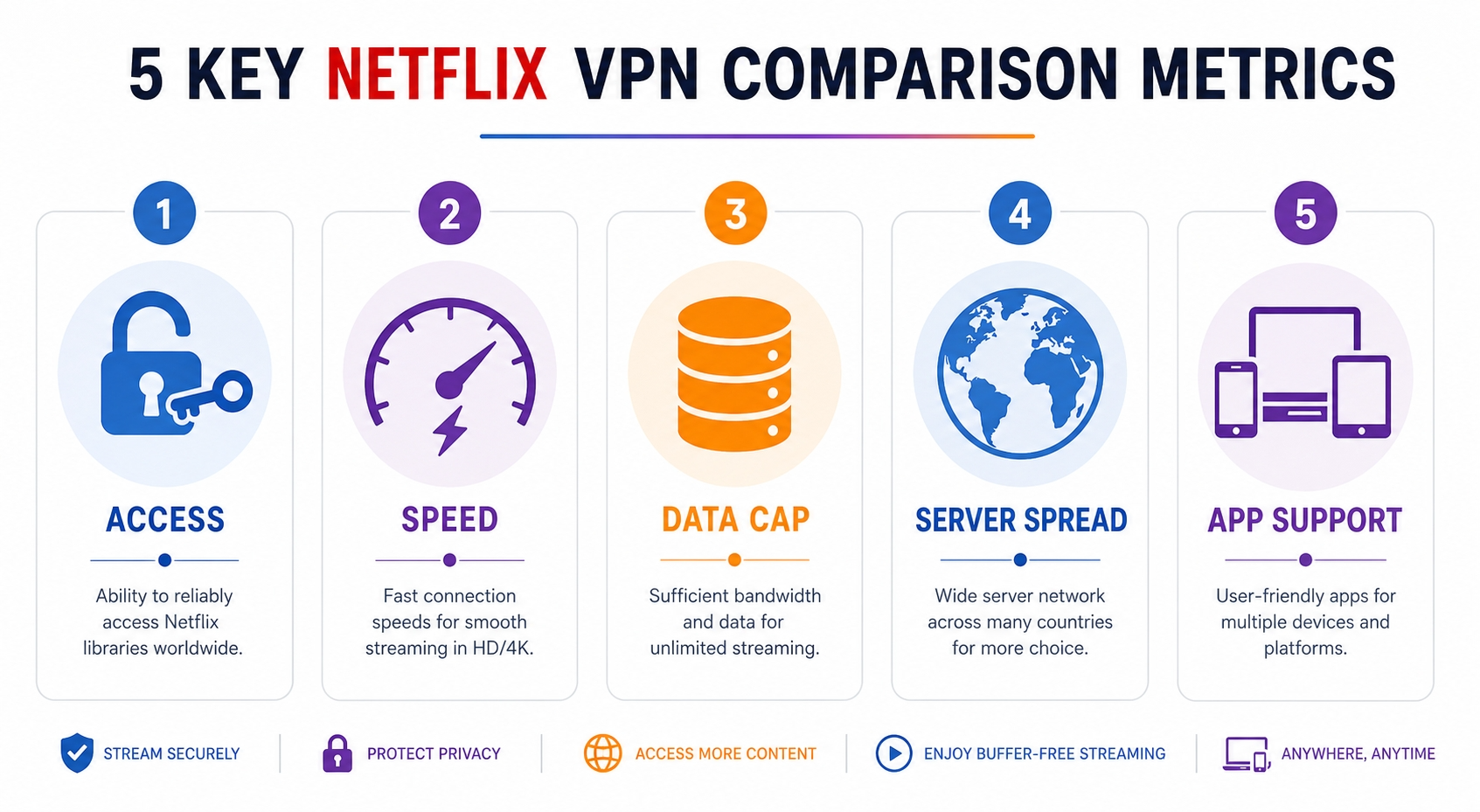
Before you stream, compare five things: Netflix access, speeds, data, server spread, and app support. Start with whether the service can reliably reach Netflix content at all. A free VPN that works once and fails the next five times is a poor value, even if the interface looks polished.
Next, look at speeds and nearby servers. Shorter distances often mean better performance, which matters for HD playback. Then check the data cap. Free plans can disappear faster than many users expect — streaming at SD burns roughly 0.3 GB per hour, HD around 3 GB, and 4K up to 7 GB — so a plan that sounds generous may still be too small for regular viewing.
Server and countries coverage comes next. More locations can improve your chance of reaching specific Netflix libraries, but numbers alone do not guarantee access. Finally, make sure the apps support the device you actually use. Many VPN services look fine on desktop yet feel much weaker on mobile or smart TV-adjacent setups. That practical mismatch matters more than feature bragging.
Best Use Case by Free Plan
The best free plan depends on how you actually stream. Proton VPN suits readers who want a cautious, privacy-aware option for testing and light use. Windscribe is better for occasional streaming where a flexible monthly pool of data matters more than broad server reach. PrivadoVPN fits users who care most about stream-friendly access and are willing to accept tighter limits.
TunnelBear works best for beginners who want the most accessible possible route to test a VPN service before considering paid plans. Hide.me is the stronger option for users who put privacy and policy clarity ahead of aggressive streaming ambitions. Hotspot Shield is the better fit for short sessions where fast speeds matter, though its trade-offs keep it from ranking higher overall.
Each free VPN choice for Netflix has its lane. None replaces the best VPN from the paid tier, and none can match premium VPN services across all Netflix libraries. But if you match the plan to your habits, you can still find an option that makes sense.
How to Use a Free VPN to Watch Netflix
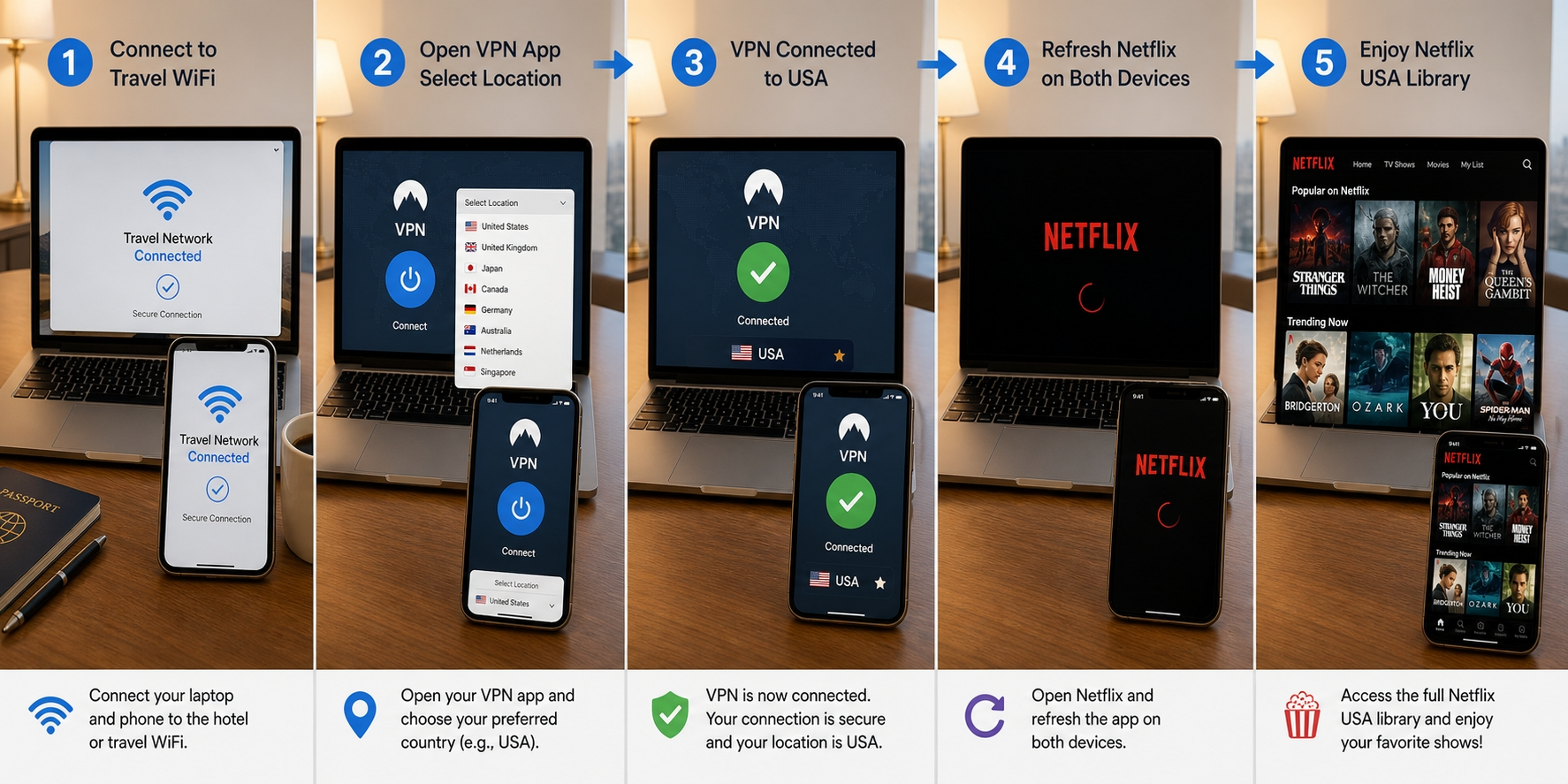
Using free VPN access for Netflix is usually less about one perfect setting and more about getting a few basics right. A free VPN for Netflix may connect successfully yet still fail because your app cached an old location, your DNS requests leaked outside the tunnel, or the selected server is simply too crowded to carry stable playback. Most failures are not mysterious. They follow a pattern.
We recommend keeping expectations grounded here. A free VPN that works in one region today may struggle next week, and no provider can guarantee permanent access to every catalog. Netflix’s systems keep adapting, and free servers are usually first to get flagged. Still, if you follow a clean setup process, you improve your odds of finding a VPN that works well enough to watch Netflix without endless retries.
Step 1: Choose a Server That Matches Your Region
Start with the simplest rule: pick a server in the region whose Netflix catalog you want to access. If you are trying to watch Netflix from the US library, connect to a US server. If you want Japan, choose Japan. Many failed attempts come from users selecting the nearest server instead of the relevant one.
After that, test alternatives within the same region if the first server fails. A free VPN that works on one server may not work on another, even in the same countries list. Shared IP addresses get flagged unevenly, and some servers are simply under heavier load. If your provider offers multiple locations in one country, rotate through them methodically instead of hopping randomly.
Distance matters too. The farther the server, the more your connection may slow down, which can affect both access and playback quality. For readers using free VPN access from hotels, airports, or mobile networks, that effect is even stronger. Try the right region first, then the nearest viable server within it. This is often the best free starting move, and it can save time if you want to sign up and test quickly.
Step 2: Clear Cache and Refresh the Netflix App
If Netflix keeps showing the wrong content or throws a proxy-style error, clear your app or browser cache before assuming the VPN failed. Streaming apps store session details, region hints, and old DNS information longer than many users expect. Stale data can keep pointing Netflix to your previous location even after the VPN connection changes.
On mobile apps, force-close the app, clear cache where the platform allows it, and reopen it after reconnecting. On desktop, close the browser completely or use a private window for a cleaner test. If you are using free VPN services across multiple devices, make sure the device itself is not still tied to old network settings from a previous session.
This step matters because a free VPN for Netflix often operates with tighter margins than paid plans. If you already have fewer servers and a lower chance to reach Netflix, you do not want cached leftovers sabotaging your one good connection. It is a small fix, but it often helps a free VPN that works almost correctly become one that can watch content properly.
Step 3: Check for DNS or IP Leaks
A VPN connection is only useful if Netflix sees the VPN’s network path rather than your regular one. This is why leak testing matters. DNS leaks happen when your device still asks your internet provider to resolve websites, while IP leaks expose your actual IP address outside the encrypted tunnel. Either can confuse streaming platforms or make detection easier.
Use a basic leak test tool such as browserleaks.com, ipleak.net, or dnsleaktest.com before you retry Netflix. You do not need to become a network engineer to read the result. Just check whether the visible IP address and DNS locations match the VPN server you selected. If they do not, disconnect, switch servers, or change protocol settings in the app.
This is one of the biggest differences between a merely cheap-looking service and a trustworthy free VPN that works. Good apps reduce these leak risks automatically. Weak ones leave users exposed without much warning. If your leak test is messy, Netflix may not open up, and your privacy takes a hit too. Fix the leak first, then test again.
Step 4: Switch Protocols if Playback Fails
If the stream still will not load, switch protocols. Most decent apps let you choose between options like WireGuard, a modern protocol built for speed, OpenVPN UDP, an older but widely supported standard, or IKEv2, which often reconnects quickly on mobile. Different protocols can change how the connection looks to Netflix and how stable it feels on your network.
WireGuard is usually the first option we try because it tends to deliver better speeds with less overhead. But if playback fails or buffers heavily, OpenVPN can sometimes help, especially on restrictive networks. IKEv2 is often handy when moving between Wi‑Fi and mobile data. The point is not that one protocol is always the best VPN setting. It is that a VPN that works poorly on one protocol may behave much better on another.
This is especially true when using free VPN apps on crowded servers. Protocol changes can improve stability, reduce buffering, or sidestep a routing issue that blocks access. If none of them help, you may have hit the free plan’s ceiling. This is often the moment when a free trial or one of the better paid VPNs starts to look more sensible. In some cases, you can get a day free trial or day free trial offer and decide whether the upgrade is worth it.
Free vs. Paid VPNs for Netflix
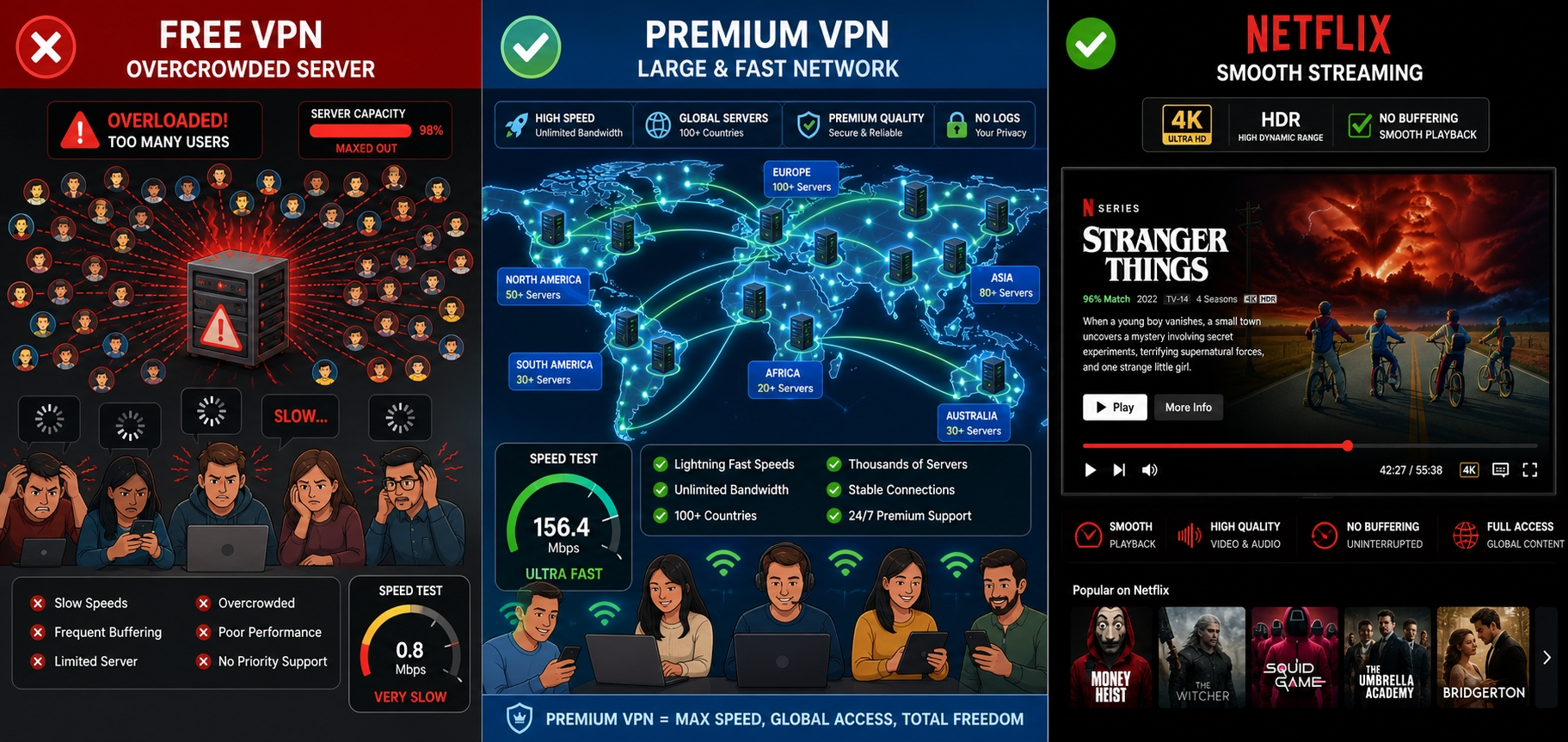
The difference between free and paid VPNs for Netflix is not just about nicer apps or bigger branding. It shows up in the part readers actually care about: whether the stream loads, how many Netflix libraries are reachable, how long the connection holds, and how much hassle sits between opening the app and pressing play. Free plans can be useful, but they nearly always ask for compromise.
This does not mean everyone needs to pay right away. Some readers only need a quick travel fix, a short test, or a backup option on one device. For those cases, a decent free VPN has a role. But if Netflix streaming is something you expect to do regularly, the advantages of paid plans start stacking up fast.
What You Lose With a Free Plan
The biggest loss with a free plan is consistency. Free users usually get fewer servers, fewer countries, and lower priority on crowded networks. This combination makes it harder to find stable access to multiple Netflix libraries, especially during peak evening hours when streaming demand spikes.
You also lose endurance. A tight data allowance means a free VPN can handle short sessions or testing, but not much more. This matters over a month because video burns through data quickly — HD streaming alone can hit 3 GB per hour — and even moderate use can hit the cap sooner than expected. Some free plans also trim advanced settings, which reduces your ability to fix buffering or switch to a protocol better suited to streaming.
Then there is the softer loss: confidence. With many free VPN services, you spend more time wondering whether the service will work with Netflix at all, whether the apps are maintained properly, and whether the privacy policy leaves room for uncomfortable data practices. The money you save upfront often returns as friction.
Why Paid VPNs Usually Stream Better
Paid VPNs usually stream better because they have more room to breathe. Larger server networks spread users out, better routing improves connection stability, and dedicated streaming infrastructure gives providers a stronger chance to stay ahead of Netflix blocklists. This does not mean every premium service is equal, but the baseline is simply higher.
The other advantage is breadth. Paid plans tend to support more countries, more locations, better apps, and more simultaneous connections, so one account can cover your laptop, phone, tablet, or TV-adjacent device with less compromise. If you are comparing a free VPN against a strong premium option like NordVPN, the difference is rarely subtle in daily use. It also means you can connect to server choices faster and without the kind of trial-and-error that free plans often demand.
Paid plans also make economic sense if you stream often. Many run at a modest per month rate on long subscriptions, and a money back guarantee lowers the risk. In practice, a 30 day money back guarantee, or day money back guarantee on some offers, often feels more useful than a weak free trial because you are testing the full service rather than a crippled version.
When a Free Option Is Good Enough
A free option is good enough when your use case is narrow and your expectations are realistic. If you only want to test whether a VPN for Netflix works on your network, check a specific library while traveling, or stream one or two short sessions this month, a reputable free plan can do the job.
It is also a fair option for readers who care more about casual access than perfect performance. Maybe you just want to confirm whether content availability changes between countries, or you need a temporary connection on hotel Wi‑Fi. In those cases, the best free providers here make sense, especially if privacy and security are still handled responsibly.
Where a free plan stops being enough is regular viewing. If you want dependable HD streams, broader Netflix libraries, or routine use across multiple users and devices, the ceiling appears quickly. This is the point where paid VPN services stop feeling like an upgrade and start feeling like the practical baseline.
How Refund Policies Change the Equation
Refund policies matter because they blur the line between “free” and “paid” in a useful way. A free trial often limits servers, speeds, or time, which means you are not really testing the full experience. A money back guarantee, by contrast, usually lets you use the same service, apps, and streaming servers as any paying customer.
This changes the value equation. If a provider offers a 30 day money back guarantee or similar money back guarantee terms, you can test Netflix access, speeds, countries coverage, and device support in your own environment without long-term risk. For many readers, that is a better route than forcing a free VPN to do a premium job.
A free trial works as a quick sample; a day money back option works as a real-world test. If your goal is to watch Netflix regularly, paid plans with a refund window are often the more honest way to spend money, even if the initial cost is higher.
Risks and Limitations of Free VPNs for Netflix
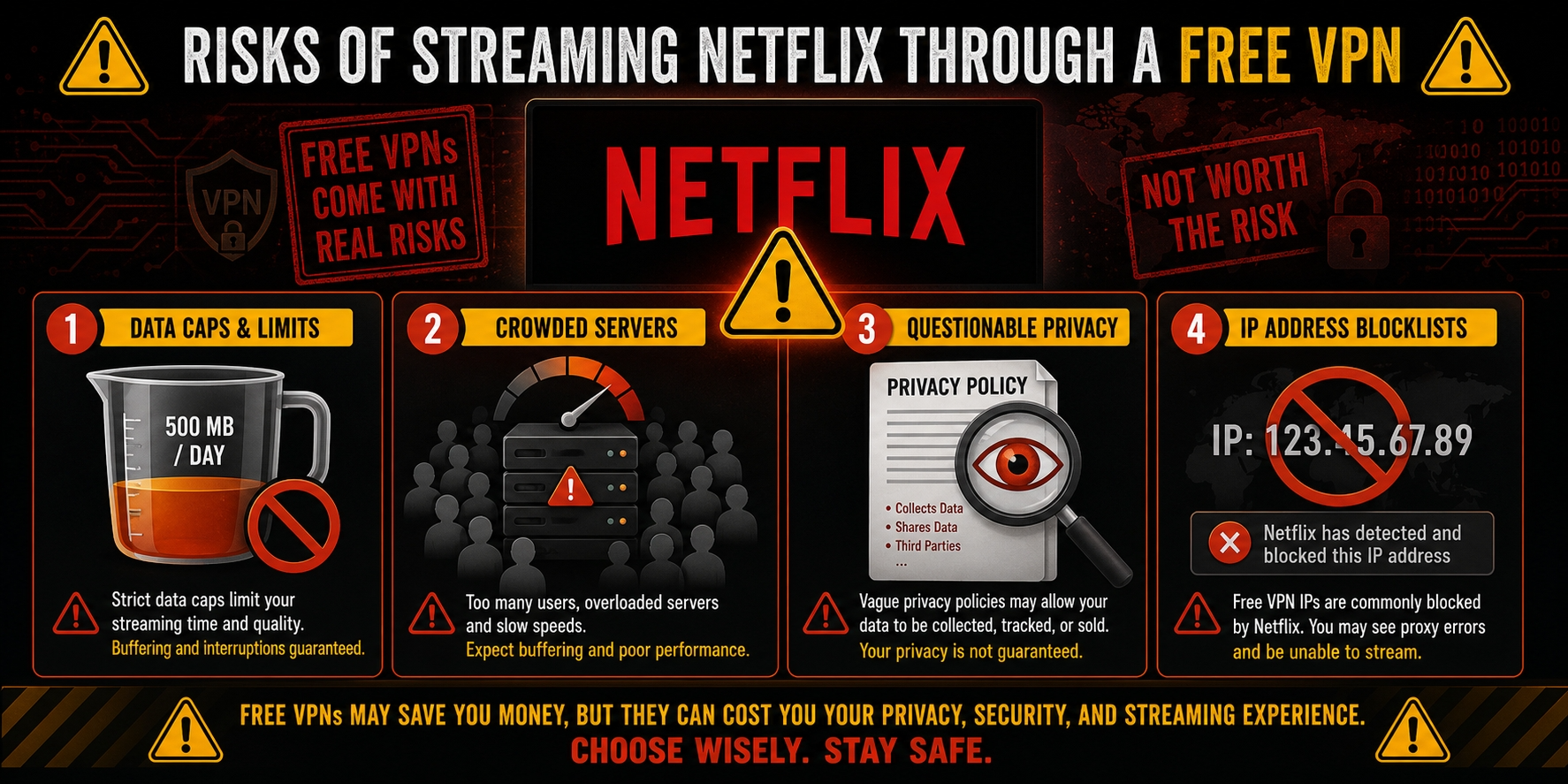
Free VPNs are appealing for obvious reasons: no upfront money, low commitment, and quick access on common apps. But the trade-offs are not small, and Netflix streaming tends to expose them faster than light browsing does. A free plan may look fine during installation, then hit a wall once video starts drawing more data, the server gets crowded, or the platform recognizes the shared IP address.
The bigger issue is that not all risks are technical. Some are operational, like speed throttling and weak server rotation. Others are about trust: how the provider funds the service, what the logs policy actually says, and whether user data may be shared with third parties. If you understand those limits before you start, you are less likely to waste time on a bad provider or overestimate what a free VPN can safely do.
Data Caps and Speed Throttling
The first limit most users notice is the data cap. Streaming is greedy by design. Even short Netflix sessions can burn through a monthly allowance quickly — at HD quality, a two-hour movie consumes roughly 6 GB — and that makes many free plans unsuitable for anything beyond occasional use. One movie can consume a meaningful slice of the month before you realize it.
Speed throttling is the second issue. Free servers often carry more users per node, so peak-time congestion drags speeds down even when the app reports a healthy connection. In our test runs, this showed up as delayed starts, sudden drops in video quality, and buffering that got worse in the evening. A service may appear fine for browsing, then struggle the moment HD content ramps up.
This is where the free-versus-paid gap becomes hard to ignore. Paid plans typically absorb load better and maintain steadier speeds across more servers and locations. A free VPN can still be useful, but once the data cap and traffic shaping combine, binge watching is mostly off the table.
Privacy Trade-Offs in Free Services
Privacy is where caution matters most. A reputable free plan can be a reasonable compromise. A questionable one can turn your attempt to save money into a bad bargain. If a provider does not explain its logs policy clearly, or if the policy leaves broad room for data retention, that should give you pause.
Free services need revenue somehow. Some are supported by paid tiers, which is the healthier model. Others lean on ads, analytics, or relationships with third parties. This does not automatically make them unsafe, but it raises the privacy risk. You should look for plain statements about what is collected, how long it is kept, and whether browsing or connection metadata is shared.
Security matters too. A VPN should encrypt traffic and reduce exposure on public networks, but weak apps, unclear permissions, or sloppy leak protection can undermine that protection. Free VPN users should be especially skeptical of providers that ask for too much device access without explaining why. Saving money is nice. Sacrificing privacy for a shaky stream is not.
Blocklists, IP Rotation, and Detection
Netflix does not need to identify every user individually to spot VPN traffic. It often relies on patterns: shared data-center IP ranges, sudden surges from one address, or repeated attempts tied to known server blocks. This is why so many free VPN services struggle to work with Netflix consistently. Their smaller pools of servers and slower IP rotation make them easier targets.
Shared IP addresses are not inherently bad. They can even help privacy by blending users together. But for streaming, heavily used shared IPs are more likely to end up on blocklists. Premium providers usually respond faster by rotating addresses more often, adding fresh servers, or spreading load across more countries and locations. Free plans rarely have the same flexibility.
The result is inconsistency. One day a server may reach Netflix; the next day it may fail completely. This is not always a sign that the app is broken. Sometimes it is just the usual arms race between streaming platforms and VPN providers, with free users getting the least room to maneuver.
Device and App Compatibility Issues
Device support is another quiet limitation. Many free VPN services work acceptably on Windows, macOS, Android, or iPhone apps, then become far less useful once you move to smart TV workflows, browser streaming, or shared household setups. A provider may support your main device but not the one you actually prefer for Netflix.
App quality varies too. Some free apps are polished and stable, while others feel stripped down or neglected. This can affect login reliability, server switching, and background reconnection behavior. If the app drops the connection and fails to re-establish it directly, playback errors are almost guaranteed.
Compatibility problems also extend to protocol choice, DNS handling, and account restrictions. A service that works on one device may behave differently on another because the apps do not offer the same features. If you plan to watch Netflix across several users or screens, this is where free plans start to show their age. The service may connect. It just may not fit your setup very well.
How We Test and Choose Free VPNs for Netflix
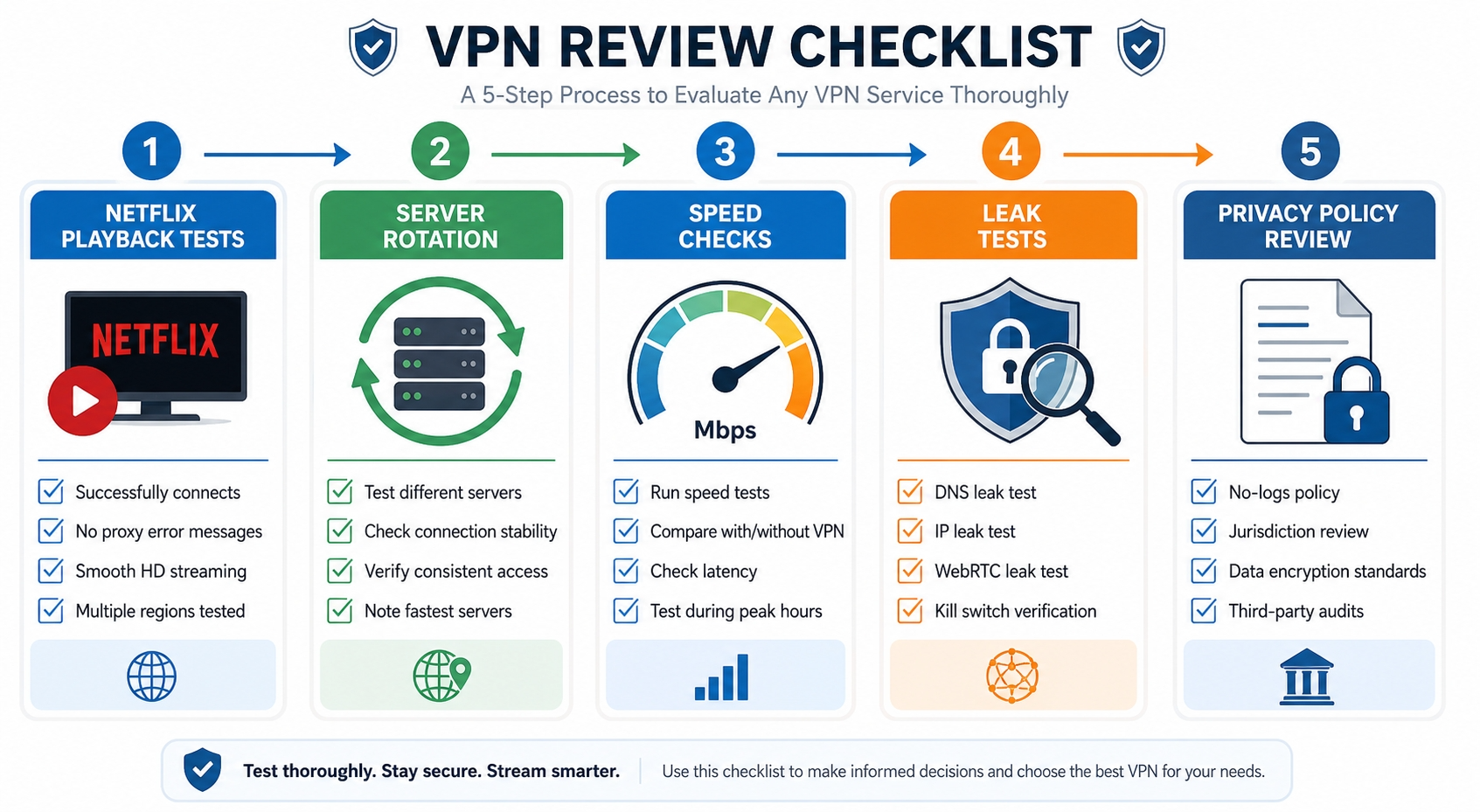
We do not rank free VPNs for Netflix by provider claims or app-store ratings. We test them in the context readers actually care about: can the service access playable Netflix content, how stable is the connection once playback begins, and what compromises come attached to the free plan. This keeps the guide useful, especially in a category where flashy promises often outrun reality.
Our testing window for this guide falls within our regular review cycle for major streaming topics. We checked apps across common desktop and mobile platforms, compared performance across different countries, and used the same basic standards on each provider. A free VPN did not earn a place here simply for existing. It had to show some practical value for Netflix use.
Streaming Success Rate Across Netflix Libraries
We begin with the core question: how often does the provider access playable Netflix streams across different regions? We test multiple servers where possible, retry failed loads, and distinguish between a clean success and a technical near-miss. If a title page opens but playback fails, that is not counted as a real win.
We also compare regions because success is rarely uniform. Some free providers perform better on US access, while others have a more plausible shot at countries such as Japan or parts of Europe. The goal is not to inflate a service for one lucky result. It is to see whether there is enough consistency across Netflix libraries to recommend the provider at all.
This matters because readers need more than a one-time fluke. A VPN that only works after repeated retries on one server may still be worth noting, but not ranking highly. We reward repeatable access, not isolated good fortune.
Speed, Stability, and Buffering Checks
We also test speeds, stability, and buffering behavior during actual streaming sessions. A server may pass the first hurdle, then fail the second by dropping quality or stalling under load. We pay close attention to how each connection behaves after playback starts, especially during peak evening hours when congestion tends to be worst.
Our checks include nearby and more distant server locations where the free plan allows it. This helps us see how the provider handles routine streaming versus longer routes between countries. We also compare protocol options where available, since WireGuard, a speed-focused protocol, can behave differently from OpenVPN or IKEv2 depending on the app and device.
The goal is practical: whether a user can start a show and keep watching without interruption. If buffering becomes the story, the VPN falls behind quickly.
Privacy and Trust Criteria
Finally, we evaluate privacy and trust because a free VPN that streams decently but handles user data carelessly is not a recommendation we are comfortable making. We review the provider’s policy, look for clarity around logs, and check whether the business model appears to rely mainly on paid upgrades or on monetizing free users in other ways.
Jurisdiction also matters, though it is not the only factor. A company’s home base, legal obligations, and public transparency all shape the trust picture. We also look for audit history where relevant, while being careful not to overstate what an audit proves. Audits can support confidence. They do not erase every concern.
Security basics are part of this filter too: encrypted connection handling, leak protection, stable apps, and sensible permissions on each device. If a service is weak on privacy or security, streaming success alone will not save it in our ranking.
Free VPNs to Avoid for Netflix
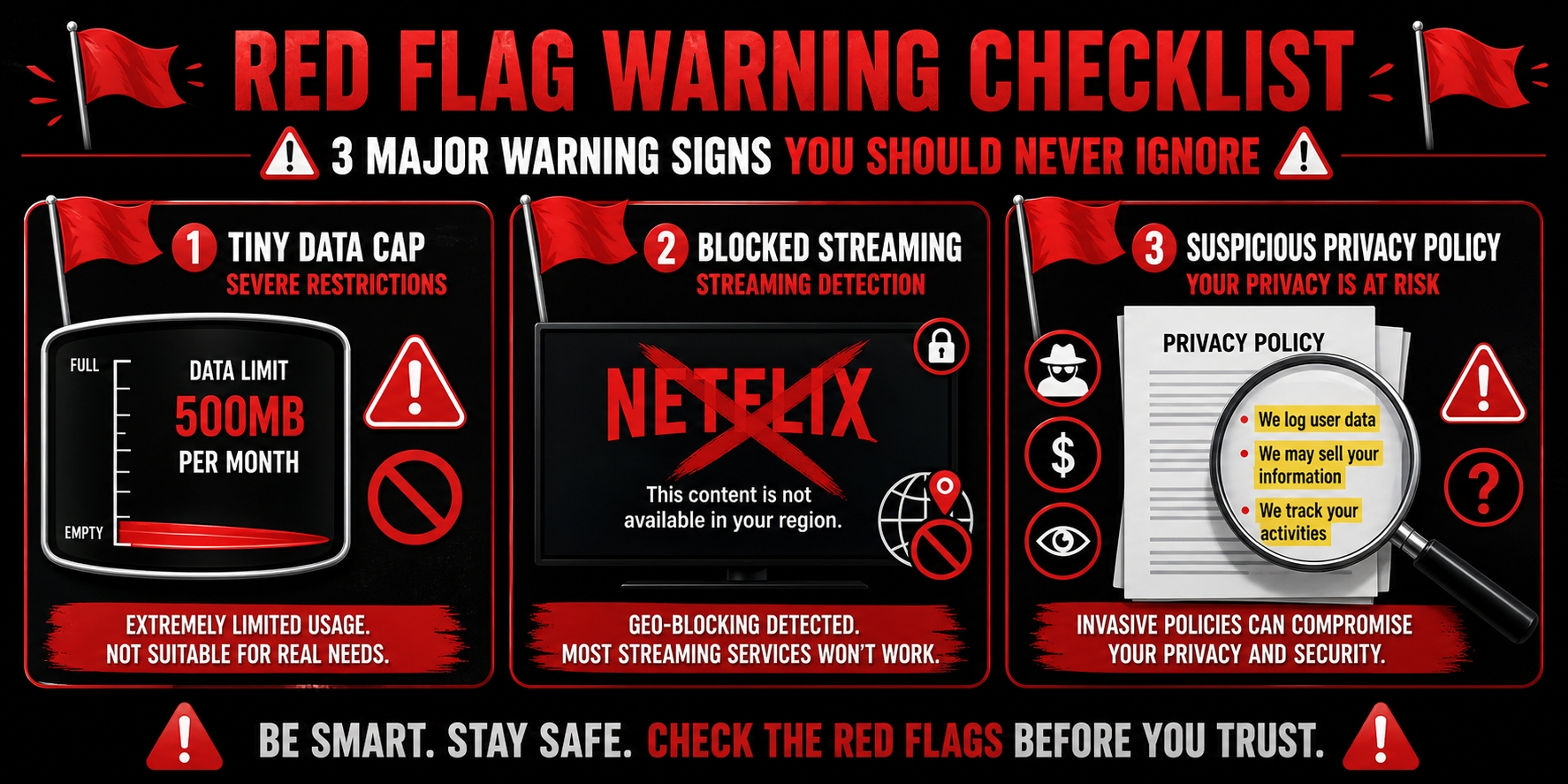
Not every free VPN deserves a place on your shortlist. Some fail because the data limits are too severe to support even one realistic session. Others connect fine but rarely reach Netflix successfully. A third group raises trust concerns serious enough that we would rather point readers toward a cautious paid option than recommend the free app at all.
This section is less about naming every weak VPN provider and more about showing the patterns that tend to waste your time. If a free Netflix VPN falls into one of these buckets, you can usually move on without much regret.
Services With Severe Data Restrictions
Some services are simply too constrained for streaming. A tiny data cap may look harmless until you remember that Netflix video burns through data quickly — HD quality alone consumes around 3 GB per hour. In practice, a plan with extremely low limits can be used to open the app, run a test, and not much else.
Such a free VPN is frustrating because it invites you to can use it for Netflix, then removes the runway before the plane leaves the ground. For readers who want more than a proof-of-concept, these plans are hard to justify. The service may function technically, but it does not function usefully.
If the cap is so small that one short episode consumes most of it, skip it. You are better off with a stronger free plan or a short-term route through paid VPN services. A good free VPN should at least let you try.
Providers With Weak Netflix Access
A second category to avoid is the provider that connects directly but almost never reaches playable content. On paper, it looks serviceable: decent apps, acceptable speeds, maybe a fair list of servers. In real use, though, it fails the actual goal. It cannot reach Netflix with enough consistency to matter.
These providers often struggle because the same few free servers get flagged repeatedly. Once those IPs land on blocklists, access to Netflix libraries becomes erratic. One day you may watch Netflix on a lucky server. The next day every attempt returns a proxy warning. This is not reliable service. It is guesswork dressed as access.
If reviews or your own tests show frequent playback failures across multiple locations, move on. A free VPN that cannot regularly reach content is not saving you money; it is charging in time.
Free Apps With High Trust Concerns
The last group to avoid is the one with trust problems. If a provider is vague about ownership, unclear about its logs policy, aggressive with permissions, or too cozy with third parties, the risk outweighs the benefit. This is especially true for free VPN apps that present themselves as streaming tools while collecting more data than they need.
A sketchy service can expose your IP address, mishandle your connection, or monetize user behavior in ways that are hard to audit from the outside. Even if it occasionally works for Netflix, that is not enough. Privacy and security are part of the product, not optional extras.
The rule here is direct: if you would not trust the provider with normal browsing, do not trust it with your streaming either. Free should mean no upfront money, not no standards.
FAQs
Can a free VPN really work with Netflix?
Is it safe to stream Netflix on a free VPN?
Why does Netflix block some VPN servers?
How much data do I need for one movie or episode?
Should I use a free trial instead of a free VPN?