You paid for NBA League Pass, fired up the app to catch Lakers vs. Celtics, and got a grey screen with a blackout notice. Welcome to the most frustrating loophole in basketball streaming.
- Best NBA League Pass VPNs — Quick List
- How to Use a VPN to Bypass NBA League Pass Blackouts (Quick Guide)
- What Are NBA League Pass Blackouts and Why Do They Exist?
- How a VPN Connection Helps You Bypass NBA Blackouts
- Best VPNs for NBA League Pass — Detailed Reviews
- NBA League Pass VPN Comparison Table
- How We Tested and Ranked These NBA League Pass VPNs
- How to Watch NBA League Pass on Desktop (Windows & Mac)
- How to Stream NBA League Pass on Mobile (Android & iOS)
- How to Use a VPN with NBA League Pass on Smart TV and Streaming Devices
- NBA Blackout Map — Which Teams Are Blacked Out in Which Regions
- Can Free VPNs Access NBA League Pass?
- NBA TV vs. NBA League Pass — What's the Difference and Why Are NBA TV Games Blocked?
- Are NBA Playoff Games Blacked Out on League Pass?
- NBA League Pass Pricing — and How to Save Money with a VPN
- How to Watch NBA Games Without Cable
- NBA League Pass VPN Not Working? Troubleshooting Guide
- Is It Legal to Bypass NBA League Pass Blackouts with a VPN?
- 2025–26 NBA Season — Key Dates and Schedule
- Best VPN for NBA League Pass FAQs
- Bottom Line
NBA League Pass sells itself as the all-access ticket for fans, yet it’s stitched together with regional and national broadcast carve-outs that pull games off the platform whenever a local Regional Sports Network (RSN), ESPN, TNT, ABC, NBC, or Amazon Prime Video holds the rights. For the 2025–26 season, Amazon Prime Video joined the rotation alongside NBC, expanding the list of nationally televised matchups that vanish from League Pass for US and Canadian subscribers. If you live in Los Angeles, you can’t watch the Lakers on League Pass. If an NBA game tips off on ESPN or Prime Video, nobody in the US gets it on League Pass.
A VPN solves both problems by changing the IP address your stream sees. Connect to a server outside the blackout zone (Mexico City, Berlin, Toronto, or another US state) and the platform serves the game like you’re a fan watching from there. It’s not a hack — it’s a routing change that the platform’s geolocation logic can’t distinguish from a legitimate overseas viewer. Of the providers tested for this guide, NordVPN is the best VPN for NBA League Pass thanks to its 7,400+ server fleet, 458 Mbps average throughput, and SmartPlay DNS that handles the NBA app on Fire TV and Apple TV without manual setup.
The rest of this guide covers the working picks, the device-specific quirks (mobile GPS spoofing, anyone?), and the troubleshooting moves that fix the two most common error codes — 7027 and 3312.
Best NBA League Pass VPNs — Quick List
Updated April 2026 · Tested against local and national NBA blackouts

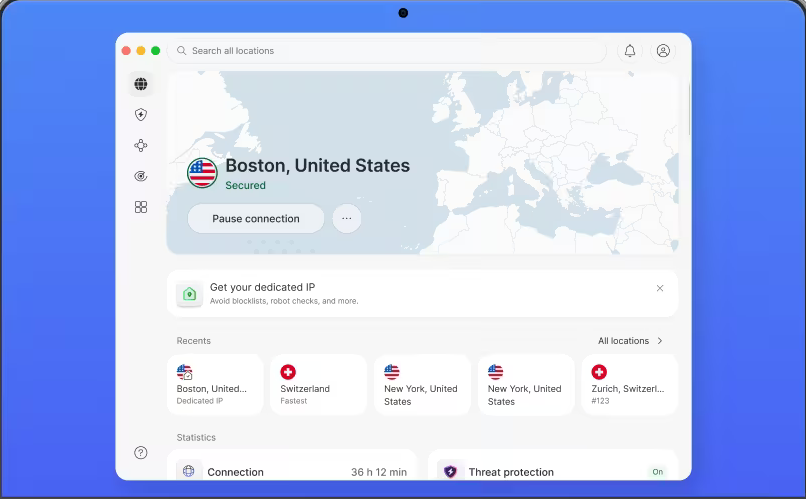
NordVPN
Why it made the list
- 458 Mbps avg speed, only 8.4% loss on a 500 Mbps line
- 15+ US cities to defeat local team blackouts
- SmartPlay DNS for the NBA app on Fire TV and Apple TV

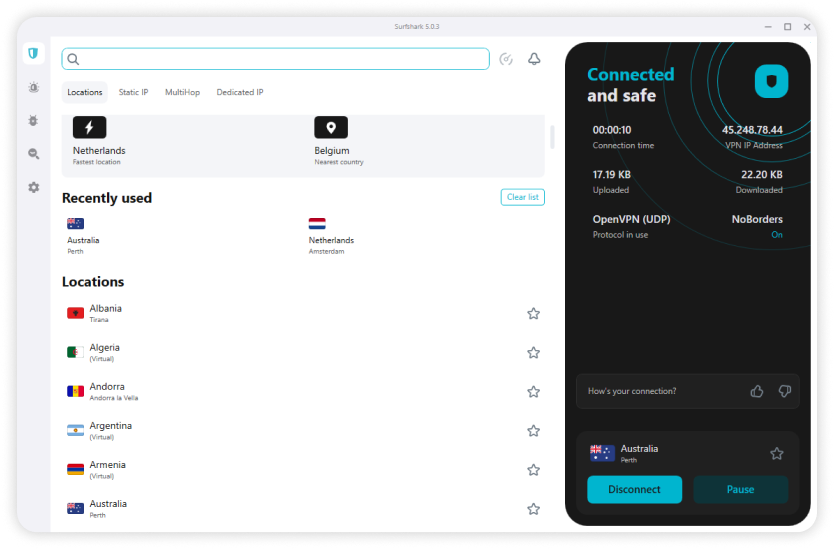
Surfshark
Why it made the list
- Unlimited connections — cover every device in the house
- 25+ US cities and 4,500+ servers across 100 countries
- 340 Mbps avg, well above the 50 Mbps NBA HD baseline

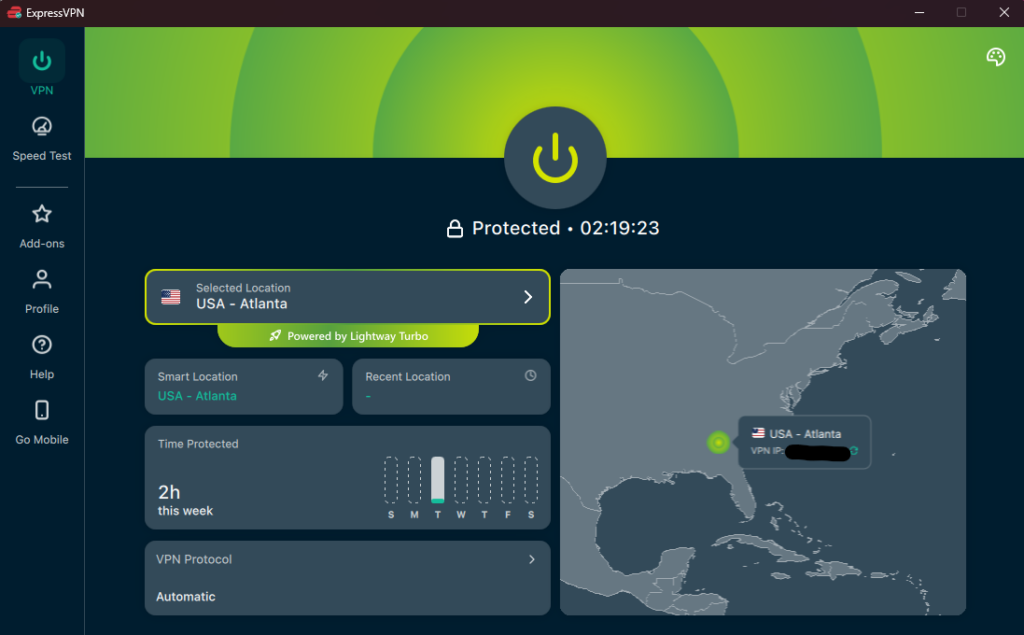
ExpressVPN
Why it made the list
- Native Fire TV and Apple TV apps — easiest setup tested
- Lightway protocol holds 400 Mbps on overseas routes
- MediaStreamer DNS unlocks Roku, Xbox, PlayStation
The five services below cleared every blackout test on desktop, mobile, and streaming devices. Each pick is built around a different priority: speed, price, mobile spoofing, free use, or server breadth.
- NordVPN — Best overall. 7,400+ servers in 118 countries, ~458 Mbps on a 500 Mbps line, SmartPlay DNS for Fire TV and Apple TV.
- ExpressVPN — Best for streaming consistency. Lightway protocol, MediaStreamer Smart DNS, unblocks all 61 streaming services tested.
- Surfshark — Best budget pick at $1.99/mo with unlimited simultaneous connections.
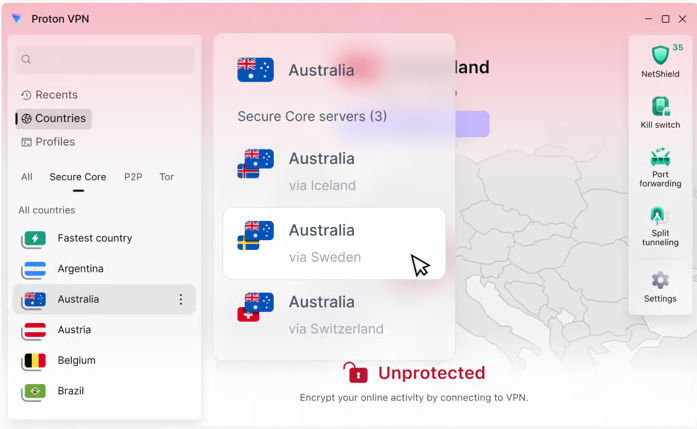
- Proton VPN — Best free option for occasional use; paid Plus plan opens 145 countries.
- CyberGhost — Honorable mention with dedicated streaming-labeled servers and a 45-day money-back guarantee.
How to Use a VPN to Bypass NBA League Pass Blackouts (Quick Guide)
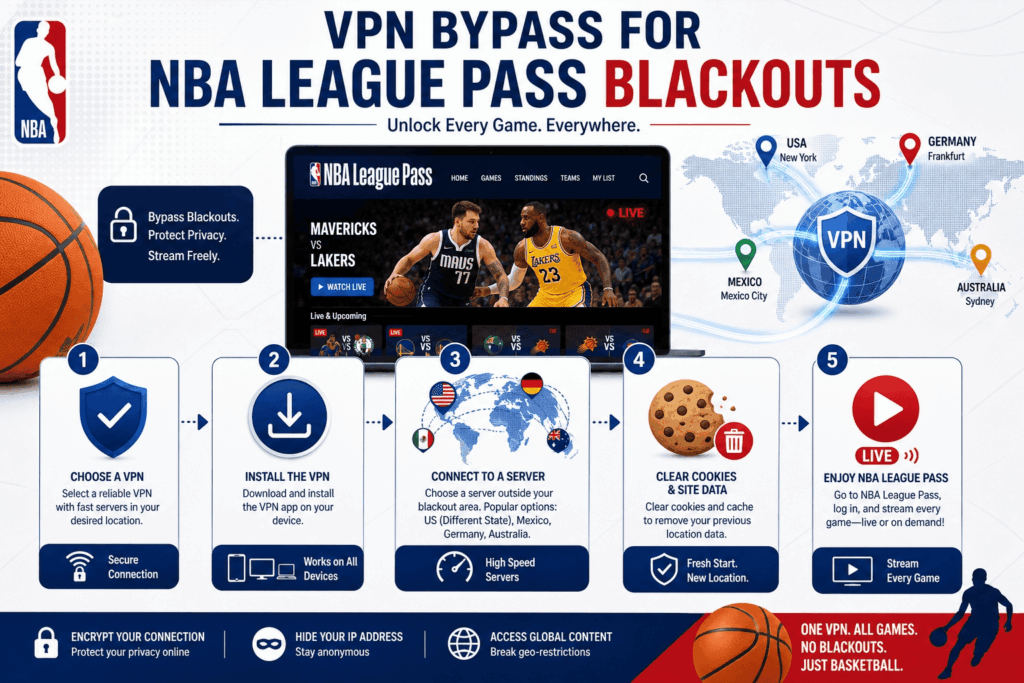
Five steps, under three minutes from sign-up to tip-off:
- Choose a reliable VPN. NordVPN is the recommended pick for League Pass because of its US and Canadian server density.
- Install the VPN on your device — desktop, phone, Fire TV, or router.
- Connect to a VPN server outside the blackout zone. For local blackouts, pick a US state where the team you want isn't the home team. For national blackouts (ESPN, TNT, ABC, NBC, Prime Video), pick an overseas server. Mexico, Germany, or Australia all work consistently.
- Clear your browser cookies or open an incognito window so League Pass doesn't read your stored geolocation.
- Open NBA League Pass and stream the game. If it still loads the blackout screen, switch to a different city in the same region and reload.
What Are NBA League Pass Blackouts and Why Do They Exist?
Two types of blackouts apply to League Pass, and they exist for the same underlying reason: the NBA sold the same content twice.
Local blackouts affect every team in its home market. Regional Sports Networks like Spectrum SportsNet (Lakers), NBC Sports Boston (Celtics), and MSG Network (Knicks) pay the league for exclusive in-market broadcast rights. League Pass blocks those games for any subscriber whose IP address falls inside the team's defined territory, and those territories are bigger than people realize. Hawks games are blacked out across most of the Southeast, not just metro Atlanta.
National blackouts apply to anyone in the US or Canada when an NBA game airs on a national broadcaster. For the 2025–26 season, the rotation includes ESPN, ABC, TNT (in its final year of the previous deal), NBC, and Amazon Prime Video. If the matchup is on one of those networks, League Pass shows you a placeholder, not the game.
The error message reads something like "This game is not available due to local or national broadcast restrictions", sometimes paired with error code 7027 ("Out of country blocked") or 3312 ("Content restricted for geolocation").
The economic logic is straightforward. RSNs and national broadcasters paid billions for those rights, and if League Pass streamed every game everywhere, those contracts would collapse.
How a VPN Connection Helps You Bypass NBA Blackouts
NBA League Pass identifies your location two ways. On desktop and most TV clients, it reads your IP address. The platform cross-checks that IP against a geolocation database, decides which market you're in, and applies the relevant blackout rules.
A VPN intercepts that check. Your traffic routes through an encrypted tunnel to a VPN server in a city of your choice, and League Pass sees that server's IP, not yours. Connect to a server in Frankfurt, and the platform thinks you're a German fan with no US blackout obligations. Connect to a Denver server while watching Lakers basketball, and you escape the LA local blackout. The same logic applies to a basic proxy, but a proxy doesn't encrypt your broadband traffic, so leak protection and ISP throttling become real concerns — which is why a full VPN is the right tool here.
There's a wrinkle on mobile. The NBA app on Android and iOS also reads GPS coordinates, which a basic VPN can't change. That's where GPS spoofing apps come in (covered in detail further down) and why some providers handle mobile better than others. Faking the GPS location on Android is the missing piece that makes the IP swap convincing to the mobile client.
Best VPNs for NBA League Pass — Detailed Reviews
NordVPN — Best VPN for NBA League Pass Overall
Surfshark — Best Budget VPN to Bypass NBA Blackouts
ExpressVPN — Best VPN Server Network for Streaming NBA on Smart TVs
Proton VPN — Best Among Free VPNs for NBA League Pass
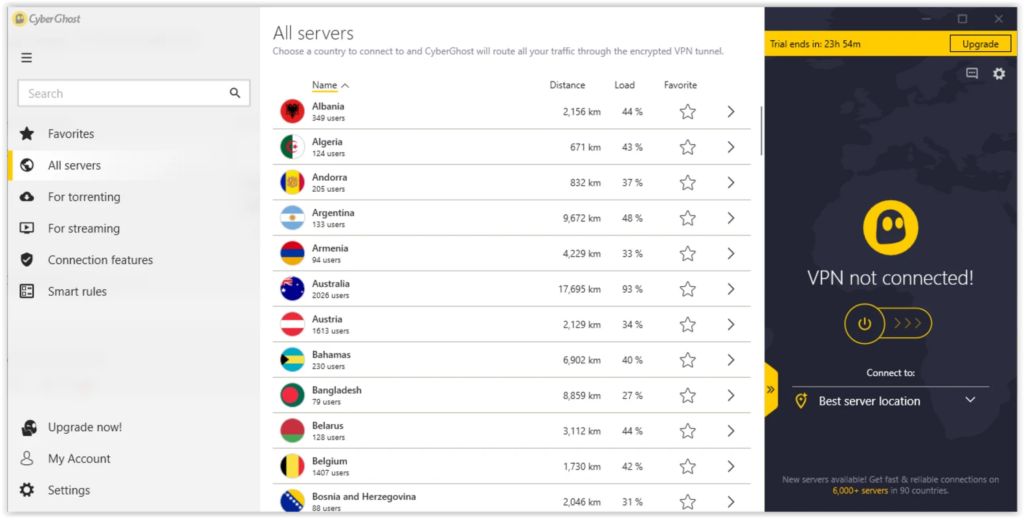
CyberGhost — Honorable Mention Server Pick
NBA League Pass VPN Comparison Table
| Provider | US Servers | Canada Servers | Speed Retention | Connections | Devices | Money-back | From |
|---|---|---|---|---|---|---|---|
| NordVPN | 15+ cities | 3 cities | 91.6% | 10 | Win/Mac/iOS/Android/Linux/Fire TV/Android TV/router | 30 days | $3.09/mo |
| ExpressVPN | 25+ cities | 3 cities | 80% | 10–14 | Native Apple TV + Fire TV + router | 30 days | $2.44/mo |
| Surfshark | 25+ cities | 3 cities | 68% | Unlimited | All majors + Fire TV | 30 days | $1.99/mo |
| Proton VPN | All states (Plus) | Yes (Plus) | 56% | 10 | Win/Mac/iOS/Android/Android TV | 30 days | $2.99/mo (free tier) |
| CyberGhost | 10+ cities | Yes | 58% | 7 | All majors + Fire TV | 45 days | $2.19/mo |
How We Tested and Ranked These NBA League Pass VPNs
The ranking weighed six factors with the percentages reflecting their importance for League Pass specifically.
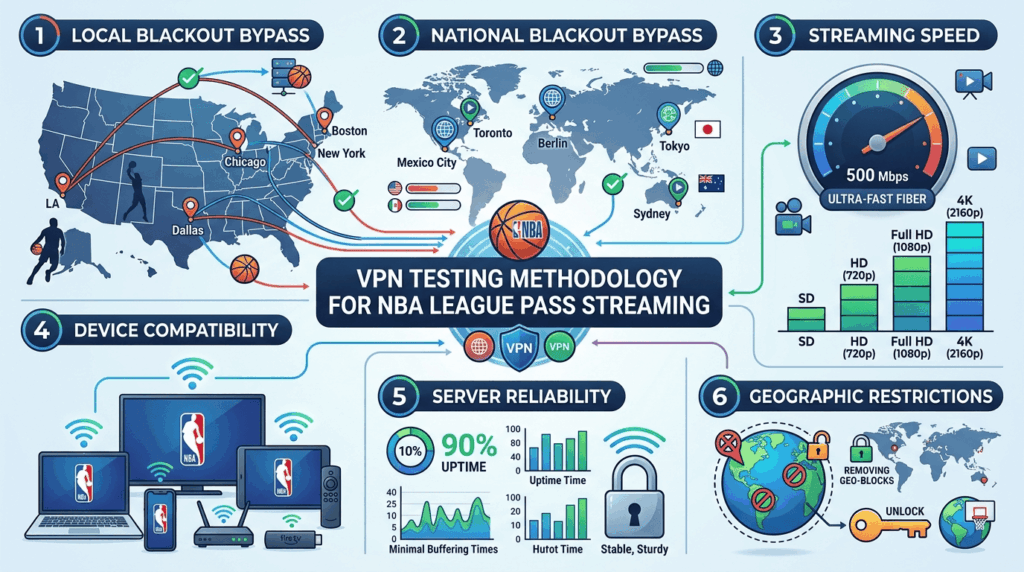
Local blackout bypass (25%). Each VPN was tested against five team markets — Lakers, Celtics, Knicks, Bulls, Mavericks — by connecting from inside the home territory and routing through an out-of-market US server. A pass meant the game loaded at full quality without the blackout overlay.
National blackout bypass (25%). Tested by attempting to stream ESPN, TNT, and Prime Video NBA League Pass games through overseas servers in Mexico City, Berlin, Toronto, Sydney, and Tokyo. Each blacked-out game was checked against at least three foreign locations to confirm consistent access to NBA content.
Streaming speed (20%). Throughput measured on a 500 Mbps fiber baseline using the provider's fastest VPN protocol (NordLynx, Lightway, WireGuard) at three times of day. League Pass needs ~25 Mbps for HD; the test stresses headroom for 4K and household co-use over a typical broadband line.
Device compatibility (15%). Native software tested on Windows 11, macOS 14, iOS 17, Android 14, Fire TV Stick 4K Max, Apple TV 4K, and an Asus AX86U router. GPS spoofing tested on a stock Pixel.
US/Canada server network (10%). Counted distinct US cities and Canadian cities, prioritizing media-market diversity.
Privacy baseline (5%). Independent audit history, jurisdiction, and logging policy.
How to Watch NBA League Pass on Desktop (Windows & Mac)
Desktop is the easiest device class because the NBA League Pass web player relies entirely on IP geolocation. No GPS, no device attestation.
- Open your VPN client and connect to the appropriate server. For a local blackout, choose any US state outside the team's regional territory. A Denver or Salt Lake City server reliably defeats Lakers, Warriors, and Suns blackouts without crossing time zones too aggressively. For a national blackout (ESPN, TNT, ABC, NBC, Prime Video), pick a foreign server: Mexico City, Toronto, Berlin, or Sydney all work.
- Clear cookies for nba.com and watch.nba.com, or open a new incognito/private window.
- Sign in to your NBA League Pass account. The geolocation prompt should now report the server's location, not yours.
- Load the game you want. If you still see a blackout, your browser may have cached an HTML5 geolocation permission. Toggle it off in site settings, or switch to a different city on the same VPN.
For Mac users on Safari, the "Prevent cross-site tracking" setting can interfere with the geolocation reset. Turn it off temporarily, or switch to Chrome or Firefox for streaming NBA League games.
How to Stream NBA League Pass on Mobile (Android & iOS)
The mobile NBA app is stricter than the web player because it cross-references your IP against device GPS. A VPN IP address alone won't pass the check. The app reads your phone's location services and compares.
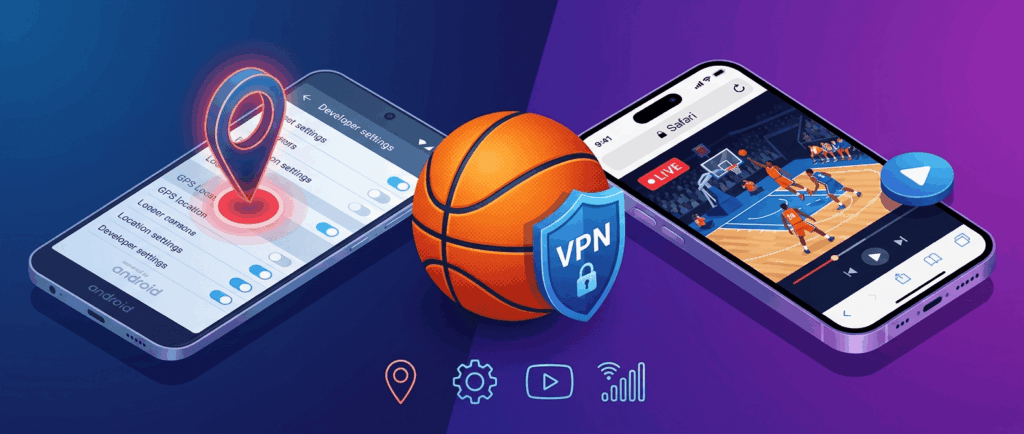
Android — Using GPS Spoofing to Override Your GPS Location
Android allows mock locations through a developer setting, which makes blackout bypass possible without root.
- Enable Developer Options: Settings → About phone → tap Build number seven times.
- Install a mock location app from the Play Store.
- In Developer Options, set the "Mock location app" to the one you installed.
- Open the spoofing tool, drop the pin in the same city as your VPN server (if your server is in Denver, set the GPS location to Denver), and tap Play.
- Connect to the VPN server in that city.
- Force-stop the NBA app, clear its cache (Settings → Apps → NBA → Storage → Clear cache), and reopen.
The IP and the GPS coordinates now agree, and the location where the game is being requested from looks legitimate.
iPhone & iPad — Browser Workaround
iOS doesn't allow mock locations without jailbreaking. The clean workaround is to skip the native client entirely.
- Connect to your VPN server.
- Open Safari and go to nba.com.
- Tap the "aA" icon in the address bar and choose "Request Desktop Website."
- Sign in and stream from the desktop player, which uses IP geolocation only.
The video quality is comparable to the mobile app, and AirPlay to an Apple TV works fine from the desktop site.
How to Use a VPN with NBA League Pass on Smart TV and Streaming Devices
Android TV, Apple TV & Fire TV
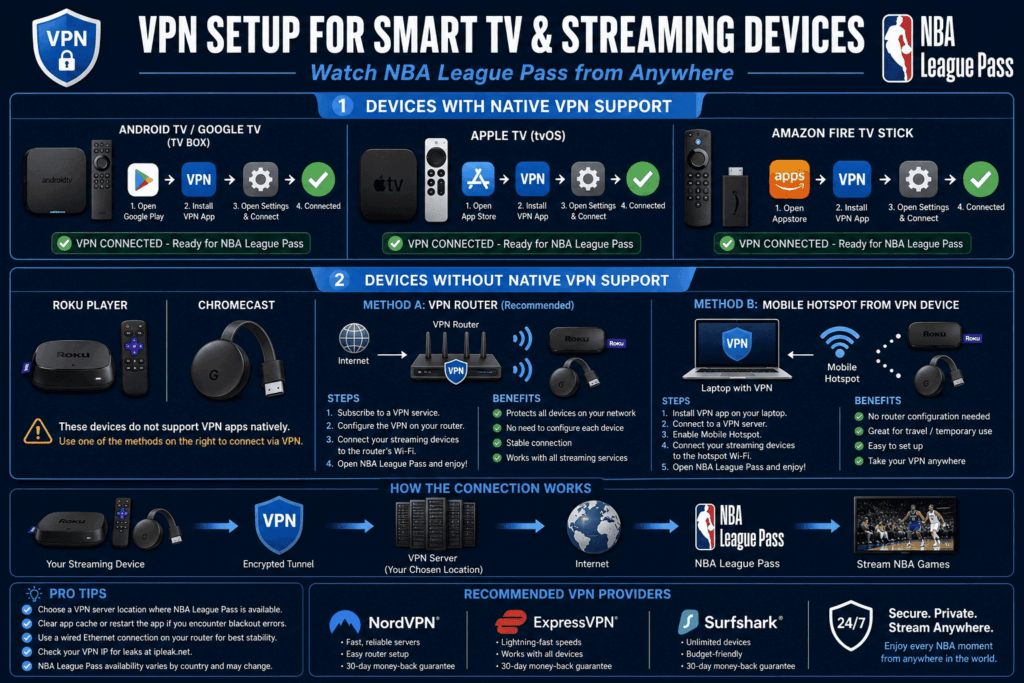
Fire TV and Android TV both run native VPN apps from NordVPN, ExpressVPN, Surfshark, and CyberGhost. Apple TV gained native VPN support with tvOS 17, and ExpressVPN and NordVPN now ship dedicated tvOS clients.
Setup: install the VPN from the device's store, sign in, connect to a US or foreign server, then open the NBA app. If you see a stale blackout, clear the cache (Settings → Applications → Manage Installed Applications → NBA → Clear cache) and relaunch.
Roku & Chromecast
Neither platform supports VPN apps natively. Two workarounds:
Router-level VPN. Flash a compatible router (Asus AX series, GL.iNet, or any DD-WRT/OpenWrt-capable model) with your provider's config. Every device on the network, including Roku and Chromecast, inherits the VPN connection. NordVPN, ExpressVPN, and Surfshark all publish router setup guides.
Windows mobile hotspot. Connect your laptop to the VPN, share its connection as a Wi-Fi hotspot (Settings → Network → Mobile hotspot on Windows 11), and join the Roku or Chromecast to that hotspot. The streaming device sees the laptop's VPN IP, not your home IP.
NBA Blackout Map — Which Teams Are Blacked Out in Which Regions
Use this as a quick reference for picking a VPN server location. Connect to the recommended server (or any city outside the listed region) before opening League Pass.
| Your IP Region | Blacked-Out Team(s) | Recommended VPN Server |
|---|---|---|
| Los Angeles / Southern CA | Lakers, Clippers | Denver, Salt Lake City |
| Boston / New England | Celtics | Atlanta, Chicago |
| New York / NJ / CT | Knicks, Nets | Chicago, Miami |
| San Francisco / Bay Area | Warriors | Seattle, Phoenix |
| Chicago / IL / IN / IA | Bulls | Atlanta, Dallas |
| Dallas / TX (most) | Mavericks, Spurs, Rockets | Denver, Atlanta |
| Miami / South FL | Heat | Atlanta, Charlotte |
| Philadelphia / PA / DE / NJ | 76ers | Charlotte, Chicago |
| Houston / South TX | Rockets | Denver, Atlanta |
| Toronto / Ontario | Raptors | Vancouver, Montreal |
| Atlanta / GA / AL / TN | Hawks | Charlotte, Miami |
| Detroit / MI | Pistons | Chicago, Cleveland |
| Cleveland / OH | Cavaliers | Detroit, Pittsburgh |
| Phoenix / AZ | Suns | Denver, Las Vegas |
| Denver / CO / WY / NM | Nuggets | Salt Lake City, Phoenix |
For nationally televised games (ESPN, TNT, ABC, NBC, Prime Video), every US server is blacked out. Switch to an overseas server in Mexico, Canada, Germany, or Australia to unblock NBA League Pass.
Can Free VPNs Access NBA League Pass?
Most free VPNs fail on League Pass. The blocklists the platform uses are constantly updated, and free providers cycle their limited IP pools through enough users that those addresses are usually flagged.
The exceptions are narrow. Proton VPN's free tier handles national-blackout games on desktop because it doesn't impose a data cap and runs the same audited infrastructure as the paid plan, though the free server pool is small enough that peak-hour speeds dip below 50 Mbps. PrivadoVPN's free tier (10 GB/month, 1 connection) works for short sessions. Windscribe's free tier (10 GB/month) handles desktop streaming but won't cover a full NBA game on mobile because of the data cap.
The risks with the rest of the free market are real: opaque logging, ad injection, IP pools that have been blacklisted by every major streamer, and bandwidth throttling that drops video quality to 240p. For a single game on NBA League Pass, Proton VPN free is the only option worth your time. For a season pass, the $1.99–$3.09/mo paid plans pay for themselves in the second week.
NBA TV vs. NBA League Pass — What's the Difference and Why Are NBA TV Games Blocked?
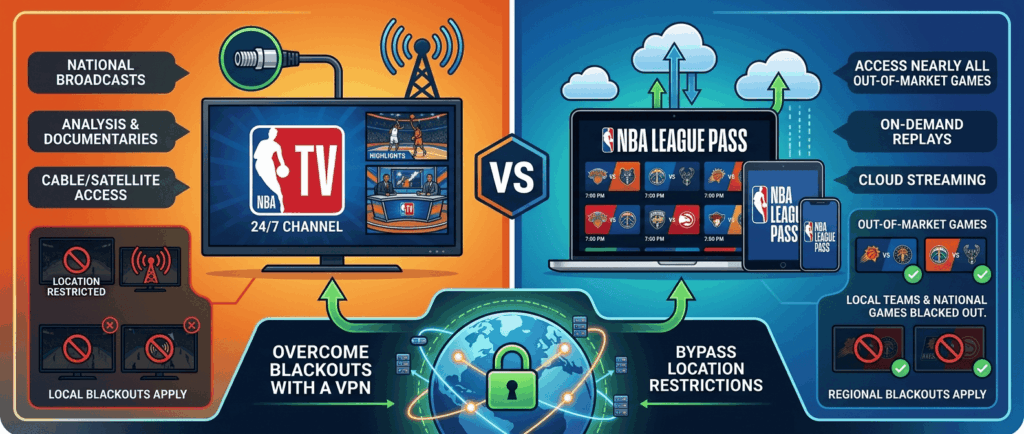
NBA TV is a 24/7 cable channel showing live games, classic replays, analysis, and original programming. NBA League Pass is the streaming subscription that carries every out-of-market regular season game (subject to the blackouts above). The two often get confused because League Pass packages include NBA TV as an add-on or bundled tier.
Here's why NBA TV games go dark on League Pass: when NBA TV airs a live game, the broadcast is treated as a national telecast, and the same RSN simulcast rules trigger a blackout on League Pass for the same matchup. The fix is identical to any other national blackout, a VPN to bypass the geo-check by routing through a foreign server.
Are NBA Playoff Games Blacked Out on League Pass?
Yes. After the first round, almost every NBA playoff game airs on ESPN, ABC, TNT, or NBC, and the entire Finals airs on ABC. League Pass blacks all of them out for US and Canadian subscribers.
The workaround is the same as the regular-season national-blackout fix: connect to a VPN server outside North America. Mexico, the UK, Germany, and Australia all carry League Pass without national-broadcast restrictions, so the playoff bracket streams in full from those server locations. Just confirm the language and commentary options before tip-off, because some foreign feeds carry only local-language commentary.
NBA League Pass Pricing — and How to Save Money with a VPN
US pricing for the 2025–26 season runs roughly $14.99/mo for League Pass with ads, $19.99/mo for Premium (ad-free, in-arena stream), and $99.99/year for the annual Basic plan. Canadian pricing tracks similarly in CAD.
International pricing tells a different story. A subscription purchased through a billing region in India, Vietnam, or the Philippines can run 50–70% lower than the US rate. The mechanism is straightforward: connect to a VPN server in the target country, sign up for a fresh NBA League Pass account, and pay through a billing method that accepts that region. Some users use prepaid international gift cards.
Caveats matter here. The NBA's Terms of Use require accurate billing information, and payment processors flag mismatched region/card combinations. Existing subscriptions can't be re-priced retroactively. The cleanest version of this play is a new account purchased at sign-up, not a renewal.
How to Watch NBA Games Without Cable
Cord-cutters have more options to stream NBA League Pass content than ever, though every one of them inherits at least some blackout exposure.
NBA League Pass is the broadest single subscription, but national-broadcast games (ESPN, TNT, ABC, NBC, Prime Video) and in-market games are blacked out.
ESPN+ carries select national NBA games as part of the Disney bundle.
Sling TV (Orange) includes ESPN and TNT for ~$45/mo, which covers most national games.
Fubo carries ESPN, ABC, NBC, and TNT in its main plans.
YouTube TV is the broadest cable replacement at ~$83/mo, with all national NBA channels.
Hulu + Live TV carries the same national networks and bundles ESPN+ and Disney+.
Max carries TNT Sports content including the late-stage TNT NBA inventory.
Amazon Prime Video is the new piece of the puzzle for 2025–26, with its own slate of national games.
Stack all of these and you'll still hit local blackouts on your home team. Use a VPN to bypass those, regardless of which NBA streaming service is carrying the game on a given night.
NBA League Pass VPN Not Working? Troubleshooting Guide
If the blackout screen still appears while you're using a VPN, work through these in order:
- Switch servers. League Pass blocks specific IPs, not whole VPNs. Disconnect, pick a different city on the same provider, reconnect.
- Clear cookies and cache. Site cookies can pin your earlier location to the session. Use incognito or a fresh browser profile.
- Change VPN protocol. Toggle from WireGuard/NordLynx/Lightway to OpenVPN, or vice versa. Some League Pass detection is keyed to handshake fingerprints.
- Check for IP and DNS leaks. Visit ipleak.net while connected. If your real ISP DNS appears, enable the leak protection toggle inside your VPN settings.
- Update the VPN client. Older builds use rotated server IPs that are more likely to be flagged.
- Disable IPv6 on your OS. League Pass occasionally reads an IPv6 address that bypasses the IPv4 tunnel.
- Contact provider support. NordVPN and ExpressVPN both maintain internal lists of streaming-optimized servers and will recommend a current working IP.
Error Code 7027 — "Out of country blocked"
This appears when League Pass detects a country mismatch between your account's billing country and your current IP. The platform thinks you're trying to use a US account from a non-US location (or vice versa). To fix it, connect to a server in the same country as your account billing address, clear cookies, and retry.
Error Code 3312 — "Content restricted for geolocation"
This is the standard blackout error. The platform identified your location and applied the regional rule. To fix it, switch to a server outside the blackout zone, clear cookies, and force-quit and reopen the app.
Is It Legal to Bypass NBA League Pass Blackouts with a VPN?
Using a VPN is legal in the United States, Canada, the UK, the EU, Australia, and most of the world. No statute criminalizes IP rerouting for personal streaming.
What you're working against is contractual, not criminal. The NBA League Pass Terms of Use prohibit circumventing geographic restrictions, which gives the league the right to suspend or terminate your account if it detects systematic blackout bypass. In practice, enforcement is limited to blocking the offending IP. Accounts are rarely suspended for VPN use alone, and the testing for this guide didn't surface a single account-level penalty across multiple seasons.
The pragmatic risk is short and clear. A flagged IP means switching servers, not losing your account.
2025–26 NBA Season — Key Dates and Schedule
Quick context as the 2026–27 season approaches:
2025–26 season — done: The New York Knicks won the 2026 NBA championship, beating the San Antonio Spurs 4–1, with the Finals running June 3–13, 2026. The current league activity is the offseason.
Offseason: The 2026 NBA Draft takes place June 23–24 at Barclays Center in Brooklyn. Free agency negotiations open June 30, with signings allowed after the moratorium on July 6.
2026–27 Regular season: Tips off in October 2026 and runs through April 2027. The full schedule is expected to be released by the NBA in August 2026.
NBA Cup: The in-season tournament returns with group play on Fridays and select dates in November 2026 and the single-elimination knockout rounds in early December. Note: the NBA is seeking a new host venue to replace T-Mobile Arena in Las Vegas for the semifinals and final.
International games: This season's global slate includes the NBA Mexico City Game on November 7, 2026 (Nuggets vs. Pacers), the NBA Paris Game on January 14, 2027 (Spurs vs. Pelicans), and the NBA Manchester Game on January 17, 2027 (Spurs vs. Pelicans). Preseason games are also set for Macau, China (October 9 and 11).
All-Star Weekend: The 2027 NBA All-Star Game is set for February 21, 2027, at the Mortgage Matchup Center in Phoenix, Arizona.
Trade deadline: Expected in early February 2027 (exact date in the schedule release).
Play-In Tournament: April 2027, followed immediately by the playoffs.
Playoffs and Finals: Playoffs run April–May 2027, with the 2027 NBA Finals in June 2027 (ABC carries the Finals for the 25th consecutive season).
International games and All-Star Weekend in particular are heavily affected by national broadcast deals, so expect them to require a foreign VPN server for League Pass access.
Best VPN for NBA League Pass FAQs
Is NBA League Pass region-locked?
Does a VPN work with NBA League Pass?
Does NBA League Pass block VPNs?
How does NBA League Pass detect my location?
Why is NBA TV blocked in my area?
Where can I buy the cheapest NBA League Pass subscription?
Are NBA Playoff games blacked out?
Can I watch NBA League Pass on mobile with a VPN?
Bottom Line
NBA League Pass is a strong product hidden behind a frustrating set of blackout rules: local games tied up in RSN deals, national matchups pulled by ESPN, TNT, ABC, NBC, and Amazon Prime Video, and Playoff games gone for almost the entire postseason. A VPN is the single tool that addresses every flavor of the problem, from a Lakers blackout in Los Angeles to a Finals Game 7 on ABC.
Across speed tests, server breadth, streaming-stick support, and audit history, NordVPN is the best VPN service for the job. 7,400+ servers, 458 Mbps average throughput, SmartPlay DNS for Fire TV and Apple TV, six independent Deloitte audits, and a 30-day money-back guarantee that costs you nothing if it doesn't deliver. Connect to a server, open the app, watch the game.