If you’re trying to find the best VPN for IPTV, the main question is simple: which provider keeps streams stable without turning every channel change into a buffering test. Our tests looked at speed retention, consistency across busy evening hours, app quality on common devices, and how well each VPN handled access to IPTV services that are sensitive to location checks or aggressive VPN blocking.
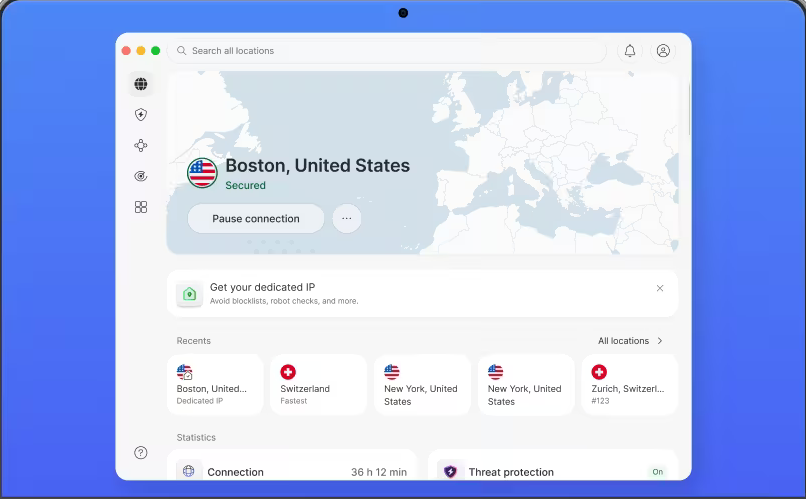
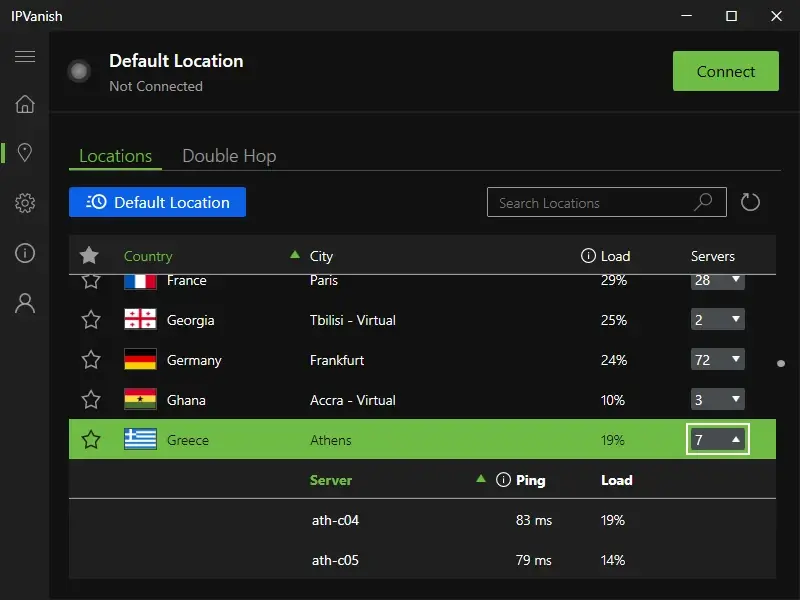
This guide is for readers who want a VPN for IPTV that works on real hardware, not just on a feature list. We paid close attention to Fire TV, Windows, Android, and Linux use, measured how providers behaved across different servers in countries that IPTV users commonly need, and weighed privacy, protocol choice, and day-to-day usability. A few names stood out quickly: NordVPN for all-around reliability, ExpressVPN for geo access and Smart DNS convenience, and IPVanish for homes that juggle a lot of screens at once.
We also kept the usual caveats in view. A VPN can help protect privacy, change your IP address, and improve access in some scenarios, but it cannot fix a weak IPTV provider, overloaded apps, or broken streams at the source. That distinction matters.
Top IPTV VPN Picks We Tested

NordVPN
Why it made the list
- Fast speeds and dependable access across busy servers.
- Averaging 280+ Mbps on nearby servers in our tests
- Obfuscated servers help in tougher network environments

ExpressVPN
Why it made the list
- Smart DNS helps on devices without native VPN apps.
- Smart DNS support is useful for TV devices
- Effective at switching regions for access needs
IPVanish
Why it made the list
- Unlimited connections suit Fire TV-heavy households.
- Unlimited simultaneous connections included
- Tight fit for [Fire TV](https://vpn-for-streaming.com/best/firestick/), [Kodi](https://vpn-for-streaming.com/best/kodi/)
The VPNs below are the ones that stood out most in our IPTV tests for consistency, app quality, and practical value. We looked beyond raw speeds, because a fast VPN service is only useful if it stays steady during long viewing sessions, works well on common streaming platforms, and offers enough server choice to avoid congestion. That last part matters more than many readers expect.
We also favored providers with modern protocols, clear privacy positions, and broad device support. The best VPNs for IPTV usually combine a large network, smart routing, and enough servers in countries that you can switch location without a lot of trial and error. Free options rarely kept up, though one privacy-first exception is worth considering in limited cases.

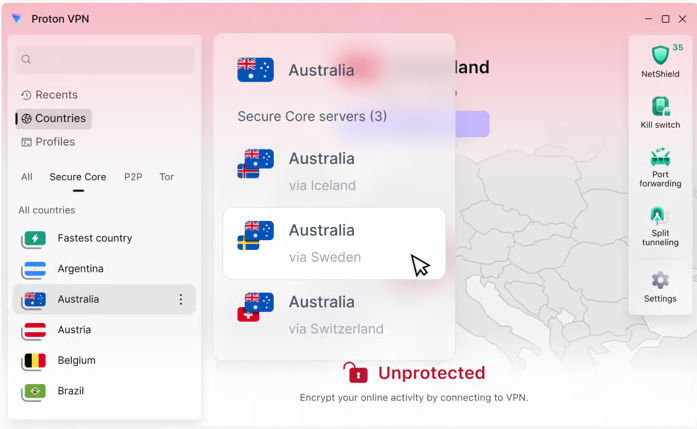

Why Use a VPN for IPTV
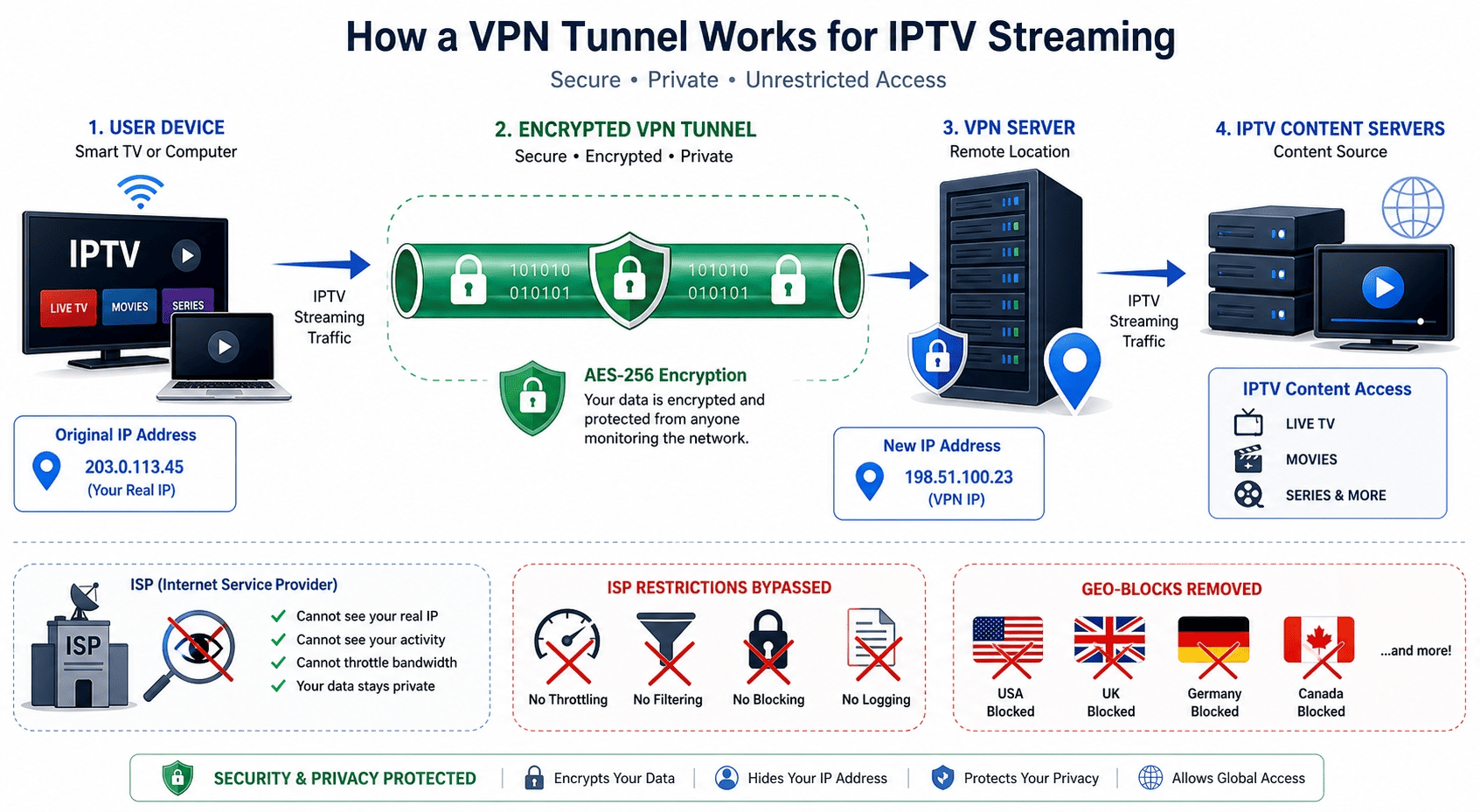
A VPN for streaming can do more than just change your visible location. For IPTV, the practical benefits usually come down to access, stability, and privacy and security. A good VPN service routes your traffic through a VPN server, gives you a different IP address, and can make it harder for networks, apps, or local restrictions to interfere with normal viewing.
That said, not all VPN providers deliver the same experience. Some are better at live channels, some are better at geo-related access issues, and some focus more on protection for online activities than on pure convenience. IPTV tends to expose those differences quickly.
How VPNs Help Keep IPTV Streams Accessible
IPTV services look at your IP address to decide what content you can load, or whether a login and stream should be allowed from a given region. If your ISP flags video traffic, or a service detects a foreign connection and blocks it, a normal setup gives you no recourse. By routing traffic through a VPN server in another location, a VPN can help restore access where a plain connection falls short — and hide the telltale patterns that some services use to detect and reject VPN traffic.
This also matters when services react badly to recognizable data center traffic. Some providers are better at rotating servers, masking traffic patterns, or offering obfuscation that reduces obvious VPN fingerprints. That won’t beat every system every time, but it often improves reliability. We saw the clearest gains with better-known providers that actively maintain streaming access rather than treating it as an afterthought.
Privacy, ISP Monitoring, and Traffic Encryption
A second benefit is privacy and security. A VPN encrypts your traffic, meaning your internet provider and others on the local network have a much harder time reading what you’re doing in transit. That does not make you invisible online, but it does add useful protection around your online activities.
For IPTV, that matters in two ways. First, your ISP sees less direct information about what service you are using. Second, public Wi-Fi and shared networks become less risky because the VPN app creates an encrypted tunnel before data leaves your device. Your real IP address is hidden behind the VPN endpoint, which adds another layer of privacy when using streaming apps on the road or in temporary housing.
Reducing Throttling and Regional Restrictions
A VPN can also help when network throttling is part of the problem. If an ISP is shaping video traffic aggressively, encrypted VPN traffic may make that behavior harder to target because the provider can’t easily classify the same stream in plain sight. That can mean smoother live streaming, fewer sudden quality drops, and more consistent speeds on busy evenings.
Regional restrictions are the other obvious use case. Geo controls are common across streaming services and iptv services alike. If you travel, move between countries, or need access tied to a subscription region, a nearby server in the right market may help. The key word is may. Success depends on both the VPN and the service doing the blocking.
What a VPN Cannot Fix on Its Own
A VPN is helpful, but it is not magic. It cannot repair a weak IPTV provider with overloaded infrastructure, unstable source feeds, poor apps, or bad channel management. If the underlying services are failing, changing your VPN server will not suddenly create a clean stream.
It also won’t always improve speeds. In some cases, encryption overhead, distance to the server, or overloaded VPN nodes can make performance worse. That is why picking credible VPN providers matters. The best results came from services with healthier server rotation, better routing, and a clearer focus on streaming. Even then, the user still needs a decent home connection and a reliable IPTV app for the setup to work well.
How to Choose a VPN for IPTV
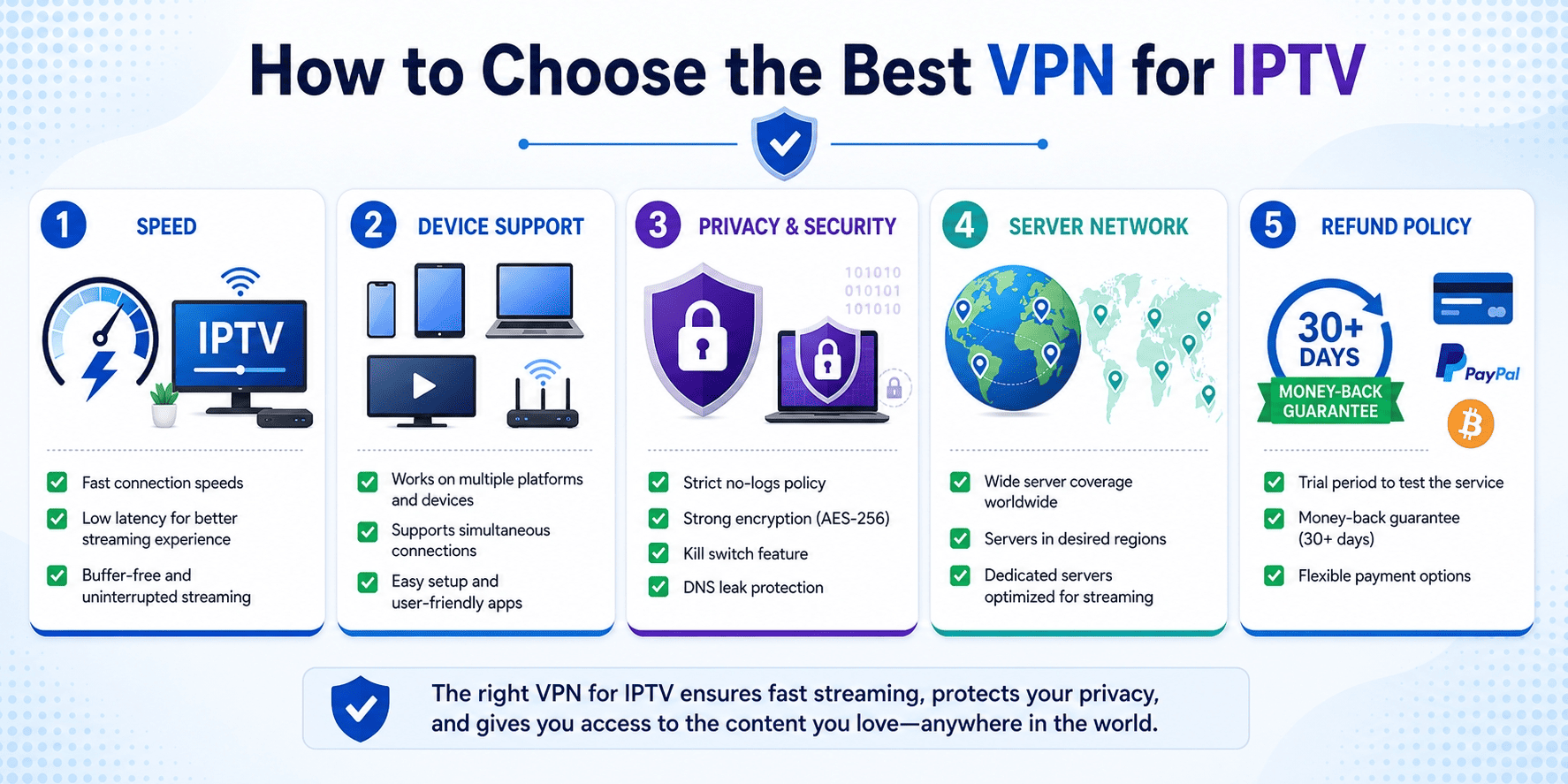
Choosing the right VPN for IPTV is mostly about matching the provider to your actual setup. A reader using Fire TV in a crowded apartment has different needs from someone watching on Linux over Ethernet, and both differ from a traveler who mostly cares about geo access in hotels. The core checklist is still consistent: speed, server coverage, apps, privacy, and price.
The best VPNs for IPTV usually do a few things well at once. They offer fast connections, enough nearby servers to avoid congestion, a clear logs policy, and apps are available on the devices you actually own. If a VPN you can install easily also gives you solid leak protection and a fair refund window, that’s usually a good sign.
Speed, Latency, and Server Proximity
For IPTV, raw download numbers matter less than stable speeds and low latency. Buffering often shows up when a server is crowded, far away, or simply routed poorly. That’s why server proximity is so important. If you can use a location close to you while still meeting the access requirement, you usually get a better result.
A large server network helps because it gives you alternatives when one node slows down. It also reduces the odds that too many users are piling onto the same location at once. In practice, the best VPN choices for IPTV delivered fast connections on nearby servers first, then acceptable performance on longer routes. If a provider only performs well in one or two cities, that’s a warning sign.
Device Support for Fire TV, Android, Windows, and Linux
Device support matters more for IPTV than for ordinary web browsing. Many users run services through Fire TV, Android boxes, side-loaded apps, or desktop players on windows and linux. If the apps are available everywhere you need them, setup is simpler and support headaches shrink.
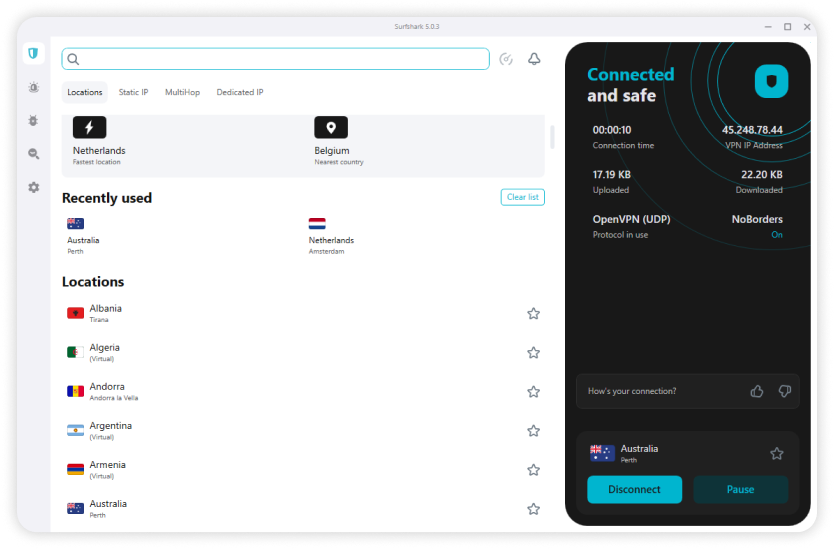
Ease of use counts too. A provider can have a huge network and still be frustrating if the app hides server options or makes reconnecting awkward with a remote. Good VPN apps should be easy to use, quick to launch, and clear about connection status. Fire TV support is especially valuable because it turns the VPN into something you can manage from the couch instead of from a router panel or laptop.
Security Features That Matter Most
For IPTV, the security basics still matter even if streaming is your main goal. Leak protection is high on the list because it stops your real details from slipping outside the tunnel. A DNS leak, for example, can reveal your browsing requests to your ISP even while the VPN appears connected. That can undermine both privacy and location consistency.
A strict logs policy matters for the same reason. If a provider keeps minimal logs, there is less stored information tied to your account activity. Add a kill switch, which cuts internet traffic if the VPN drops unexpectedly, and you have a more reliable safety net. Good encryption is now standard among serious providers, so the bigger differences are often in implementation and transparency rather than headline claims.
Price, Refunds, and Value for Money
Price should be judged against actual value, not just the smallest monthly number on the page. Some services cost more but give you better apps, stronger support, and steadier results across more platforms. Others win on budget appeal but need more manual switching to stay consistent.
A day money back trial, or better yet a full money back guarantee, is one of the safest ways to test a service with your own IPTV setup. Because provider performance can vary by region, network, and app, a refund window matters. If the VPN works in your home, on your device, and with your preferred services, the extra money for a premium option may be well spent.
How to Use a VPN with IPTV
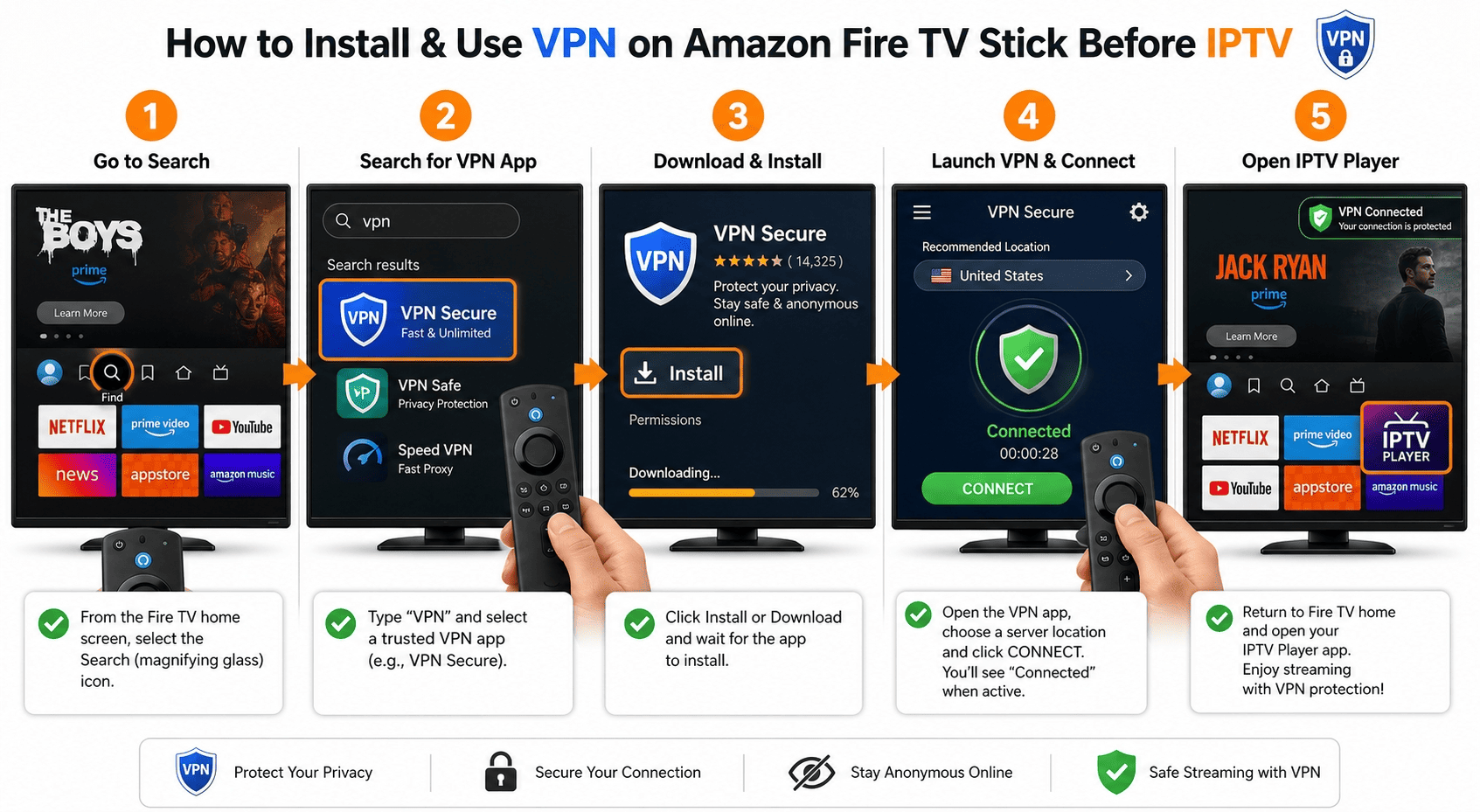
Using a VPN for IPTV is usually straightforward, but a few small choices make a big difference. The basic workflow is simple: install the app, connect to the right server, and then test playback before settling in. What matters is doing those steps in the right order and checking whether the server choice actually matches your viewing needs.
A good setup also starts with realistic expectations. Being connected to the VPN changes your apparent location and adds protection, but it does not guarantee every stream will work on the first try. Sometimes a quick server switch is all that’s needed. Sometimes the issue sits with the IPTV app or the source itself.
Step 1: Install the VPN App
Start by downloading the VPN app directly from the provider’s website or the official app store on your device. On windows, linux, Android, and Fire TV, most major providers have a native app that handles setup in a few minutes. Install it, sign in with your account, and leave the default settings alone unless you know you need something specific.
That default setup is usually enough because modern apps automatically choose a reasonable protocol and basic protection features. If the provider offers WireGuard or a branded variant, it’s often a good starting point for IPTV. Before opening any streaming platforms, confirm that the app shows an active connection and that your account is recognized on the device.
Step 2: Connect to the Right Server
Next, choose the VPN server that best matches your goal. If you just want better stability, pick a nearby location to keep latency low. If you need access tied to a specific region, connect to a server in that country first, then test whether playback is stable enough for regular use.
This is where trial and error comes in. A close server may offer the best speeds, but a different location can sometimes work better with particular services. We usually found that switching within the same city or region solved minor playback issues faster than jumping across continents. Once you are connected to the VPN, it’s also worth checking your IP address with a simple web tool to confirm the location changed as expected.
Step 3: Launch IPTV and Check Playback
After the connection is active, open your IPTV app and start a familiar live channel or on-demand stream. Watch the first minute closely. If the video loads promptly, audio stays in sync, and quality doesn’t swing wildly, the setup probably works well enough for normal viewing.
If buffering shows up, don’t assume the VPN is the only cause. Test another channel, then try a different server in the same region. If that fails, switch protocol or reconnect entirely. A good VPN service should make those changes quick, not tedious. In our tests, the strongest providers recovered fastest from these hiccups, which is one reason they ranked above the rest.
On Fire TV and Android TV
On fire TV and Android TV, the process is nearly the same but a little more remote-friendly. Search for the provider’s app in the device store, install it, sign in, and connect before launching IPTV. Most leading VPN apps are designed to work well with a TV remote, so you usually won’t need a keyboard or extra setup. If your IPTV player and VPN are both on the same home screen, day-to-day use becomes much easier.
On Windows and Linux
On windows and linux, install the app first, connect to your chosen server, and only then launch the IPTV player. Check that traffic is actually routing through the VPN by confirming the displayed location or IP address in a browser. If playback stutters, try a closer server before changing anything else.
Can I Use a Free VPN for IPTV?
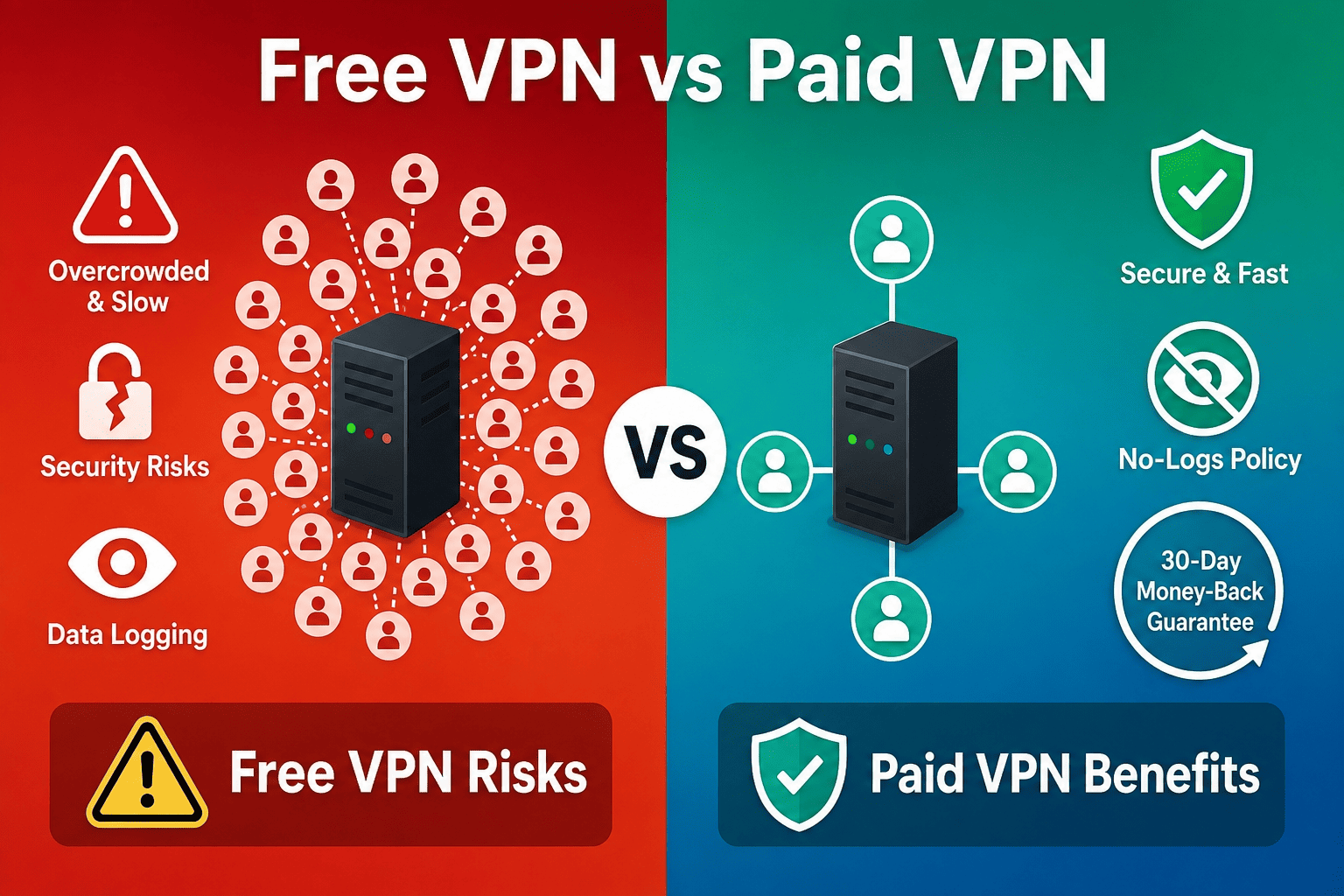
You can try a free VPN for IPTV, but in most cases it’s not the route we’d recommend for regular viewing. IPTV puts steady pressure on a VPN in a way that casual browsing does not. Live channels, long sessions, and frequent server switching expose weak infrastructure quickly. That’s where free services usually run into trouble.
The bigger issue is trade-offs. A no-cost VPN service may help for a quick test, but the limits often show up in speeds, server network size, privacy practices, and day-to-day reliability. For many readers, a paid plan with a money back guarantee is the more sensible use of money.
Where Free VPNs Usually Fall Short
The first problem with a free VPN is almost always performance. Free services tend to have fewer servers, more crowded locations, and stricter data caps. That’s a bad match for IPTV, where stable playback matters more than a flashy feature list. Once too many users pile onto the same exit node, fast connections vanish and buffering moves in.
The second issue is access. Many free VPN providers simply don’t have the network depth needed to keep up with streaming blocks or repeated location checks from iptv services. If one server works, it can stop working quickly because too many people are using it. Add small server network coverage and limited protocols, and the result is a viewing experience that feels hit-or-miss at best.
Risks to Privacy and Device Security
Privacy is the bigger concern. Running a VPN costs money, so if a service is free, the business model has to come from somewhere. In weaker products, that can mean collecting usage data, serving aggressive ads, or sharing information with third parties in ways many users would find hard to justify.
A weak logs policy makes this worse. If the provider stores more data than necessary, the privacy benefits shrink quickly. Device security can also suffer when free apps include intrusive trackers or poor update practices. Not every free option is unsafe, but readers should be much more selective here than with mainstream paid VPN providers.
When a Paid VPN Is the Better Value
A paid VPN service is usually better value because it replaces uncertainty with consistency. You get better support, more servers, better-built apps, and a higher chance that your IPTV setup keeps working week after week rather than only on good days. That matters if IPTV is your main route for sports, live news, or regional content.
The presence of a refund policy helps too. Many top providers include a money back guarantee, which gives you time to test the service with your own network and preferred services. If it fails, you can cancel. That lowers the risk enough that a cheap paid plan often makes more sense than wrestling with a free product that saves money up front but wastes time every night.
Budget-Friendly Alternatives That Still Work
If cost is the main concern, look at lower-priced paid options such as Surfshark or IPVanish rather than defaulting to a fully free VPN. They generally offer better privacy, steadier speeds, and more dependable access than no-cost competitors.
That middle ground is often the smartest one. You spend some money, but you get a real provider with support, a larger network, and apps built for everyday streaming rather than occasional testing.
IPTV FAQ
Is it legal to use a VPN with IPTV?
Will a VPN slow down my IPTV stream?
Which devices work best with IPTV VPN apps?
Can a VPN fix buffering on my IPTV service?
Should I choose a VPN with a money-back guarantee?
Do free VPNs work for live IPTV channels?