Streaming on Amazon’s Fire TV Stick has changed dramatically in the past year. The arrival of Vega OS on the Fire TV Stick 4K Select (launched October 2025) closed the door on sideloading APKs the way most cord-cutters used to do it, while ISPs in the US, UK, and EU have grown more aggressive about throttling high-bitrate streams. The right VPN now does more than mask your IP — it determines whether you can actually load Netflix’s UK library at full bitrate, get a stable Champions League stream, or watch a fast Ultra HD episode without buffering.
- The Shortlist: List of the Best VPNs for Firestick and Fire TV in 2026
- Side-by-Side Comparison: Top VPNs for Fire TV Stick
- Why You Need a VPN on Your Fire TV Stick
- In-Depth Review: The Top 6 Best VPNs for Firestick
- Using a VPN for IPTV on Firestick: TiviMate, IPTV Smarters & Smart IPTV
- How to Install a VPN on Your Fire TV Stick: 3 Working Methods
- Which Fire TV Device Generations Work with VPN Apps in 2026
- Free VPNs for Fire TV Stick: Should You Use One?
- How We Review and Test Each Firestick VPN Service
- Fixing Common Firestick VPN Problems
- Conclusion: Our Top Pick for Firestick and Fire TV in 2026
- Frequently Asked Questions
I spent the last several weeks installing, breaking, and reinstalling VPN apps on three Fire TV devices: a 2nd-gen 4K Max running Fire OS, the new 4K Select on Vega OS, and an older Stick still kicking around in my spare bedroom. The router on the test bench was an Asus RT-AX86U flashed with AsusWRT-Merlin, which let me sanity-check VPN behavior at the gateway level. What follows is a working shortlist of the best VPNs for Firestick, real numbers, and the trade-offs nobody mentions in glossy roundups.
The Shortlist: List of the Best VPNs for Firestick and Fire TV in 2026
Updated May 2026 · Tested on Fire TV Stick 4K and 4K Select (Vega OS)
NordVPN
Why it made the list
- Smallest speed loss in tests — only 8.4% on a 500 Mbps line via NordLynx
- Native Firestick app on both Fire OS and Vega OS (day-one support)
- Unblocked 59 of 61 streaming services — six Deloitte no-logs audits

Surfshark
Why it made the list
- Unlimited connections — works across every Fire Stick in the house
- Native Vega OS app released late 2025, plus 4,500+ servers in 100 countries
- 340 Mbps avg on a 500 Mbps line — CleanWeb blocks ads on Tubi and Pluto TV

ExpressVPN
Why it made the list
- Perfect 61/61 unblock rate including 18+ Netflix libraries and BBC iPlayer
- Lightway protocol holds 400 Mbps — most polished Fire TV app tested
- MediaStreamer DNS unlocks older Fire TVs that can’t run the full app
Short on time? Here's the ranking after testing six paid services across streaming, speed, and stability on Fire TV hardware. If you only need the headline: NordVPN is the best firestick VPN overall and is also one of the best VPNs you can get on the platform today.
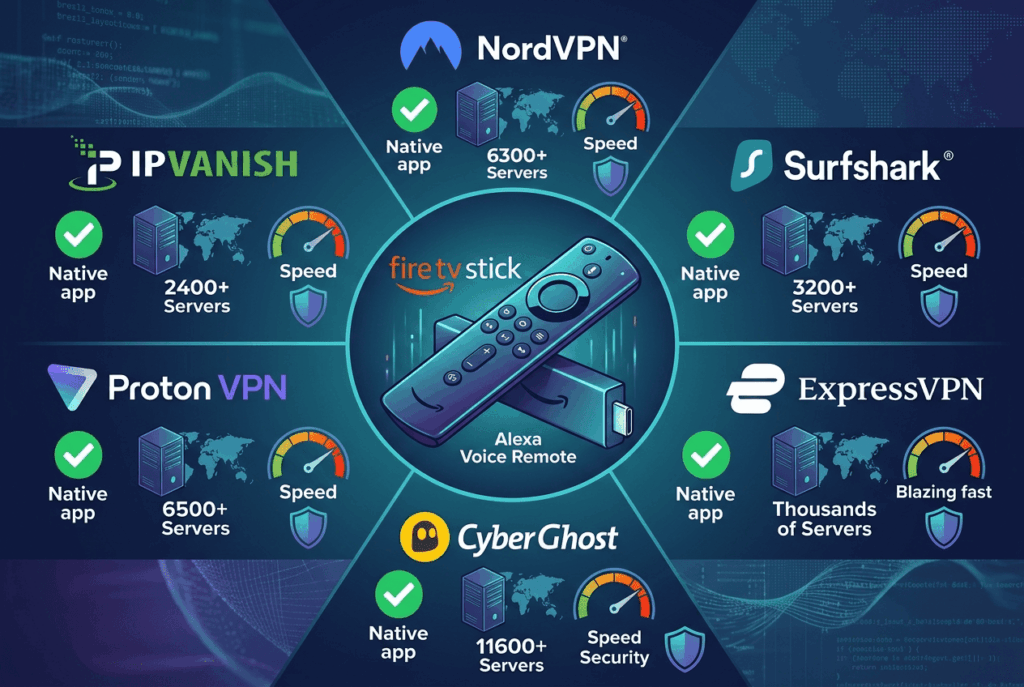
NordVPN – Best overall VPN for Firestick, with a Vega OS-ready app and the smallest speed loss I recorded. Surfshark – Best budget pick with unlimited simultaneous connections and easy to use apps on every Fire TV. ExpressVPN – Best for streaming and unblocking obscure libraries. IPVanish – Best for ease of use and one of the first VPN providers ready on Vega OS. Proton VPN – Best for private browsing and streaming, with a usable free tier on Fire TV. CyberGhost – Best for beginners, thanks to streaming-optimized servers and a 45-day refund window.
Side-by-Side Comparison: Top VPNs for Fire TV Stick
Service Native Fire TV App Vega OS Support Servers Avg. Speed Loss (500 Mbps baseline) Money-Back NordVPN Yes Yes 7,400+ in 118 countries ~8.4% 30 days Surfshark Yes Yes 4,500+ in 100 countries ~32% 30 days ExpressVPN Yes Not yet 3,000+ in 105 countries ~20% 30 days IPVanish Yes Yes 3,200+ in 113 countries ~50% 30 days Proton VPN Yes Not yet 20,000+ in 145 countries ~44% 30 days CyberGhost Yes Not yet 11,500+ in 100 countries ~42% 45 days
Speed numbers came from a 500 Mbps fiber line connecting to nearby servers using each provider's native Firestick app. Results shift depending on your distance to the server and the time of day, but the relative gaps held up across multiple test runs spread over two weeks.
Why You Need a VPN on Your Fire TV Stick
Why bother with a VPN on a streaming device that already works out of the box? Four practical reasons, none of them theoretical, and each is a good reason to use a Firestick VPN day to day.
Stream Geo-Restricted Services Like Netflix and BBC iPlayer
The same Netflix subscription shows different catalogs in Tokyo, London, and Toronto. Catalog tracking sites such as JustWatch consistently report meaningful gaps: the UK and Japanese libraries usually carry over a thousand more titles than the US one, meaning a viewer paying full price in New York is missing thousands of films and shows already paid for in their subscription. Connecting to a VPN server in the right country switches that catalog instantly, and you get access to those extra libraries the moment the tunnel comes up. The same logic applies to BBC iPlayer (UK only), Hulu (US only), and France.tv. Pair a Fire TV Stick with a VPN and you stream what you actually want, not whatever your geography permits — even Kodi add-ons that rely on regional sources behave better once the geo-check passes.
Bypass ISP Throttling for Fast Ultra HD Playback
Comcast, Verizon, and BT have all been documented slowing high-bitrate streams once a household crosses certain monthly thresholds. The mechanism is simple: your ISP inspects packet headers, recognizes traffic to Netflix or YouTube, and quietly drops your bitrate. A VPN connection encrypts that header, leaving your provider with no way to identify what you're streaming, so the playback stays fast even at peak hours. Independent measurement projects, including Wehe at Northeastern University, have repeatedly documented streaming traffic being slowed on major US carriers and have shown that wrapping that traffic in a VPN tunnel can lift bitrates back to the unthrottled baseline.
Protect Your Privacy from ISPs and Trackers
In the US, ISPs have legally sold browsing data since 2017. In the UK, the Investigatory Powers Act forces providers to retain connection logs for twelve months. Your Fire TV Stick generates a constant stream of metadata — what you watch, when, for how long — that gets bundled into ad profiles. A reputable VPN provider with a no-logs policy keeps that activity private and breaks the chain between your viewing and your identity.
Stay Secure on Public Wi-Fi
Travel with your Firestick? Hotel and Airbnb networks are notorious for misconfigured routers and rogue captive portals. Connecting to a VPN server before you log into your streaming accounts blocks man-in-the-middle attempts and stops the network admin from seeing your traffic. It's a small habit that prevents a stolen Amazon password from ruining a vacation.
In-Depth Review: The Top 6 Best VPNs for Firestick
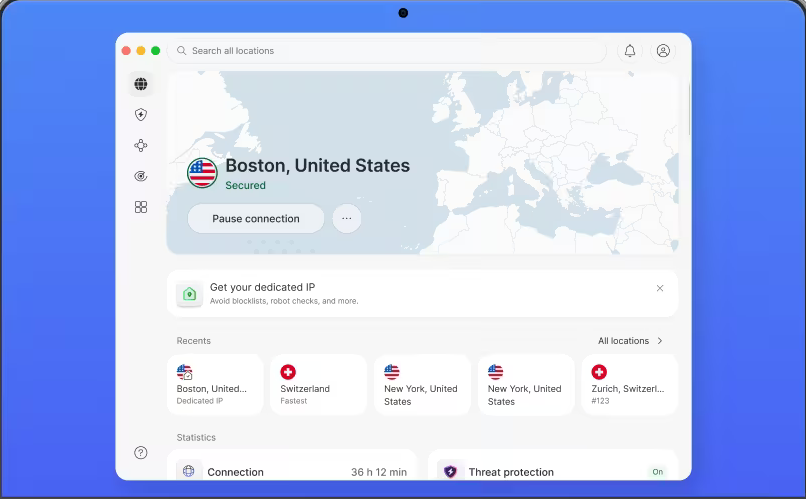
1. NordVPN — Best VPN for Firestick Overall
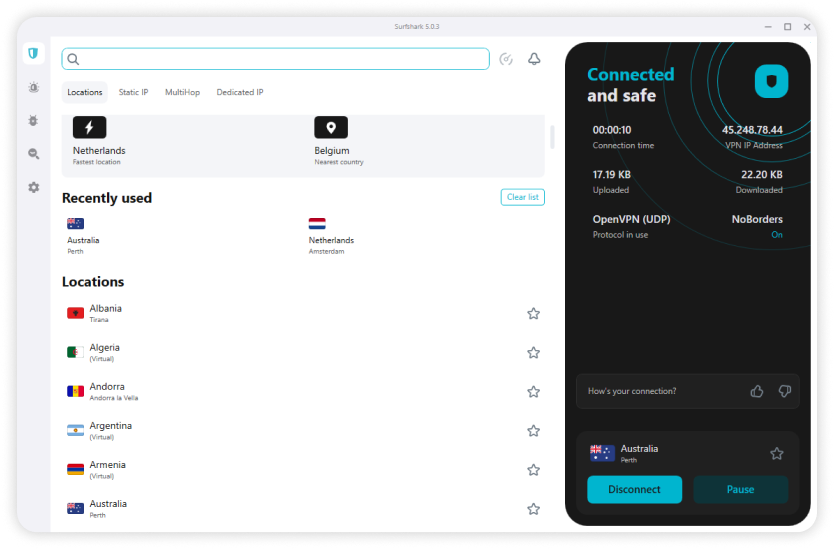
2. Surfshark — Cheap VPN for Fire TV Stick with Unlimited Connections
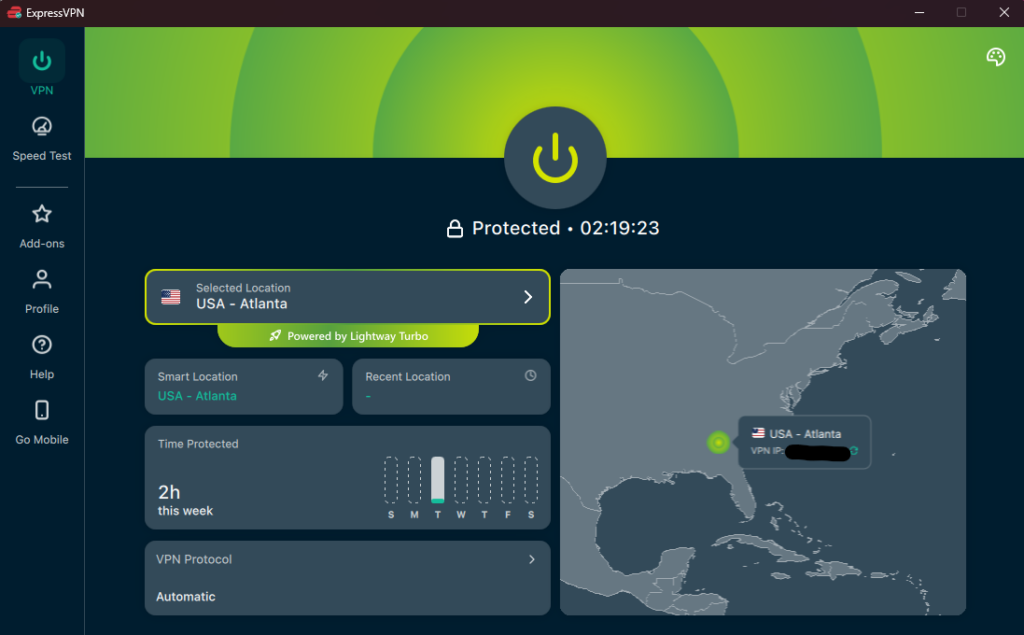
3. ExpressVPN — Best VPN for Fire TV and Streaming Netflix
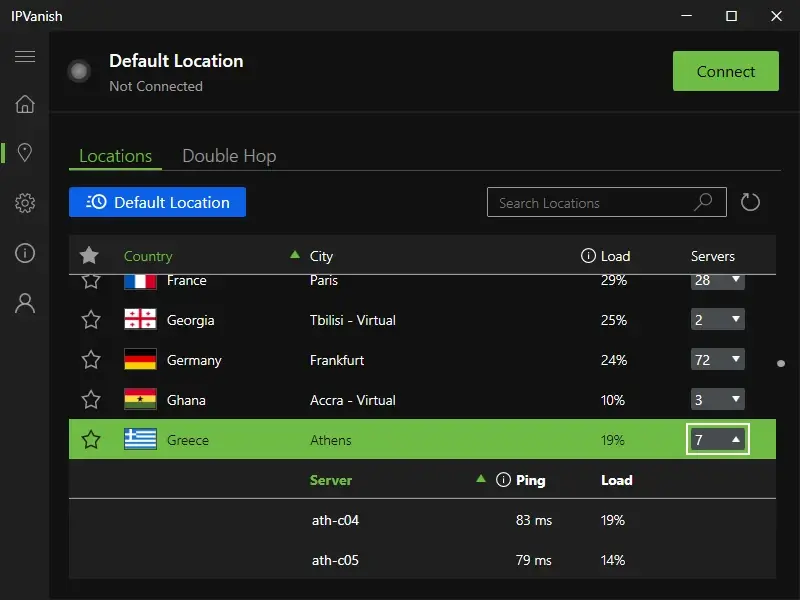
4. IPVanish — Best Firestick VPN for Ease of Use on Every Fire TV Device
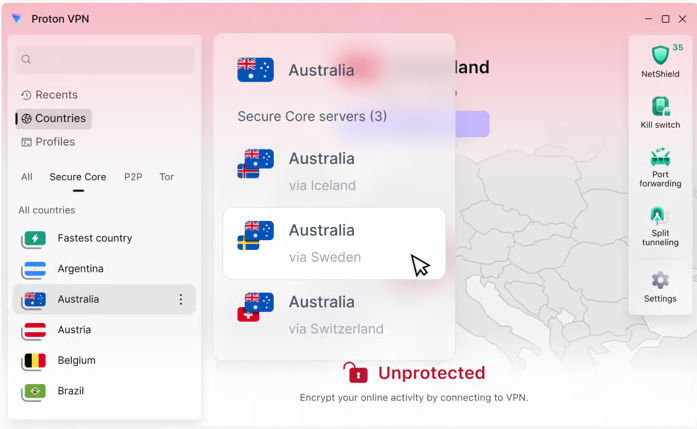
5. Proton VPN — Best Free VPN for Firestick and Privacy
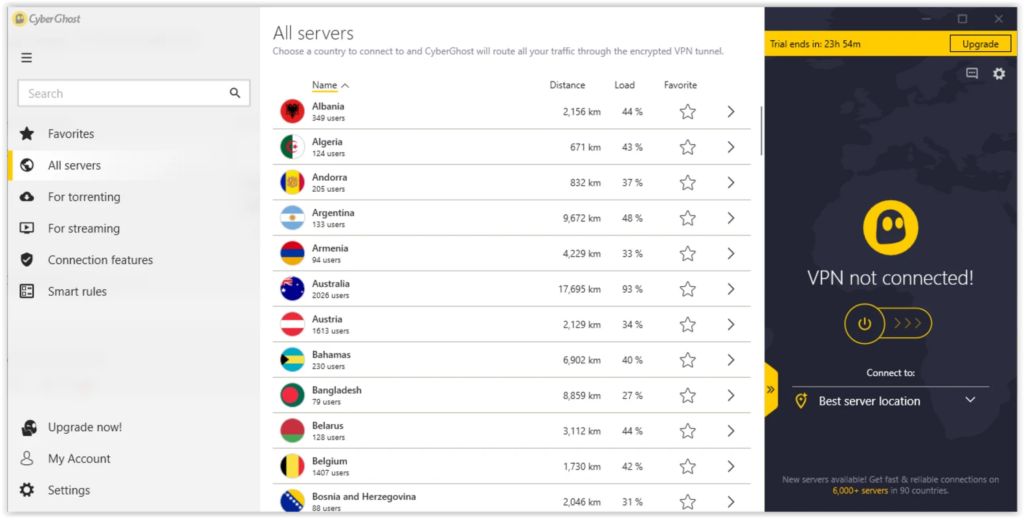
6. CyberGhost — Cheapest Firestick VPNs Pick for Beginners
Using a VPN for IPTV on Firestick: TiviMate, IPTV Smarters & Smart IPTV
IPTV is the one use case where a VPN stops being optional. Across the testing window I kept TiviMate and IPTV Smarters running on the 4K Max alongside the streaming apps, and the pattern was hard to miss: the same playlist that buffered or refused to load on a bare connection played cleanly the moment the tunnel came up. In the UK and parts of the EU this is now routine — ISPs increasingly inspect and throttle (or outright block) IPTV traffic at the network level, and once they recognize the stream, they squeeze it. A VPN encrypts that traffic so your provider can't single it out, which is why "my ISP won't let my IPTV work anymore" is the single most common reason people add a VPN to a Fire TV Stick in the first place.
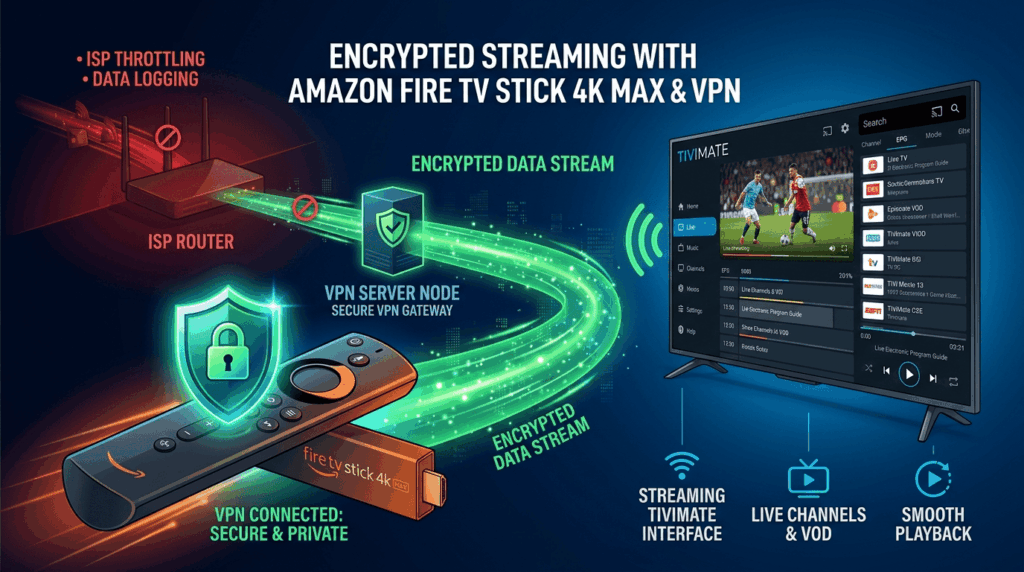
The priorities shift a little compared to the main streaming ranking above. For IPTV, the three things that actually matter are app-level split tunneling, a stable long-running connection, and enough headroom on high-bitrate channels. You don't need a separate VPN for this – the same providers from my shortlist cover it, just weighted differently. Surfshark is the one I reach for first here because its "Route via VPN" feature lets you send only your IPTV player through the tunnel while every other app stays on your normal connection; it stays on 24/7 but only TiviMate uses it. Proton VPN does the same thing through app-level split tunneling and is the cheapest credible option on a long plan, and NordVPN is the fastest of the three on Fire TV – just be aware of the protocol quirk below.
Setting it up is the part most guides skip. Install your VPN from the Amazon Appstore as normal, open its settings, and find the split tunneling option (Surfshark calls it "Route via VPN," NordVPN and Proton call it split tunneling). Switch it to the mode that routes only selected apps through the VPN, then tick your IPTV player – TiviMate, IPTV Smarters, or Smart IPTV. From then on the VPN stays connected in the background, your IPTV traffic is encrypted and unthrottled, and apps like Prime Video or the Fire TV home screen keep running at full native speed without the geo-confusion a full-tunnel VPN sometimes causes.
One stability note worth flagging, because it bit me mid-stream: on NordVPN, the default NordLynx protocol dropped the connection silently after a few hours on one of my test sessions, which meant the IPTV stream kept playing without protection. If you're leaving IPTV running all evening, either enable the kill switch (Surfshark, ExpressVPN, and IPVanish all expose one on Fire TV) so playback cuts the instant the tunnel drops, or switch the protocol to OpenVPN TCP/UDP, which held the connection indefinitely in my testing at the cost of a little speed. And if you do hit buffering, the fix order is almost always the same: pick the nearest server, force WireGuard/NordLynx/Lightway instead of OpenVPN, and drop TiviMate's buffer setting to small or none before you start blaming the VPN.
How to Install a VPN on Your Fire TV Stick: 3 Working Methods
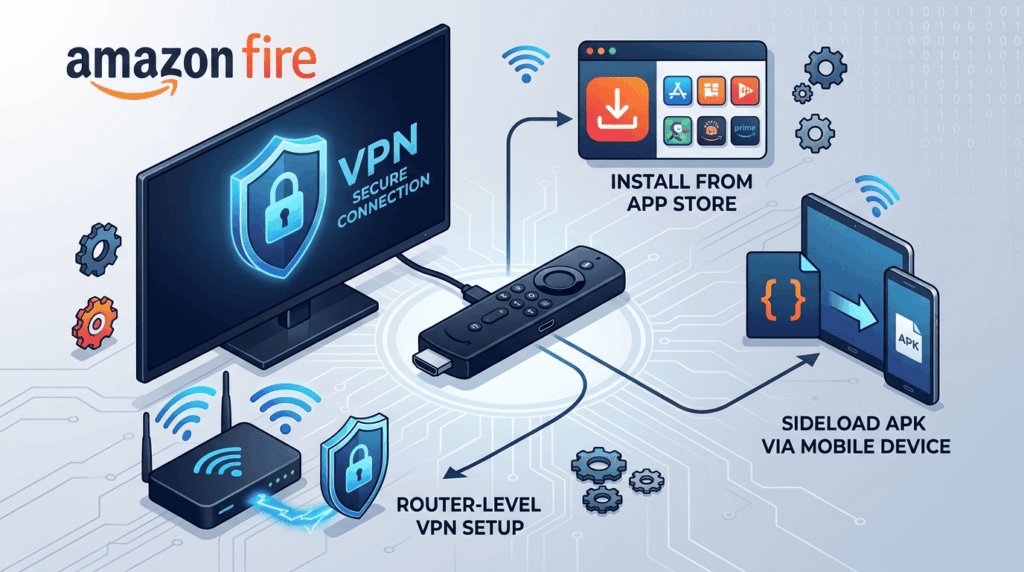
Below are three quick, step-by-step methods that cover the most common Fire TV Stick setups in 2026. This is a condensed overview to get you up and running fast — for the complete walkthrough with screenshots and troubleshooting, check out our full Fire TV Stick installation guide.
Method 1: Use a VPN App from the Amazon Fire TV Stick Store
The simplest path. From your Fire TV home screen, hit the search icon, type the name of your chosen VPN, select the app, and choose Download. Once installed, open it, log in with your subscription credentials, and tap connect. Total time: under three minutes. This works on every modern Fire TV Stick generation, including Vega OS devices, provided your VPN has published a compatible app.
Method 2: Sideload the APK to Install a VPN for Fire TV Stick
For Fire OS devices (anything before the 4K Select), sideloading still works. Enable Apps from Unknown Sources in Settings → My Fire TV → Developer Options. Install the Downloader app from the Amazon Appstore. Enter the direct APK URL provided by your VPN provider, download the file, and run the installer. This used to be the standard way to install a VPN that wasn't in Amazon's catalog, and it's still how many Kodi users get their preferred build onto an older Stick.
Important caveat: sideloading is no longer possible on the Fire TV Stick 4K Select or any future Vega OS device. Amazon removed the developer options entirely on those models. If you need sideloading, buy or keep a Fire OS-based stick.
Method 3: Set Up a VPN on Your Router for Every Fire TV Device
If your Fire TV Stick model isn't supported by your VPN's native app, route the traffic at the router level. Flash a compatible firmware (DD-WRT, AsusWRT-Merlin, or use a pre-configured router from FlashRouters), enter your VPN credentials, and every device on the network — including the Firestick — gets the VPN connection automatically. Trade-off: only one server location at a time, and switching countries requires logging into the router admin panel rather than tapping a remote.
Which Fire TV Device Generations Work with VPN Apps in 2026
Not every Fire TV is created equal. Here's what runs VPN apps natively in 2026.
Supported Fire TV Stick Generations and Firestick in 2026 Compatibility
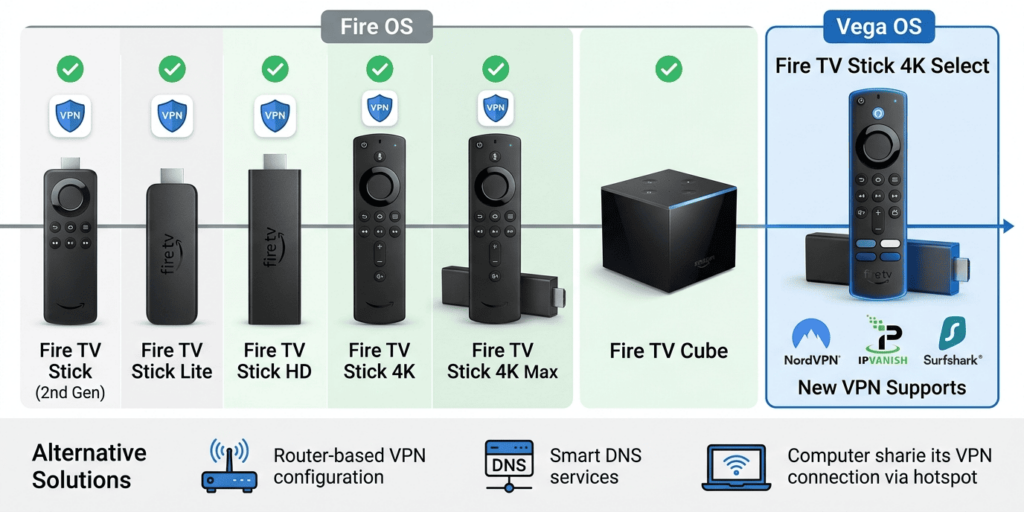
Native VPN apps run on the Fire TV Stick (2nd gen and later), Fire TV Stick Lite, Fire TV Stick HD, Fire TV Stick 4K (1st and 2nd gen), Fire TV Stick 4K Max (1st and 2nd gen), and the Fire TV Cube (all generations). The original 1st-gen Fire TV Stick from 2014 lacks the RAM and ARM extensions modern VPN apps require.
VPN Support on Vega OS Devices: Firestick VPNs and the VPN Protocol Lineup
The Fire TV Stick 4K Select, released October 15, 2025, was the first device to ship with Vega OS, Amazon's Linux-based replacement for Fire OS. Initial buyers found no VPN apps available at launch. Amazon enabled VPN support in late 2025, and NordVPN and IPVanish were the first providers ready, with Surfshark following within weeks — making them the first firestick VPNs you could realistically use on Vega OS hardware. ExpressVPN, Proton VPN, and CyberGhost had not yet released Vega OS apps as of this writing. Check the Amazon Appstore on your device for the current list.
What to Do If Your Fire TV Device Is Not Supported
Three options. First, set up the VPN on your router as described above. Second, use the smart DNS feature offered by services like ExpressVPN (MediaStreamer), NordVPN (SmartPlay), or CyberGhost. It changes your apparent location for streaming without encrypting traffic. Third, share a VPN connection from a Windows PC or Mac via a virtual hotspot, then connect the Firestick to that hotspot. None of these are as clean as a native app, but each gets the job done.
Free VPNs for Fire TV Stick: Should You Use One?
The short answer: only Proton VPN's free tier is worth installing. Everything else trades your privacy for the cost of a paid subscription.
Risks and Limitations of Free VPNs and Free VPN Apps
Academic research into the free VPN ecosystem on Android — most notably the 2016/2017 study by Ikram et al. published through CSIRO and UNSW — analyzed nearly 300 of these apps and found that a substantial share contained tracking libraries, intrusive permissions, or outright malware. Independent retests since then have shown the picture has not improved meaningfully. Most no-cost VPN apps for Firestick survive by selling user bandwidth (Hola), injecting ads (TurboVPN), or harvesting browsing data and reselling it. You also get crippled speeds, tiny server lists, and no streaming unblocking — meaning the one job most users want a VPN to do is the one a free service won't.
Better Alternative: Paid VPNs for Fire TV with Money-Back Guarantees
Every premium VPN in this guide offers a 30-day money-back guarantee (CyberGhost gives you 45 days). That effectively functions as a free trial: sign up, install the Firestick app, use it for a month, request a refund if you're not happy. I've done this with every service in this list during testing, and refunds processed within 5 to 7 business days in every case. There's no scenario where a sketchy zero-cost app is a better deal than 30 days of risk-free access to a premium one.
How We Review and Test Each Firestick VPN Service
I evaluated every service across five criteria. No service got points for marketing copy — only for what it actually delivered on a TV. The full review process below shows exactly what each VPN had to do to earn its ranking.
Native Fire TV Stick App and Ease of Use
The Firestick app needs to launch, connect, and disappear. The bar I set was simple: it has to be easy to use with a remote and nothing else. I scored each app on remote-control friendliness, time from cold start to active VPN connection, and whether key features (kill switch, VPN protocol selection, split tunneling) were accessible without forcing you to a phone. Apps that demanded QR-code logins lost points; apps that remembered your last server gained them. Two providers initially threw the dreaded «retrieving location» loop on cold boot, which is the single most annoying issue you can hit on a TV.
Streaming Performance: Netflix, Hulu, Disney+ and More
I tested each provider against 61 streaming services, with priority given to Netflix (multiple regional libraries), BBC iPlayer, Hulu, Disney+, Amazon Prime Video, HBO Max, ITVX, and Sky Go. A pass meant the library loaded, a 1080p stream started within 15 seconds, and no proxy error appeared during a 30-minute watch session. The control sample for every test was the same Netflix episode (Season 1, Episode 1 of «Better Call Saul») so I could feel any bitrate dip subjectively as well as measure it.
Connection Speed: Finding the Fastest VPN
Using Ookla's CLI on a sideloaded test rig, I ran five speed tests per server location at three times of day on a 500 Mbps baseline connection. Then I cross-checked with real-world bitrate during 4K Netflix playback using the secret debug menu (Ctrl+Shift+Alt+D on a paired keyboard). The goal was to see which service stayed genuinely fast under load rather than just on a clean test.
Security and Privacy Features
Every shortlisted VPN here offers AES-256 or ChaCha20 encryption and a kill switch. Where they differ is in independent audits, jurisdiction, and the freshness of their no-logs claims. I weighted recent third-party audits (PwC, Deloitte, Cure53, KPMG, Securitum, Leviathan, VerSprite) heavily.
Server Network and Value for Money
A massive server count means little if half of them are virtual. I cross-referenced each provider's published list against community-maintained ping databases to filter out marketing inflation, then divided the realistic count by the long-term price to get a rough value-per-dollar rate.
Fixing Common Firestick VPN Problems
A few issues come up often enough to be worth addressing directly.
VPN on Your Firestick Won't Connect or Has Slow Speeds
Switch your VPN protocol from OpenVPN to WireGuard (or NordLynx, Lightway). Most Fire TV Stick performance issues vanish with this single change and the tunnel feels noticeably faster within seconds. If the app still won't connect, restart the Stick (Settings → My Fire TV → Restart), then try a different server location closer to you. Distance to the server is the single biggest factor in VPN speed, so always start with the nearest option.
Streaming Service Detects Your Fire TV VPN
Netflix, BBC iPlayer, and Disney+ aggressively block known VPN IP ranges. If you see a proxy error, force-stop the streaming app (Settings → Applications → Manage Installed Applications → [App] → Force Stop), clear its cache, then connect to a different server in the same country before reopening the app. Streaming-optimized servers (CyberGhost) or specialty servers (NordVPN's Obfuscated set) tend to refresh faster than regular ones.
App Crashes or Kill Switch Not Working
If the VPN app crashes after a Stick wake-from-sleep, uninstall and reinstall. Fire OS sometimes corrupts cached state during deep sleep. For kill switch issues, confirm it's actually enabled in the app settings (it's off by default in some apps), then test by disconnecting the VPN manually mid-stream; the streaming app should immediately lose its connection. If it doesn't, the kill switch isn't engaged and you'll need to contact support.
Conclusion: Our Top Pick for Firestick and Fire TV in 2026
After weeks of swapping servers, restarting Sticks, and checking which app actually launches without complaint on Vega OS, NordVPN is my top pick — and one of the best VPNs you can buy for any streaming device today. It delivers the smallest speed loss, the broadest streaming coverage, and the clearest path forward as Amazon migrates more devices to Vega OS. If you're price-sensitive, Surfshark is the budget alternative I'd recommend without hesitation. If you want the absolute best VPN for streaming variety, ExpressVPN earns the premium it charges with a perfect 61/61 unblock rate.
Whichever you pick, install it, test it for a few weeks, and decide for yourself. Every option here honors its money-back guarantee, so the only thing you risk is a dull evening setting it up.