If you’re looking for the best VPN for Australia, the short version is simple: you need a service with reliable Australian servers, strong streaming results, and privacy features that hold up outside a marketing page.
- VPN Comparison Table
- How to Choose a VPN for Australia
- Detailed Reviews of Top VPNs
- VPN Speed and Performance
- Streaming and Torrenting with VPNs
- Security and Privacy Features
- Pricing and Free Trials
- Free vs Paid VPNs in Australia
- How to Set Up and Use a VPN in Australia
- Why Use a VPN in Australia
- Legality of VPNs in Australia
- Australia VPN FAQ
This guide is for readers in Australia, travelers who want an Australian IP address, and anyone trying to keep access to local platforms while abroad. We also looked at the basics that matter most in a real test: speed on nearby servers, app quality across devices, security features like a kill switch, and whether the service stays stable enough for Netflix, BBC iPlayer, and popular streaming services.
We ranked these picks by balancing performance, privacy, and ease of use. NordVPN came out ahead as the safest all-around option, ExpressVPN stayed close on speed and consistency, and Surfshark stood out for value and unlimited devices. The rest of the list still has a place, depending on whether you care most about budget, control, or a stricter logs policy.
VPN Comparison Table

NordVPN
Why it made the list
- Strong speeds, broad access, and dependable Australian servers.
- Fast Australian servers with low latency
- Broad device support across phones, laptops, and smart TVs

ExpressVPN
Why it made the list
- Excellent consistency for Netflix and local platforms.
- Excellent speed consistency across Australian servers
- Clean, minimal apps easy to use on all devices

Surfshark
Why it made the list
- Unlimited devices and useful tools against VPN blocks.
- Unlimited simultaneous device connections
- Obfuscation tools to bypass VPN blocks
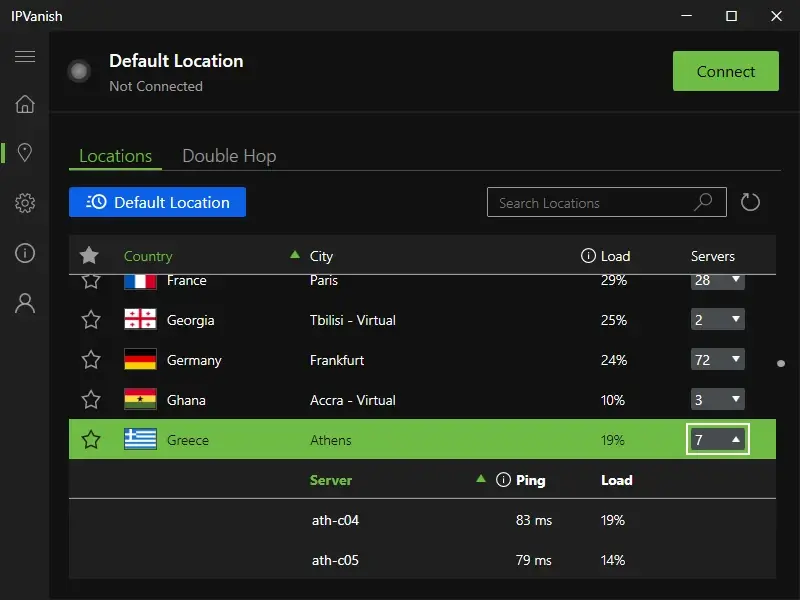
If you want the shortlist first, this is it. The providers below are the best VPNs for readers who need a VPN in Australia for streaming, privacy, travel, or everyday browsing. Each one offers servers in Australia, reliable security features, and apps for the main devices people actually use.
The differences show up in day-to-day use. Some services lean on fast servers and polished apps. Others put more weight on privacy, a stricter logs policy, or lower long-term pricing. If your goal is an Australian IP address for local streaming services, server quality matters more than raw marketing claims. If you care more about travel and international access, broader country coverage and stable routing become more important.
We also looked at practical fit. That means how quickly a service connects, how steady the connection feels during long streams, and whether it works without constant troubleshooting. For most users, the best VPNs are the ones that connect quickly, hold a stable connection, and lose as little speed as possible once the app is open and the VPN server is selected.
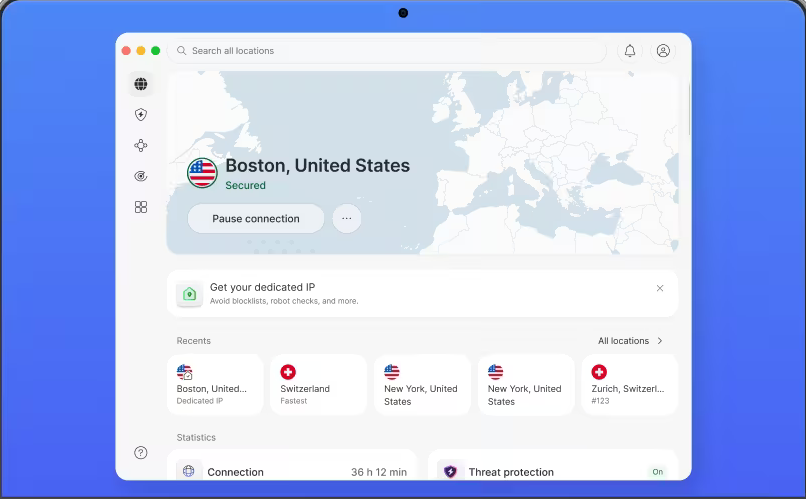

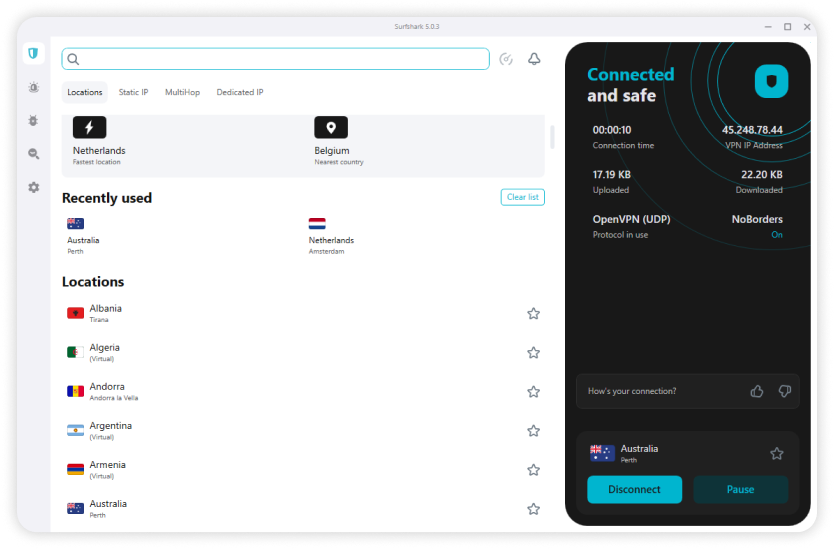
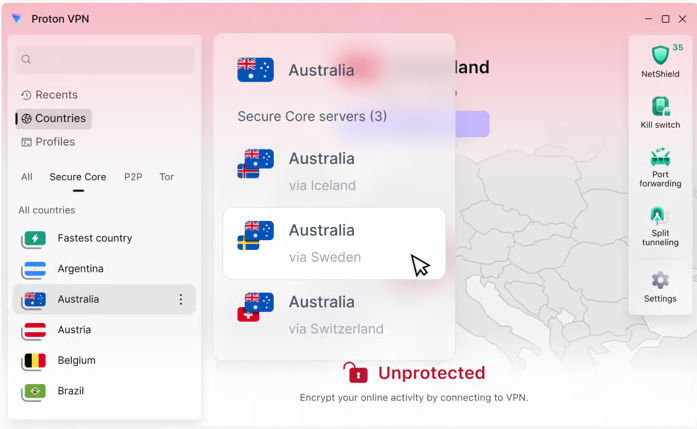

How We Ranked the Providers
We ranked these services by what matters most in Australia: local and international speed, reliability of servers in Australia, privacy standards, streaming support, and how easy the apps are to use across devices. We also considered whether each provider offers stable access to an Australian IP address and whether its network feels dependable during peak use.
Just as important, we looked for restraint in the claims vendors make. A good VPN review should weigh speed, privacy, and usability together. That’s why this shortlist favors providers with a cleaner logs policy, consistent connection quality, and enough Australian locations to make daily use feel reliable and friction-free.
How to Choose a VPN for Australia
Choosing between VPNs for Australia gets easier once you stop looking at feature bloat and focus on the few things that actually change your experience. In practice, that means local server coverage, stable speeds, a trustworthy privacy stance, and apps you won’t dread opening. A VPN for Australia should solve a problem cleanly, not add a new one.
The market is crowded, and many services sound interchangeable. They aren’t. Some have stronger servers in Australia, some are easier to use across phones and TVs, and some offer a money back guarantee that gives you enough time to test streaming, browsing, and remote work on your own network before you commit to a plan.
Server Locations and Australian IP Access
A good starting point is server coverage. If you want reliable access to Australian platforms or you travel often and need a local IP address, look for multiple servers in Australia rather than a single crowded location. More locations usually means better load balancing, less congestion, and a better chance of finding a server that works well at a given time.
This matters for more than streaming. A nearby server can lower latency, improve page loading, and make a VPN feel less like a detour. If the service offers several Australian city options, that usually gives users more flexibility when one route is slow or one IP range is blocked.
It also helps to think about your use case. If you live in Australia and mostly want privacy on public Wi‑Fi, local servers may be all you need. If you’re abroad and want Australian access, then a stable Australian IP address becomes the priority. Either way, strong servers in Australia are one of the clearest signs that a provider takes this region seriously.
Speed, Stability, and Streaming Quality
Speed shapes everything else. Even strong privacy tools feel secondary if the service struggles to hold a clean connection during normal use. For Australia, that means prioritizing fast servers, low latency on nearby routes, and steady performance during longer sessions, not just a one-off speed test screenshot.
This is especially important for streaming services and live content. Video platforms can tolerate some fluctuation, but not endless buffering. Sports are less forgiving. A provider may look good on paper and still feel uneven in practice if its network gets congested at night or its routing to local platforms is inconsistent.
For daily use, speed also affects basic internet tasks: browsing, downloads, video calls, cloud syncing, and switching between apps. A quality VPN for Australia should make these tasks feel normal. Some slowdown is expected with any encrypted connection, but the better providers keep that tradeoff small enough that most users barely notice it.
Privacy Policies and Security Features
Privacy deserves more than a quick glance at a home page promise. Read the privacy policy, check how the company describes its logs policy, and look for specifics about what data is collected, retained, or tied to your account. “No logs” means little if the wording around connection metadata is vague.
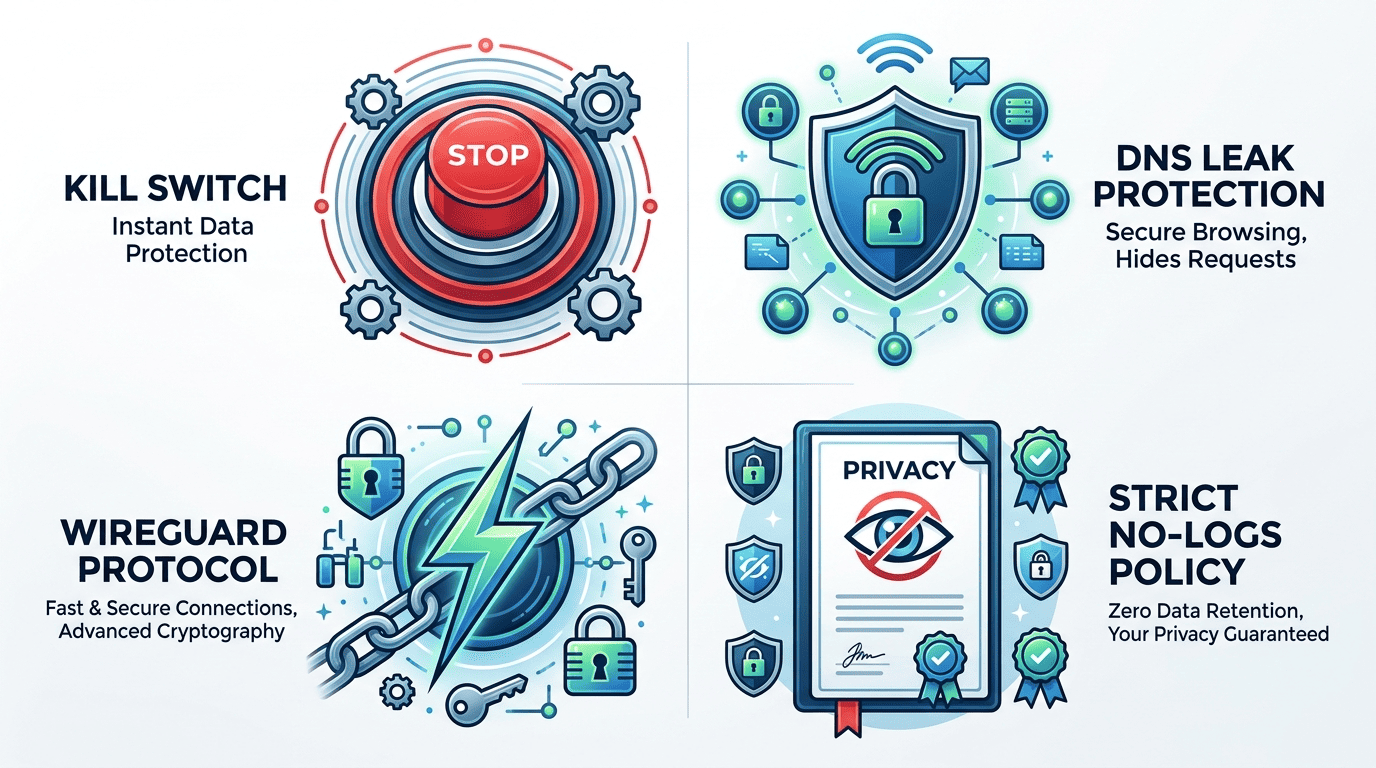
On the security side, the essentials matter most: a kill switch, which cuts internet traffic if the VPN drops; DNS leak protection, which helps stop your browsing requests from leaking outside the tunnel; and strong encryption with current protocols such as WireGuard, a lighter protocol built for speed. These tools matter on home broadband, but they matter more on public Wi‑Fi and shared network environments.
For users in airports, cafés, hotels, or coworking spaces, privacy and security are not abstract concerns. They affect how exposed your traffic may be if the local network is weak or poorly managed. The best VPNs for Australia don’t just advertise privacy. They explain their policy clearly and back it with practical protections.
Devices, Apps, and Ease of Use
A VPN can look excellent in a feature table and still be annoying to live with. That’s why app quality matters. Check whether the service supports the devices you actually use: Windows and Mac laptops, iPhone and Android phones, smart TVs, Fire TV Stick, Apple TV, and possibly routers if you want whole-home coverage.
Ease of use counts, too. A clean interface, clear server list, and sensible default settings are often more valuable than a pile of niche options. Most readers want something easy to use that can connect quickly, stay connected, and make switching locations simple if one server isn’t performing well.
Finally, check simultaneous device limits and the refund terms. Surfshark is strong for unlimited devices, while other providers cap the number of connections but may offer stronger privacy or faster local performance. A decent money back guarantee gives you room to test streaming, apps, and everyday stability before settling on a long-term plan.
Detailed Reviews of Top VPNs
The table gives you the shortlist, but it doesn’t explain why some providers feel better in daily use than others. This section pulls the main themes together into a broader VPN review view: what worked well in our testing, what tradeoffs showed up, and which services make the most sense for different Australian use cases.
Throughout this Australia VPN guide we focused on the same factors: speed, stability, app design, server quality, privacy, and value. We also paid attention to australian servers, since local coverage changes both access and latency. If you want a free trial or a generous refund window, that matters too, especially when you’re testing streaming on your own connection.
Speed and Streaming Performance
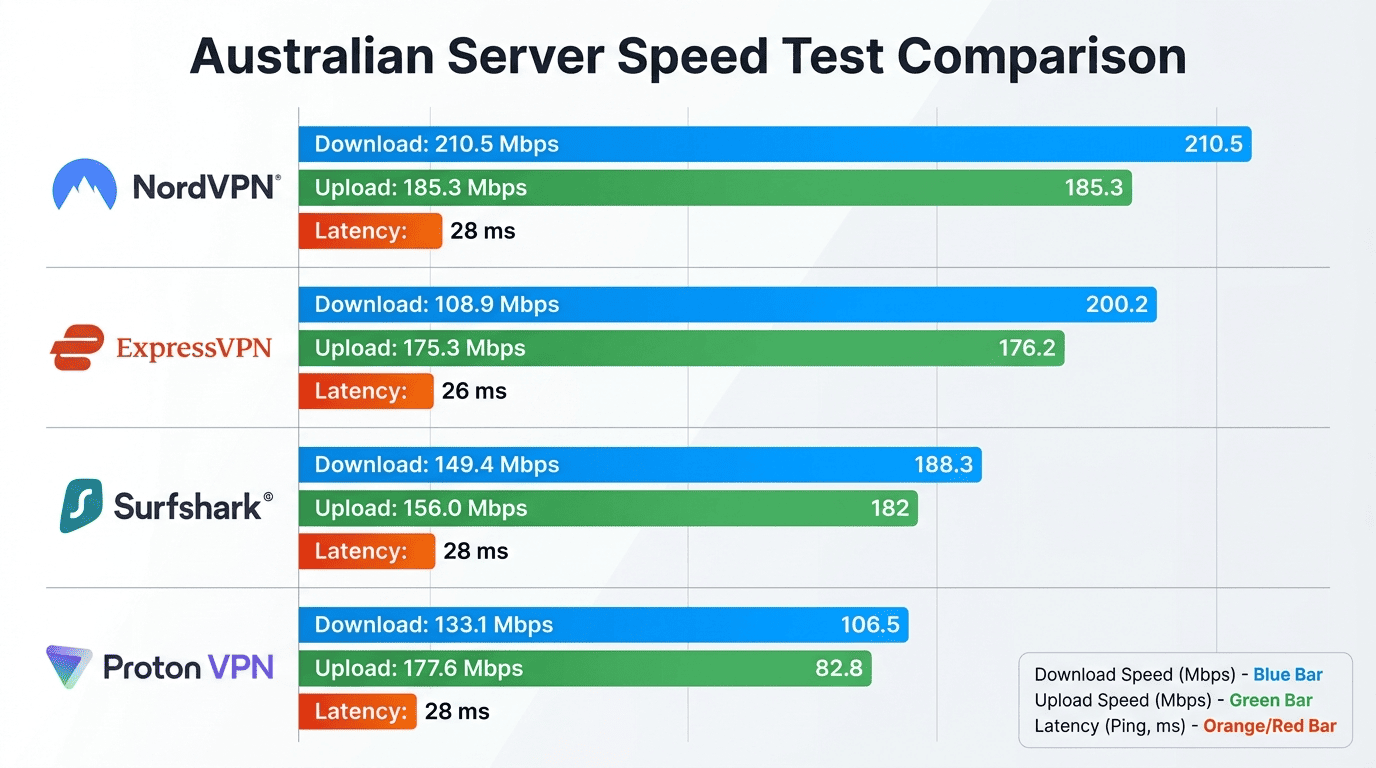
On speed and streaming, NordVPN and ExpressVPN were the cleanest performers overall. Both held up well for everyday browsing, HD playback, and longer sessions on major platforms. Surfshark stayed competitive, especially considering its lower long-term pricing, while Proton VPN felt more measured: still capable, but less obviously focused on pure streaming convenience.
Australian servers made a real difference. When we connected to nearby locations, load times were shorter and buffering was less likely to interrupt playback. That’s not surprising, but it’s important. A service with a huge global network can still feel slower if its local routing is weaker. For readers who care about Netflix, local TV catch-up apps, and live sports, the stability of nearby servers matters as much as any peak speed test.
International access was also part of the picture. The stronger providers were more dependable for region-locked libraries and services such as BBC iPlayer. No VPN works perfectly on every platform at every moment, but the top picks were easier to keep running with fewer server changes.
Privacy, Logs Policy, and Security
Privacy separates the merely convenient from the genuinely trustworthy. In this lineup, Proton VPN stands out for readers who care most about policy transparency, while NordVPN also scores well as a mainstream option with a clearer trust profile than many rivals. A strict logs policy matters because it defines what account, connection, and usage data the service says it does not retain.
We looked at the basics first: whether the policy language is clear, whether the provider explains how it handles metadata, and whether the service includes a kill switch and leak protection by default. Those features are essential. A kill switch cuts your internet if the tunnel drops, and DNS leak protection helps prevent requests from escaping outside the VPN path.
Protocols matter, too, but they shouldn’t require a networking degree to understand. WireGuard is a protocol built for speed with lower overhead, while NordLynx and Lightway are custom implementations with similar goals: faster performance without the bulk of older standards. In practice, the best services combine those protocols with a cleaner logs policy and reliable security defaults.
App Experience Across Devices
The app experience was one of the clearest dividing lines in this comparison. ExpressVPN remains one of the easiest services to navigate across devices, with simple server selection and clean apps that don’t bury common settings. NordVPN is slightly denser visually but still polished, and NordVPN offers a wider spread of features without becoming hard to manage.
Surfshark also performs well here. Its apps are well-organized, support many platforms, and make it easy to manage multiple devices on one account. That matters in homes where people switch between phones, laptops, tablets, and streaming hardware. CyberGhost takes a more beginner-friendly approach, which some users will prefer if they want a simpler path to local or international access.
Smart TV and streaming device support also matter more than many buyers expect. If a VPN is awkward on Apple TV, Android TV, or Fire TV Stick, you end up using it less. The stronger picks kept setup reasonably smooth across apps, desktops, and home media devices.
Pricing, Trials, and Value
Value is not just about the lowest price per month. It’s about what you get for the money, how useful the service is over time, and whether the refund terms let you test it properly. Surfshark is the strongest budget case because it combines lower long-term pricing with unlimited devices. NordVPN often lands in the middle: not the cheapest plan, but a very solid balance of speed, privacy, and everyday usability.
ExpressVPN tends to sit at the premium end. That may still be worth it if you prioritize app simplicity and consistent streaming, but it’s harder to call the value leader. Proton VPN appeals to a different kind of buyer: someone willing to pay more for a stronger privacy posture and a service that puts less emphasis on bargain pricing.
If you’re undecided, a free trial can help, but many users will rely more on a refund period than a true trial. That’s why reading the terms matters. A free trial, trial-by-mobile-store, or money-back window should give you enough time to test your target platforms, server locations, and home network behavior without rushing.
Verdict: Which VPN Wins for Australia
For most readers, NordVPN is the winner for Australia because NordVPN covers the broadest range of needs well. NordVPN has dependable Australian coverage, strong streaming support, polished apps, and a privacy profile that feels more convincing than average. If you want one service that can cover local access, travel, and general home use without much compromise, it’s the safest recommendation.
ExpressVPN is the better fit if you care most about a friction-free experience and consistently high speed across many devices. Surfshark is the obvious value option for larger households, especially where one plan needs to cover a lot of hardware. Proton VPN remains the specialist choice for privacy-first users who want a service with a more cautious logs policy and a serious security stance. That mix is why these providers remain the best VPNs for Australia in this guide.
VPN Speed and Performance
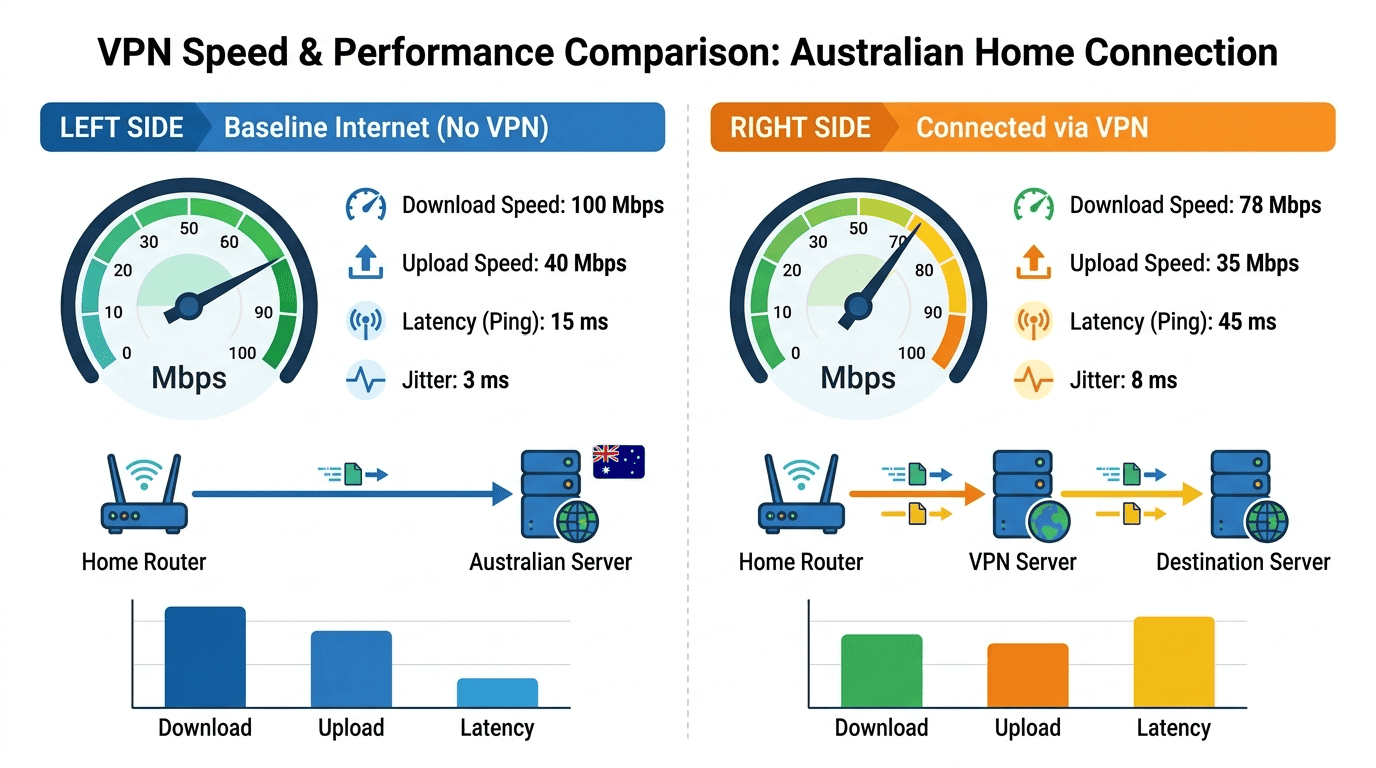
Speed is one of the first things users notice and one of the easiest things vendors oversell. In practice, every VPN adds some overhead because your traffic is encrypted and routed through a VPN server. The real question is not whether there is any slowdown, but how much you feel it during streaming, browsing, downloads, and video calls in Australia.
That difference depends on more than the headline network size. Server distance, protocol choice, routing quality, and current load all affect the connection. A provider with fewer but better-managed servers can outperform a bigger network that feels congested at busy hours.
How We Measure Connection Speed
We measure speed by comparing a normal internet baseline to the same connection while the VPN is active. The basic test looks at download rate, upload rate, and latency, which is the delay between your device and the server. Lower latency usually feels better for browsing, gaming, and live streams, while stronger download results matter more for 4K playback and larger transfers.
Method matters because VPN performance can swing from one run to the next. A single speed test can flatter a service or catch it on a bad moment. We prefer repeated checks across different servers and protocols so the results reflect the general behavior of the network rather than one lucky sample.
For Australia, local server tests carry extra weight. If a service performs well only on distant locations, that’s not much use for readers who want stable local access. That is also why we test vpns on more than one network and at different times of day.
Best Results for Streaming and Browsing
The best results came from providers that balanced raw speed with steadiness. In daily use, that meant fewer delays when starting a stream, less resolution dropping during busy evening hours, and a smoother handoff between browsing and video playback. Fast servers help, but consistency is what makes a service feel premium.
For most homes in Australia, good VPN speed should be enough for HD playback without fuss and 4K on a healthy line if the server is nearby and not overloaded. That’s where top providers separate themselves. They retain enough throughput that Netflix, local streaming services, and even BBC iPlayer feel close to a direct connection most of the time.
Browsing benefits too. Page loads, app downloads, cloud tools, and social platforms all feel more natural when the connection doesn’t hesitate between requests. That sounds minor until you use a slower provider for a day. Then it becomes hard to ignore.
Factors That Slow Down a VPN
Several things can drag performance down. Distance is the obvious one: the farther your traffic has to travel, the more likely latency and speed loss become. Server load is another. If too many users pile onto the same location, even a strong network can feel sluggish.
Protocol choice also matters. WireGuard, a newer protocol built for efficiency, often performs better than older options, though OpenVPN can still be useful in certain network conditions. The difference won’t always be dramatic, but it can be enough to smooth out a stubborn connection or improve video stability.
Home factors count as well. Weak Wi‑Fi, older routers, and crowded local network traffic can make a VPN seem slower than it is. Before blaming the service, it’s worth testing another server or switching from wireless to Ethernet if possible.
Choosing the Fastest Server Nearby
If your goal is speed, start with the closest suitable server. For readers in Australia, that usually means selecting the nearest Australian location first, then testing alternatives if performance dips. Nearby servers often mean lower latency, better routing, and a connection that feels steadier under normal use.
This matters for more than benchmarks. A closer server can improve everyday tasks like opening apps, loading websites, joining calls, and streaming live events without lag. If one location feels slow, switch to another within the same country before jumping halfway across the world. Better routing often beats broader distance.
Some apps make this easier with load indicators or recommended servers. Use them as a starting point, not gospel. The fastest option on paper is not always the best VPN server for your home network at that moment. It can also help to check out another nearby city before deciding.
Streaming and Torrenting with VPNs
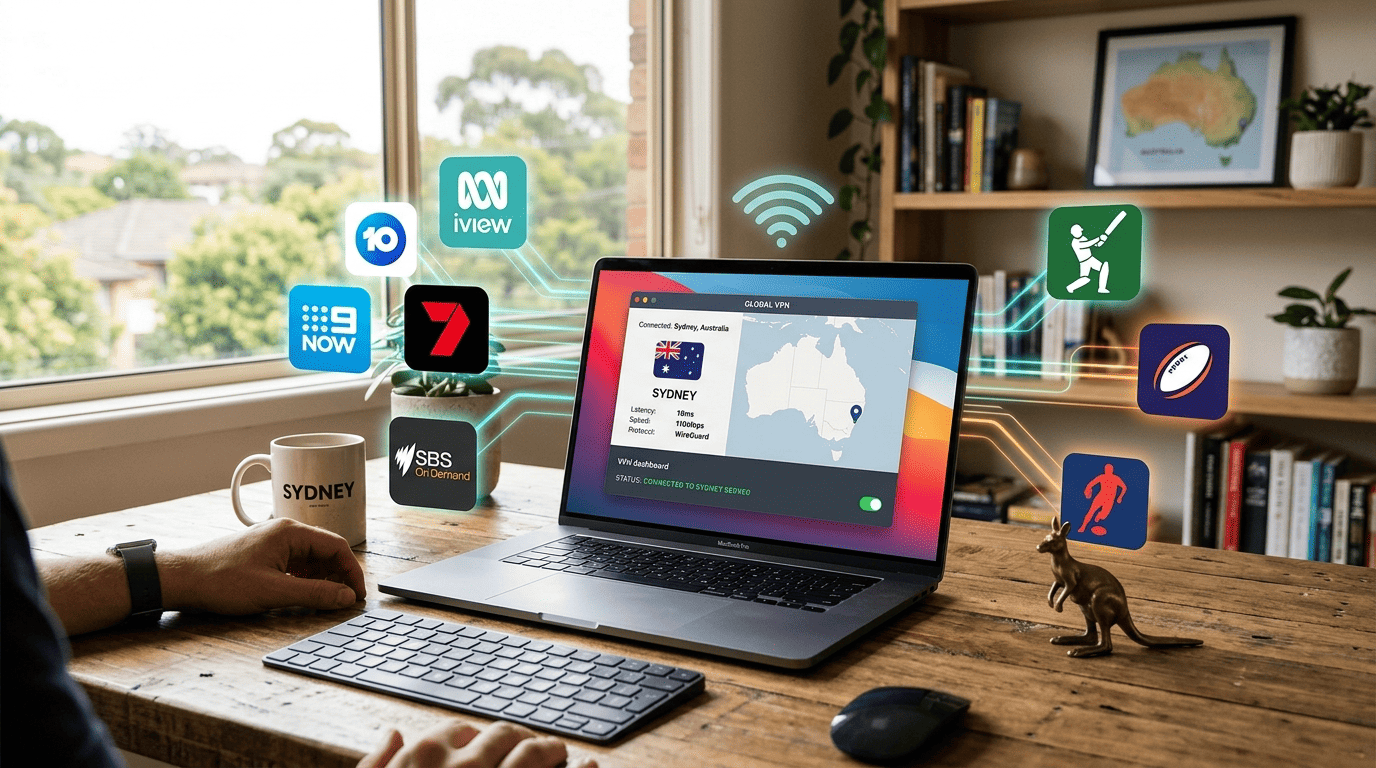
For many readers, streaming is the whole point. An encrypted connection through Australian servers can help maintain access to local platforms while traveling, reduce ISP friction on busy networks, and make it easier to reach region-specific content tied to your subscription. The same basics matter every time: stable servers, enough speed for video, and apps that don’t make you wrestle with settings before you can press play.
Torrenting is a different use case and needs more caution. The value of a VPN there is privacy and safer network handling, not a free pass to ignore the law or a platform’s terms. With either activity, the stronger services are the ones that combine stable access, clear security defaults, and enough server choice to recover when one location runs into trouble.
Australian Streaming Platforms and Live Sports
If you want local access, Australian streaming platforms are the first test. Services such as Stan, Kayo, Binge, and 9Now are more useful with a stable Australian connection and a local IP address, especially for travelers trying to keep up with subscriptions they already pay for. That’s where servers in Australia earn their keep.
Live sports are usually the harder test because they punish instability. A provider can load a film library and still stumble during a long match if the connection wobbles or the server gets crowded. In our experience, the better services handled local sports streaming with less buffering and fewer dropouts, provided the user selected a nearby server and didn’t stick to an overloaded location out of habit.
Terms of service may discourage bypassing geographic restrictions, and rules vary across countries. Still, for lawful access to your own subscriptions while traveling, a strong local server network is often the difference between smooth playback and endless troubleshooting.
International Libraries and Geo-Restricted Content
International libraries are where many readers start comparing providers more closely. The same Netflix account can show different content in different countries, and the same goes for other streaming services. A VPN changes the apparent location of your connection, which can affect the catalog you see when you sign in. If you want to change your Netflix region to access a different library, that is one reason some readers specifically look for netflix australia access.
That can be useful while traveling or when you want access tied to a specific subscription region. It also applies to services like BBC iPlayer, which often require more careful server selection than mainstream platforms. The best providers make this less tedious by offering enough servers and locations that you can switch quickly when one route hits a wall.
No service should be treated as infallible here. Platform detection changes, and what works one week may require a different server the next. The stronger VPNs simply give you better odds and less wasted time.
Torrenting Safely in Australia
Torrenting privacy and leak prevention matter more than headline speed. If you use a VPN for legal file sharing or large open-source downloads, look for strong encryption, a verified kill switch, and DNS leak protection. These reduce the chance that your real IP address or browsing requests escape if the connection drops.
A kill switch matters because VPN connections can fail without much warning. If that happens during a transfer and the app does not block traffic, your normal connection resumes in the background. That defeats much of the point. The better providers keep this setting easy to find and leave it enabled by default or close to it.
It’s also wise to read the provider’s policy and terms around P2P traffic. Not every service handles torrenting the same way. Some reserve it for specific servers, some allow it broadly, and some are simply better at holding stable long-session performance than others.
Troubleshooting Buffering and Block Errors
If a stream buffers, stalls, or throws a location error, the first fix is usually the simplest: change servers. One location may be overloaded, another may have an IP range already flagged, and a third may work immediately. This is why larger server choice is useful in practice, not just in comparison tables.
If that doesn’t solve it, try switching protocols. WireGuard is often the best choice for speed, but some platforms respond better to another option, especially on restrictive networks. Restarting the app, clearing browser cookies, or reopening the streaming service can also help if the platform is still holding on to older location data.
On TVs and mobile devices, it’s worth checking whether other apps are using cached location data or whether the device itself needs a quick restart. None of this is glamorous, but it’s effective. A good VPN service reduces how often you need these fixes. It rarely eliminates them completely.
Security and Privacy Features
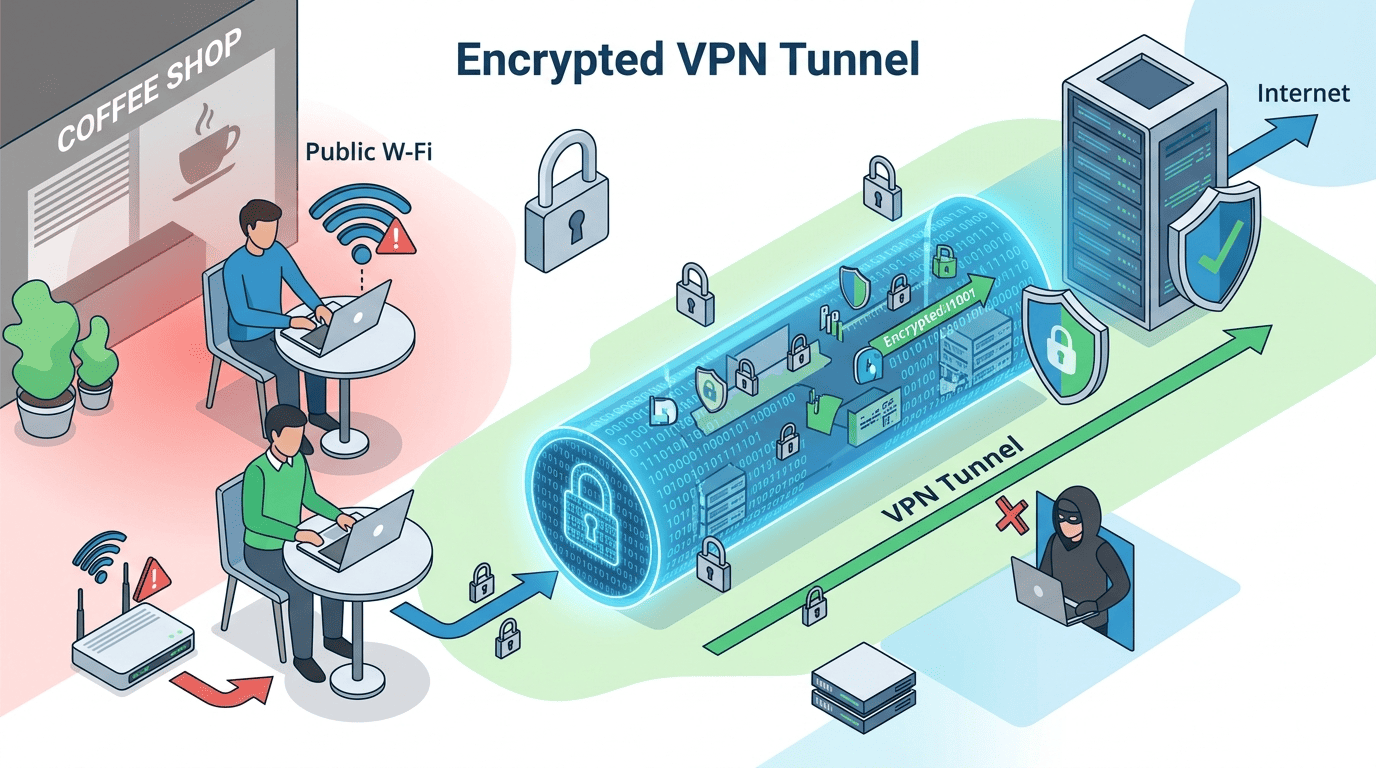
A VPN that streams well but handles privacy poorly is only doing half the job. In Australia, that matters on public Wi‑Fi, shared apartment networks, work trips, and ordinary home browsing. The strongest providers combine clear privacy language with security tools that quietly protect your traffic in the background.
That doesn’t mean every extra feature is worth paying for. A sensible service should get the essentials right first: a transparent policy, a working kill switch, leak protection, current encryption standards, and apps that keep those tools easy to manage.
No-Logs Claims and Policy Transparency
“No logs” is one of the most common phrases in this market, and one of the least useful without context. The real question is what the provider’s policy says about connection records, usage data, timestamps, diagnostics, and account information. A trustworthy service explains this in plain language instead of hiding behind broad slogans.
A stronger privacy policy should make clear what is and is not retained, how long any operational data is kept, and whether the company has had its claims audited or otherwise scrutinized. That doesn’t guarantee perfection, but it gives users something concrete to assess. A vague logs policy is a warning sign, especially if the service asks you to trust it without specifics.
For Australia, this matters most if you use public networks regularly or simply want fewer parties collecting browsing-related data than necessary. Privacy starts with a readable policy, not just a homepage badge.
Kill Switch, DNS Protection, and Leak Prevention
A kill switch is one of the few features that should be considered essential. It cuts off internet traffic if the VPN disconnects unexpectedly, which helps stop your normal connection from taking over behind the scenes. For non-technical users, that sounds small. It isn’t.
DNS protection matters for a similar reason. Your DNS requests are what translate website names into actual network destinations. If those requests leak outside the VPN tunnel, parts of your activity may still be visible to your ISP or local network. Good apps handle this automatically and make leak prevention part of the default setup.
In Australia, these tools matter at home, but they matter even more on airport, hotel, café, and campus networks. That’s where the quality of a provider’s security features turns from a spec-sheet detail into everyday protection.
Encryption Standards and Protocols
Most leading services now use strong encryption by default, and that’s what you want. The finer detail is the protocol. WireGuard is a protocol built to improve speed and efficiency, while OpenVPN remains a dependable older option, especially where compatibility matters. Some providers also use custom variants such as NordLynx or Lightway.
You don’t need to obsess over protocol settings if the app handles them well. What matters is that the service uses current standards, explains them clearly, and gives users reasonable defaults. If a provider still feels vague here, that’s usually not a great sign.
The aim is simple: keep your data private without turning the app into a networking project. The best VPN provider should do the heavy lifting for you.
Extra Security Tools Worth Having
Some extras are useful. Some are just noise. The essentials — a no-logs policy, kill switch, DNS leak protection, and strong encryption — matter for every user. Multi-hop, which routes your traffic through two VPN servers instead of one, can add another privacy layer for users who want it, though it often costs some speed. Tracker or ad blocking can also be genuinely helpful, especially on mobile devices and smart TVs where cluttered pages and aggressive scripts are common.
Obfuscation is another feature worth watching. It disguises VPN traffic so it looks like normal encrypted internet traffic, which can help on restrictive networks or with some platform blocks. Surfshark and a few others benefit here.
The trick is not to confuse “more features” with better security. A clean policy, strong leak protection, and a reliable kill switch do more for most users than a dashboard full of toggles.
Pricing and Free Trials
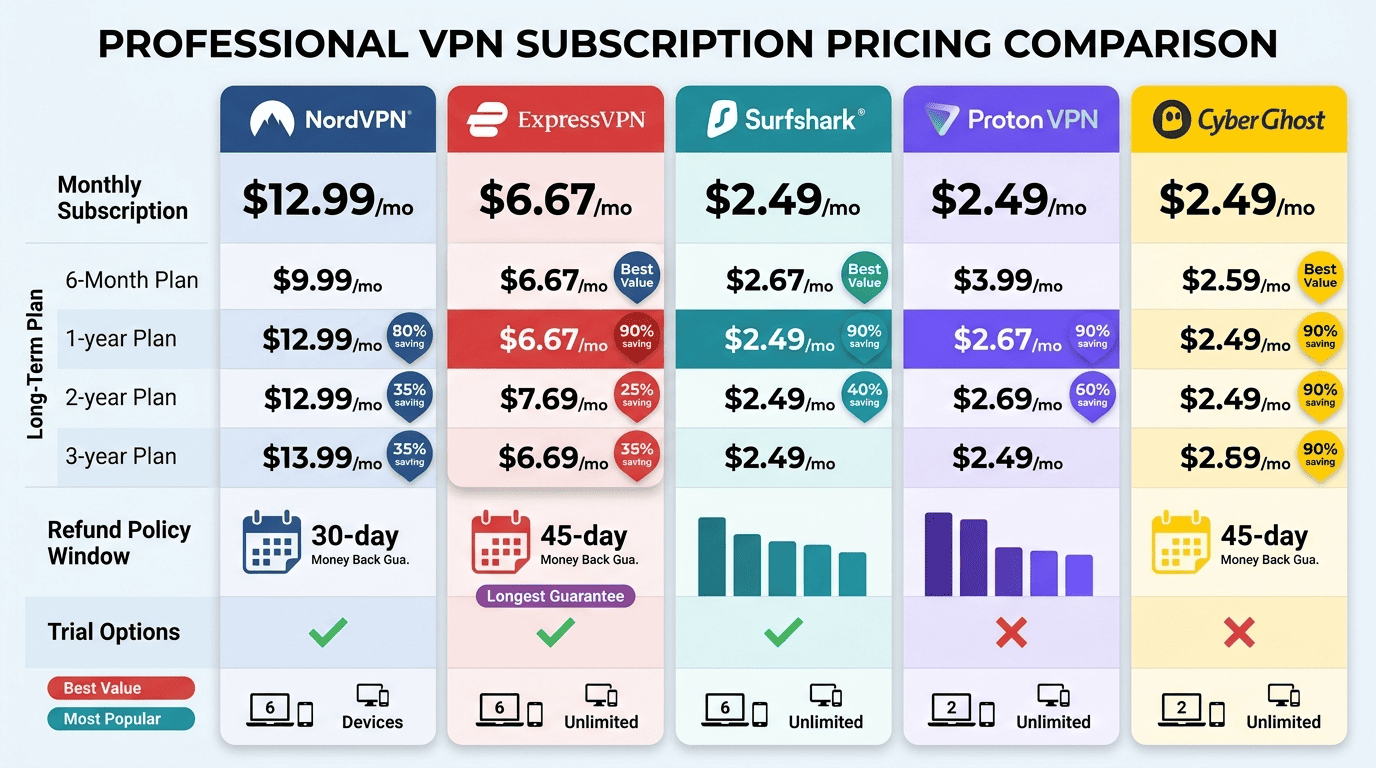
VPN pricing is simple at first glance and slippery once you look closer. The low entry prices usually show up on longer plans, while monthly billing tends to cost much more per month. That doesn’t mean long contracts are bad value, but it does mean you should compare the real plan structure before assuming one service is cheaper than another.
For Australia, value should be tied to how well the service actually fits your needs. If you only need a VPN for a short trip, a monthly plan may make sense. If you want coverage on many devices all year, a longer subscription can save meaningful money.
Monthly vs Long-Term Plans
Monthly plans offer flexibility, but they usually carry the highest cost per month. They’re useful if you need a VPN for travel, a temporary streaming issue, or short-term remote work. The tradeoff is obvious: convenience costs more.
Long-term plans almost always reduce the average monthly rate, sometimes by a lot. That makes them better value if you already know the service works well on your devices and home network. Before committing, though, check renewal pricing. Introductory offers can look generous, then jump sharply after the first billing cycle.
That’s why testing matters. Don’t buy the longest plan just because the banner says it is cheapest.
Free Trials, Refunds, and Guarantees
A free trial can be useful, but the details matter. Some providers offer a true free trial on mobile platforms, while others rely on a refund period instead. In practice, a decent refund window can be just as useful if you want time to test servers, streaming apps, and general stability.
Read the terms carefully. A 30-day money back guarantee or longer refund policy should be clear about the process, timing, and any restrictions. If the service makes cancellation difficult or the language around refunds feels muddy, that’s worth noting before you hand over money. A day money back guarantee is a useful signal only when the rules are straightforward.
A good trial period gives you enough room to test local servers, Netflix, BBC iPlayer, and everyday browsing without rushing through the decision. A day money back guarantee can help, but a clearer day money back guarantee window is better for real testing.
Best Value Picks for Different Budgets
For tighter budgets, Surfshark is the easiest value pick because one plan covers unlimited devices and still offers a strong feature set. That makes the service especially attractive for larger households or users with lots of apps and screens in rotation.
NordVPN often lands as the best all-around value if you want stronger balance across privacy, speed, and streaming. Proton VPN is a better fit for buyers willing to spend a bit more for a privacy-first service. ExpressVPN can still make sense if you prioritize ease of use and consistency over raw price.
The right choice depends on whether your budget is strict, moderate, or more flexible.
Hidden Costs and Renewal Traps
The sticker price is not always the whole price. Watch for taxes, optional add-ons, and extras bundled into checkout that raise the first bill. Renewal rates deserve even more attention. A cheap first term can become much less appealing when the second kicks in.
Also check how the provider handles plan changes, account upgrades, and billing through app stores. Reading the fine print is not glamorous, but it’s one of the easiest ways to avoid paying more money than expected for the same service.
Free vs Paid VPNs in Australia
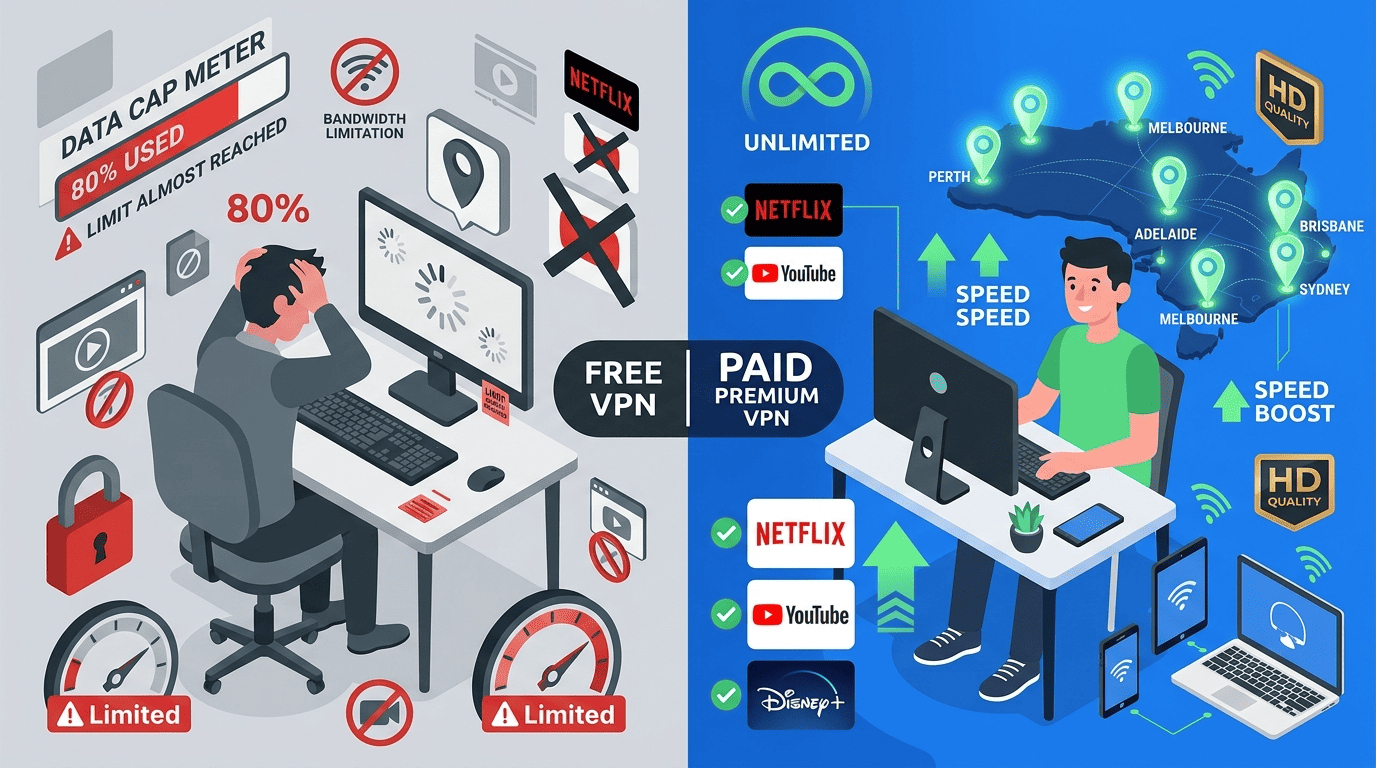
A free VPN can look tempting, especially if you only need short-term access or want to test the idea before paying. The problem is that free services usually cut corners somewhere: speed, server choice, streaming support, privacy, or all four at once. A careful VPN review should treat “free” as a tradeoff, not a gift.
Paid providers are not automatically trustworthy, but they generally have more room to maintain a better network, support more devices, and offer stronger apps. For most readers in Australia, that difference becomes obvious as soon as streaming, travel, or daily use enters the picture.
What Free VPNs Usually Get Wrong
Most free VPN products struggle with the basics. They often impose tight data caps, offer only a few locations, and crowd too many users onto the same servers. The result is predictable: slow speed, unstable connection quality, and poor streaming results.
Privacy can also be weaker. Some free tools collect more usage data, some provide a thin privacy policy, and some rely on business models that deserve skepticism. If the service is free and vague about how it operates, that should give you pause.
This doesn’t mean every free VPN is dangerous by default. It does mean expectations should stay grounded. For streaming, a free option usually hits a wall quickly.
When a Free VPN Can Be Enough
A free service can be enough for very light, low-risk use. If you only want temporary privacy on public Wi‑Fi, brief browsing, or a quick app test, a limited free tier may do the job. The key is keeping the task modest.
The right tool is less suitable for long video sessions, frequent travel use, or homes that need reliable access on multiple devices. Caps, queues, and fewer servers become frustrating fast. For most users, a free tool is a sampler, not a serious long-term plan.
That’s why the best free experience often comes from a reputable paid provider’s limited tier rather than a random app with unclear ownership.
Why Paid Services Are Better for Streaming
Paid services are better for streaming because they usually have more servers, more locations, and better tools for staying ahead of platform blocks. That translates to stronger access, fewer retries, and a better chance that Netflix or local streaming services load without fuss.
They also tend to offer faster speeds and more stable apps. That matters if you want HD or 4K playback, live sports, or simple device switching between phones, TVs, and laptops. Support is usually stronger too, which becomes useful the first time a platform starts rejecting a location.
Security is part of the case as well. Paid providers are more likely to include a reliable kill switch, clearer privacy policy language, and better leak protection. For many users, that alone justifies the price.
Safer Alternatives to Completely Free Tools
If you’re hesitant to pay upfront, the safer route is usually a free trial or a refund-backed subscription instead of a completely free app. That gives you time to test the service on your own network without committing long term.
It’s also a better way to compare features that actually matter, including server quality, streaming performance, app design, and privacy settings. For beginners, that path usually offers more value and less risk than chasing a permanent free VPN with weak support and uncertain data practices.
How to Set Up and Use a VPN in Australia
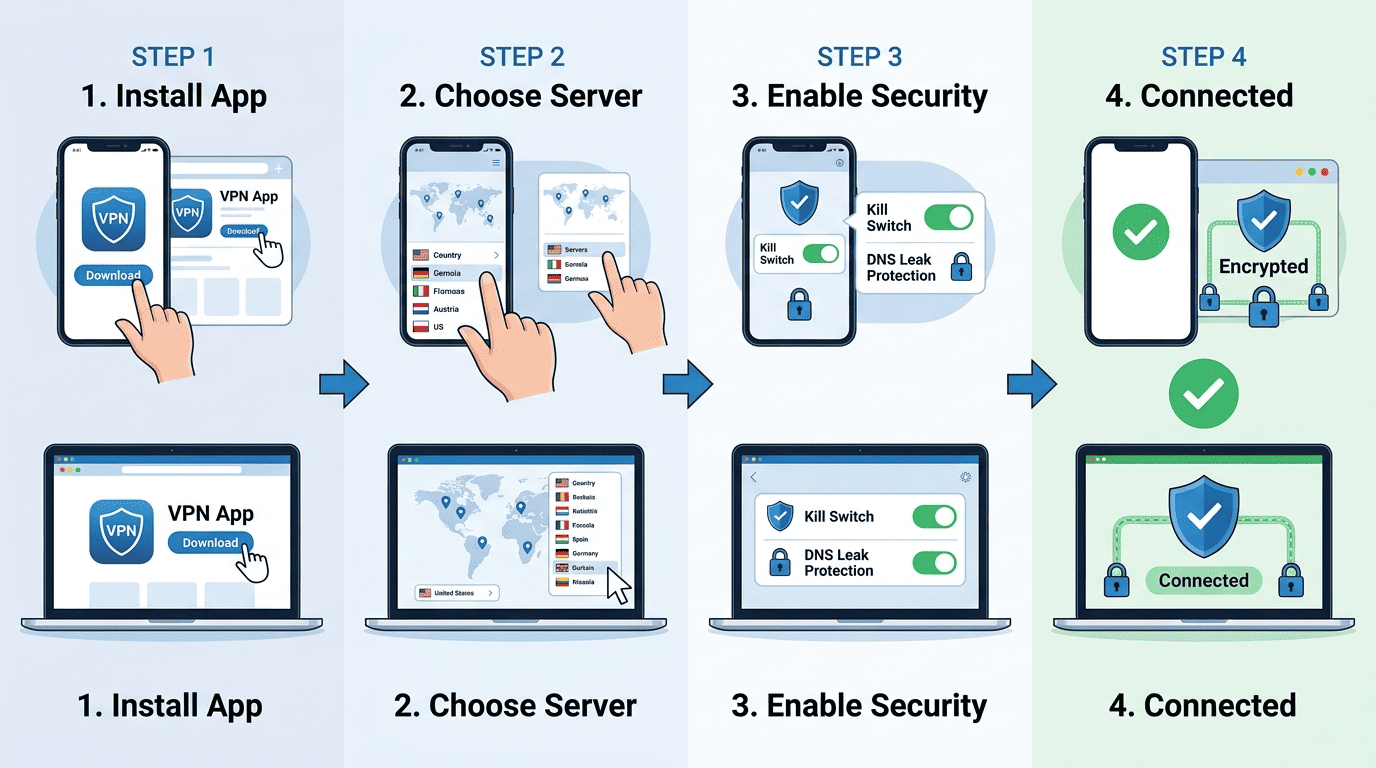
Setup is usually straightforward, and the better providers make it feel almost routine. If a VPN is well designed, you can install it, set up the app in a minute or two, and start testing websites or streaming apps without much confusion. That ease matters, especially for first-time users.
The exact screens vary across providers, but the basic workflow is the same on phones, laptops, and TV platforms. Choose the right app, sign in, pick a server, turn on core safety settings, and make sure the connection works where you need it.
Step 1: Choose and Install the App
Start by downloading the official app for your device. Most major services offer apps for Windows, macOS, iPhone, Android, and TV platforms, plus browser tools in some cases. Stick to the provider’s website or the official app store page rather than third-party download sites.
After installation, log in with your account details and confirm your subscription or trial status. A good service should be easy to use from the first screen, with a clear connect button and simple navigation. If the app feels cluttered immediately, that is often a sign of how daily use will go.
Step 2: Select an Australian or Nearby Server
Next, choose a server based on your goal. If you want local streaming or lower latency, start with Australian locations. A nearby server usually offers the best balance of speed and stability, especially if you are using VPN in australia for everyday browsing or home streaming.
If one location is slow or blocked, switch to another. That’s normal. Many apps show recommended servers, ping indicators, or city lists that help narrow the choice. Once you are connected to server infrastructure that feels stable, test your target site before settling in.
Step 3: Turn on Security Options
Before regular use, check the security settings. Enable the kill switch if it is not already on, and make sure DNS leak protection is active. These are the basics that protect your data if the VPN connection drops unexpectedly.
If the app offers protocol options, leaving the default is usually fine at first. WireGuard-based modes often give the best mix of speed and efficiency, but you can experiment later if needed. The main thing is to keep the safe defaults in place rather than stripping features out for tiny speed gains.
Step 4: Test Streaming and Browsing
Now test the service the way you plan to use it. Open your target websites, launch your streaming apps, and check whether pages load quickly and video starts without long delays. If performance is poor, switch servers or try another protocol before giving up on the service.
This is also the moment to see how the apps behave across devices. A VPN that works well on your laptop but struggles on your TV setup may not be the right fit. Using VPN in Australia should feel practical, not like a weekly repair job. If it passes this test, you’re probably in good shape.
Why Use a VPN in Australia

A VPN for Australia can be useful for more than one reason, and the best ones usually cover several at once. Some readers want better privacy and security on public networks. Others want steadier access to local content while traveling or a safer way to use the internet on shared connections. Often, it’s a mix.
The common thread is control. A VPN gives you more say over how your traffic moves across the network and what location your connection appears to come from. That can be handy, but it should stay grounded in realistic expectations.
Streaming Access and Region Switching
One of the most common reasons to use a VPN is streaming access. If you travel outside Australia, connecting through local servers can help you reach content tied to your home region, including local catch-up TV and sports platforms. The same applies when you need access to an overseas catalog linked to a subscription you already hold — the VPN shifts your apparent location to match the region where that content is available.
This can apply to Netflix, local sports packages, and other platforms where content libraries differ by country. Success varies by service and by server, but stronger providers give you more options and faster recovery when one location stops working.
Just remember that platform terms may discourage this kind of region switching, even where VPN use itself is lawful.
Public Wi-Fi and Safer Browsing
Public Wi‑Fi is convenient and often sloppy. Hotel, airport, café, and campus networks can expose users to more risk than a trusted home setup, especially if the network is poorly managed. A VPN helps by encrypting your traffic so other parties on the same network have a harder time inspecting it.
That doesn’t solve every security problem, but it improves privacy and security in one of the most common weak spots in everyday internet use. If you connect often on the go, this is one of the clearest reasons to keep a VPN installed and ready.
For many users, this alone justifies the subscription. We recommend using a VPN here because the risks are real.
Travel, Remote Work, and Everyday Privacy
Travelers often use a VPN to keep a familiar online setup while abroad. That can mean reaching local accounts, keeping access to home platforms, or simply using a more private connection on hotel Wi‑Fi. Remote workers benefit for similar reasons, especially when switching between home, office, and public networks.
There is also the everyday privacy angle. Some users just prefer not to expose more browsing-related data than necessary to local networks, ISPs, or casual tracking systems. A VPN helps reduce that exposure, even if it does not make someone invisible online.
Used this way, the service becomes less about drama and more about convenience. Using public Wi‑Fi without protection is harder to justify once you understand the risks.
When You May Not Need One
You may not need a VPN all the time. If you rarely use public Wi‑Fi, do not travel, and have no reason to switch content regions, the practical benefit may be smaller. Some users will be fine without one.
That said, for regular travelers, streamers, and privacy-conscious users, a VPN is often useful enough to justify the extra app and monthly cost.
Legality of VPNs in Australia
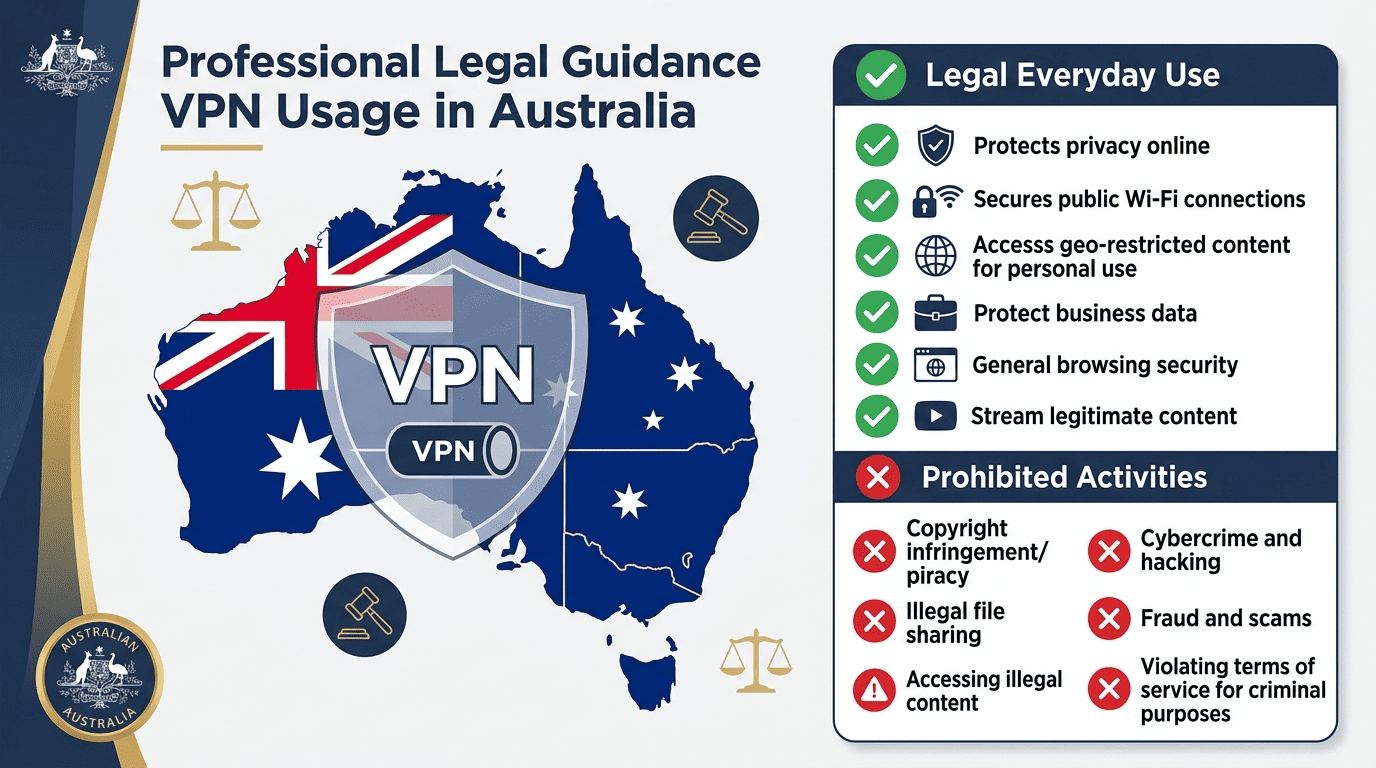
VPN use in Australia is generally legal. That’s the basic answer, and for most readers it is the one that matters. Using a VPN in australia for privacy, safer public Wi‑Fi, travel, or ordinary browsing is not the same thing as doing something unlawful through a VPN service.
The distinction is simple: the tool is legal, but what you do with it still matters. An Australia VPN does not override copyright law, platform rules, or other legal obligations tied to your behavior online.
Are VPNs Legal to Use?
Yes. VPNs are legal to use in Australia for normal purposes such as protecting data on public networks, improving privacy, or connecting back to home services while traveling. Businesses and individual users rely on them every day.
What remains separate is the activity itself. If an action is illegal without a VPN, it does not become legal because the traffic is encrypted. The VPN is a service for routing and protecting your connection, not a legal shield.
That same distinction applies in many other countries, though some jurisdictions place tighter regulatory limits on VPN use.
What Users Still Need to Avoid
Users still need to avoid unlawful activity, and they should also understand that platform terms may restrict certain kinds of region switching or account use. A VPN can help with privacy and access, but it does not cancel a streaming service’s rules or local law.
Country context matters too. While Australia is broadly permissive, some countries place heavier restrictions on VPN tools or require approved providers. If you travel, it is wise to check the local policy environment before relying on one.
Practical caution beats false certainty every time.
How VPN Policies Affect Trust
Trust depends heavily on policy transparency. A provider’s logging language, jurisdiction, and handling of connection data all shape how much confidence users should place in the service. If the policy is vague, that is a problem.
A clear logs policy, sensible privacy explanations, and honest limits are usually better trust signals than an overloaded feature page. A good VPN offers clarity before hype.
Safe, Everyday Use Cases
Common lawful uses include streaming while traveling, securing public Wi‑Fi, remote work, and keeping everyday browsing more private. Those are routine reasons to use a VPN.
For most readers in Australia, the legal picture is straightforward: ordinary VPN use is fine, but the responsibility for how you use the service remains yours. One of the most common use cases is staying safe when using public networks.
Australia VPN FAQ
Which VPN is best for Australia overall?
Do VPNs work with Australian streaming services?
Is a free VPN safe enough for Australia?
How many Australian servers do I need?
Can I use one VPN on multiple devices?
Will a VPN slow down my connection?