If you want the best VPN for UK use, the real question is usually narrower than it first sounds. Some readers need stable BBC iPlayer access while traveling. Others want a UK VPN for better privacy on public Wi-Fi, or fast connection speeds for Netflix, live TV, and everyday browsing. We built this guide around those practical use cases rather than a feature dump.
We tested major VPN services with a UK focus: streaming reliability, app quality, privacy and security tools, server network depth, ease of use, and value. We also looked at how well each service handled common UK streaming services, how quickly it connected to servers in the UK, and whether it stayed usable over longer sessions. That matters more than marketing copy.
A quick note before the rankings: no VPN works equally well for everyone, and a free VPN is rarely the best fit for regular UK streaming. Still, a few providers stand out. NordVPN is our default recommendation for most users, ExpressVPN remains one of the easiest services to use, and Surfshark keeps costs down without giving up too much performance.
UK VPNs We Tested and Ranked

NordVPN
Why it made the list
- Strong streaming, privacy, and fast UK servers.
- Fast UK servers with consistently strong streaming performance
- Reliable access to BBC iPlayer, Netflix, and other UK streaming services

ExpressVPN
Why it made the list
- Consistent BBC iPlayer and ITVX access.
- Very easy-to-use apps across major devices
- Fast connection speeds on UK servers in our testing

Surfshark
Why it made the list
- Unlimited devices for lower long-term cost.
- Lower long-term pricing than many premium rivals
- Unlimited simultaneous connections for large households
Choosing among the best VPNs for the UK gets messy fast because the market is crowded with services that look similar on paper. Most promise fast servers, broad device support, and strong privacy, yet the differences show up the moment you try to stream live TV, switch between server locations, or rely on the apps every day. That is where testing matters.
For this guide, we compared VPN providers based on the things UK users usually care about most: stable access to streaming services, quick connection speeds on nearby servers, sensible apps across devices, and privacy features that do not get in the way. We also considered how each service behaves in real use, not just whether it has a long list of features.
A good UK VPN should do three things well. First, it should make it easy to access BBC iPlayer, ITVX, Channel 4, and Netflix without constant trial and error. Second, it should keep speeds high enough for HD or 4K streaming on TV and mobile apps. Third, it should protect your IP address with a clear logs policy, reliable leak protection, and a kill switch that cuts traffic if the VPN connection drops.
We did not treat every use case the same. Some readers want the best UK option for privacy first, which is why ProtonVPN earns a high place here. Others care more about value, making Surfshark and Private Internet Access worth a close look. And while a free VPN can be useful for light browsing or a short trip, free plans usually come with stricter limits on streaming services, server network choice, or data.




How We Ranked the Providers
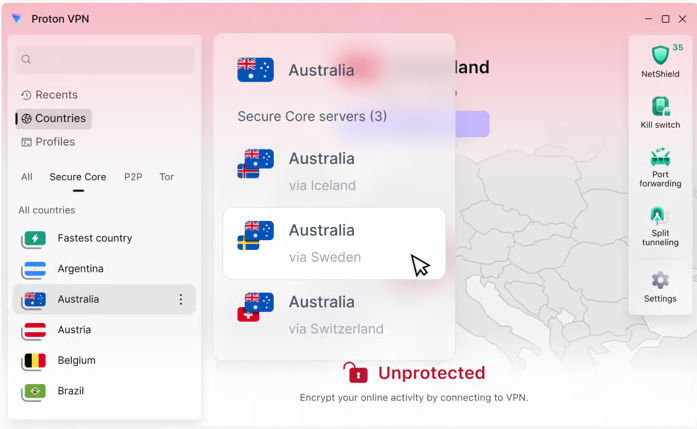
We ranked these VPN providers by balancing four things: streaming success, speed, privacy, and value. Services that made it easy to access BBC iPlayer, ITVX, Netflix, and other UK platforms scored better than those that needed repeated retries. We also looked at server network quality, app usability, and how well each provider protected the user’s IP address with core security features.
Price mattered, but it did not outweigh performance. A cheap service that struggles with streaming or has weak privacy protections is not one of the best UK choices. Likewise, a premium service had to justify the cost with better apps, faster speeds, or more reliable access.
How We Choose and Test VPNs
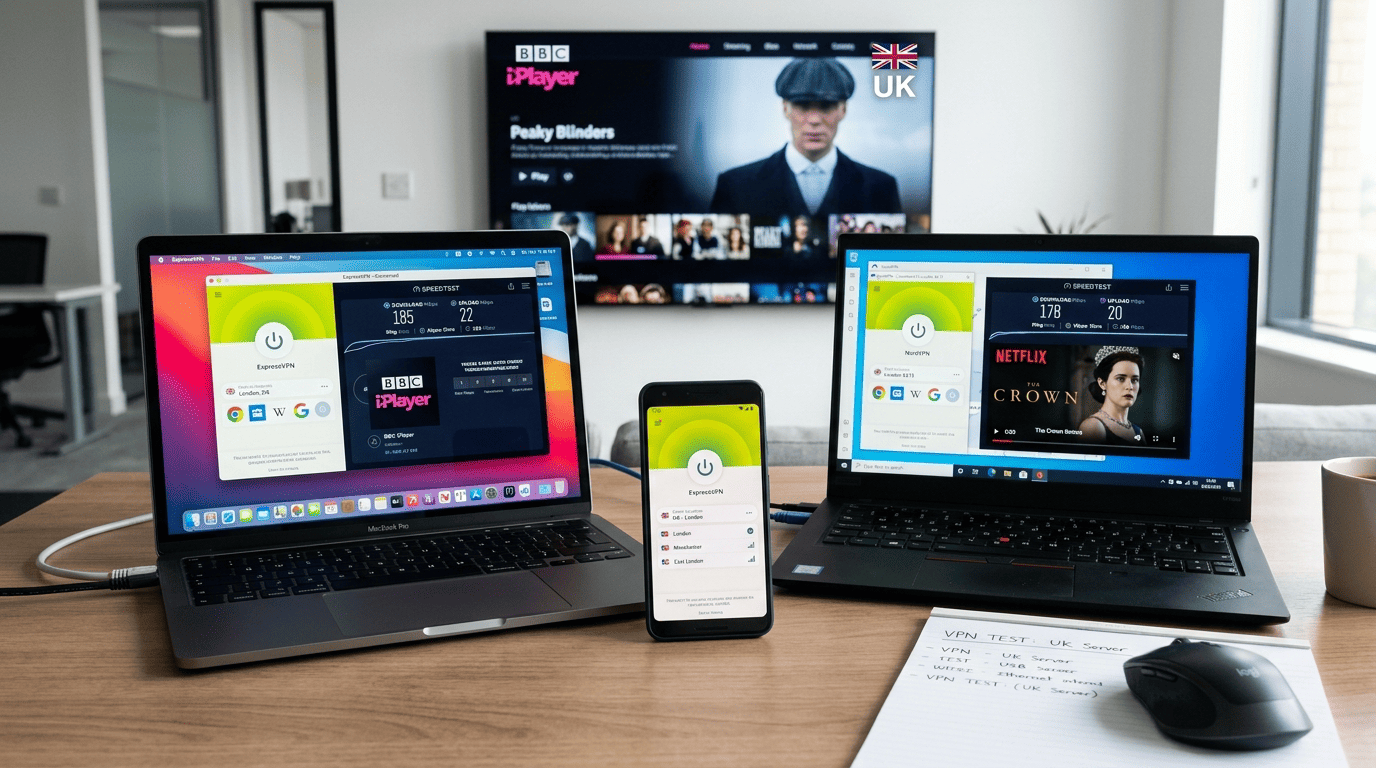
We do not rank a service highly because it lists thousands of servers or has a polished home page. We rank it based on repeated use. Our testing window for this guide falls within the current editorial retest schedule, and we compare providers under the same broad conditions so the results stay useful rather than random.
The goal is simple: find the VPN services that still feel good after the first hour, not just the first five minutes. That means checking streaming, connection stability, privacy and security, app design, and value at the same time.
What We Look for in Real-World Use
Our how we test approach starts with ordinary use cases. We install the VPN apps on desktop and mobile devices, connect to UK servers, and see how quickly the service becomes useful. That includes finding a working server, loading streaming platforms, and checking whether the apps are easy to use without hunting through menus.
We also compare consistency, not just one-off wins. A service that works once with BBC iPlayer but fails the next few attempts does not rank like a reliable option. The same applies to general browsing, video playback, and how often a connection drops mid-session. This is where a marketing claim meets the test bench.
Because we use a repeatable process, the results are comparable across providers. The point of how we test VPNs is not to create lab drama. It is to show which services stay practical for actual users in the UK or abroad.
Streaming, Speed, and Reliability Checks
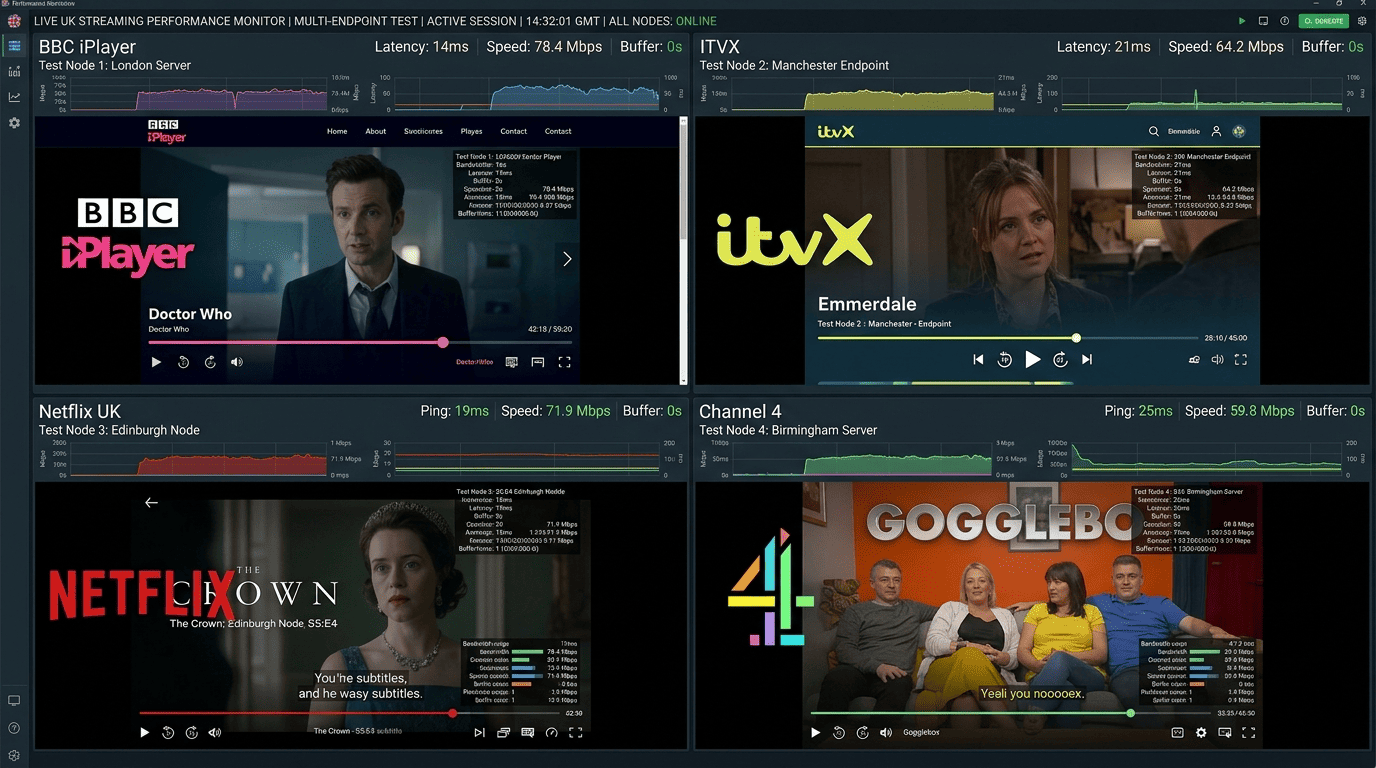
Streaming checks center on BBC iPlayer, ITVX, Netflix UK, and Channel 4 because those are the services readers ask about most. We test multiple servers, repeat attempts, and note how often content loads cleanly instead of triggering proxy or location errors. Streaming services like these update detection methods often, so repeat testing matters.
We also run speed tests to judge whether a provider remains usable beyond basic access. Raw speeds are only part of the story; a VPN can post good numbers once and still feel shaky in daily use. So we watch for buffering, stream startup time, and how stable the connection is over longer sessions.
Repeated failures carry real weight in the rankings. If a service only works after several retries, or one server out of many handles UK streaming properly, that lowers its standing even if headline speeds look decent.
Privacy, Security, and Value Review
Privacy and security checks focus on the basics first: logs policy, leak protection, kill switch behavior, and whether the service keeps your IP address hidden during normal use. We also look at trust signals such as public audits, transparency, and how clearly the provider explains its data handling.
Value is broader than price alone. We compare plan flexibility, free access where available, trial terms, and each money back guarantee. A 30-day money back guarantee or similar back guarantee gives users room to test a service properly, while a very limited refund policy makes buying riskier. Day money and day money back windows matter most when streaming access is your priority, because you need time to verify real performance.
A service can be easy to use and still be overpriced. It can also be cheap and still not offer enough. We rank value by asking whether the feature set, speeds, and privacy protections justify the cost.
Key Features and Criteria for UK VPNs
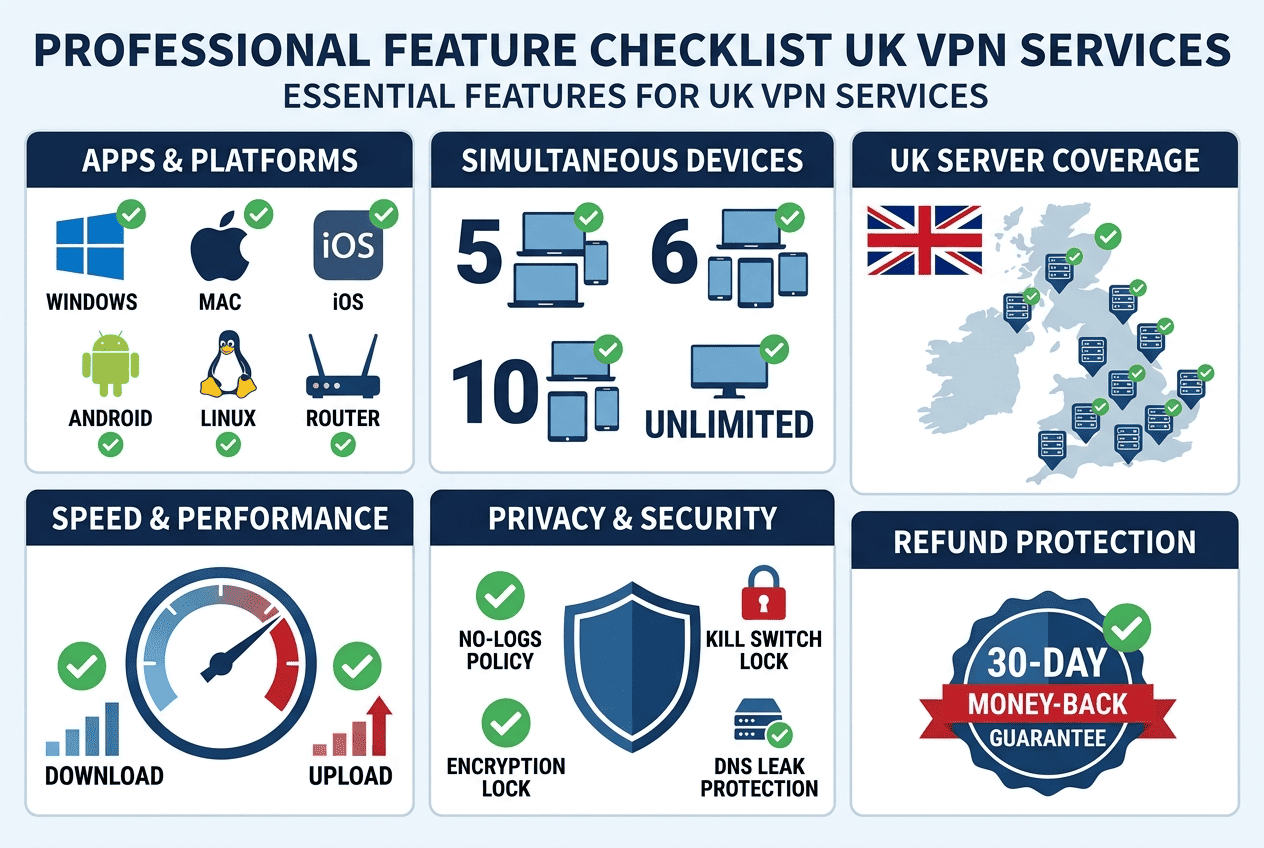
A good UK VPN is not just a long server list with a low introductory price. The details that matter are more practical: how well the apps work, how many devices you can run at once, how useful the UK server locations are, and whether the service keeps connection speeds high enough for regular streaming.
The best UK choice depends on your use case. Some readers want one service for a family TV setup, a laptop, and a phone. Others just want reliable access while traveling. The criteria below help narrow the field without getting lost in minor features.
Apps, Devices, and Ease of Use
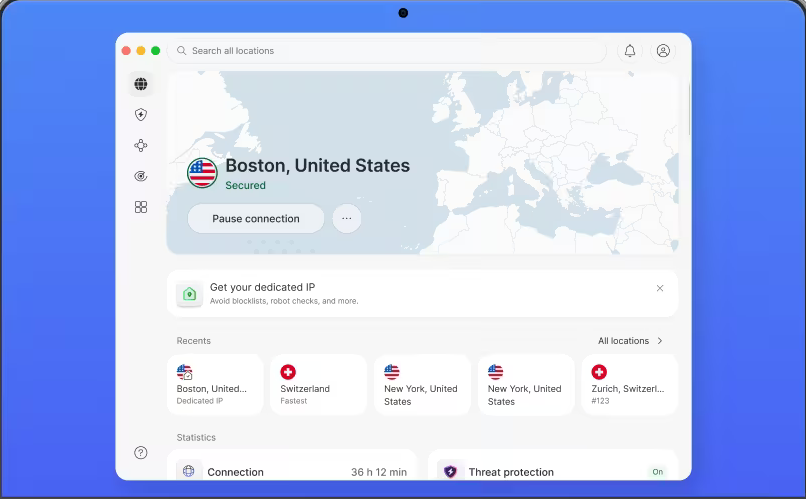
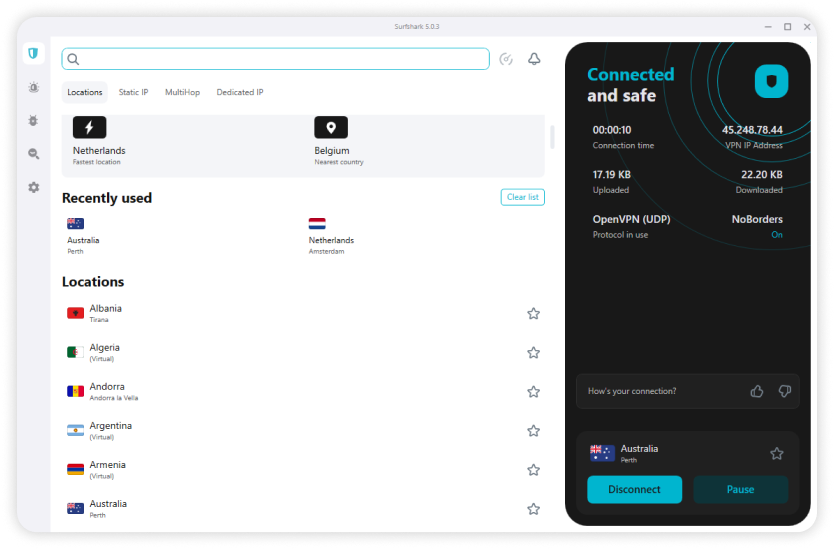
The quality of VPN apps matters more than many buyers expect. A service can have strong performance, but if the apps are confusing, cluttered, or inconsistent across platforms, daily use gets old quickly. We looked for providers whose apps work well on Windows, macOS, iOS, Android, and major TV platforms, with clear settings and quick server selection.
Device support matters too. Many users now run a VPN across multiple devices at the same time: phone, laptop, tablet, and TV. That makes simultaneous connections a useful buying filter. Surfshark stands out here because it removes the device cap entirely, while other VPN providers still set limits. For users who can use the service across ios and android devices as well as smart TVs, that flexibility is a major benefit.
Ease of use is not just for beginners. A clean layout, obvious connect button, and simple access to settings make a service faster to live with. For many readers, the best UK VPN is the one they will actually keep using rather than abandon after one frustrating week. If you need apps for windows or other desktop platforms, the most polished services make that choice simpler.
Server Coverage and UK Availability
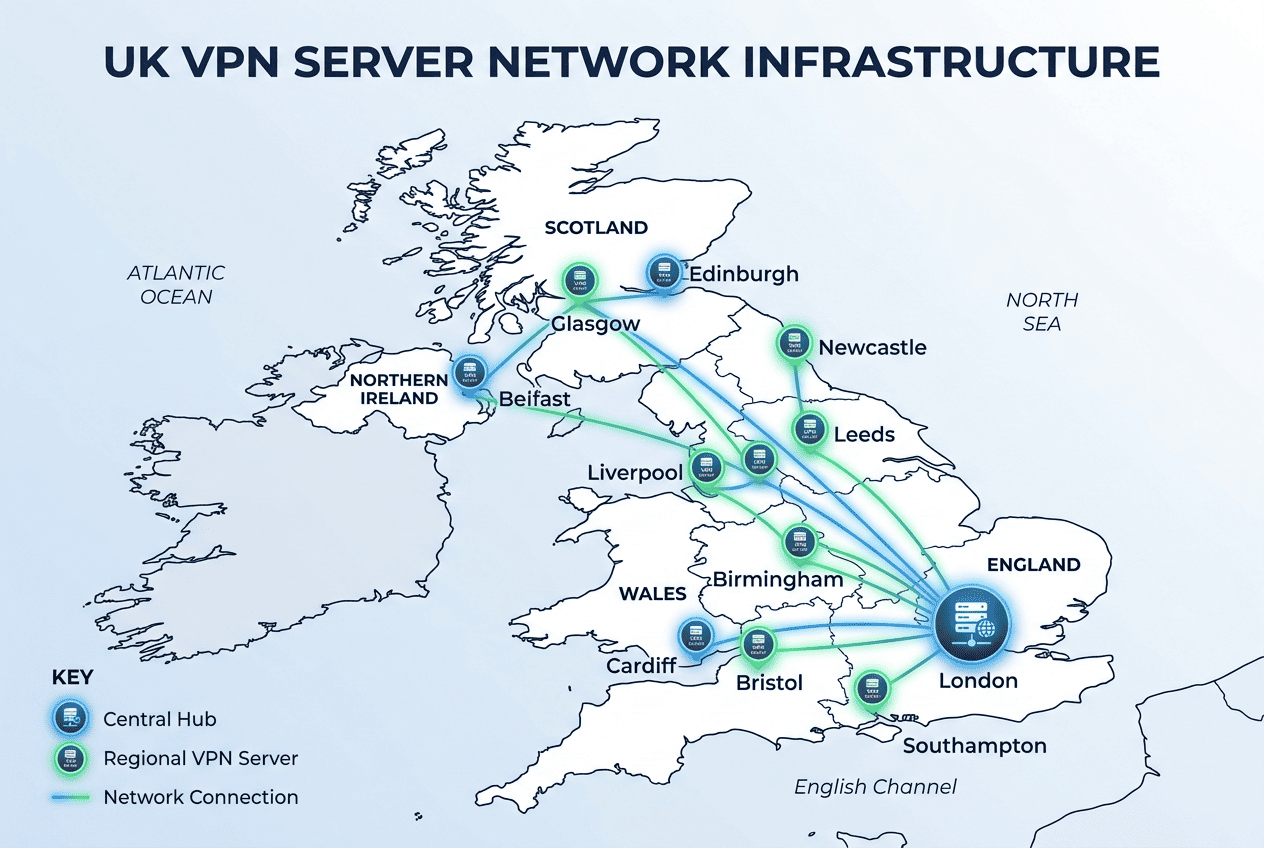
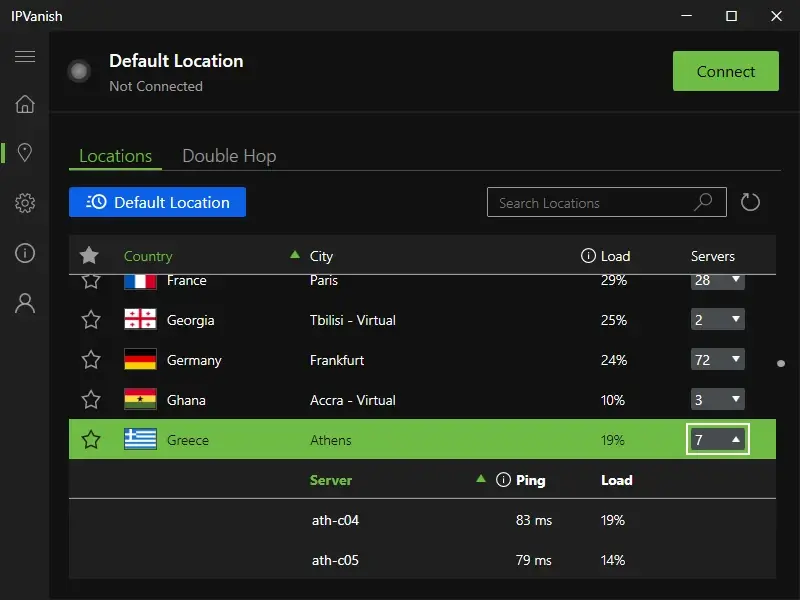
Server locations shape both access and performance. If a provider offers only a narrow UK footprint, users may run into congestion or have fewer options when one endpoint is blocked by a streaming platform. A broader server network gives you more ways to switch and recover when a service gets picky.
Nearby servers usually improve connection speeds because your traffic travels a shorter route. For UK use, that often means better results on local or nearby endpoints than on distant nodes. It is not magic; it is simple network geography. Good server locations help keep streaming stable and reduce the odds of a crowded exit IP. A larger number of servers also helps when you need to use the VPN for different tasks on different days.
Coverage outside the UK matters too. Many readers want a service that handles both UK streaming and access to libraries in other countries. That is where a wider server network becomes useful. The strongest services combine deep UK availability with reliable servers in countries users commonly switch between.
Plan Value and Money-Back Protection
Price only makes sense when paired with what you get. Some VPN providers charge more because their apps are cleaner, their streaming access is more consistent, or their privacy tools are stronger. Others compete on cost and aim for the best balance rather than top-tier polish. For buyers comparing NordVPN and Surfshark, the real question is often value for money rather than the lowest sticker price.
Longer plans often bring the best value, but they also ask for more commitment up front. That is why refund policies matter. A good money-back option lets users test a service on their own devices, with their own streaming habits, before fully settling on it. Our day money back guarantee checks matter here because they give people a real way to decide before the billing cycle sticks.
For many buyers, the smart move is to start with the provider that best matches their main use case. If you want the best UK performance for streaming, paying a bit more may be worth it. If you mainly want basic access and broad device coverage, a cheaper plan can make more sense. The strongest providers are the ones making it great for users who do not want to overthink every subscription decision.
UK Streaming and Unblocking Capabilities
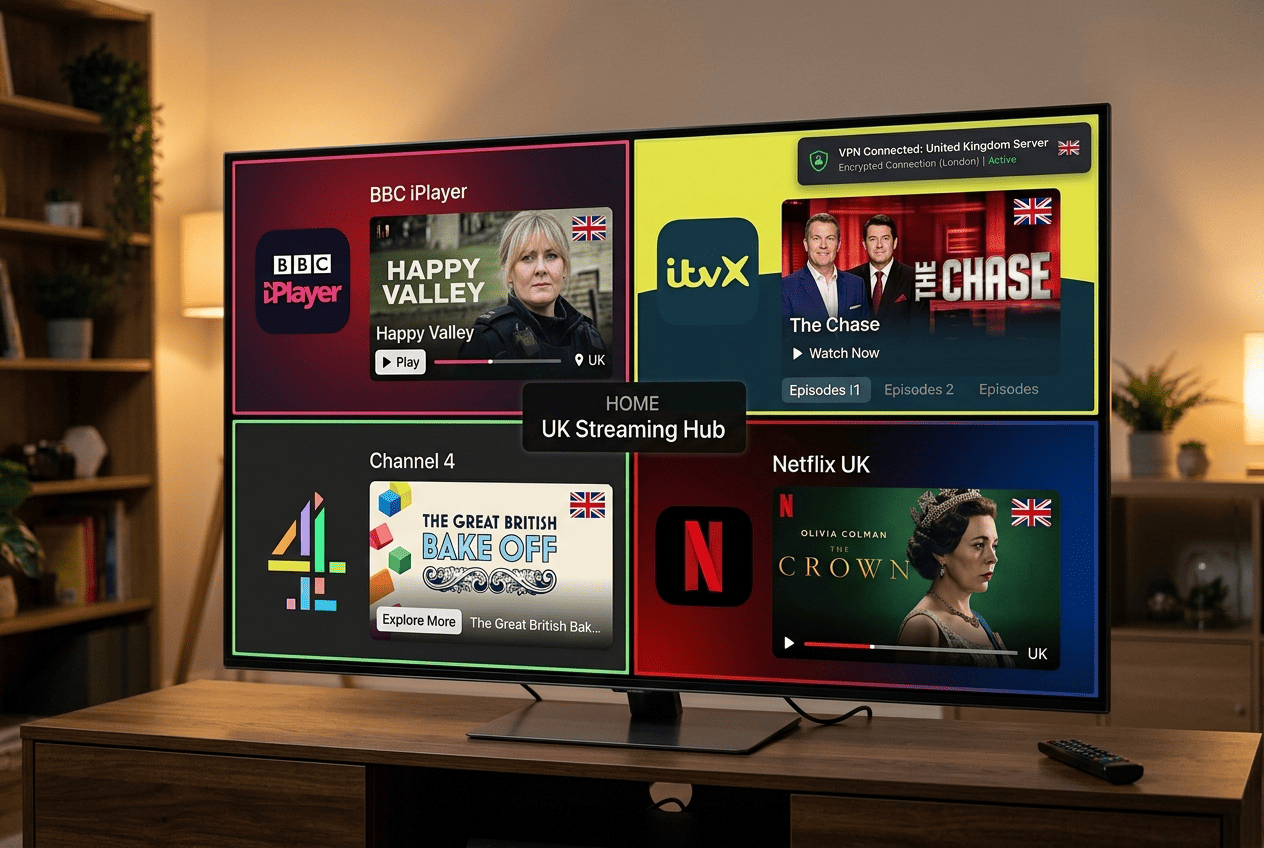
For many readers, UK access really means streaming access. That is why this section matters more than a giant feature table. The best VPNs for the UK are the ones that keep working with major platforms, hold decent speeds under video load, and make it reasonably easy to recover when a server gets flagged.
No provider wins every round forever. Streaming services change detection methods constantly, and VPN services respond by rotating IP ranges, adjusting routing, and adding new servers. It is an ongoing arms race, and the best service is usually the one that stays one step ahead most often. If you are choosing the best, you want a provider that can keep up with that cycle.
BBC iPlayer Access and Reliability
BBC iPlayer is still the platform most readers ask about, and it is also one of the more selective. A VPN may connect to the UK just fine and still fail to access BBC iPlayer if the service recognizes the IP range as belonging to a data center. That is why simple location matching is not enough.
In our testing, NordVPN and ExpressVPN were the strongest picks for BBC iPlayer reliability. Both loaded streams with less trial and error than most rivals, and both gave users enough working UK options to recover quickly if one server failed. Surfshark also performed well, though it was a touch less consistent in repeated attempts. A strong BBC iPlayer channel experience is one of the clearest signs you have chosen a service that works for real users.
If your only goal is to access BBC iPlayer while traveling, I would start with one of those three. ProtonVPN can work too, especially for users who care strongly about privacy, but it is not quite as frictionless for pure streaming. The free plans available from some providers are rarely the answer here. A free VPN may help with light browsing, but BBC detection tends to expose the limits quickly.
ITVX, Channel 4, and Other UK Platforms
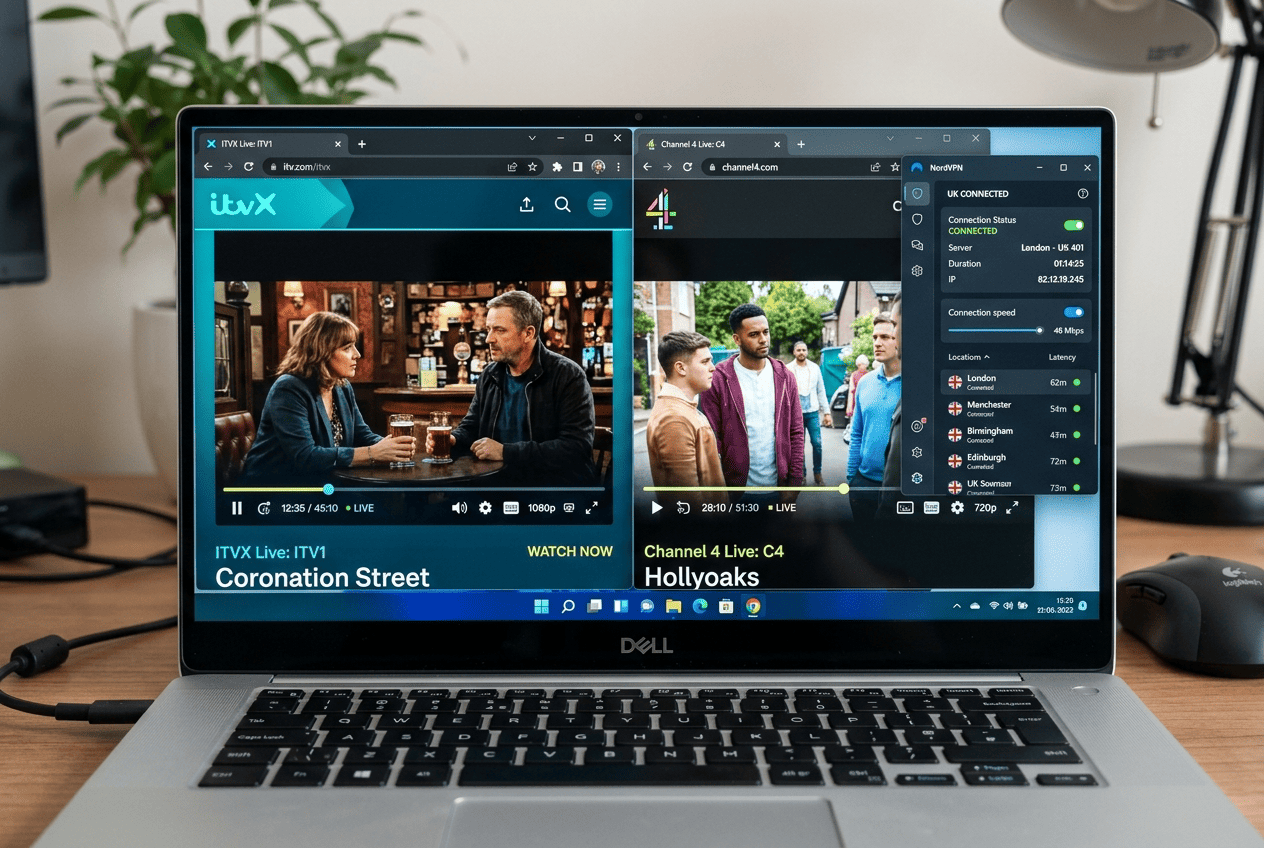
ITVX and Channel 4 do not always get as much attention as BBC iPlayer, but they matter if you want broader UK streaming support. These services can be a little less predictable across VPN providers, partly because some brands optimize heavily for the headline platforms and treat everything else as secondary.
ExpressVPN did especially well with ITVX in our use, while NordVPN stayed the most balanced choice across multiple UK streaming services. CyberGhost deserves mention here because its streaming-oriented setup makes it easier for less technical users to find the right servers without much guesswork. That convenience counts.
Support can vary even within the same service. One VPN server may load content quickly, while another nearby endpoint fails. That is why broader server rotation and multiple UK options improve the odds of a good result. If you use streaming services like ITVX, Channel 4, and UK live TV apps regularly, a provider with deeper UK coverage is usually the safer bet.
Netflix UK and International Catalogs
Netflix is a different kind of challenge because users often want more than the UK catalog alone. A strong provider needs to handle Netflix UK reliably while also keeping enough flexibility for switching between countries when needed. That is where the larger server network brands tend to pull ahead.
NordVPN, ExpressVPN, and Surfshark were the most dependable choices for netflix in our UK-focused testing. Fast startup times matter here, but so does server rotation. If the same IP ranges get reused too heavily, Netflix tends to notice. The stronger services manage this better than smaller competitors.
Speeds matter too. Even if a service technically works with netflix, weak connection speeds can mean longer load times, softer video quality, or buffering on TV devices. For regular streaming, fast UK servers and steady long-distance performance are both useful. That is what makes a VPN for streaming worth paying for in the first place.
Troubleshooting Streaming Blocks
If a platform refuses to load, the first fix is usually the simplest: switch servers and try again. After that, clear your browser cache or app cache, then reconnect and test once more. Old location data can linger longer than many users expect.
If that fails, try another app or device, and check whether the VPN support team recommends a specific UK endpoint. Good providers usually know which servers are working best for current streaming blocks. Live chat can be helpful here because it gets you a fast answer instead of waiting around.
UK Server Network and Locations
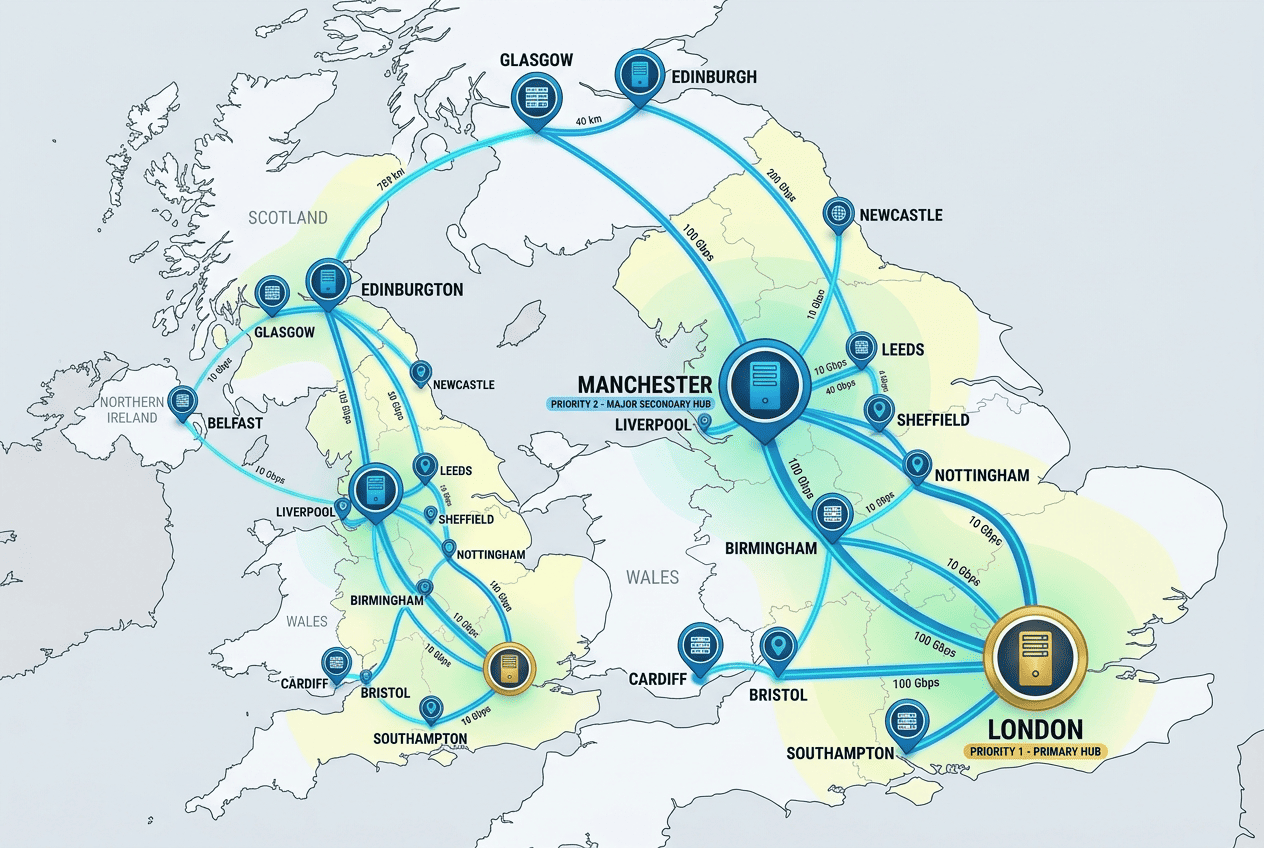
A provider’s UK coverage affects more than a map pin inside the app. It influences reliability, congestion, speeds, and how easily you can recover if one endpoint stops working with a service. A better server network gives you more room to maneuver.
This matters for both local users and travelers. Whether you need a stable UK server for TV, browsing, or basic privacy, depth usually beats a token presence.
Why UK Server Density Matters
A dense UK server footprint helps spread users across more endpoints, which can reduce congestion and improve stability. If too many subscribers pile onto the same few servers in the UK, speeds can dip and streaming reliability tends to suffer.
More servers in the UK also improve your chances of finding a clean exit IP when a platform starts blocking one address range. That does not guarantee access, but it gives the service more flexibility. For buyers comparing providers, server density is one of the more practical metrics, even if raw counts never tell the whole story. A better network of servers often means fewer headaches over time.
London and Regional Server Choices
London is the most common default because that is where many UK server locations are concentrated. It often delivers the best balance of speed and availability. Still, regional variety can help. If a service offers multiple UK server locations rather than just one London cluster, users have more options when one endpoint gets crowded.
This also matters for different use cases. Someone trying to stream TV may want the least congested node, while another user may care more about keeping a connection close to their actual region. More flexible server locations give you more control without requiring deep technical knowledge. That is especially useful for VPN users who want a fast setup and less guesswork.
Choosing the Right Endpoint for Your Needs
If speed is the priority, start with the nearest low-load VPN server in the UK and test performance there. For streaming, the best choice is often the server that simply works with your target platform, even if it is not the absolute fastest option. A slightly slower but stable endpoint beats a fast one that keeps getting blocked.
Switch servers when you notice buffering, longer load times, or repeated login and playback errors. The strongest services make this easy by keeping enough UK endpoints available. Quality matters more than sheer counts, but a healthy server network across useful server locations still gives users a real advantage. That also means you are more likely to be able to access the content you want without extra hassle.
Privacy and Security
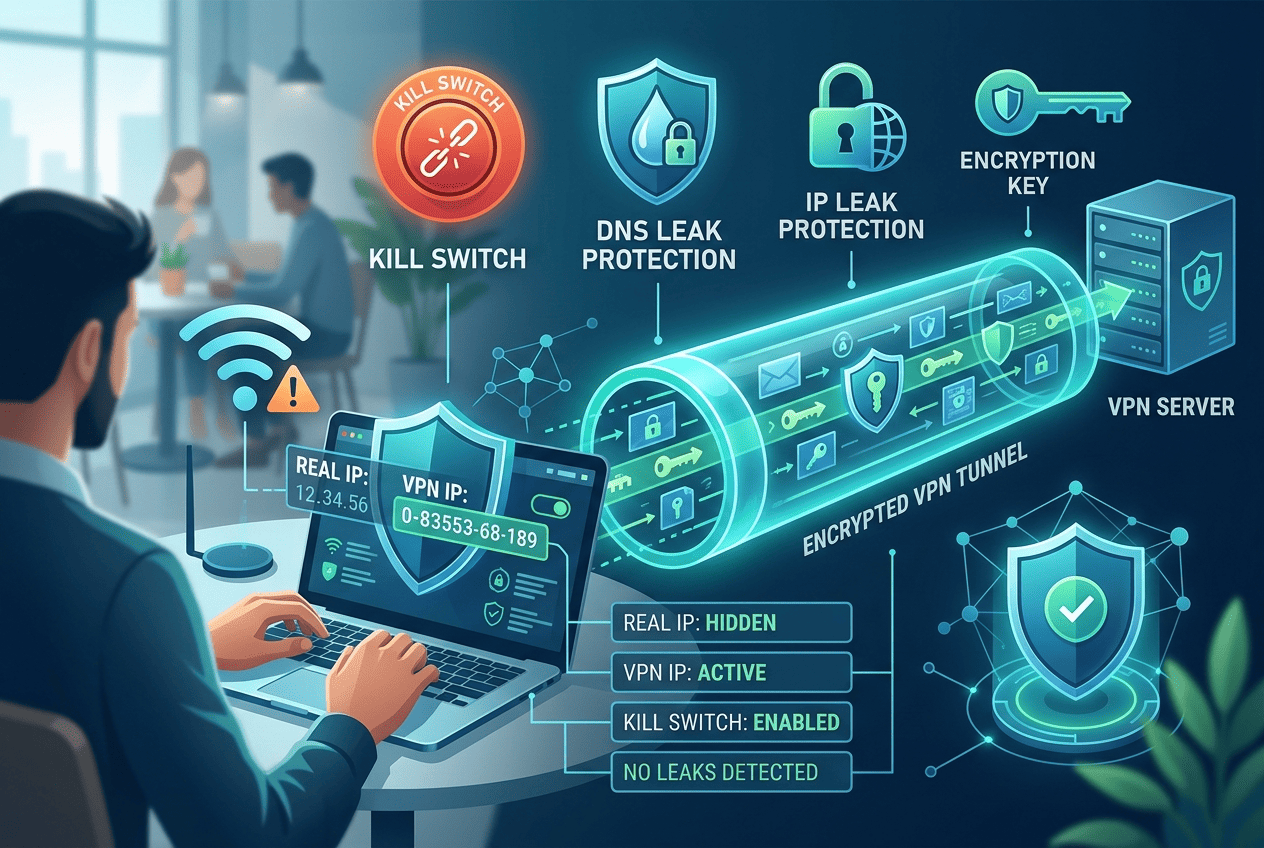
Streaming may be the reason many readers buy a VPN, but privacy and security are what justify keeping it installed. A service that exposes your IP address, lacks a working kill switch, or handles data vaguely is not a good long-term pick no matter how well it works with TV apps.
The stronger providers in this list balance convenience with serious protections. That means clear policies, dependable core tools, and apps that do not hide important settings. Online privacy is not a side benefit here; it is part of the reason to use a VPN at all.
Logging Policies and Data Handling
A no-logs policy means the provider says it does not keep activity records that can tie your browsing or streaming behavior back to you. In practice, the question is not only what the company claims, but how well it explains that claim and whether it has outside validation. Privacy depends on details.
ProtonVPN stands out here because it takes data handling seriously and presents its privacy posture clearly. NordVPN is also strong in this area, with a clearer trust profile than many mainstream rivals. For UK users who want more than casual streaming access, a careful logs policy is a major reason to pay for a reputable service rather than gamble on weaker alternatives. A good privacy policy should make that easy to understand, not hide it behind jargon.
Kill Switches, Encryption, and Leak Protection
A kill switch is a safety feature that blocks internet traffic if the VPN connection drops unexpectedly. It matters because, without it, your real IP address can briefly become visible during a disconnect. For travelers using hotel, airport, or café Wi-Fi, that is not a small detail.
Most premium services here include a kill switch, encrypted tunnels, and leak protection, but the quality of implementation varies. Encryption is the process that scrambles your traffic so outsiders cannot read it easily, while leak protection helps stop DNS, IPv6, or browser-related data from slipping outside the tunnel. These core security features are the baseline, not an optional bonus. If you are re using VPN software every day, those details matter even more.
The best providers make these protections easy to verify and simple to enable. That matters because privacy and security tools are only useful if normal users can actually find them and trust them to work across apps and devices. A secure VPN should feel straightforward, not intimidating.
Privacy for UK Residents and Travelers
For UK residents, a VPN is often about routine privacy: protecting an IP address from trackers, adding security on public networks, and reducing exposure when using multiple devices on the move. For travelers and expats, the picture gets wider. They may want UK access for streaming, but also a more private way to browse from airports, hotels, or shared networks.
This is where choosing between providers becomes more personal. If your main goal is entertainment, NordVPN or ExpressVPN may be the better fit because they combine strong streaming with good security features. If your main concern is privacy, ProtonVPN is easier to recommend because its service design leans harder in that direction. Some providers use ram only servers to reduce stored data risk, which is another reassuring sign for privacy-conscious users.
A VPN does not make you invisible, and it should not be sold that way. What it does do is mask your IP address, encrypt the connection between your device and the VPN server, and reduce the amount of easy exposure on untrusted networks. For many users, that is reason enough to use one every day, not just for TV access.
Speed and Performance
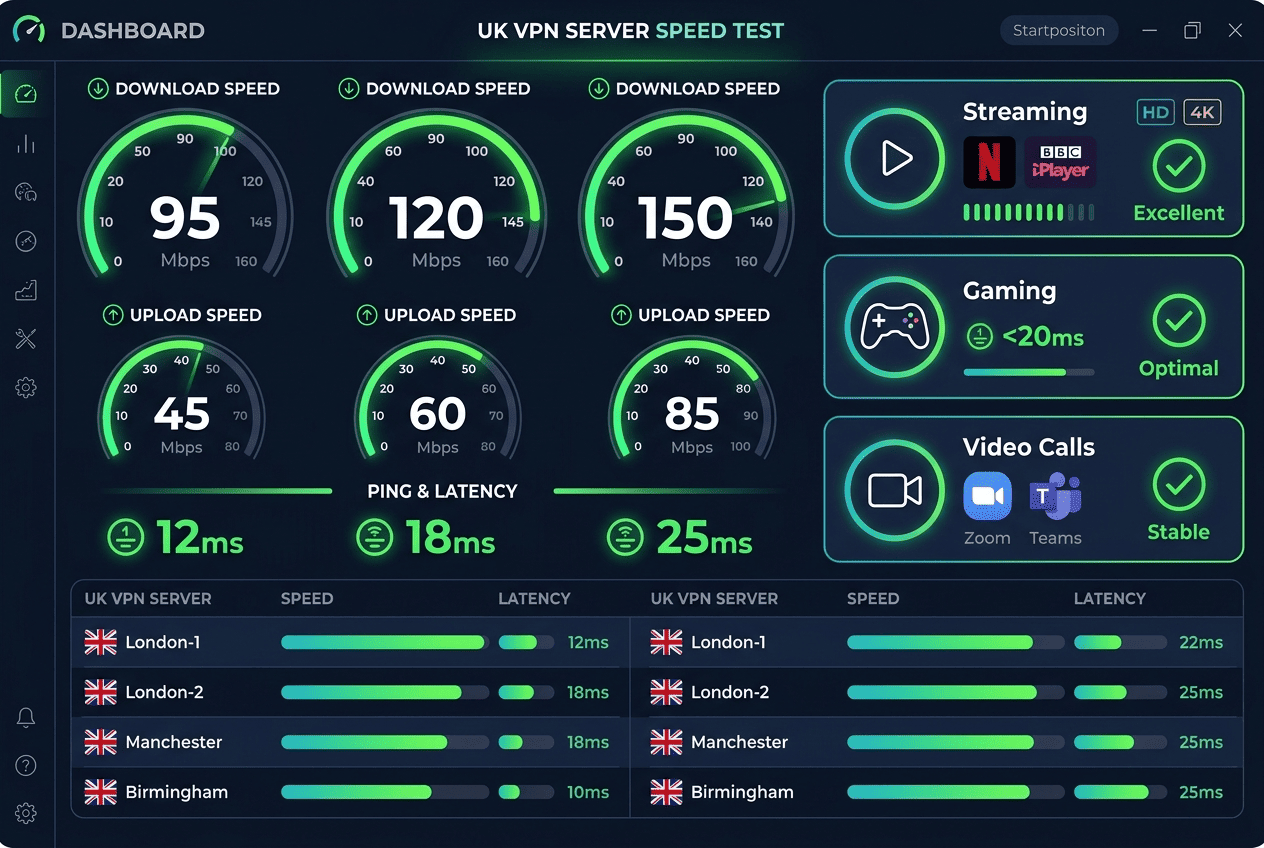
Speed and performance decide whether a VPN feels premium or merely acceptable. A service can unblock the right platforms, but if speeds sag during prime time or the connection takes too long to settle, the experience wears thin. That matters for 4K streaming, quick app switching, gaming, and video calls.
The fastest VPNs are not always the ones with the longest feature lists. What matters is how well they hold onto baseline performance on nearby and long-distance servers. Fast and reliable service is the minimum standard if you expect to stream often.
Download Speed Results
Our speed tests focused on UK connections first, because that is where readers will feel the difference most. NordVPN and ExpressVPN were among the fastest VPNs in this guide, with Surfshark not far behind on good UK endpoints. ProtonVPN also held up well, especially on stronger paid-plan servers.
Raw download speeds affect more than big file transfers. They influence stream startup time, image quality, and how quickly apps respond when switching between servers. A service that retains strong connection speeds under load is much easier to live with than one that looks good only in a single benchmark. NordVPN remained one of the fastest for balanced UK use, and it was more than enough for streaming in most of our tests.
Latency for Gaming and Video Calls
Latency is the delay between your action and the network’s response. Lower latency helps keep online games more responsive and video calls smoother, especially when multiple devices share the same connection. For many users, this matters as much as headline speeds.
Nearby UK servers usually produce the best results. NordVPN, ExpressVPN, and IPVanish were the most convincing options for keeping delay under control in everyday use. That makes them good choices if your VPN needs to handle more than streaming, such as work calls or quick multiplayer sessions after hours.
Stability on UK and Long-Distance Servers
A fast result once is nice; steady performance over time is better. Stability is where the top services separate themselves from the middle of the pack. NordVPN and ExpressVPN kept speeds more consistent across repeated UK sessions, while Surfshark remained strong for value but showed a little more variation depending on server load.
Long-distance servers naturally reduce speeds because your traffic has farther to travel. That is normal. What matters is how gracefully a provider handles that drop. A slower service can still be acceptable if it stays consistent, keeps video quality stable, and does not interrupt the connection every few minutes. For many VPN users, that is the real sign of quality.
This is why speed and performance should be judged together. Some providers are fast in the narrow sense but less stable under real use. Others are not the absolute leaders but remain reliable enough that most users will never feel shortchanged.
Cost and Pricing
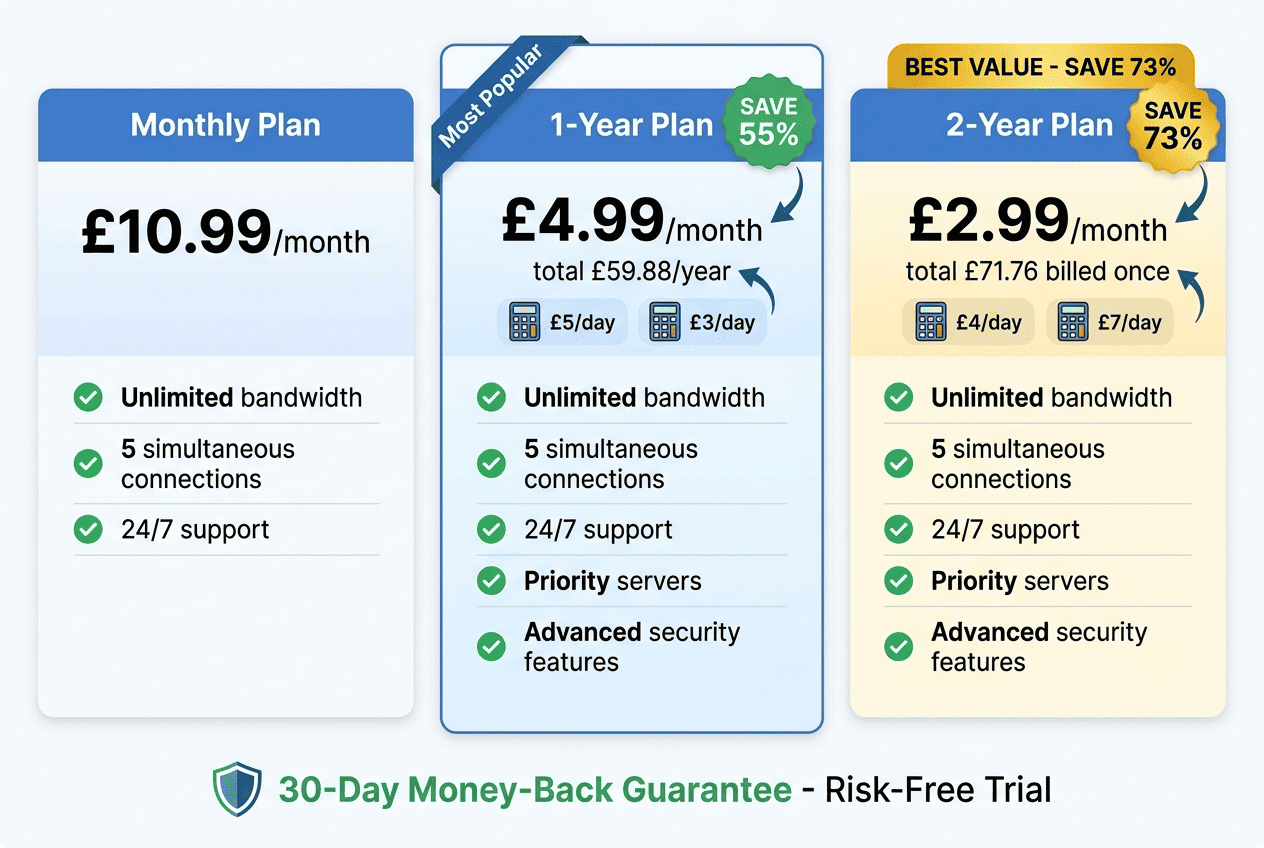
Price matters, but only in context. A cheap service that struggles with UK streaming or lacks basic privacy tools is poor value. A more expensive option can make sense if it saves time, works more reliably, and offers stronger apps across devices.
The right plan depends on how long you expect to use the service and whether you are testing it for a specific trip, an ongoing subscription setup, or everyday privacy.
Monthly Versus Long-Term Plans
Monthly plans are useful if you want flexibility, but they almost always cost more per month than longer subscriptions. That trade-off is simple: less commitment, higher effective price. For a short trip or a temporary streaming need, that may still be the right call.
Longer plans offer better value if you already know you will keep the VPN. Surfshark and Private Internet Access are often appealing here because their long-term offers reduce the price sharply. Premium brands like NordVPN and ExpressVPN can still make sense if their better performance saves you enough hassle to justify the higher per month cost. When choosing the best plan, it helps to think about how you actually use the service.
Refunds, Trials, and Guarantees
A money back guarantee is one of the most practical buying protections in this category. It lets you test streaming access, speeds, and app quality on your own devices rather than relying on a promise. A good back guarantee matters most when your main target is a fussy platform like BBC iPlayer.
Many leading services include a 30-day money back window, often long enough to verify the basics properly. That 30-day protection is especially useful if you are comparing two close options and want to see which one behaves better on your home network, hotel Wi-Fi, or travel setup. This is where a day money back guarantee can really make a difference, especially for users who want to test before committing.
Which Plans Offer the Best Value
For pure value, Surfshark is hard to ignore. It keeps long-term costs low, supports unlimited devices, and still performs well enough for regular UK streaming. NordVPN sits a little higher on price but offers a stronger all-around balance, making it a better value for users who want fewer compromises.
ExpressVPN is the premium pick: higher cost, excellent ease of use, and fast, polished apps. ProtonVPN offers value of a different kind, especially for users who place more weight on privacy and security than on getting the lowest possible monthly rate. The best value depends on the job you need the service to do, and on whether you care more about raw savings or consistent results over time.
Free VPNs for the UK
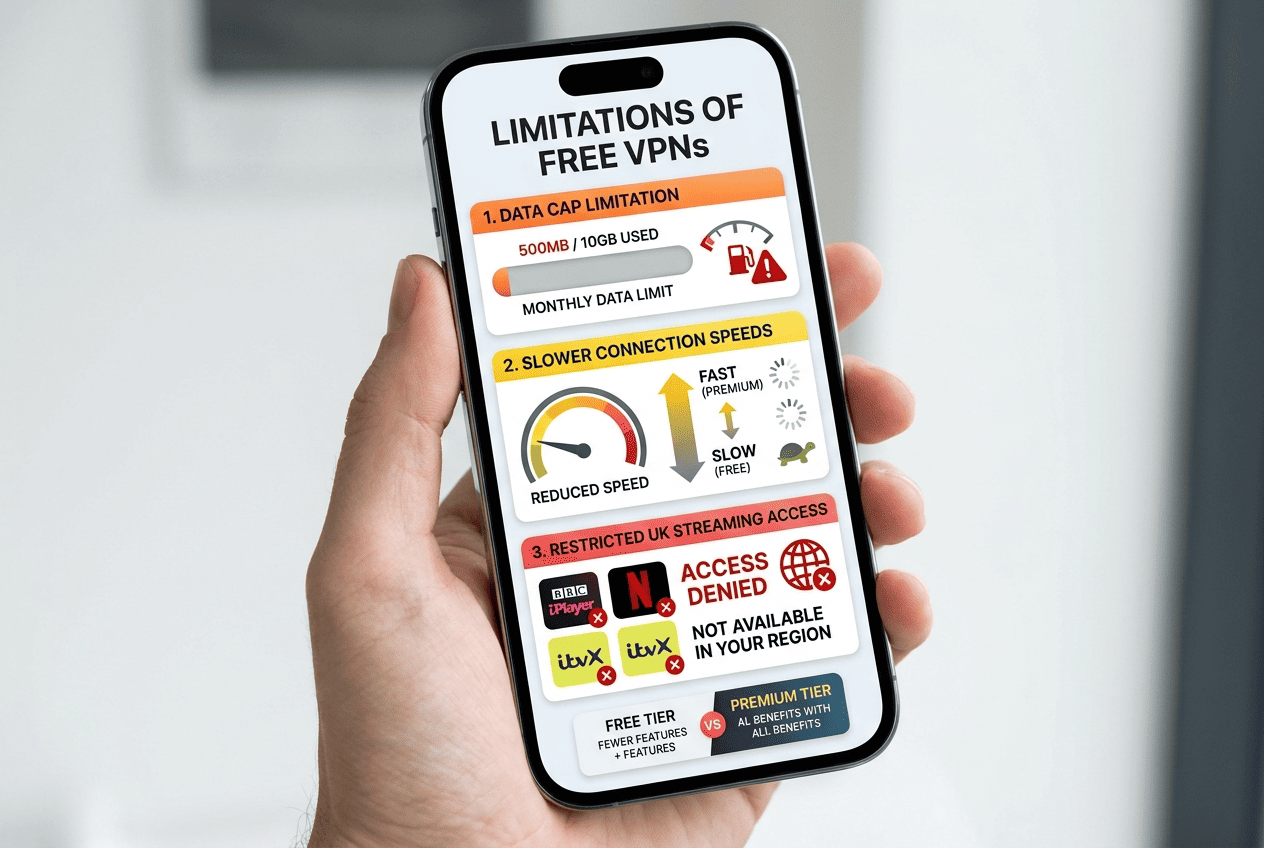
A free VPN can be useful, but only if you understand the limits. For light browsing, a quick location check, or temporary access during a short trip, free options may be enough. For regular UK streaming, they usually are not.
That is not because every free service is bad. It is because streaming platforms, data caps, and weaker server access expose the trade-offs quickly. Some free tools are fine for basic online activities, but they are not built for every scenario.
When a Free Option Makes Sense
Free plans make the most sense for occasional users who do not need long sessions or constant streaming. If you want to test whether a service fits your devices, hide your IP address briefly on public Wi-Fi, or check basic UK access while traveling, a limited free tier can be reasonable.
Still, the best UK experience usually comes from paid VPN services. Free tools are best treated as a short-term option, not a full replacement. A safe rule is to make sure the provider is reputable before you trust it with your connection.
Limits on Data, Speed, and Streaming
Most free plans restrict data, speeds, or both. That becomes a problem quickly with streaming, especially if you want to access BBC iPlayer or watch live TV. One episode can chew through a free allowance faster than many users expect.
Free tiers also tend to offer fewer servers, which means more congestion and weaker access to streaming services. If the available UK endpoints are limited, performance drops and blocking issues become harder to avoid. For anything beyond light use, the limits show up fast.
Safer Free-Tier Alternatives
If you want a safer starting point, look at reputable providers with established free tiers, such as ProtonVPN or Windscribe. These are not perfect, but they are better bets than unknown free VPN brands with vague privacy terms and weak app support.
The key is restraint. A trustworthy free option is fine for testing, travel backup, or light use. If streaming matters, upgrading is usually the better call. Free services can work well enough for basic online privacy, but not as a permanent solution.
How to Use a UK VPN
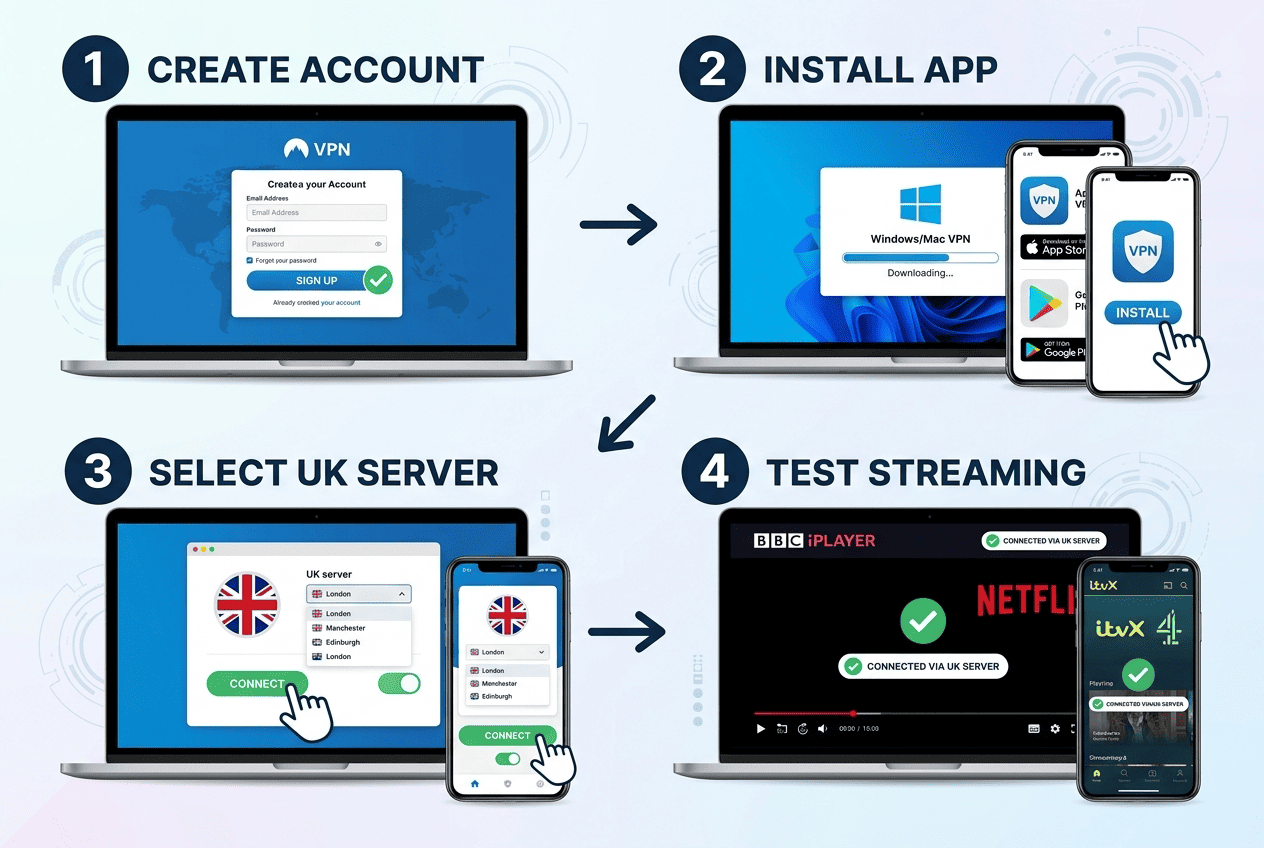
Using a UK VPN is usually straightforward, but a few small steps make the process smoother. The aim is simple: install the app, connect to the right UK endpoint, verify your UK IP address, and then test the service you actually want to use.
If one server fails, do not assume the entire provider is broken. With streaming, switching servers is often the first real fix.
Step 1: Create an Account and Install the App
Start by choosing a provider that matches your needs, then sign up on its website or through the official store listing. Pick the plan you want, create your account, and download the VPN app for the platform you use most. If you plan to watch on TV, also check whether apps are available for that device before you pay.
Once installed, log in and allow the permissions the app needs to connect properly. Most providers keep setup simple on desktop and mobile devices. Before you begin, make sure the provider supports the platforms you use most.
Step 2: Connect to a UK Server
Open the app, search for the United Kingdom, and connect to a UK server. If the service offers multiple UK server locations, start with the nearest or least crowded one. Once connected to UK server access, verify your new UK IP address using a trusted IP checker in the browser.
If the first endpoint does not work for your target platform, disconnect and try another. Good providers make it easy to switch without redoing the whole setup. In many cases, you can use the same app across several devices without extra trouble, which is helpful for homes with mixed hardware.
Step 3: Test Streaming and Fix Issues
After you connect, open the streaming service you want and test playback. If you are using a browser, clear cache and cookies first so the site does not rely on old location data. On mobile or TV devices, force-close the app and reopen it after the VPN connection is active.
If the service still does not load, switch to another UK endpoint and test again. This often solves the issue, especially with BBC iPlayer, ITVX, or netflix. You can also try a different device, because app behavior sometimes differs between platforms. If the VPN app includes protocol options, changing to a faster or more stable one may help too. That is especially true when the issue is tied to a temporary routing problem rather than a full block.
When repeated attempts fail, contact support and ask which UK servers currently work best for the service you want to access. The better providers usually have current guidance, and that can save a lot of trial and error. The best support teams make it simple enough that even non-technical users can access geo restricted content without much frustration.
Legality of VPNs in the UK
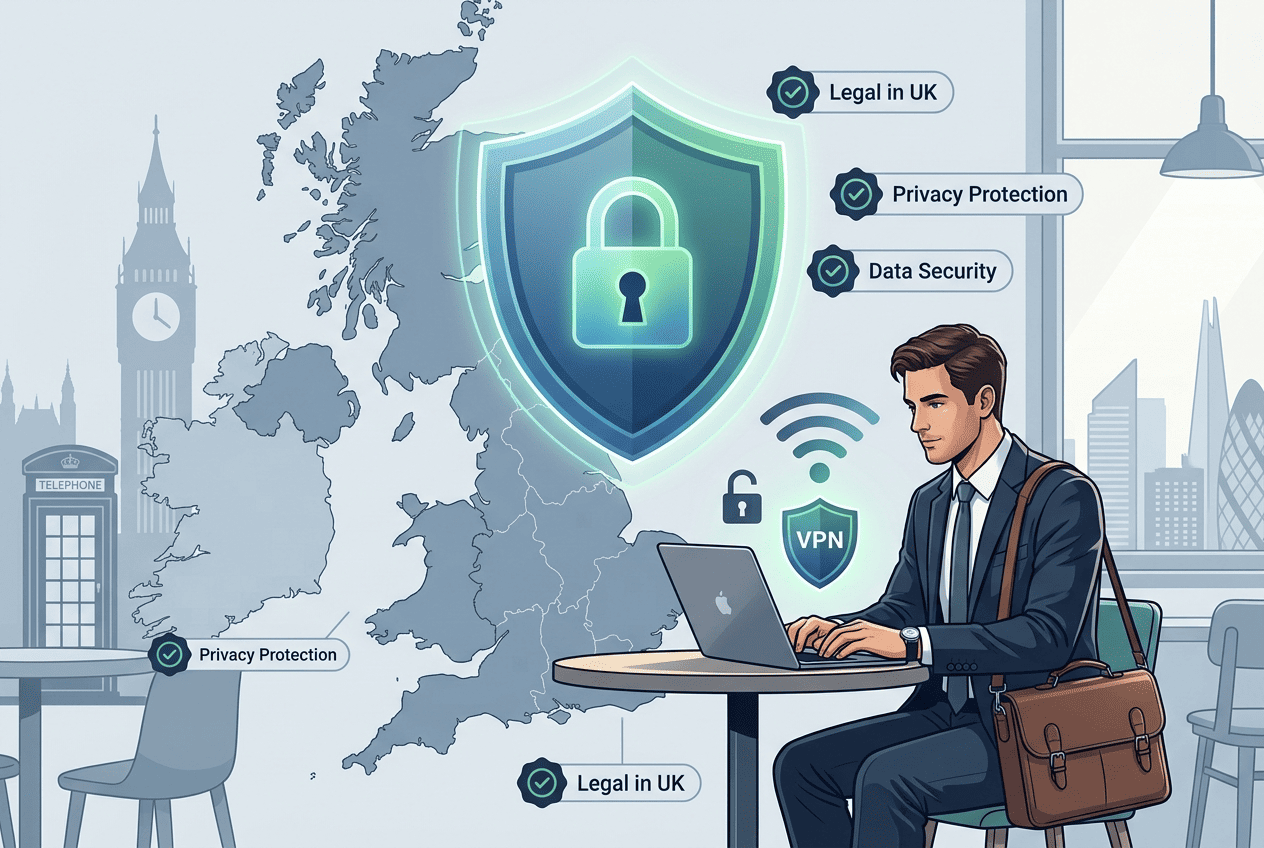
VPN use in the UK is generally straightforward. A virtual private network is a legal tool for privacy, security, and safer access on public networks. Many ordinary users rely on one to protect their connection when traveling, working remotely, or using shared Wi-Fi.
That legal status does not erase every rule around how online services are used, but the baseline point is clear: the technology itself is lawful in the UK. It is also widely used by people who want to protect personal data from trackers and third parties.
Are VPNs Legal for Everyday Use?
Yes. Using a VPN in the UK is generally legal for everyday activities such as browsing more privately, protecting data on public Wi-Fi, or securing work traffic. A virtual private network is commonly used for privacy and security, not just streaming.
For normal, lawful use, most readers do not need to worry about the legality of the tool itself.
What Can Still Cause Problems
A VPN does not make illegal activity legal. If something breaks the law without a VPN, it still breaks the law with one. There is also a separate issue with platform rules: some streaming services may restrict location-based access under their terms of service even though the VPN itself is legal.
Outside the UK, some countries impose tighter controls or restrictions on VPN use, including China, Russia, the UAE, Iran, and Belarus. That is a legal context issue, not a UK-specific one. Some jurisdictions also have strict data retention laws, which can affect how much personal data gets exposed or stored by local providers.
Practical Takeaways for UK Users
For most people in the UK, the practical advice is simple: choose a reputable provider, use it for lawful access and routine privacy, and understand that service rules are different from criminal law. A VPN is mainly a tool for privacy, security, and safer connections.
If your goal is UK streaming while traveling, keep your expectations grounded, follow the provider’s setup guidance, and use the service responsibly. In many cases, the right choice comes down to choosing the best fit for your habits and devices, not the loudest marketing claim.
UK VPN FAQ
Which VPN is best for BBC iPlayer?
Can I use a free VPN for UK streaming?
Which VPN is fastest for UK servers?
Is it safe to use a VPN in the UK?
Do UK VPNs work with Netflix?
How many UK servers do I need?