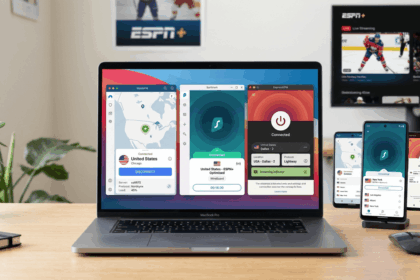
If you want the best VPN for Roku, the first thing to know is simple: Roku does not support native VPN apps. That changes how you shop. Instead of focusing only on mobile or desktop apps, you need a VPN provider with a practical Roku workaround, usually Smart DNS, router support, or a hotspot-based setup. We tested the major options with Roku-style streaming in mind, looking at fast speeds, ease of use, streaming services access, and how annoying the setup process is in real life.
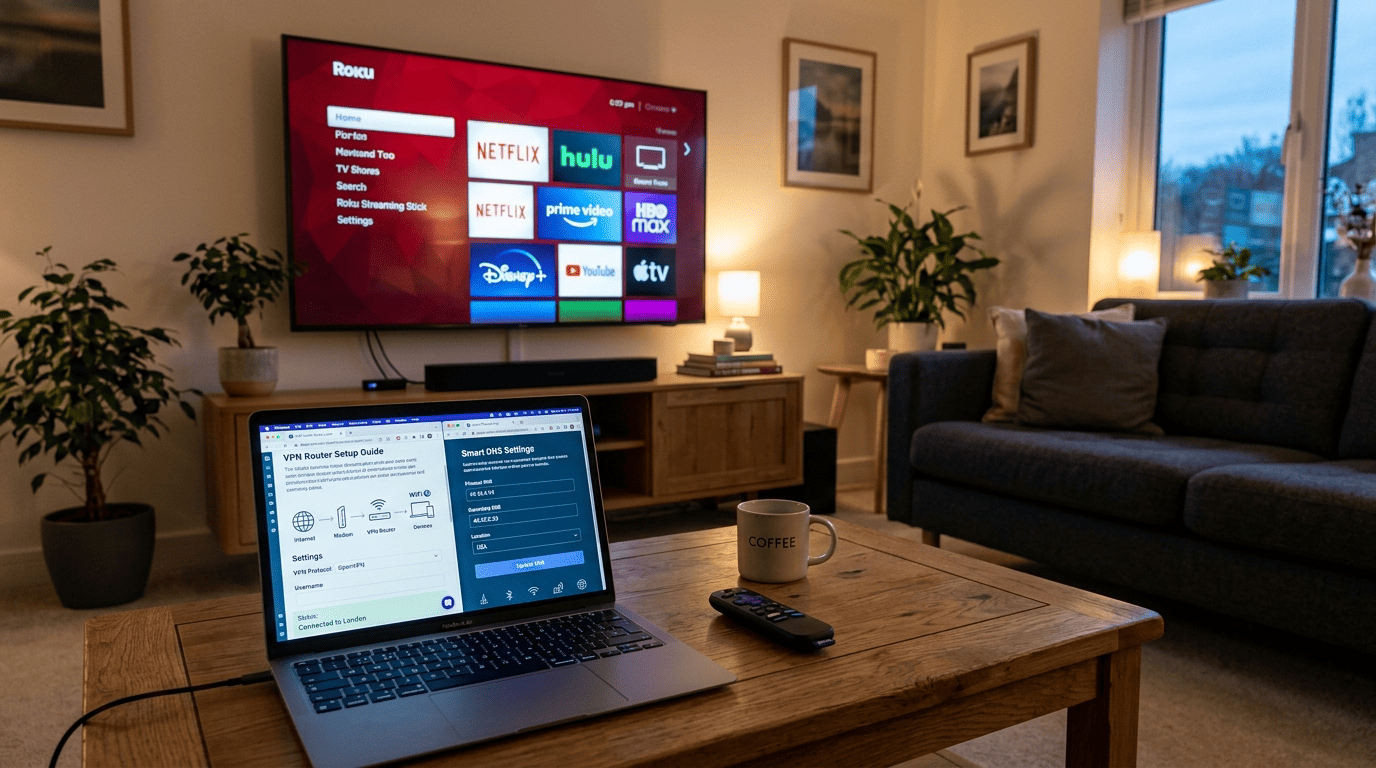
This guide is for readers who want lawful access to the streaming subscriptions they already pay for while traveling or living abroad, and for anyone who wants better privacy and security on a home network. We also weighed how easy it is to set up VPN tools across multiple devices, how stable the connection stayed during longer viewing sessions, and how consistently each service handled Netflix, BBC iPlayer, Hulu, and other region-sensitive platforms. If you are comparing a Roku VPN against broader household needs, the best choice is the one that can protect user data without making the setup feel like work.
Our top picks were chosen based on practical Roku use rather than spec-sheet bragging. Smart DNS mattered a lot. Router compatibility mattered too. So did speed, because a Roku VPN that adds friction or buffering is missing the point. We also considered device connections, simultaneous connections, and whether a provider made it easy to can set up the service on a router or a computer when Roku itself doesn’t support VPN apps.
2026 Shortlist for Roku Streaming
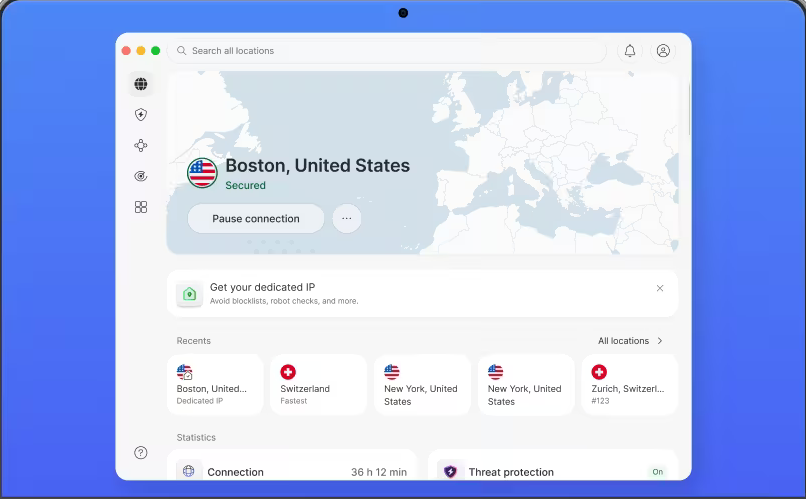
NordVPN
Why it made the list
- SmartPlay makes setup easier than most rivals.
- SmartPlay combines DNS-based streaming help with regular VPN features
- Fast servers across many countries for stable Netflix and BBC iPlayer access

ExpressVPN
Why it made the list
- MediaStreamer is simple and fast to activate.
- MediaStreamer offers a simple Smart DNS path for Roku
- Clear router guides make the initial setup less intimidating

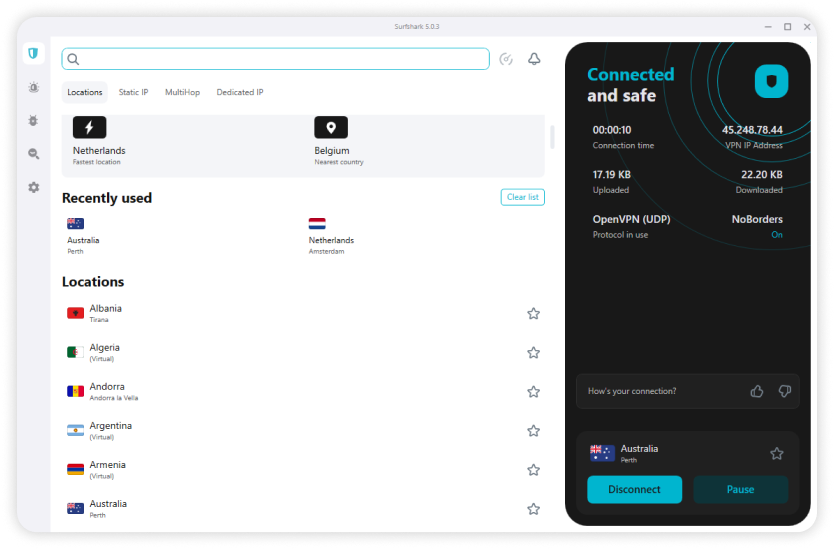
Surfshark
Why it made the list
- Unlimited devices help cover a busy home.
- Fast speeds
- Strong privacy policy
Picking from the best VPNs for Roku is less about finding the most feature-packed app and more about choosing the service that works cleanly with a platform that does not accept a native VPN installation. That means the usual ranking logic shifts a bit. A strong Roku VPN needs reliable Smart DNS, solid router support, enough speed for HD and 4K streaming, and a setup process that does not turn movie night into a networking project.
We also looked at how each VPN provider fits different types of users. Some people want the fastest path to Netflix or BBC iPlayer with as little effort as possible. Others want broader security and privacy across a whole home network, with every Roku device, phone, and laptop protected through one router-level connection. Those are very different needs, so the shortlist reflects that. When a provider says it has unlimited simultaneous access for device connections, that can be a real advantage for larger households.
In our testing and comparisons, three things kept separating the strongest options from the pack: predictable access to major streaming services, an easy way to use Smart DNS on a Roku device, and enough server coverage to switch countries when one location stopped working well. The result is a ranking built around actual Roku use rather than generic VPN marketing. We also paid attention to whether the provider had servers in countries that mattered for popular streaming services and whether the apps were easy to set up step by step.



How We Ranked the Providers
Our ranking focused on what actually matters for Roku rather than what looks impressive on a feature list. Speed, reliability with major streaming services, ease of setup, and whether the price felt justified by the experience were the core factors. Furthermore, we considered how well each VPN provider handled common Roku workarounds such as Smart DNS and router installation. We also paid attention to whether the company could access popular streaming services across different regions without constant reconfiguration.
Smart DNS played an outsized role in the ranking because it is often the easiest way to get a Roku device working with region-specific content. A service can have excellent security tools and still be a weak Roku option if its Smart DNS process is clumsy or poorly documented. On the other hand, a simpler service with clean DNS tools and good support can be a better real-world choice. That is why setup guides and dns settings were part of the evaluation.
Router setup mattered too, especially for users who want one secure connection for the whole house. That approach can protect more devices and apply one location setting across your network, but it depends on router compatibility and decent guidance. In short, we ranked these services the way people actually use Roku: by asking how quickly they can get set up, how stable the stream stays over time, and how often they need to troubleshoot. We also looked at whether a vpn service offered a day money back guarantee, because that makes testing less stressful.
How to Set Up a VPN on Roku
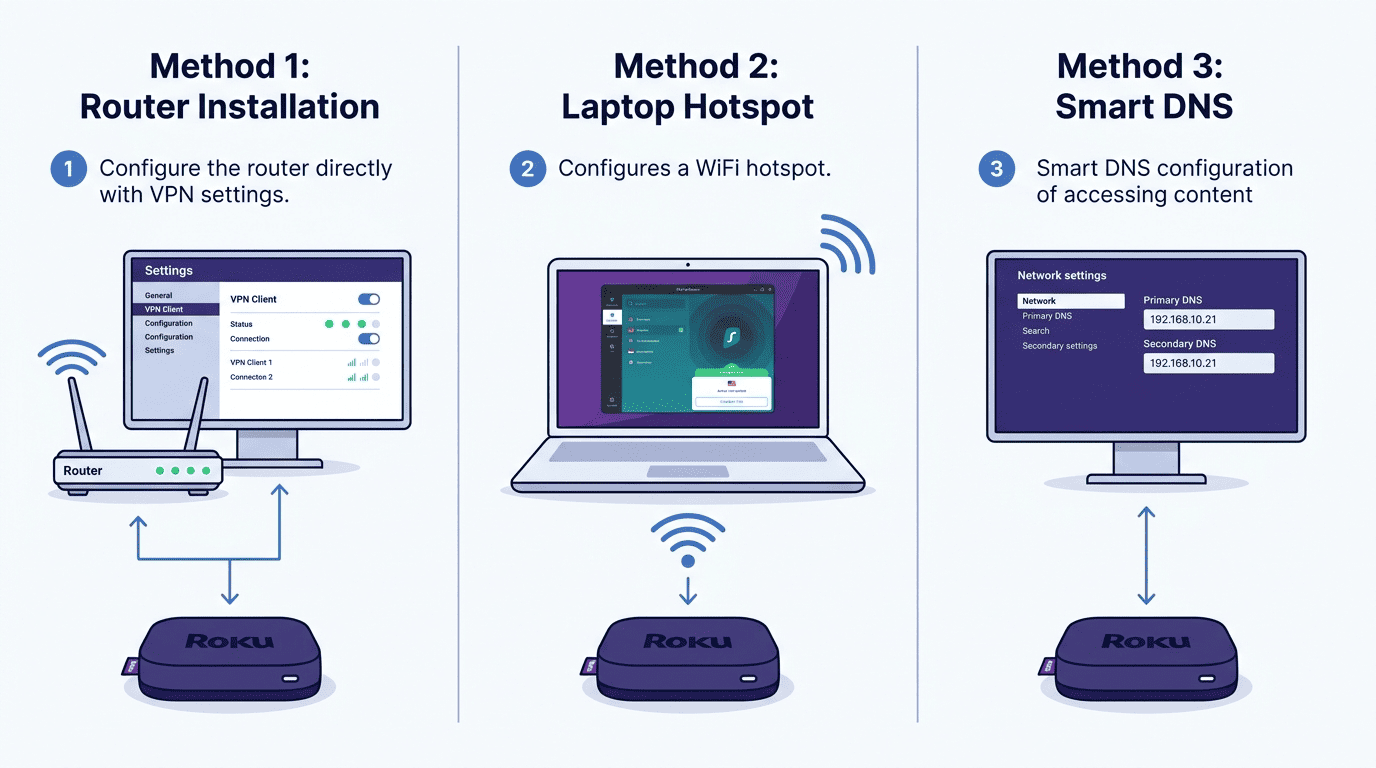
A Roku device cannot run VPN apps directly, so every working Roku VPN method is really a workaround. That sounds more intimidating than it is. In practice, you have three realistic ways to set up VPN access for Roku: install the VPN on a router, share a protected connection from a computer through a virtual router or hotspot, or use Smart DNS if your provider supports it.
The right choice depends on what you care about most. If you want whole-home protection for several devices, a router-based vpn setup is usually the cleanest long-term option. If you only need a quick fix and already have a laptop nearby, a virtual router can work. If your main goal is streaming services access and you want the easiest path, many users simply use smart dns and skip full encryption. In other words, how to set up your Roku VPN depends on whether you value speed, privacy, or convenience first.
One legal note before you begin: using a VPN for lawful access to subscriptions you already pay for is generally permitted in many countries, but streaming platforms may discourage location switching in their terms, and some jurisdictions, including China, Russia, the UAE, Iran, and Belarus, place restrictions on VPN use. Keep that in mind before you set up VPN tools on your home network. If you are not sure how to install the right option, read the provider’s setup guides carefully before changing anything.
Router Setup for Whole-Home Coverage
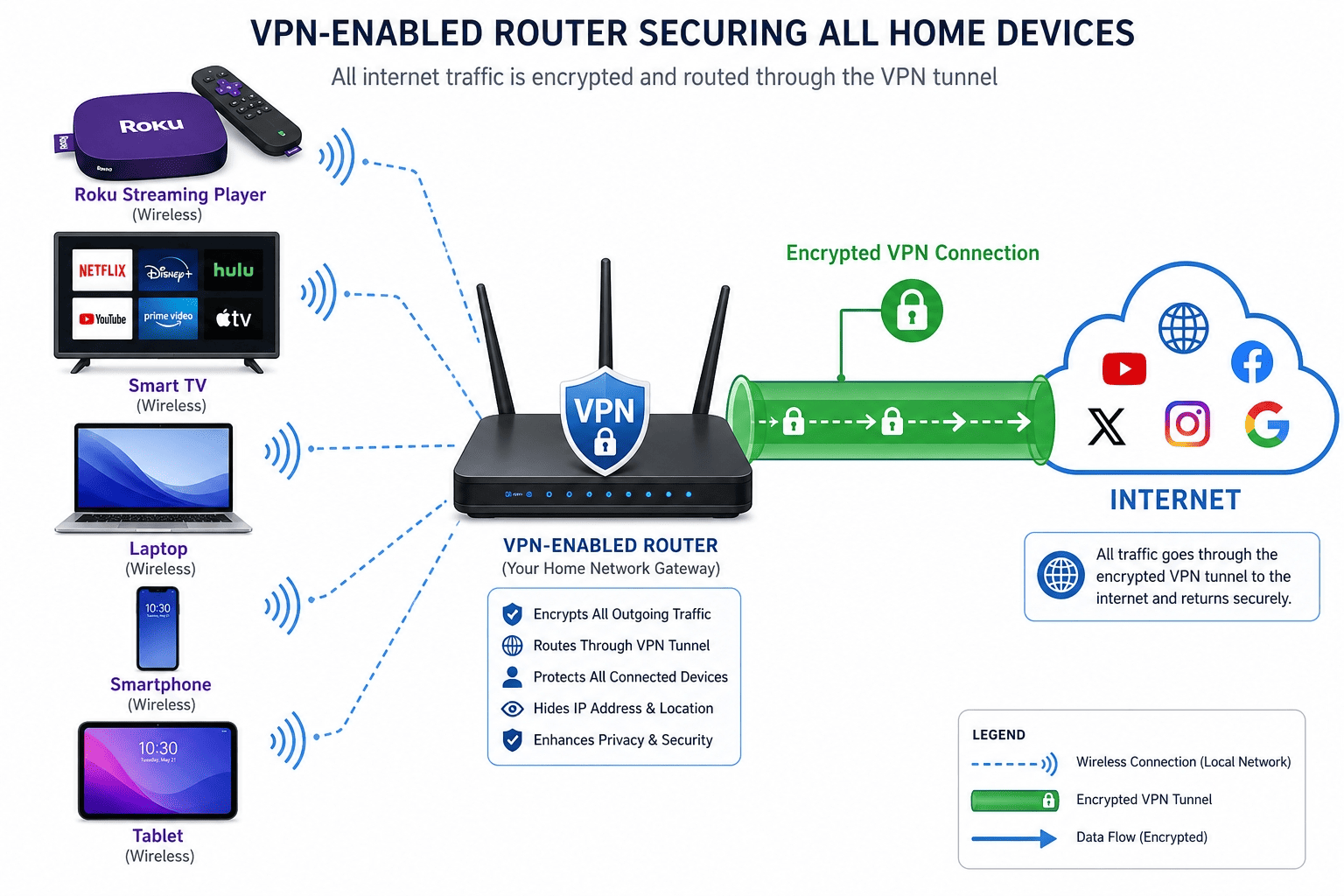
Router installation is the most complete way to connect your Roku, because it protects everything on that Wi-Fi network at once. Instead of trying to install a VPN on the Roku device itself, you install the service on a compatible router so that every device using that network inherits the vpn connection. That includes Roku, phones, tablets, consoles, and laptops. One setup, many devices.
First, check whether your router supports VPN client mode or custom firmware. Some consumer models do, some do not. If yours does not, you may need a preconfigured router or a firmware option such as DD-WRT, , or Asuswrt, depending on the hardware. This is the point where many users hit a wall, so it is worth confirming compatibility before doing anything else. If the router doesn’t support vpn client mode, you may need a vpn router instead.
Next, log in to your vpn provider account and locate the router setup instructions. Providers such as NordVPN, ExpressVPN, Surfshark, and Private Internet Access usually provide country-specific configuration files, account credentials for manual router login, and guidance on supported protocols. A protocol is the set of rules that defines how the VPN connection is built; WireGuard-based options are usually faster, while OpenVPN remains widely supported on older router platforms.
Then, open your router’s admin panel in a browser. Find the VPN or WAN section, import the provider’s files if required, and enter your login details. Save the settings, restart the router, and confirm the connection is active. Once the router shows an active tunnel, connect your Roku device to that Wi-Fi network as usual. At that point, Roku traffic should route through the VPN location selected on the router. Make sure the connection is active before you start streaming, because otherwise the device may still use the regular network path.
There are clear benefits here. Router setup covers the entire home network, avoids per-device logins, and gives you broader security and privacy than Smart DNS alone. It is also the best choice if you want to set up VPN access once and forget about it. The trade-off is complexity. A router can be fiddly, some firmware menus are not exactly elegant, and changing countries is slower than tapping a button in an app. Still, for households with lots of streaming devices, it is often the best long-term answer. You can also allow other network users to connect through this computer if you use a shared network at home, which can make the process more flexible.
Virtual Router or Hotspot Method
If you do not want to change router settings, a virtual router or hotspot can be a useful middle ground. The idea is simple: you connect a laptop or desktop to your VPN, then share that protected internet connection over Wi-Fi so your Roku device can join it. In effect, your computer becomes a temporary router.
This method is practical for short-term use, travel, or situations where you cannot access the main router. It is also handy for users who want to test a provider before committing to a more permanent setup. On Windows, you can usually create a mobile hotspot from the network settings menu. On macOS, the equivalent is internet sharing. In both cases, you first connect the computer to the VPN, then enable hotspot sharing and point the shared network to the active vpn connection. If you want to connect to vpn quickly without editing the whole home network, this is a good backup.
Once the hotspot is live, connect your Roku to that wireless network instead of your normal home Wi-Fi. After that, streaming traffic should flow through the shared VPN tunnel. This is one of the easier ways to set up vpn coverage without buying new hardware, and it avoids some router compatibility headaches. Many users can use this option to test whether their favorite services work before they invest in a permanent setup.
The drawbacks are mostly about stability and convenience. A virtual router depends on the computer staying awake, connected, and within range. Reboots can interrupt the session. Some laptops are better at hotspot sharing than others, and performance can dip if the system is already busy. It works, but it is less graceful than a true router solution. Think of it as a solid backup option rather than the gold standard for daily Roku use. You can still use the vpn service this way, but it is not the smoothest path for long-term viewing.
Smart DNS Setup for the Easiest Path
For most Roku owners, Smart DNS is the easiest path. It is popular for one reason: it avoids the need to create a full VPN tunnel on a platform that does not support one natively. Instead, Smart DNS changes how certain DNS requests are handled, helping selected streaming services see you in a different location. DNS, short for Domain Name System, is the service that translates website names into the numerical addresses devices use online.
To use smart dns, start by checking whether your VPN provider includes the feature and which services it supports. Not every platform works equally well through DNS-only routing, so this step matters. Sign in to your provider’s dashboard, register your current IP address if the service requires it, and note the Smart DNS server addresses provided for your account. If you need to know how to set the values, the provider’s setup guides usually explain the process well.
On your Roku device, go to the network settings through your router or gateway, depending on your home layout. In many setups, you will change the DNS values at the router level rather than directly on Roku, because Roku keeps network options fairly locked down. Enter the new DNS addresses, save the changes, and restart both the network equipment and the Roku. That reboot step is easy to skip and often the reason a setup appears broken. Make sure the DNS settings are saved before you move on.
After the restart, open the target app and test playback. If it does not work immediately, confirm that your public IP address registration is current in the provider dashboard and that your device has refreshed its network settings. Some providers also recommend removing and reinstalling a channel app after major location changes, especially if cached data keeps pointing Roku toward the wrong regional storefront.
The reason so many Roku users choose Smart DNS is obvious. It is fast, usually simpler than router firmware changes, and good enough for common streaming content scenarios. Because there is no full encryption layer, you often keep more speed than with a complete VPN connection. That can help with 4K playback and reduce buffering on weaker home internet lines. For many people, this is the easiest way to use the VPN without touching the router.
There are limits, though. Smart DNS is primarily about access, not full security. It will not protect all data in the same way a VPN tunnel does, and it usually does not affect every app or every service equally. If privacy on your entire network matters, or if you want all devices covered with one rule set, router installation is still the stronger option. If your goal is simply to connect your Roku quickly and watch supported streaming services with minimal fuss, Smart DNS is usually the smartest place to start. It can also help you reach content on Roku when a standard location check gets in the way.
How We Compare and Test VPNs for Roku
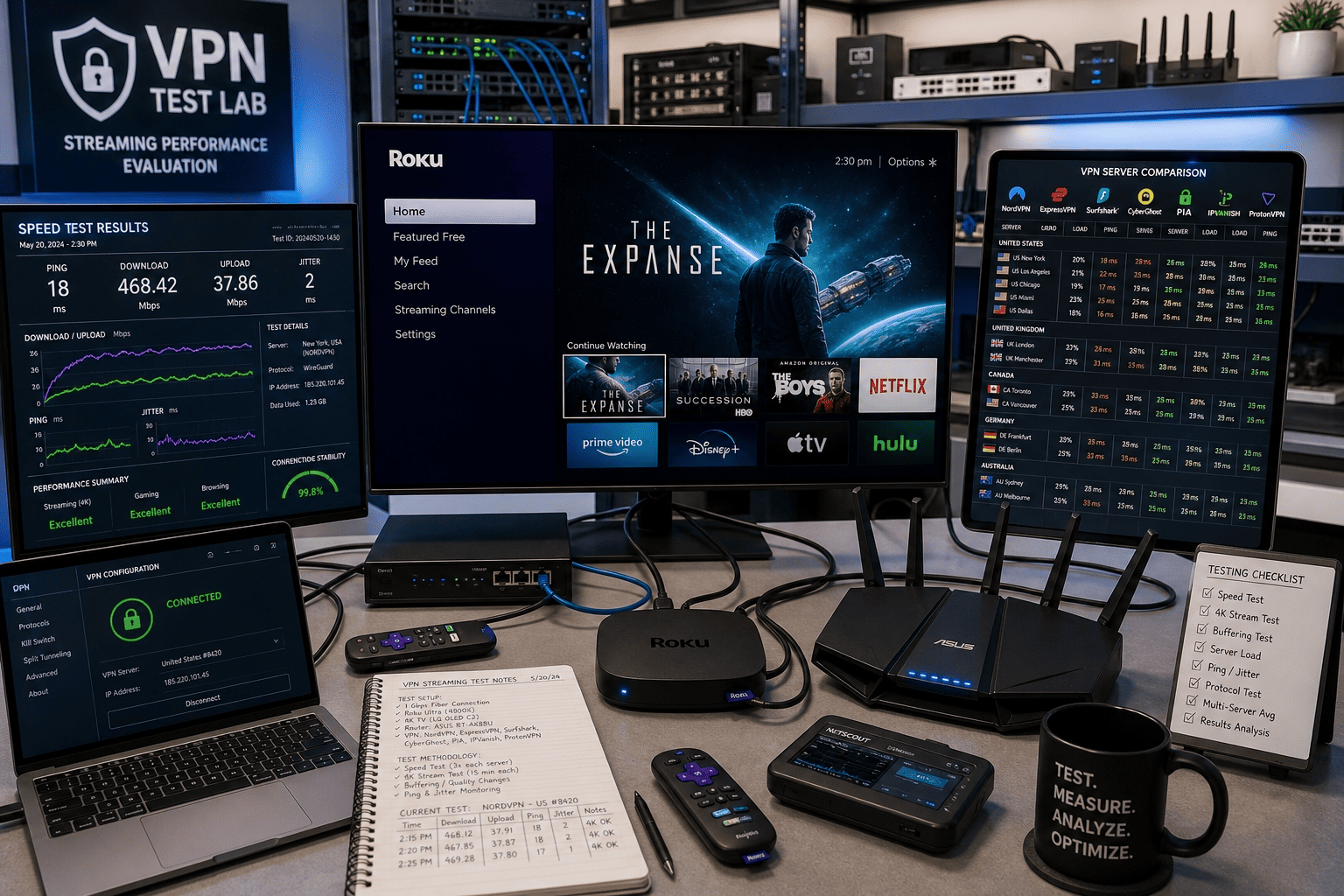
A good Roku VPN is not just a good VPN in the abstract. It has to solve a specific problem: how do users set up vpn access on a platform without native VPN apps and still get reliable streaming content from the services they care about? That is why our testing is built around practical Roku scenarios rather than generic desktop benchmarks. We also looked at whether the service could bypass geo restrictions without too much manual work.
We tested the best vpns in ways that reflect how people actually use Roku at home and while traveling. That meant comparing Smart DNS flows, router setup quality, hotspot workarounds, and the consistency of access geo-related streaming tasks across different countries. Additionally, we considered refund policies and whether a provider’s money back guarantee gives readers enough time to test their own setup without pressure. The best services had both strong connection speeds and useful support for popular streaming platforms.
Speed and Server Coverage Checks
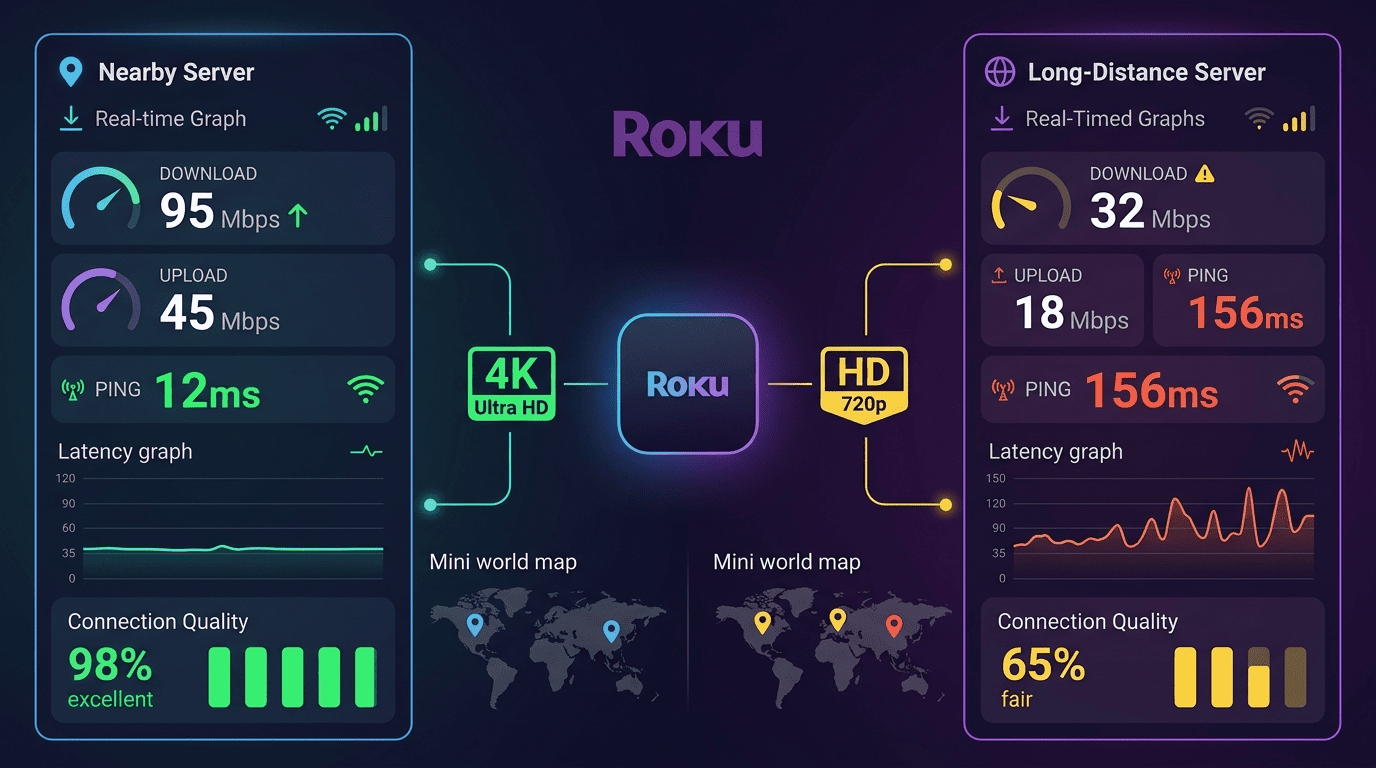
Speed matters more on Roku than some readers expect. A slow VPN can still look fine in a desktop speed test, then stumble when asked to hold a 4K stream over a longer session. The focus here was less on headline numbers and more on whether playback stayed stable through real viewing. Nearby and long-distance servers were compared, quality drops were noted, and recovery time after switching location was measured. We also checked whether there were servers in countries that could make region changes easier.
Server coverage also matters because streaming services do not treat every country or city the same way. A provider with a broad server network gives users more ways to access geo-specific libraries when one endpoint stops cooperating. We looked at whether providers offered enough countries to be useful, whether their locations were easy to select, and whether the network felt overloaded at peak times. For readers who care about fast speeds, location choice can make a real difference.
For Roku, these two factors work together. Good speed with poor coverage is limiting. Huge coverage with weak speed is just as frustrating. The stronger services offered both: stable throughput and enough server choice to keep streaming practical. We also checked whether the service could can access the libraries users care about most, including services like Netflix and Amazon Prime Video.
Unblocking and Streaming Reliability
Testing also covered how reliably each service handled the platforms people actually care about, including Netflix and BBC iPlayer. The goal was not to promise perfect results on every server every day. No provider can honestly do that. Instead, we looked for repeatable success on major platforms and whether the same regions kept working without constant trial and error.
This is where a Roku vpn rises or falls. Because you cannot simply install and troubleshoot native apps on the box itself, unreliable streaming behavior becomes more annoying than it does on a laptop. We checked whether services could access geo-targeted libraries through Smart DNS or router methods, how often they required reconfiguration, and whether they remained useful after switching between services. We also paid attention to whether providers handled Amazon Prime, Amazon Prime Video, and other popular streaming services cleanly.
The best providers were predictable. They did not always hit on the first server, but they gave users a reasonable path to success without endless testing. That matters more than hype. If a provider also worked for Hulu BBC iPlayer workflows or other region-locked apps, that counted in its favor because it showed better real-world flexibility.
Ease of Use and Setup Experience
Ease of use is a major ranking factor because Roku users usually do not want to spend an hour learning network administration. Router setup difficulty, Smart DNS dashboard clarity, and whether each provider offered realistic guidance for a virtual router workflow were all part of the comparison.
For beginners, documentation quality matters almost as much as the feature itself. A service can support vpn on roku in theory and still be frustrating in practice if the instructions are vague or scattered. The best options explained each setup path clearly, labeled the needed settings, and reduced guesswork at each step. That included clear advice on go to settings menus, router panels, and how to change network details without breaking the connection.
Privacy, Security, and Support
Even though streaming is the main use case here, security and data protection still count. Each provider’s logs policy was reviewed, public audits were noted where relevant, and practical protections on supported devices and router installs were checked. Security features such as kill switches matter more on computers and phones than on Roku itself, but they still affect the wider home network.
Support quality was part of the assessment too. If readers try to set up vpn access and hit a snag, good live chat or clear troubleshooting guides can save a lot of time. Furthermore, the value of a money back guarantee was factored in, because Roku setup sometimes requires a few days of testing across different services, routers, and locations before you know whether a provider is the right fit. A provider with a day money back guarantee and months free can be more appealing because it gives you time to test real streaming behavior. That is especially useful when the vpn service needs to work across multiple household devices.
Key Features to Consider in a Roku VPN
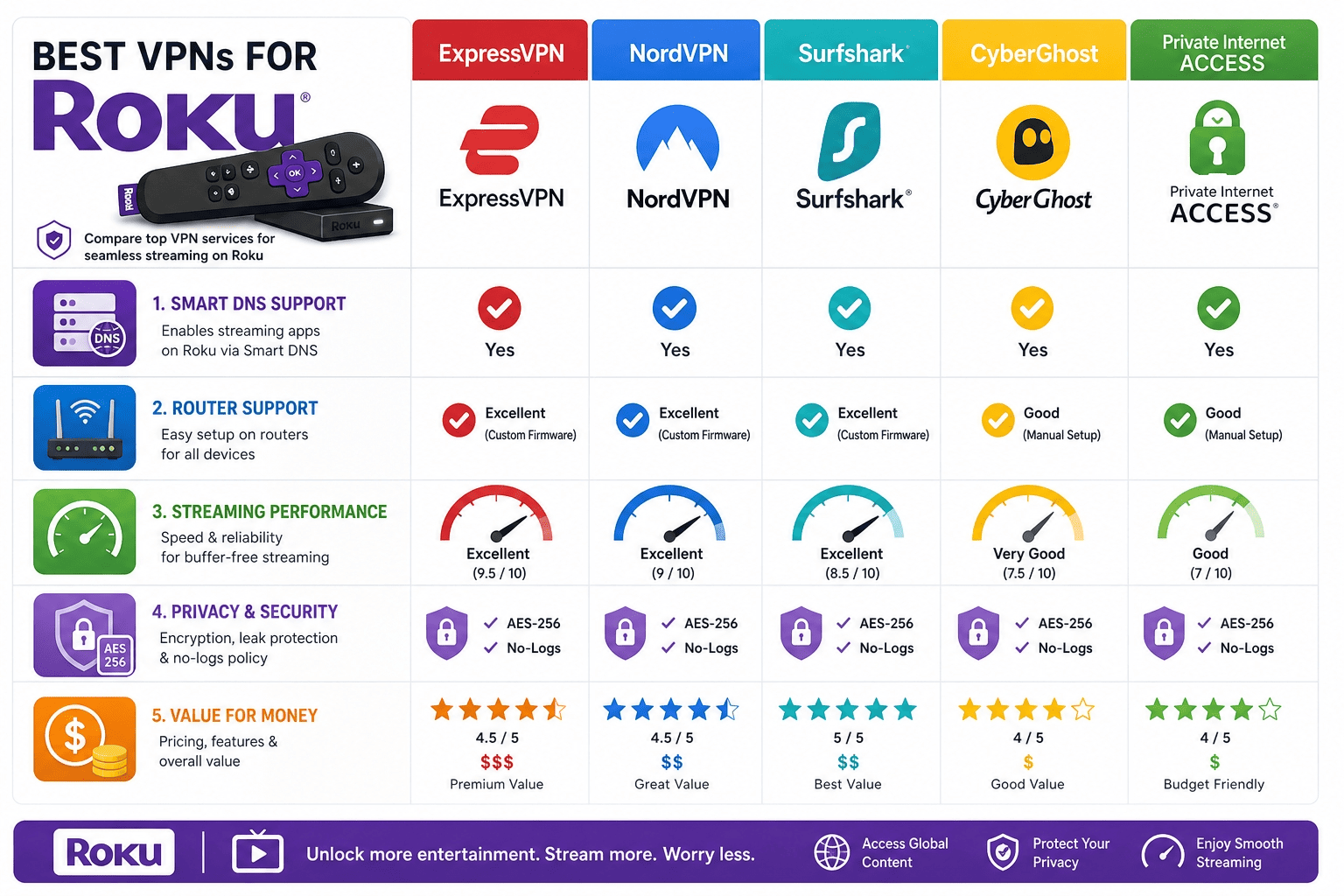
A Roku-focused buying guide needs different priorities than a general VPN roundup. Since you cannot install native vpn apps on a Roku device, the right service is the one that makes indirect setup painless and keeps streaming practical once it is done. The details matter, and the best choice depends on whether you care most about simplicity, privacy, or value for money. It also helps if the provider can set up a clean connection path on a router or a computer.
Streaming Performance and Unblocking Ability
For Roku, streaming performance starts with unblocking ability. A service may have polished apps and good privacy policies, but if it cannot hold access to the streaming services you use, it is the wrong pick for this job. That is especially true for region-dependent platforms where one library differs sharply from another. If you want to access geo restricted content while traveling, consistency matters more than feature overload. The best streaming optimized servers are the ones that keep working after repeated logins.
What you are really looking for is predictability. Can the provider reach the service through Smart DNS or a router setup? Does it keep working after you switch countries? Can it handle high-demand platforms such as Netflix or BBC iPlayer without frequent errors? Those questions matter more than abstract claims about entertainment access. A provider with a clear recommendation for using free vpn alternatives is often not enough, because the paid option usually works better.
On a Roku device, failed unblocking is also more annoying because troubleshooting takes longer than on desktop. That is why we rate services highly when they reduce friction and make streaming on Roku feel normal rather than experimental. If a provider can bypass geo restrictions on the first or second try, that is usually a good sign.
Speed and Server Network
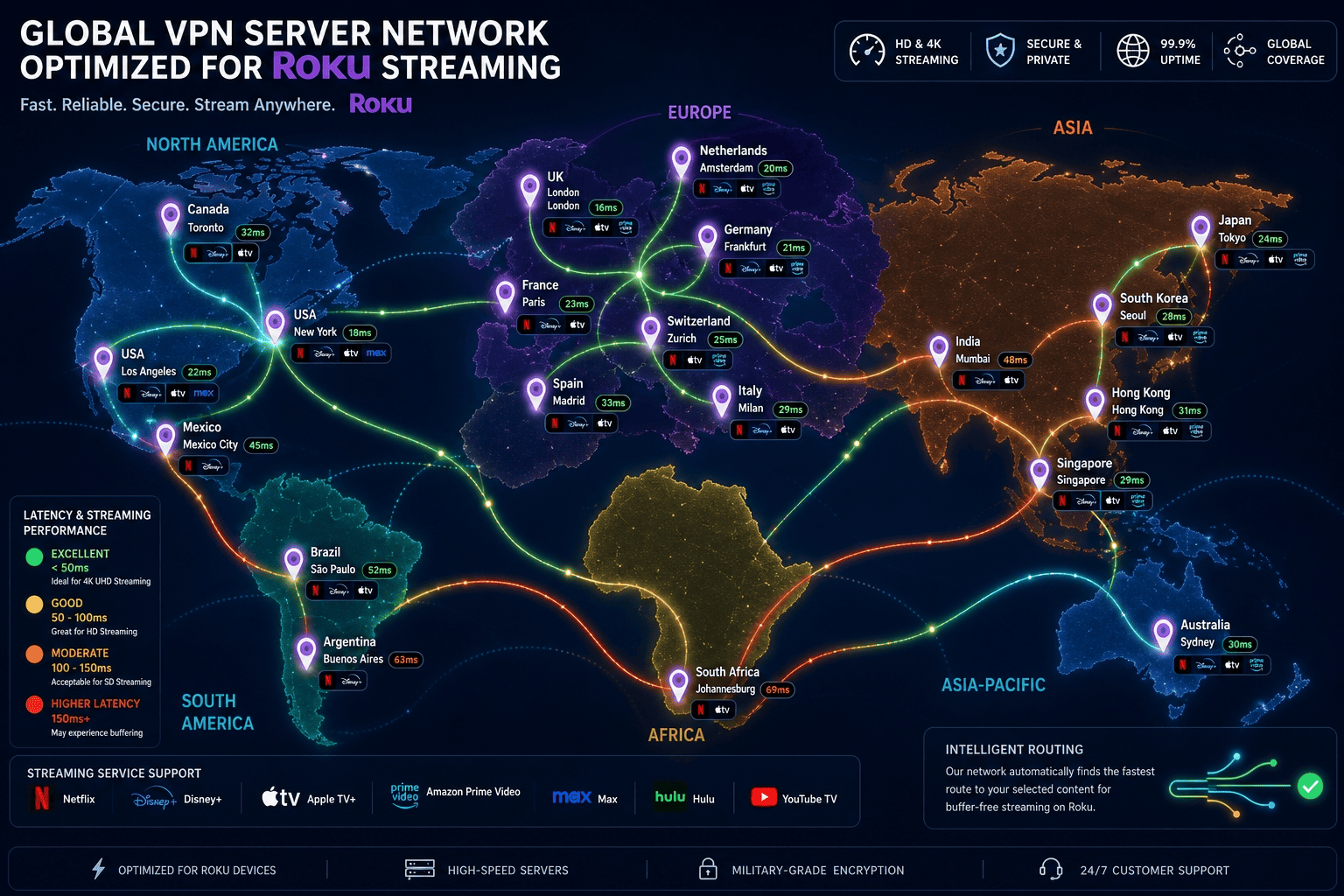
Speed and server network are inseparable for Roku use. Raw speed affects video quality, startup time, and buffering. The server network affects your options when one location slows down or stops working for the content you want. Together, they determine whether a VPN feels usable or like a compromise.
A larger spread of servers across more countries gives you better odds of finding a nearby location for lower latency or an alternate region for better access geo flexibility. That does not mean the biggest network automatically wins. Quality matters too. Some providers advertise huge totals but deliver uneven performance. What readers want is a network that stays stable under real streaming load, with fast speeds and servers in countries that actually matter.
If your home internet is already modest, this becomes even more important. A small speed drop can be the difference between smooth HD and frequent buffering. That is why we place so much weight on speed and server network rather than treating them as separate checkboxes. It is also why a provider with unlimited simultaneous usage can be useful in homes where several people stream at once.
Security and Privacy
Security and privacy may sound secondary in a Roku article, but they are part of the package if you are routing your home traffic through a VPN-enabled router. A provider’s encryption, logs policy, and basic network protections affect more than the TV in your living room. They shape how your household data moves across the internet.
Encryption is the process of scrambling traffic so outside parties cannot read it easily. A no-logs policy means the provider says it does not store detailed records of what users do online. Those factors matter if you want more privacy from your ISP or simply want a better-protected network at home. They also help separate a credible provider from one that focuses only on streaming claims. If you are worried about user data and network users, the security side matters.
For pure Roku use through Smart DNS, the privacy benefit is narrower. Smart DNS is mostly about location handling, not full-tunnel security and privacy. Still, if you are paying for a service that may later protect phones, laptops, and other devices, these features should stay on your checklist. A provider with strong privacy and security can be the better long-term choice.
Ease of Use
Ease of use is not fluff here. It is central. A Roku device does not let you install a VPN directly, so every method requires some extra setup. The best providers reduce that burden with clean dashboards, clear instructions, and support for multiple paths such as Smart DNS, router configuration, and hotspot sharing.
Good apps still matter too, even if they are not running on Roku itself. Most users manage their account, choose locations, and troubleshoot through desktop or mobile apps. If those are clumsy, the whole setup experience suffers. For many readers, the easiest service is the one they will actually keep using. That is why services that are easy to set up often rank higher.
Value for Money
Value for money in a Roku VPN is about more than the lowest price. A cheaper plan is not a bargain if Smart DNS barely works, router help is weak, or the service struggles with key streaming services. Likewise, a premium option has to justify the extra money with better setup tools, more reliable access, and stronger support.
Refund terms matter here. A provider that gives users a decent money back window offers practical value because Roku setup can take testing over several days. You may need time to try different router settings, compare countries, or decide whether Smart DNS is enough for your needs. The best option is the one that fits your budget without forcing major sacrifices in speed, access, or usability. A day money back guarantee is helpful, but a longer window is often better for Roku testing.
Why Use a VPN with Roku?
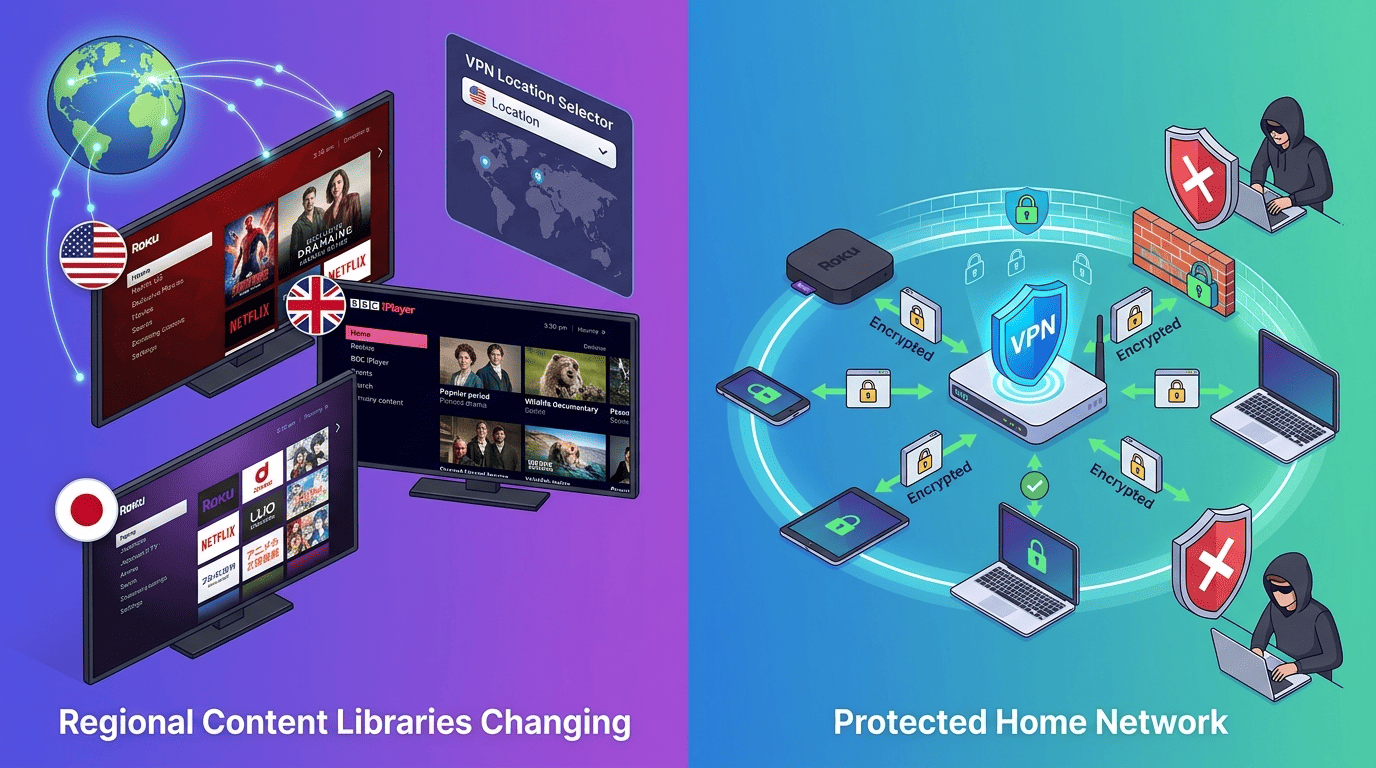
Using a VPN with Roku is mostly about access and convenience, with privacy as a useful bonus. Since Roku itself does not include built-in VPN support, many readers wonder whether it is worth the extra setup. In a lot of cases, yes. If you travel, live abroad, or want more control over what streaming libraries appear on your screen, a Roku vpn can make the platform much more flexible. The ability to bypass geo restrictions is often the main reason people look for one.
Accessing More Streaming Libraries
The biggest reason people use a VPN for Roku is to access geo restricted content tied to a different region. Streaming libraries vary by country, sometimes by a lot. A show on US Netflix may be absent elsewhere for months, while BBC iPlayer is built around UK access rules. If you are away from home or using a subscription across borders, those limits are hard to ignore.
A good vpn for roku can help you access geo restricted content more reliably through Smart DNS or a router setup. That can make streaming on roku far more useful for travelers, expats, and anyone who splits time between countries. It is not about getting something for nothing. It is usually about reaching the content attached to services you already pay for. For example, some users want Amazon Prime or Amazon Prime Video while abroad and need a regional workaround.
Just keep expectations realistic. Platforms can change detection rules, and terms of service may discourage region switching. Still, for lawful subscribers trying to reach familiar libraries, this is the main reason to bother with the setup at all. If you need Hulu BBC iPlayer or other region-based libraries, make sure the provider has the right servers in countries that support that use case.
Improving Privacy on Your Home Network
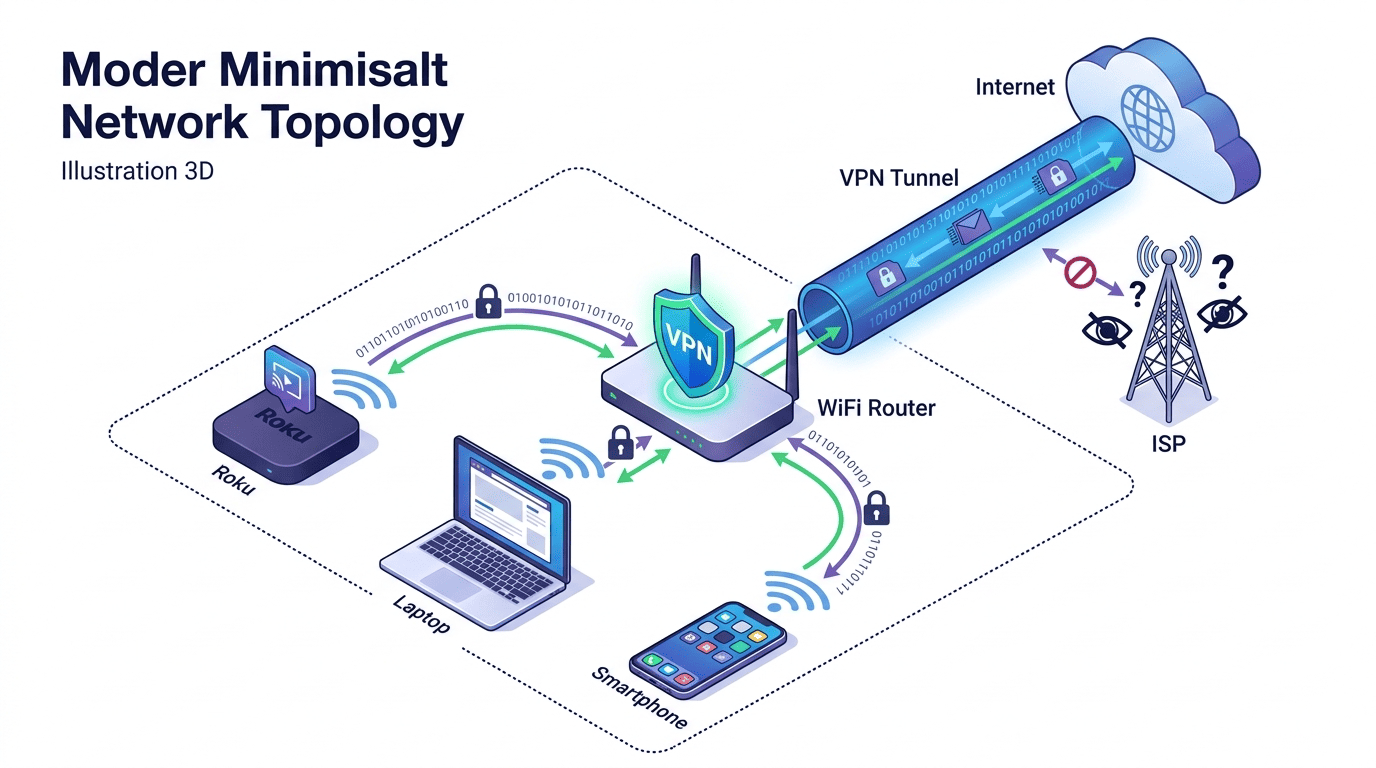
A second reason is better privacy on a shared home network. If you install a VPN on your router, traffic from the Roku and other streaming devices can pass through an encrypted tunnel rather than moving across the internet in a more exposed way. That does not make you invisible, but it does reduce how much your ISP can infer from raw traffic patterns.
It also masks your visible ip address from the sites and services you connect to, replacing it with the provider’s server location. For some users, that matters just as much as content access. If several devices in the home share one network, router-level protection is often the neatest way to improve baseline security without managing each device separately. That is also why some users want to allow other network users to connect through this computer when setting up a shared hotspot.
When Smart DNS Is Enough
Sometimes you do not need a full VPN tunnel at all. If your only goal is to watch region-shifted streaming libraries on a Roku without adding much setup complexity, Smart DNS may be enough. It is especially useful for users who care about speed, want a quick route to compatible services, and do not need the wider data protection benefits of a complete encrypted connection.
That is why many readers asking about a Roku without native VPN support end up using DNS instead. It is simpler, often faster, and works well for specific streaming tasks. The trade-off is clear: Smart DNS does not give the same protection for your data that a full VPN does. It is an access tool first. If you are considering using free vpn services, remember that many of them do not have the streaming or privacy features you need.
This is also why I would not recommend a free vpn for roku as a shortcut. Free services often have weak speeds, limited servers, poor streaming compatibility, or unclear logs practices. If you only need location handling, a paid service with Smart DNS is usually the cleaner and more reliable option. A free trial or day money back guarantee is a better way to test a premium option without committing too early.
Roku VPN FAQs
Can I install a VPN directly on Roku?
What is the easiest way to use a VPN with Roku?
Do free VPNs work with Roku?
Will a VPN slow down Roku streaming?
Which VPN features matter most for Roku?
Do I need a router to use a VPN on Roku?