


If you want reliable access to Netflix Japan, the difference between a usable VPN and a frustrating one is usually obvious within minutes. Some services load the Japanese library quickly, hold 4K without buffering, and avoid proxy errors. Others connect, show a Japanese IP address on paper, and still fail where it matters: actually letting you stream.
- 2026 Shortlist and Tested Picks
- How to Watch Japanese Netflix
- How We Chose the Best VPNs (Criteria & Methodology)
- Free vs Paid VPNs for Japanese Netflix
- Troubleshooting and Common Issues
- Why Netflix Blocks VPNs and Regional Restrictions
- Japanese Netflix Content and Features (Anime, Subtitles, etc.)
- Japanese Netflix FAQ
We tested leading VPN providers to find the best VPNs for readers who want to watch Japanese Netflix with the fewest hassles. The shortlist below prioritizes access, speeds, app quality, and consistency across common devices. We also weighed privacy, server coverage, and refund policies, because a good streaming choice should still be a sound VPN service.
A quick note before you start: using a VPN to access a subscription you already pay for is lawful in many countries, but Netflix terms may discourage bypassing regional restrictions, and some countries place tighter rules on VPN use. That context matters. So does picking a provider with a real money back guarantee instead of relying on a free VPN that may struggle with streaming Netflix.
2026 Shortlist and Tested Picks

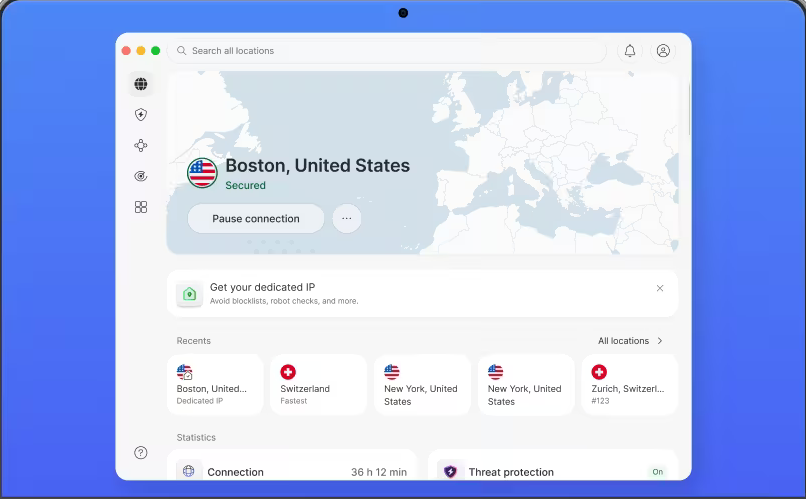
NordVPN
Why it made the list
- Rarely triggered proxy errors in our Japan tests.
- Reliable access to Netflix Japan in repeated tests
- Multiple servers in Japan and consistently fast speeds

ExpressVPN
Why it made the list
- Quick install, clear apps, dependable streaming.
- Very easy setup on phones, laptops, and TV apps
- Strong performance for streaming Netflix in high resolution

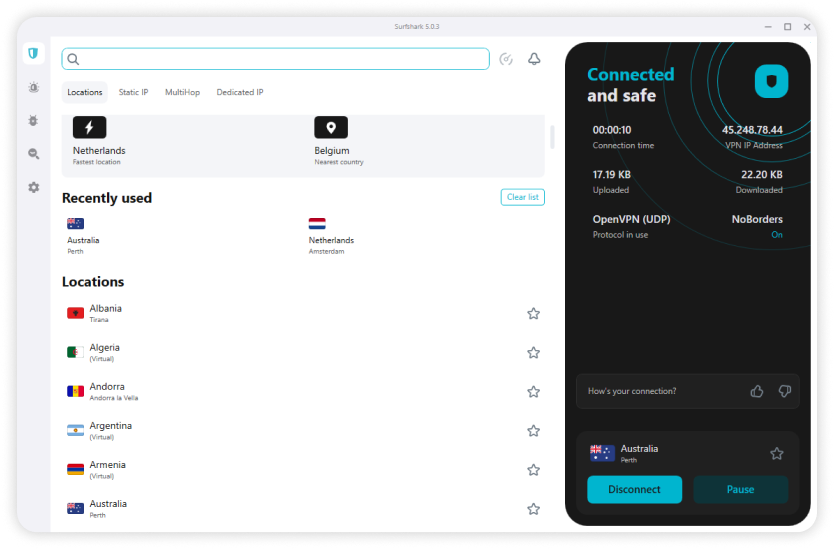
Surfshark
Why it made the list
- Unlimited devices for families watching Netflix Japan.
- Unlimited devices on one subscription
- Good value compared with many premium services
Netflix Japan is one of the more sought-after regional libraries for a reason. The catalog often has different anime, local dramas, and rotating shows and movies than what subscribers see in the US or other countries. That makes provider choice important, because not every VPN with servers in Japan can actually access Netflix Japan in a stable way.
In our tests, the gap between marketing claims and real-world results was wide. Some VPN providers advertised Japanese locations but hit proxy errors, delivered poor speeds, or struggled on certain apps. The best VPNs stood out by doing three things well at once: they maintained fast speeds, worked with Netflix consistently, and kept the setup simple across phones, laptops, and TV devices. If you plan on streaming Netflix regularly, those basics matter more than a long feature list.



How We Ranked the Providers
Our ranking focused on four things first: whether the VPN could access Netflix Japan, how stable the connection stayed during playback, how much speeds dropped while streaming, and how easy the apps were to use on common devices. From there, we looked at privacy, security, server coverage, and overall plan value.
We also considered whether a provider offered a money back guarantee, because that matters more than marketing copy. A 30-day money back guarantee gives you room to test the service on your home internet, your preferred apps, and your usual devices. This is usually smarter than trusting a free VPN for regular streaming.
How to Watch Japanese Netflix
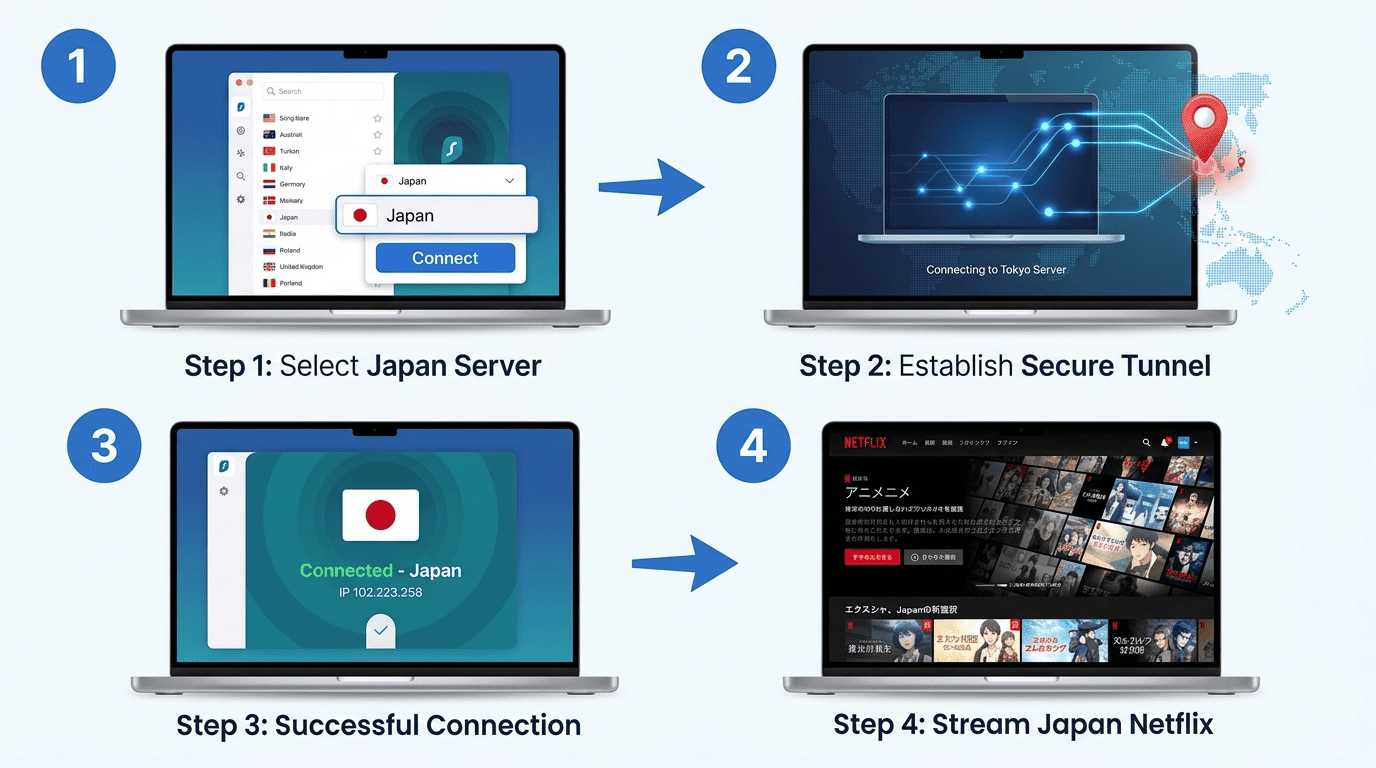
If you already subscribe to Netflix, the setup is straightforward. The main goal is to connect through a provider with working servers in Japan, get a Japanese IP address, and then open Netflix after the VPN connection is live. Most of the trouble comes from doing those steps out of order or picking a service that does not reliably access Netflix Japan.
You do not need advanced networking knowledge to watch Netflix this way. You just need a VPN that performs well with streaming services, an updated app, and a little patience if the first server does not work. Here is the cleanest way to do it.
Step 1: Choose a VPN With Japan Servers
Start with a VPN that has proven servers in Japan and a track record of working with Netflix. Plenty of services advertise Japanese locations, but that does not mean they can access Netflix Japan consistently once Netflix starts filtering shared IPs.
Look for a provider with fast speeds, current apps, and a clear refund policy. This gives you room to test the service on your own connection and devices. If you want the safest choice, stick with one of the providers ranked above rather than a random free VPN that may struggle with streaming, logs practices, or server congestion.
Step 2: Install the App and Sign In
Download the VPN app for the device you plan to use, whether that is a laptop, phone, tablet, or streaming box. Then sign in with the account tied to your selected plan. Before you go further, make sure the app is updated, since older versions sometimes have connection bugs or weaker server lists.
Most leading VPN apps make this part simple. You install, log in, grant any needed permissions, and check that the app can run properly in the background if your device requires it. If you use multiple devices, install the app everywhere you expect to watch Netflix so the experience stays consistent.
Step 3: Connect to a Japan Location
Open the app, choose Japan from the location list, and connect to server infrastructure there. Once the connection is active, the app should show that your traffic is routed through a Japanese server. This ensures you get the Japanese IP address needed for regional detection.
If you want to be careful, verify the new ip address with a browser-based IP checker before opening Netflix. This extra step takes seconds and can save time if the app connected to the wrong region or your device kept older network data. A clean Japan connection is the foundation for stable access.
Step 4: Watching Japanese Netflix Without Errors
After the VPN is connected, open Netflix and browse the site or app normally. If the connection is working as intended, you should see the Netflix Japan library and be able to watch Netflix titles available in that region. Search for a title you know appears in Japanese libraries if you want a quick check.
If Netflix shows the wrong catalog or throws an error, disconnect and reconnect to another Japan server. Sometimes a simple refresh is enough. Other times, you may need to close the app fully before trying again to access Netflix Japan.
Tips for Stable Playback
Use the fastest Japan server available, pause background downloads, and disable conflicting browser extensions. If streaming services buffer or stall, reconnect to a different server and retry with a fresh connection.
How We Chose the Best VPNs (Criteria & Methodology)
We did not rank these services by brand recognition or feature lists alone. The goal was narrower: identify each VPN service that handled Netflix Japan well enough to recommend with confidence. This meant repeated tests focused on access, playback quality, stability, and the day-to-day usability of VPN apps on common devices.
We also looked beyond streaming. A provider that works with Netflix but has weak privacy, unclear logs policy, or poor security features is still a compromised choice. The best picks balanced viewing performance with the fundamentals readers should expect from a modern VPN.
Streaming Performance and Speed Tests
Our tests focused first on whether each service could load Netflix Japan without errors, then on how smoothly playback held once a show started. We checked startup times, video stability, and whether streams stayed usable in HD and 4K over sustained sessions. Fast speeds mattered, but consistency mattered just as much.
We also watched how each connection behaved when switching between Japan servers. Some providers recovered quickly after a failed attempt; others dragged their feet. This difference shows up fast in real use, especially if you need to retry a location before streaming works cleanly.
Security, Privacy, and No-Logs Policies
Streaming was the priority, but we also evaluated privacy and baseline security features. These included whether the service had a clear logs policy, a kill switch, and leak protection. A kill switch is the feature that cuts internet traffic if the VPN drops, which helps prevent your real IP from slipping through unexpectedly.
We gave extra weight to services with stronger transparency around logs, audits, and account protections. For a streaming-focused guide, privacy is not the whole story, but it should not be an afterthought either.
Server Coverage and Japan Availability
A wide server network is helpful because it gives users more fallback options when one location gets flagged or congested. We looked specifically at Japan availability, the number of usable Japan endpoints, and how well those servers held up during repeated access checks.
Coverage across other regions mattered too. Many readers use one VPN for several libraries, so services with flexible region support across countries scored better than narrow, single-use options.
Apps, Device Support, and Ease of Use
We checked VPN apps on major platforms and paid attention to how easy they were to use without a manual. Clean navigation, clear location menus, and reliable reconnection behavior all helped separate stronger services from weaker ones.
Device support also mattered. Readers may switch between phones, laptops, and TV hardware, so the better providers made that transition easy. A generous money back guarantee helped too, since it let users test app behavior on their own setup before settling on a plan.
Free vs Paid VPNs for Japanese Netflix
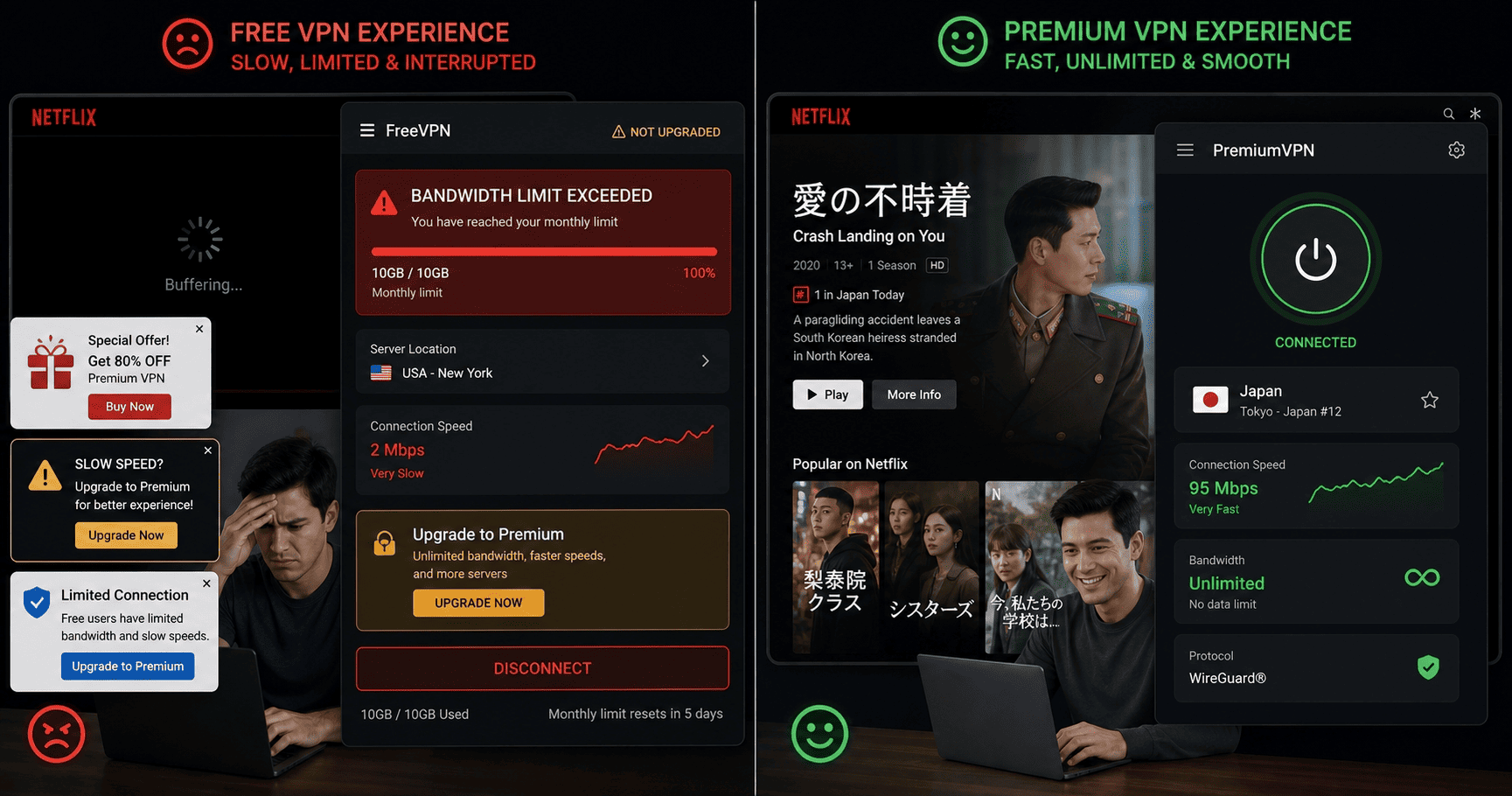
For this use case, the difference between a paid service and a free VPN is usually not subtle. Netflix is good at spotting crowded or overused IP ranges, and free services often run into that wall quickly. Even when they connect, speeds can drop enough to make streaming services feel unreliable.
Paid VPN providers are not immune to blocks, but they generally have more room to react. They rotate infrastructure faster, maintain better apps, and give users more Japan options when a server stops working. This makes them the more practical choice for regular streaming.
What Free VPNs Usually Miss
A free VPN often falls short in three places at once: speed, server variety, and reliability. Limited bandwidth can make HD playback unstable, while small server pools increase the odds that Netflix has already flagged the shared IP address. For Japanese libraries, that can mean endless retries with no real result.
Privacy is another concern. Some free tools have weak transparency around logs, ads, or data handling. Even if your only goal is entertainment, that trade-off is not great. If you care about stable internet access and repeatable streaming performance, free options rarely hold up for long.
Why Paid VPNs Work Better for Streaming
Paid services usually deliver faster speeds, better server rotation, and more consistent access Netflix results. They also tend to offer clearer app support across devices, which matters if you switch between phones, laptops, and TV platforms.
Most premium providers maintain servers in Japan specifically for high-demand regions. This does not guarantee success every time, but it improves the odds substantially compared with shared free infrastructure.
When a Money-Back Guarantee Helps
A money back guarantee turns a subscription into a low-risk test rather than a blind commitment. If a provider offers a 30-day money back guarantee, like NordVPN and ExpressVPN do, you can check how it performs with your own internet, location, and favorite devices.
This matters because streaming results can vary by home connection and region. A good back guarantee gives you room to verify access before settling in.
Best Value for Long-Term Use
If you plan to stream regularly, longer plans usually offer the best value. Compare the total plan cost, number of devices, and app quality rather than focusing only on the sticker price.
The cheapest option is not always the best choice. A slightly higher monthly cost can make sense if the service keeps better speeds, stronger privacy, and more reliable Netflix access over time.
Troubleshooting and Common Issues
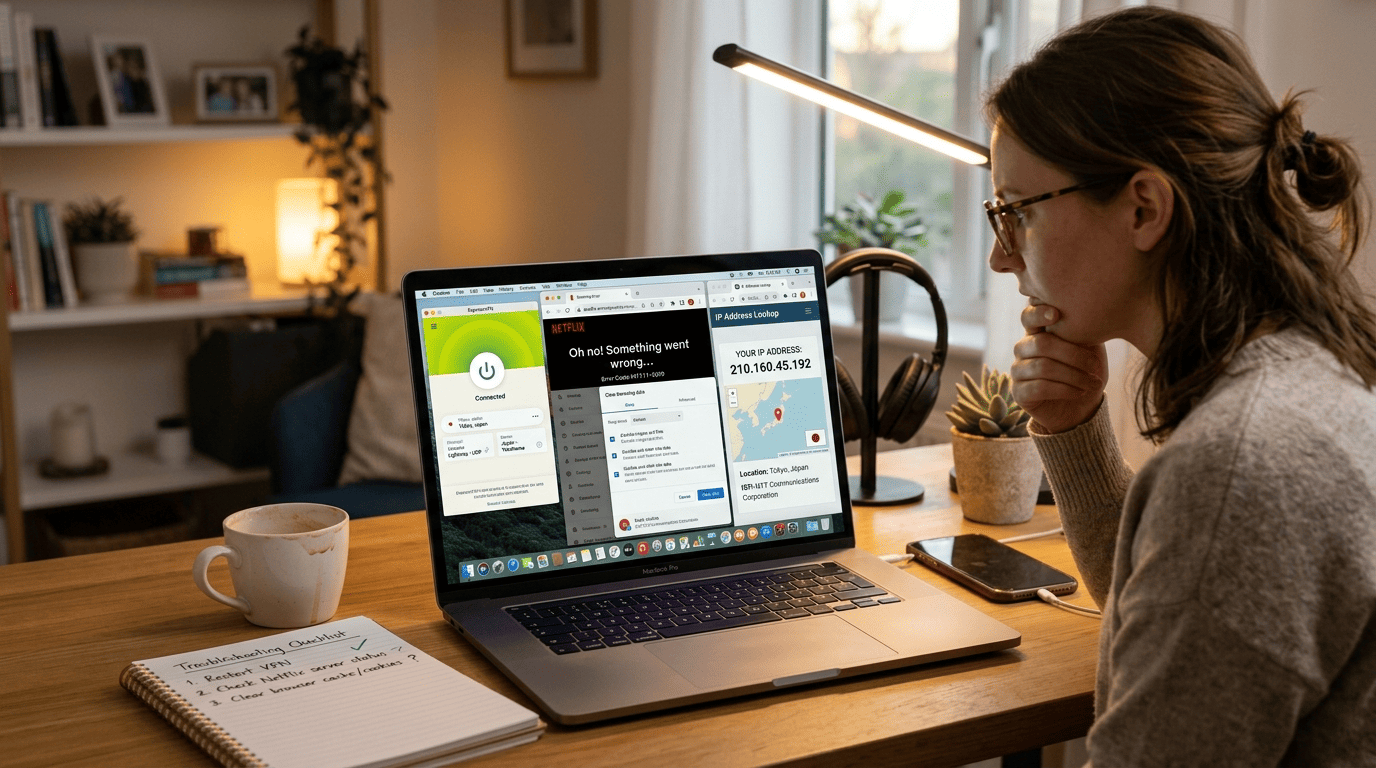
Even strong services can hit the occasional snag with Netflix Japan. Proxy filters change, IP ranges get flagged, and apps sometimes cache old region data. The good news is that most problems have simple fixes if you work through them in order rather than changing five settings at once.
The first things to check are your server location, your visible ip address, and whether Netflix is showing the correct library. If those basics look right, you can usually get back to streaming Netflix with a quick server swap or app refresh.
When Netflix Detects Your VPN
If Netflix throws proxy errors, switch to another Japan server first. This is the cleanest fix because the current IP may already be flagged. After that, clear your browser cache or app data so Netflix does not keep serving the old region session.
It also helps to confirm that your current connection shows a Japanese IP address before you try again. If not, disconnect, reconnect, and make sure you actually connect to server infrastructure in Japan rather than a nearby automatic location.
Fixing Slow Speeds and Buffering
Slow playback usually comes down to distance, congestion, or background traffic. Pick a faster Japan location, stop large downloads on your network, and reconnect if the server feels overloaded. Even good services can vary by server load at peak times.
If buffering continues, test your base connection without the VPN and then compare it. This helps you tell whether the issue is the VPN itself or your home internet speeds dipping more broadly.
App and Device Compatibility Checks
Update the VPN app and the Netflix app before doing anything more complicated. Old apps can cause failed handshakes, poor region detection, or unstable playback on certain devices.
You should also check whether your platform is fully supported. Some smart TV setups are pickier than phones or laptops, so switching devices can be a quick diagnostic step.
Account and Region Refresh Tips
If the library does not change after you switch servers, sign out of Netflix and sign back in. You can also clear cookies or app data to force a fresh region check.
Sometimes the best move is the least dramatic one: wait a minute, reconnect, and reload. A short pause after changing location can help Netflix refresh access cleanly.
Why Netflix Blocks VPNs and Regional Restrictions
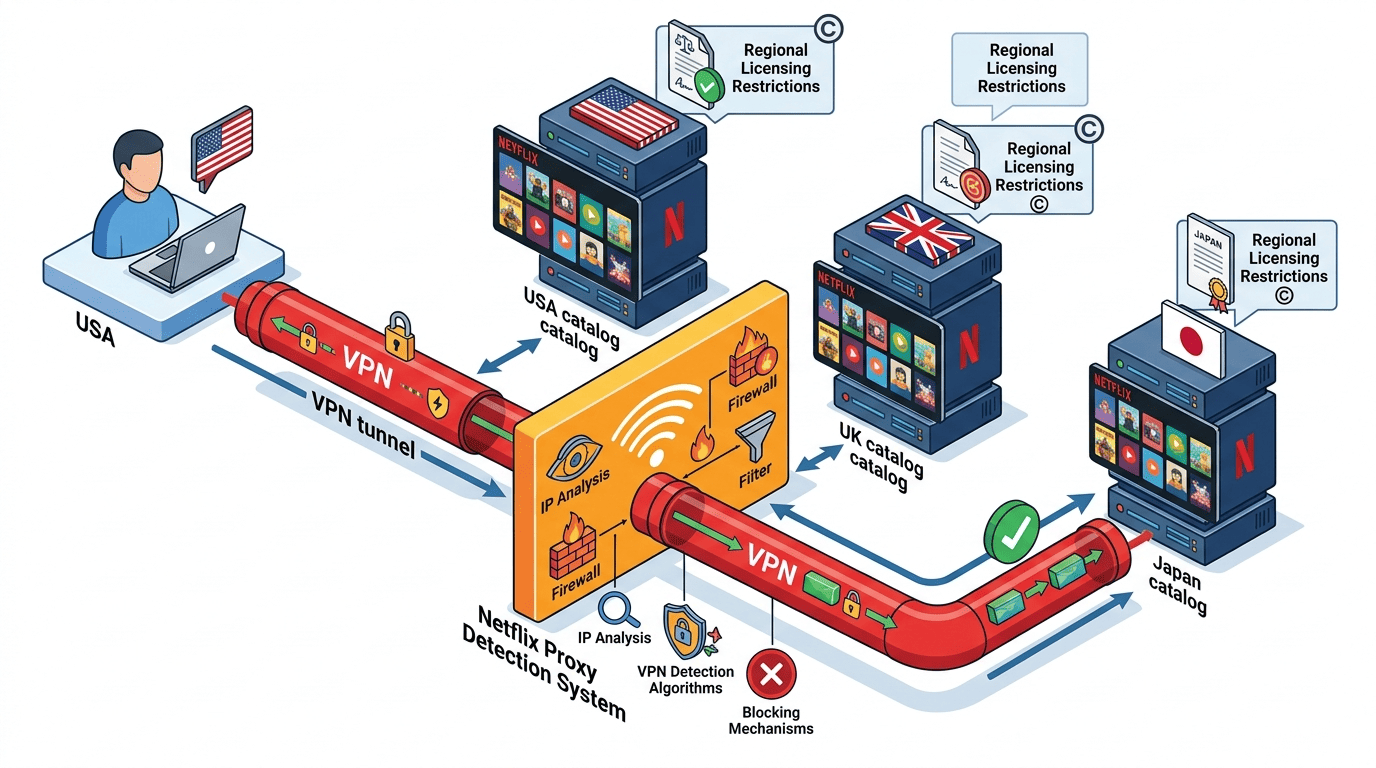
Netflix licenses content by region, not as one universal catalog for all countries. This explains why Japan, the US, and Europe can each show different libraries even under the same subscription brand. A VPN changes your apparent location, which is why Netflix pays close attention to where a connection appears to come from.
The platform also has incentives to enforce those regional boundaries. Rights agreements, local distribution deals, and studio contracts all shape what viewers can access in different regions. This forms the backdrop for the constant tug-of-war between Netflix and VPN services.
How Geographic Licensing Works
A title may be licensed for Japan but not for the US, or available in some countries but missing in others. This explains why regional libraries differ so much. Netflix Japan often carries Japanese content and anime — including series like Alice in Borderland and local originals — that do not appear in other libraries at the same time.
For users, the practical effect is simple: the library changes based on where Netflix thinks you are connecting from.
Why Proxy Detection Matters
Netflix looks for traffic patterns that suggest a shared VPN IP rather than a normal home connection. If too many users appear from the same address, or a range is tied to datacenter servers, the site may restrict access or show an error.
This explains why some providers fail more often than others. Services that rotate IPs and refresh servers quickly usually hold up better under detection pressure.
What Makes Some VPNs More Resilient
The stronger services combine fast speeds, broader servers, and better app behavior. They also tend to react faster when Netflix blocks a location, which keeps access more stable over time.
Security matters here too, though indirectly. Well-maintained infrastructure, cleaner apps, and responsive support often signal a provider that is better equipped for shifting regional blocks.
Japanese Netflix Content and Features (Anime, Subtitles, etc.)
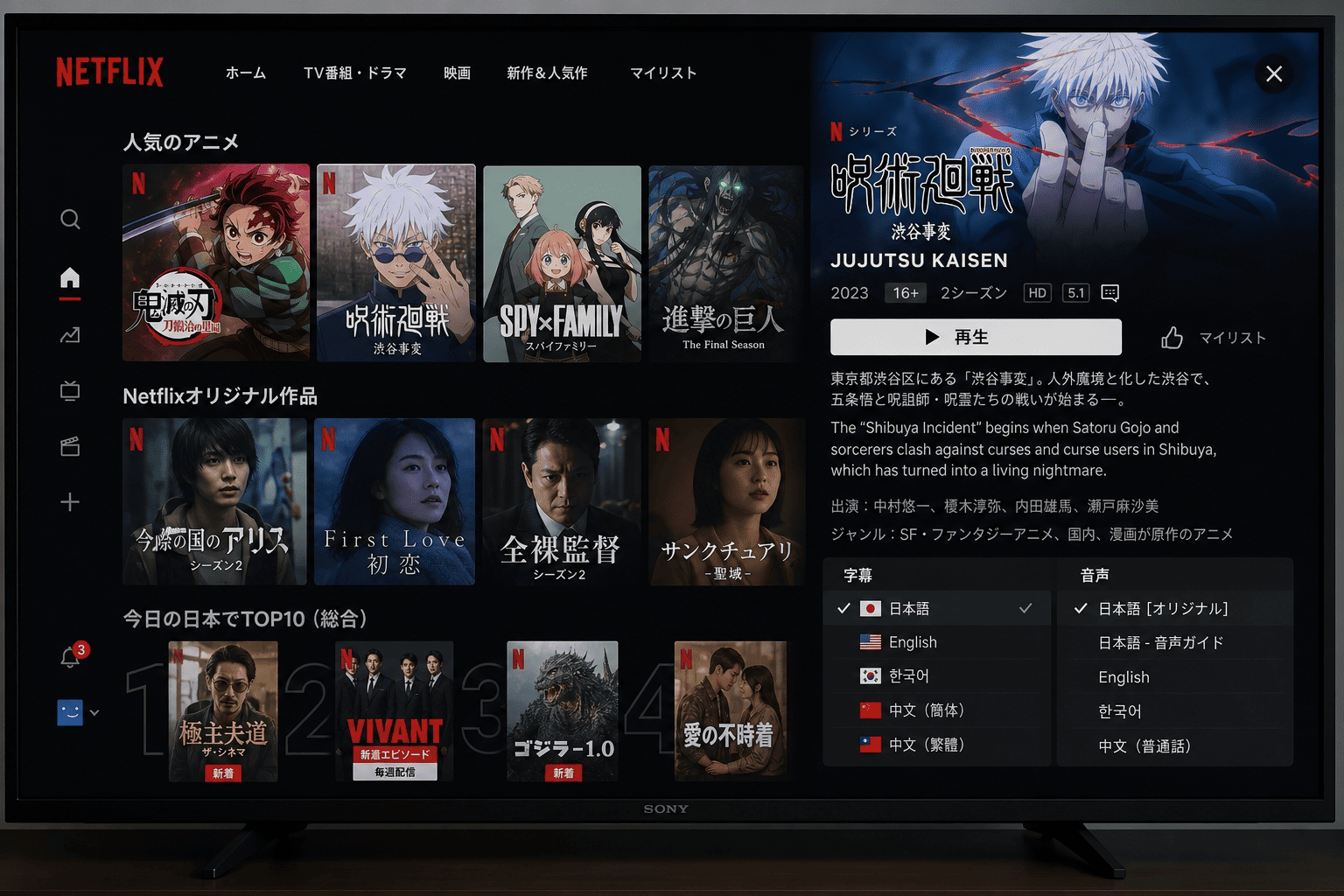
The appeal of Netflix Japan is not just that it is different. The Japanese library emphasizes categories many viewers actively seek out, especially anime, local originals, and region-specific releases. For some users, Japan is one of the most interesting Netflix libraries to explore.
It also has practical viewing differences. Language settings, subtitles, and title availability can vary, so the experience is not only about access. It is also about whether the content is comfortable to watch once you get there.
Anime and Local Originals
Netflix Japan is especially strong in anime, with a rotating mix of major series, classics, and local productions. The catalog also includes Japanese originals and regional exclusives that may not appear in other libraries at the same time.
This is a big part of the draw. Readers looking for anime-first content often check Japan before other regions.
Subtitles, Audio, and Language Options
Not every title offers the same subtitles or audio tracks across regions. Before settling in, check what language options are available for the shows and movies you care about.
For international users, subtitles can make or break the experience. A library may have the title you want, but the useful option is the version with the language support you need.
Why Users Seek the Japan Library
Most interest comes down to exclusives, anime depth, and access to local content not found in other regions. Netflix Japan can feel meaningfully different from US or European libraries.
For subscribers who want more choice, Japan remains one of the most searched regional options.
Japanese Netflix FAQ
Will a VPN always work with Netflix Japan?
Is a free VPN enough for streaming?
Do I need a Japan IP address every time?
What if Netflix shows a proxy error?
Which VPN is the safest bet for beginners?