

You can watch BBC One in the US by using a VPN with reliable UK servers, connecting to a UK location, then opening BBC iPlayer and signing in with a BBC account. Make your internet traffic appear to come from the UK so the BBC website and apps grant access to live and on-demand content.
The catch is that BBC iPlayer is intended for viewers in the UK, so access can fail if your IP address, browser data, DNS information, or app location signals point to the USA. A good VPN service fixes that by assigning a UK address and routing your connection through a UK network. In practice, that means you can watch BBC, test playback, and switch servers if one location is crowded or blocked.
How to Watch BBC iPlayer in the USA
Why BBC iPlayer is unavailable in the US
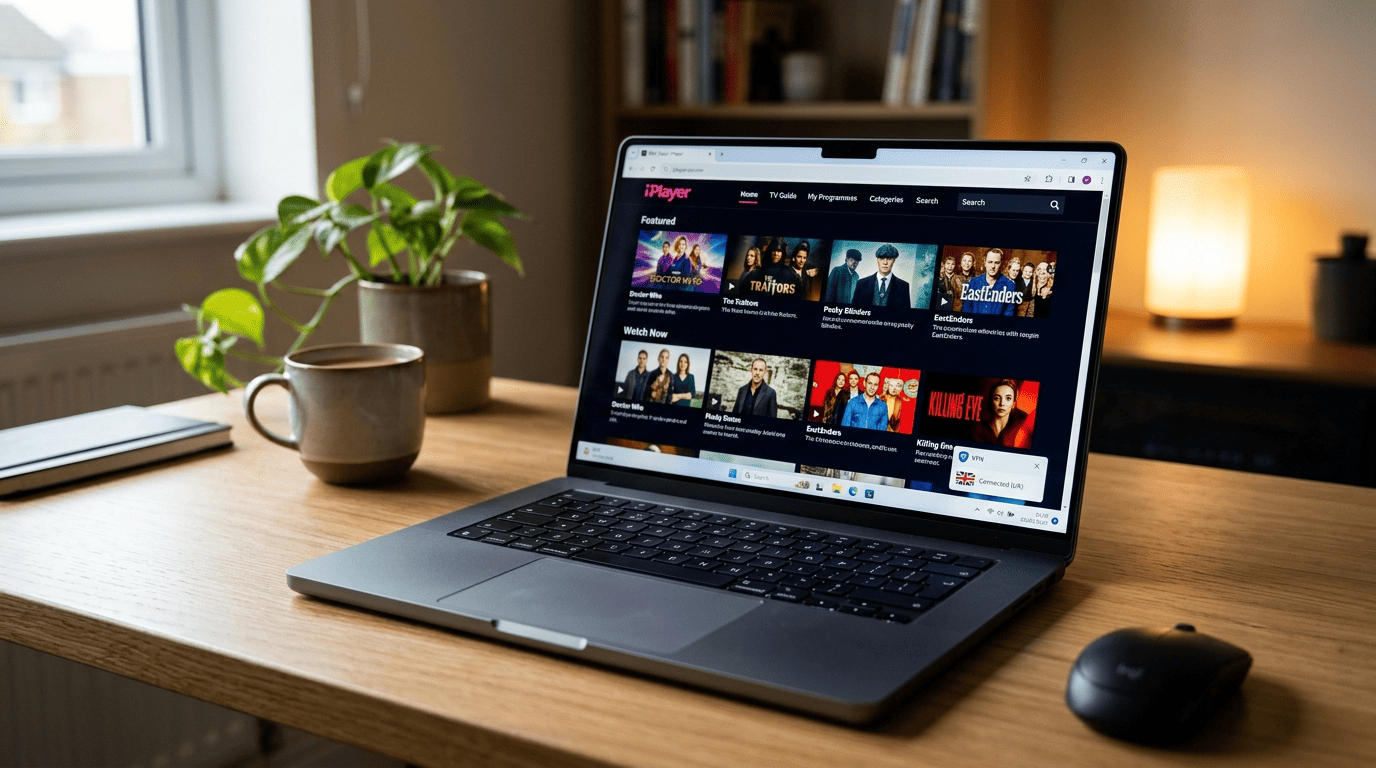
BBC iPlayer is a UK-only service. The platform checks your IP address and other location signals before it lets you stream. If you try to open BBC iPlayer from the US without a VPN, the site sees that you are outside the UK and blocks playback. You may still reach parts of the website or browse some pages on the web, but live and on-demand video access is restricted.
There is also an account layer. To watch BBC, users generally need to sign in with a BBC account, and the service expects viewers to confirm that they have a UK TV licence. That licence point is part of the BBC’s policy for live channels and iPlayer use — it is not something a VPN replaces. The VPN only changes the visible location of your internet connection.
So if you are in America, you cannot just open the site and watch BBC iPlayer directly. The BBC sees a non-UK address and denies streaming access. That is why people looking up how to watch or access BBC from abroad end up using a VPN with UK endpoints.
What you need before you start streaming
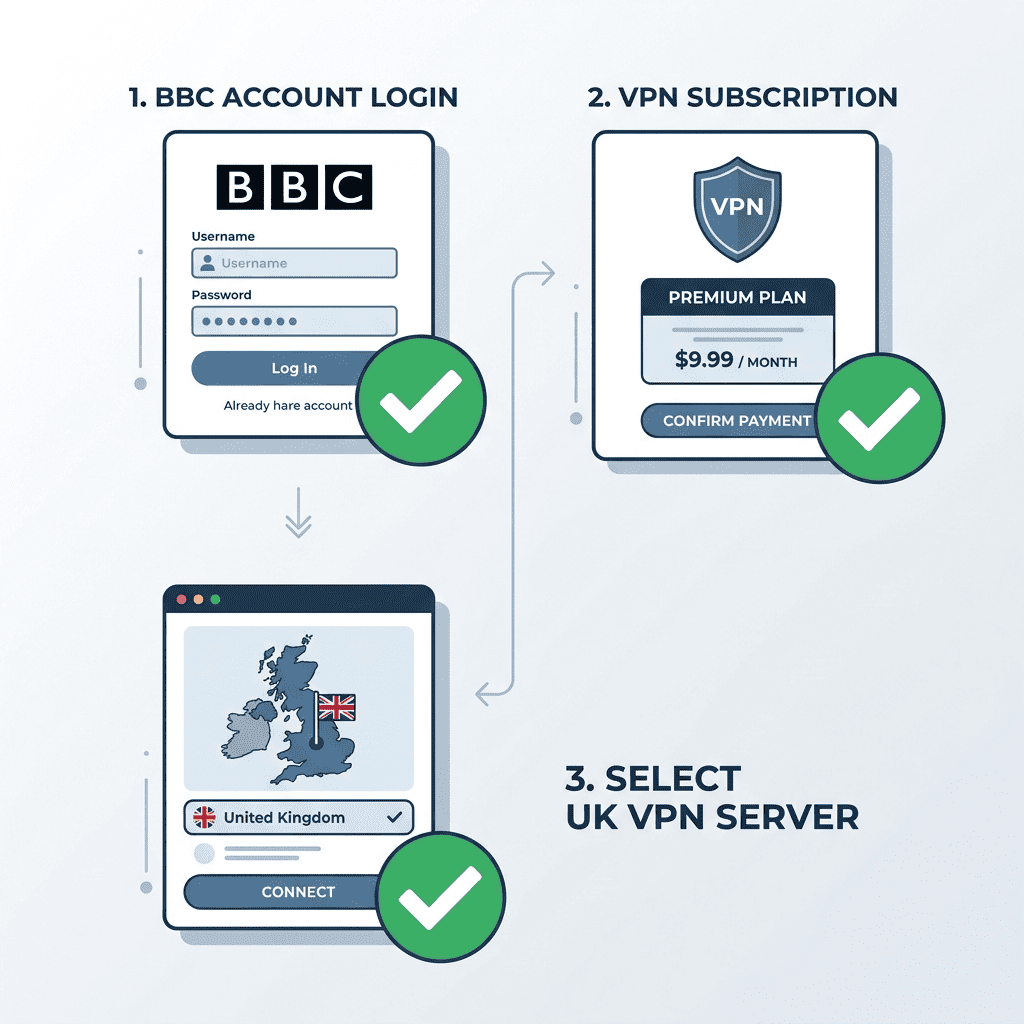
Before you start streaming BBC iPlayer, you need three basics: a BBC account, a VPN subscription, and a UK server to connect to.
First, create or prepare your BBC account so you can sign in quickly. Second, pick a VPN service with multiple UK locations rather than a single crowded endpoint — that improves your odds of getting a fast connection and a clean IP address that still works with iPlayer. Third, make sure your internet connection is stable. Even a provider that can access BBC may buffer if your home network is overloaded.
Device type matters too. On a laptop, a browser is often the easiest place to test playback. On phones, tablets, and TV apps, location behavior can vary because apps sometimes use extra device signals, cached information, or permissions. Many users start on desktop first, confirm that they can watch BBC iPlayer, and only then move to other apps or hardware.
Quick overview of the viewing process
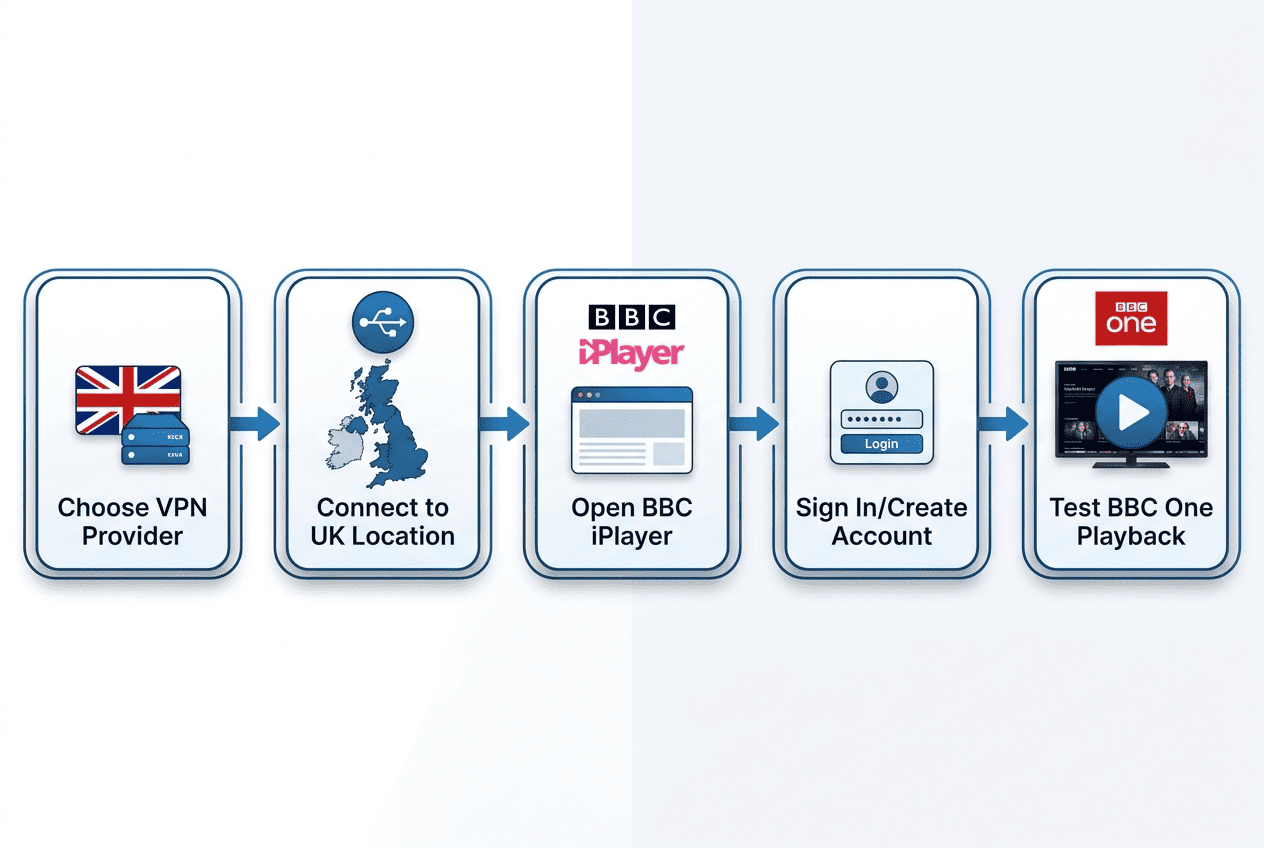
Sign up for a VPN that has reliable UK servers, install the app on your device, and connect to a UK location before you visit BBC iPlayer. Once the VPN connection is active, open the BBC website or app, sign in, and test a live BBC One stream or an on-demand program.
If playback starts, you are set. If not, refresh the browser, switch to another UK server, and try again. Not every IP address works equally well with streaming services, and a server that was fine yesterday may be crowded today. Open the site in a private browser window, sign in, and test a short video before settling in for a full program. That quick check tells you whether your current location, cookies, or cached data are interfering.
Using a VPN to Access BBC iPlayer
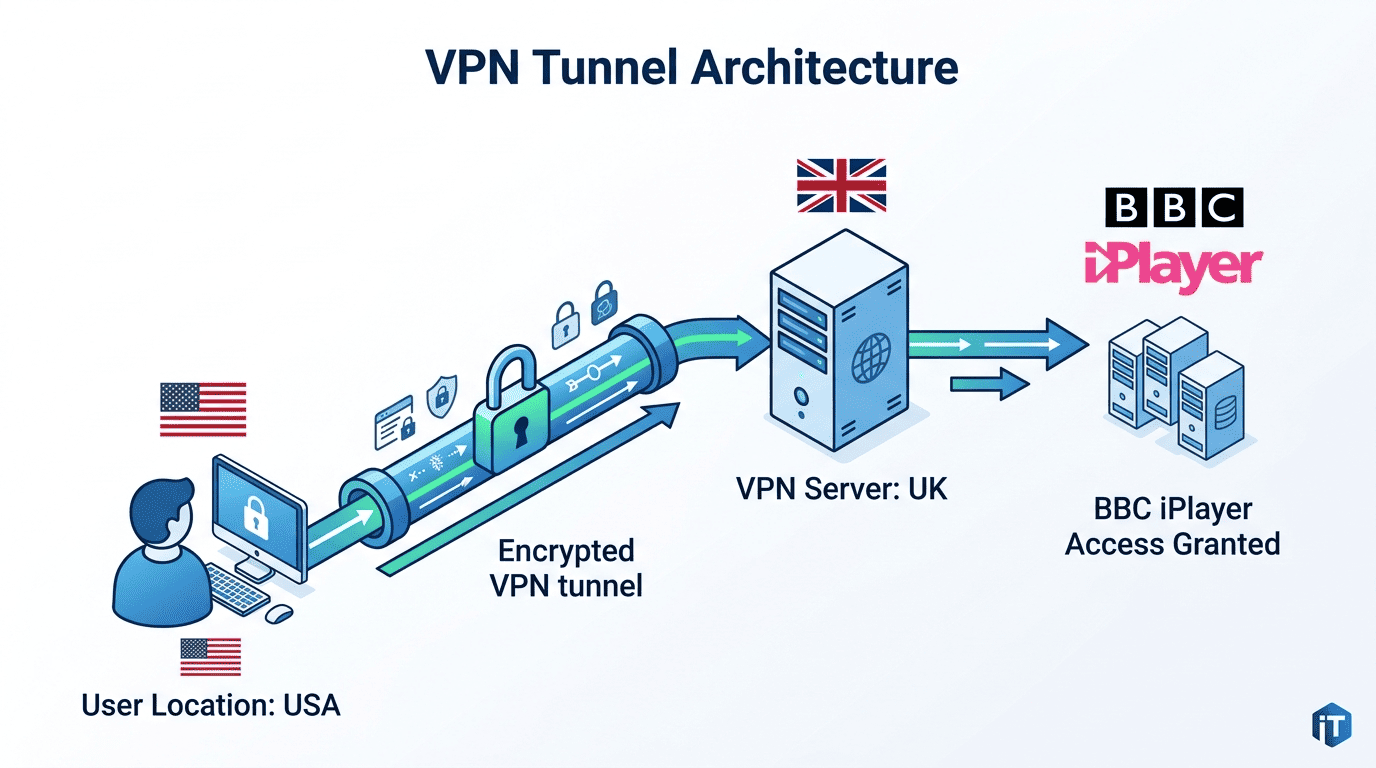
Using a VPN to unblock BBC is the most practical method for US viewers. Connect to server infrastructure in the UK, get a British IP address, then load BBC iPlayer as if you were browsing from there. If the provider works with iPlayer consistently, you should be able to access BBC and stream BBC content without much setup.
The order of operations matters. Open the VPN first, connect to a server in the UK, confirm your location has changed, and only then visit the website or app. If you sign in too early, leave old cookies in place, or use a server the BBC already recognizes, playback can fail even though the VPN itself is connected.
Step 1: Choose a VPN with strong UK coverage
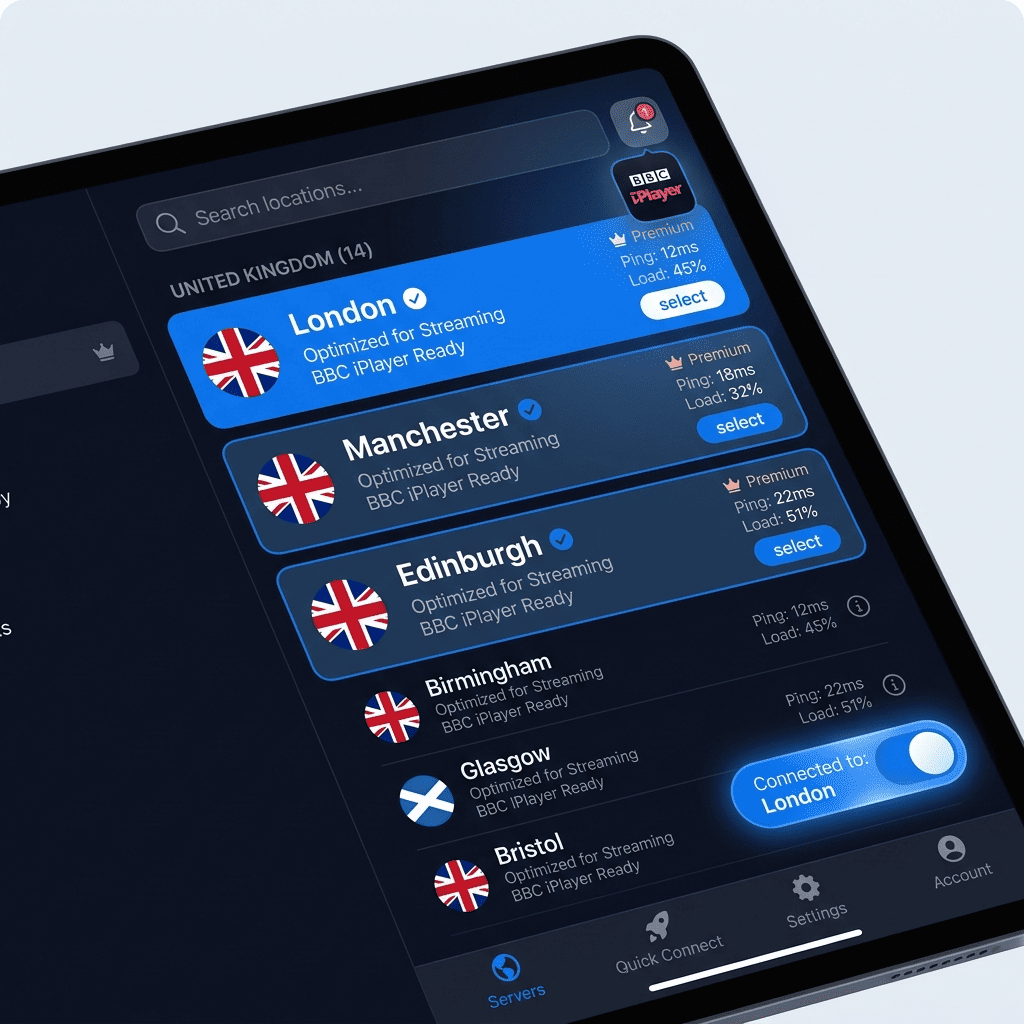
Not every VPN with a UK flag in its app can actually unblock BBC. For BBC iPlayer, prioritize providers with several UK cities or multiple UK servers rather than one generic London option. That gives you alternatives if one location is slow, overcrowded, or currently blocked by the BBC website.
Coverage matters because server choice affects both reliability and speed. If a service has a shallow UK network, users pile onto the same endpoints, which hurts connection quality during prime viewing hours. A broader network spreads traffic more evenly and gives you more chances to find a server still working with iPlayer.
Look for a provider with a clear refund window, ideally a money back guarantee that lets you test the service yourself. For streaming, lab claims mean less than real playback. Pick a VPN known to stream BBC, install it, and verify that it can access BBC iPlayer on your device before you commit long term.
Step 2: Connect and refresh your location
Once your VPN is installed, connect to a server in the UK before opening BBC iPlayer. Many failures happen because users visit the site first, then turn on the VPN after the browser has already stored US location information. Start clean: activate the VPN, choose a UK endpoint, and wait until the app confirms the connection.
Next, refresh your location signals. Reload the browser, open a private window, or clear cache and cookies if the website keeps insisting you are in the US. This removes old data that may conflict with your new IP address. On mobile, force-close the app and reopen it after the VPN connects.
Check that your visible IP address is in the UK before you try playback. That quick test confirms that the network path is correct and your internet traffic is actually being routed through the VPN service. If the address still shows the USA, disconnect and try another UK location.
Step 3: Sign in and start playback
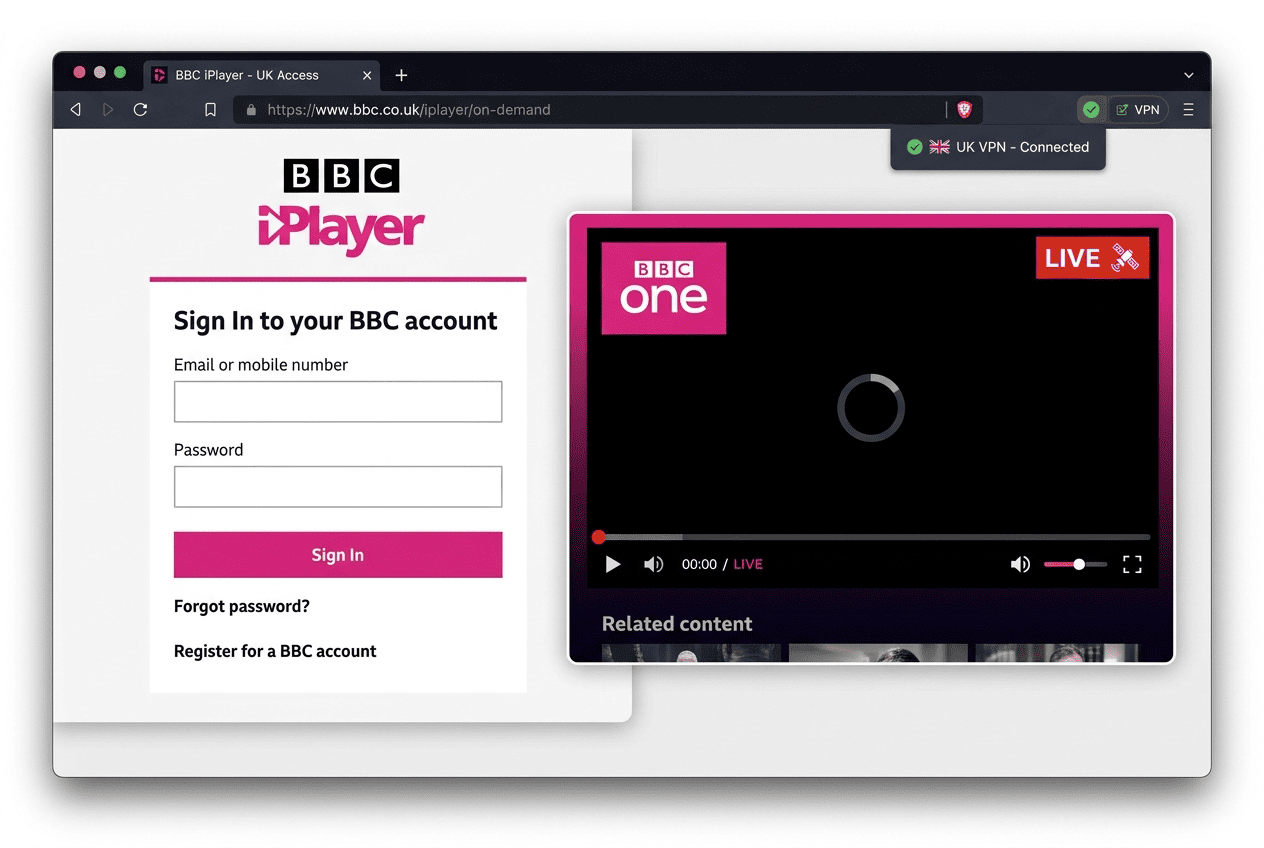
After the VPN is active and your browser looks clean, open BBC iPlayer and sign in. If you do not already have an account, create one first, then return to the player. Try a live BBC One stream or an on-demand program — the goal is confirming that video actually starts, not just loading the home page.
If playback works, you are done. If the site loads but the stream fails, switch to another of the provider’s UK servers and try again. This is common with streaming services because the BBC is not checking only the app login; it is checking the connection behind it. A different server can make the difference between an error message and a clean stream BBC session.
Best VPNs for BBC iPlayer
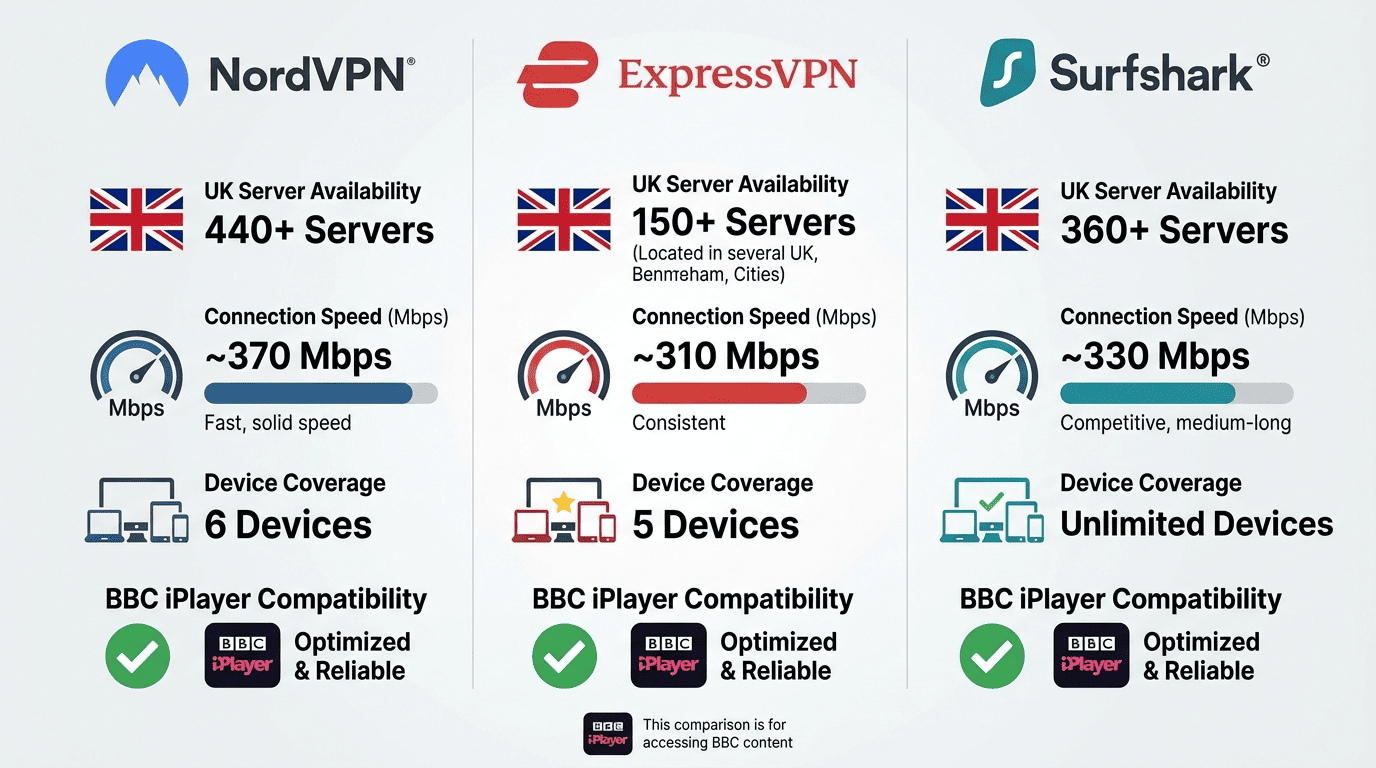
A VPN for BBC iPlayer needs to do more than advertise UK servers. It has to unblock the service consistently, hold a fast connection for live channels, and avoid the sort of leaks or stale location data that make the BBC site suspicious. We focused on providers that performed well for streaming services generally, not just on paper.
Price matters too, but value is more than the monthly number. A usable refund window, decent apps, a sensible privacy policy, and enough network depth to avoid congestion all count. If a service offers a money back guarantee, that gives you room to test whether you can watch on your own device and internet connection before committing.
NordVPN is the most rounded option here. In testing it was one of the most dependable services for loading both live BBC One streams and on-demand content, and its UK servers were generally quick to start playback. Its network depth is a big reason it works well — if one UK location struggles, you usually have another close at hand, which improves the odds that it can unblock the platform consistently. It supports modern protocols that keep traffic efficient without complicating setup. There is a 30-day money back guarantee, so you can test whether you can watch BBC on your own setup. If I were picking one all-purpose service for BBC, other streaming services, and everyday privacy, this is where I would start.
ExpressVPN is the easiest recommendation for readers who care more about friction-free setup than squeezing every last dollar of value from a subscription. Its apps are consistent across platforms — open the app, pick the UK, connect, and you are usually in business. Performance was strong in our checks, with a fast connection that handled live streams well and kept video quality steady. It is also a good fit if you use multiple streaming services and want one service that behaves predictably across all of them. You pay a premium for the simplicity, but a 30-day money back guarantee softens the risk.
Surfshark stands out on value, especially for families or shared homes where lots of users want access on different hardware at once. Its unlimited device policy is unusually generous, and that alone can save money if you want phones, laptops, tablets, and a TV box all covered under one account. For BBC iPlayer, Surfshark is a solid rather than flawless performer — server choice mattered more than it did with NordVPN, but there are enough UK options to switch around if a given location is slow. A 30-day money back guarantee applies here as well. If budget matters but you still want a service that can watch BBC and handle other streaming services, Surfshark is the practical pick.
VPN Testing and Selection Criteria
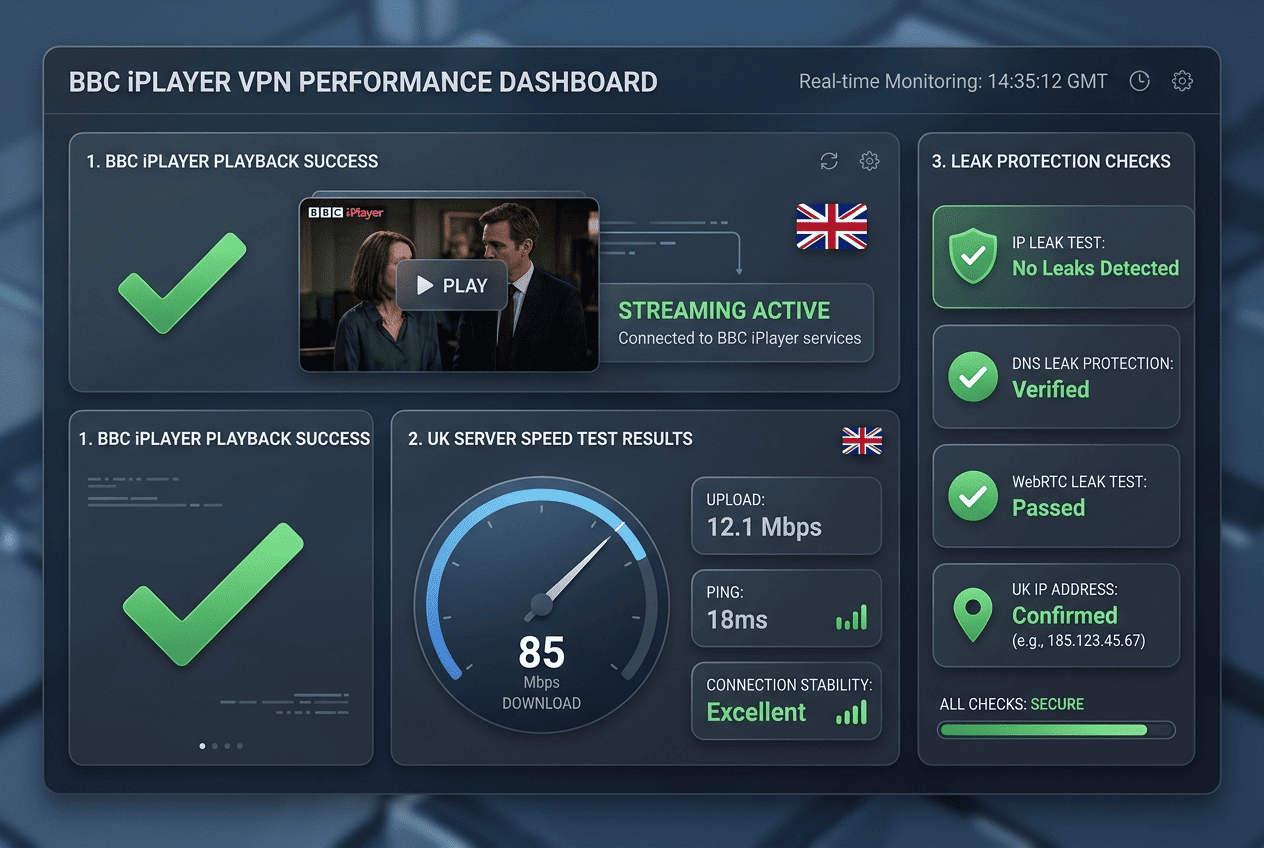
We did not rank these VPNs based on feature lists alone. The useful question for BBC iPlayer is narrower: can the service get you in, keep the connection stable, and do it without fighting the app every time you want to watch?
Streaming access — we tested whether BBC iPlayer would load, sign in, and start playback on repeated sessions, including live channels and on-demand video, and whether a service could access BBC after reconnecting rather than just on a lucky first try.
Speed and stability — for streaming, performance shows up as startup time, picture quality, and whether the connection holds under normal viewing. We compared nearby and distant UK servers, looked for buffering, and paid attention to congestion during busier periods.
Privacy and policy — we reviewed each provider’s logs policy, leak protection, and the clarity of its data-handling information. A VPN service sees sensitive traffic, so vague promises are not enough. We also considered encryption standards, support quality, and refund terms. If a provider says it values privacy but keeps expansive logs, or makes refunds difficult, that tells you something about the service.
Troubleshooting VPN Issues with BBC iPlayer
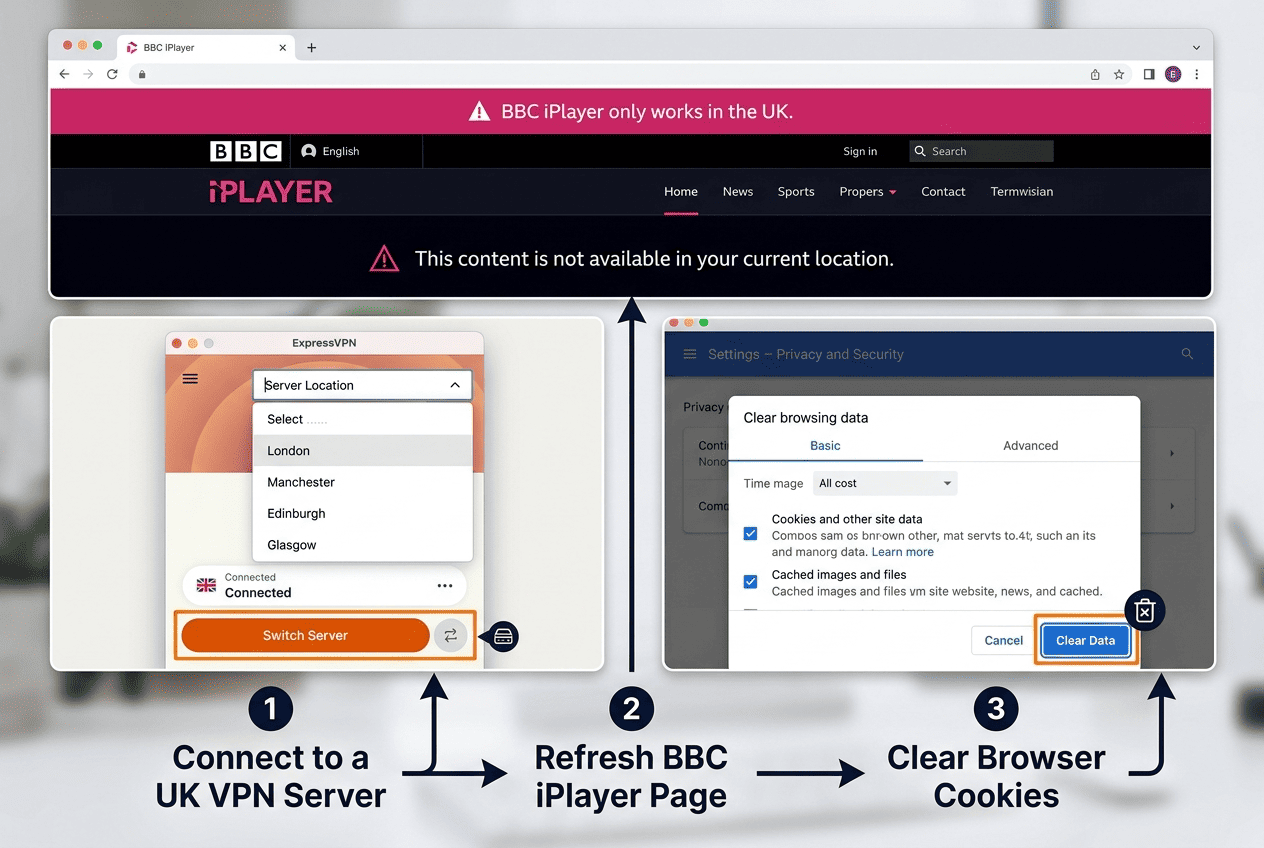
Most BBC iPlayer problems fall into three buckets: detection, poor playback, or login trouble. Something about your IP address, browser data, app permissions, or local network still points to the wrong location, so the BBC website refuses access or the stream stutters. Isolate the failure before changing everything at once — if the site loads but video will not start, that is different from a login loop.
When BBC iPlayer detects your VPN
Problem: BBC iPlayer loads, but you cannot access BBC iPlayer playback because the service detects the VPN or says you are outside the UK.
Fix: Disconnect and connect to a server in another UK city, then reopen the browser or app. Clear cookies, cache, and any stored site data for the BBC website. On mobile, force-close the app and relaunch it after the VPN reconnects. Verify that your IP address shows the UK. If one server will not unblock BBC iPlayer, another often will. If several fail in a row, contact support and ask which UK location is currently working with iPlayer.
Fixing buffering and low-quality playback
Problem: The stream starts, but video quality drops, live channels pause, or buffering makes BBC One painful to watch.
Fix: Switch to a faster UK server, ideally one with lower load in the VPN app. Use wired internet instead of Wi-Fi where possible, especially on a TV device. Pause large downloads, cloud backups, or game updates on the same network. Try a different protocol if your service offers one — WireGuard-based options are often quicker than older setups. If the stream improves immediately after a server switch, the first location was the bottleneck.
Login and account problems
Problem: You can reach BBC iPlayer, but sign-in fails, loops, or stalls before playback begins.
Fix: Confirm your BBC login details and make sure the VPN is connected before you sign in. Open a private browser window or clear cookies for the site and try again. If you use apps, sign out fully, close the app, reconnect to the UK, and sign back in. Check device location permissions, since some apps compare that information with your network location. If the login page still loops, try a different browser on desktop first. That removes one variable and often gets access BBC working again faster than repeated retries in the same stuck session.
BBC iPlayer Channels and Shows Available
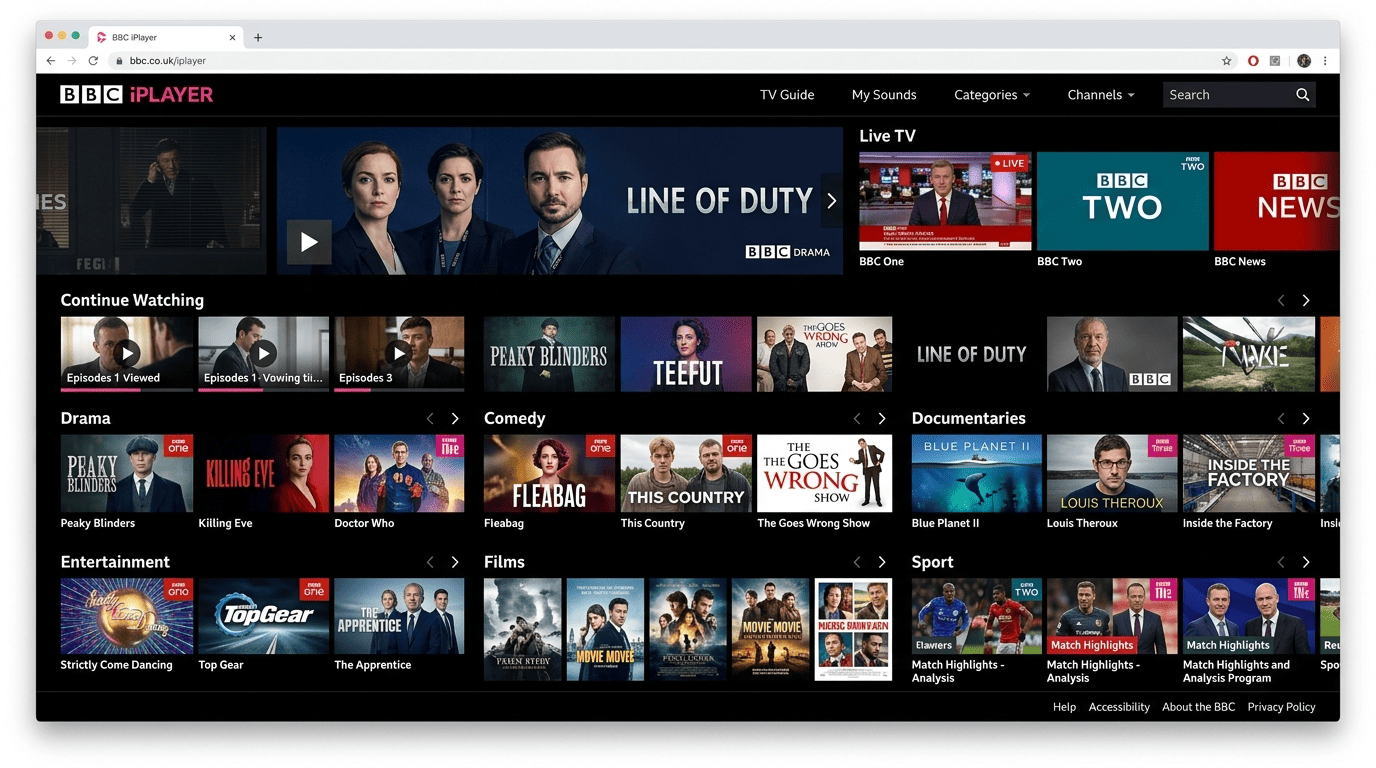
BBC iPlayer offers more than BBC One. Once access is working, you can browse live channels, catch-up content, and on-demand series in one place. The exact lineup changes over time — some titles are only available for limited windows tied to broadcast rights and licensing — so think of it as a rotating library rather than a permanent archive.
Live BBC channels and news
Live viewing is one of the biggest reasons people use BBC iPlayer. You can watch channels such as BBC One and check rolling BBC News coverage, special news events, and scheduled programs from the same web interface. For US readers, that is often the fastest route to live UK coverage. Availability can vary by time and region signals, but if your VPN is connected properly, live news and channel streaming are usually the first things to test.
On-demand series and box sets
The on-demand side of BBC iPlayer lets users watch recently aired episodes, catch-up programs, and selected box sets without needing to tune in at broadcast time. Titles rotate in and out, but the service covers drama, factual programming, comedy, and entertainment — and it is the main reason many people prefer iPlayer over waiting for imported releases on other streaming services.
Sports, drama, and entertainment
Check the homepage categories for sports, drama, and entertainment. Those sections surface the most in-demand content first, whether that is a live event, a new series, or a recently promoted program. News fans can watch BBC News, while drama viewers can browse current series and featured video collections. BBC iPlayer gives you live and catch-up options through the same website and apps.
Supported Devices for BBC iPlayer
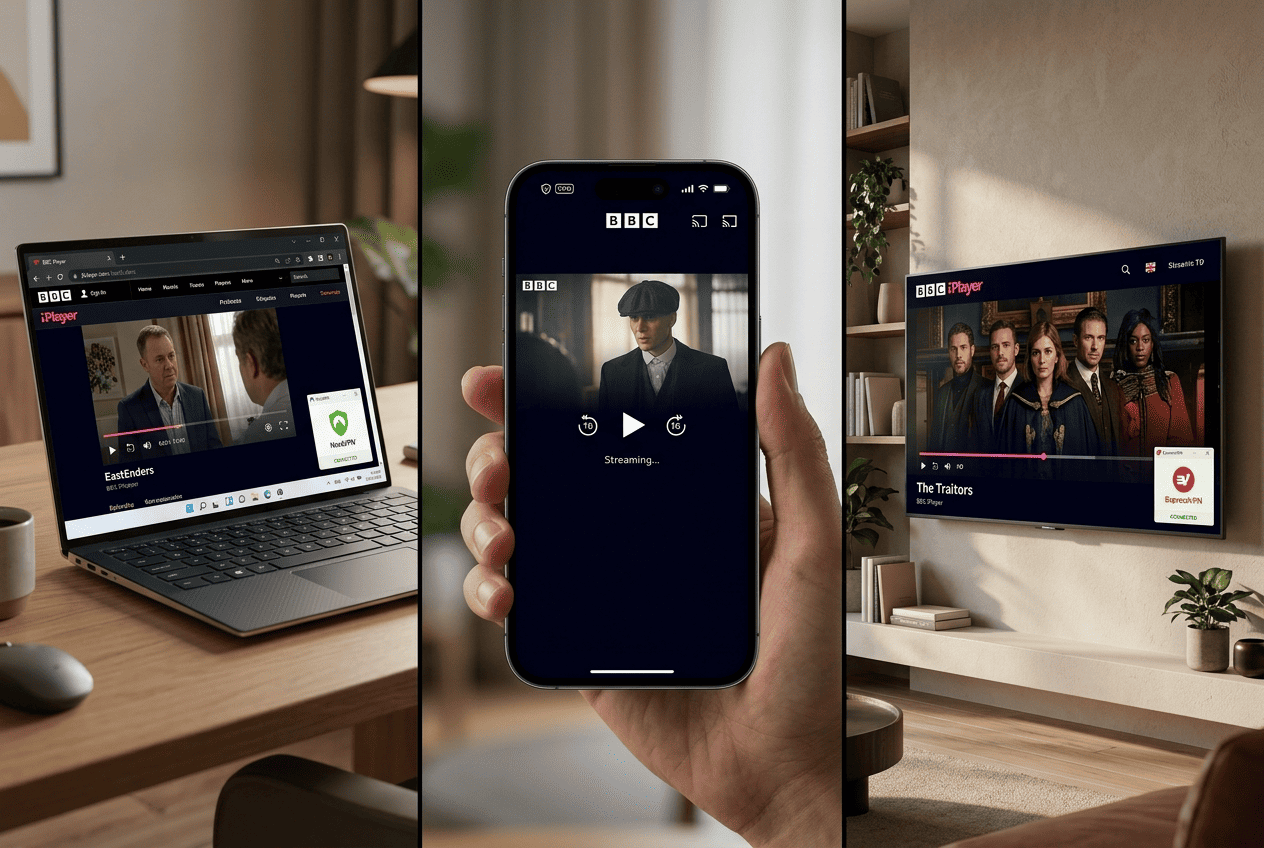
BBC iPlayer works across a wide range of hardware, but setup can differ by device. Test on desktop first — once you know your account, VPN, and internet connection are working, move to mobile apps or living-room hardware with fewer variables in play.
Windows and Mac computers
Windows and Mac are usually the easiest way to get started. Open a browser, connect the VPN, visit the web version of BBC iPlayer, and sign in. Desktop is also the best place to troubleshoot because you can clear cache, manage extensions, and confirm your location with fewer steps. If playback fails, disable conflicting browser add-ons first.
Phones and tablets
Apps can behave differently from a browser. Mobile operating systems may share extra location information, and app permissions can affect whether BBC iPlayer grants access. If the app fails, try the mobile web version after connecting the VPN. Confirm that the VPN app, BBC apps, and device location settings are all aligned before you press play.
TVs and streaming hardware
Smart TVs, streaming sticks, and set-top boxes can be the most comfortable way to watch, but they are not always the simplest to configure. Some support VPN apps directly; others need a router-level setup so the whole device uses the VPN connection. If direct apps are not supported, a VPN-enabled router can bring BBC iPlayer access to the living room through your home network and internet connection.
Frequently Asked Questions
Is it legal to use a VPN for BBC iPlayer?
Can I use a free VPN to watch BBC iPlayer?
Do I need a BBC account to stream?
Why does BBC iPlayer say I am outside the UK?
Can I watch BBC One live from the US?
Which devices support BBC iPlayer with a VPN?
What should I do if the VPN stops working with BBC iPlayer?